Infinity EX Camera System Module.pdf - 第40页
INFINITY EX CAME RA SY STEM MO DULE REP LAC EMEN T PR OCE DURE S 17.4 0 Technical Reference Manual Chapter Issue 3 Jan 04 4. Unscre w the two screws securing the camera dra g chain support br acket, remov e the cable tie…
INFINITY
EX
CAMERA SYSTEM MODULE
REPLACEMENT PROCEDURES
Chapter Issue 3 Jan 04 Technical Reference Manual 17.39
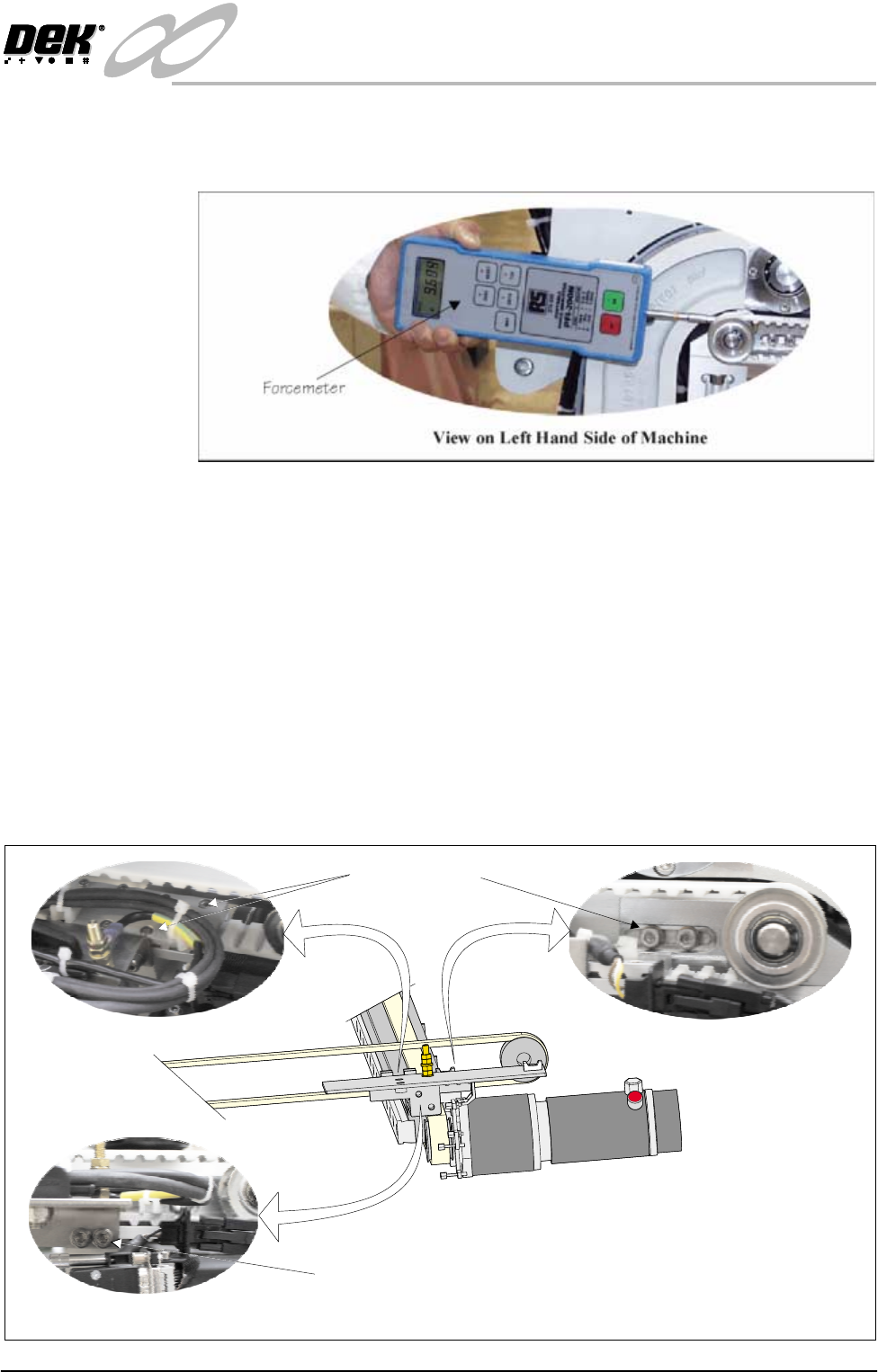
10.Engage a forcemeter with the spindle of the rear belt pulley. Apply a
horizontal force of 15kg to the belt. Maintaining this force tighten the
tensioner block securing screws.
11.Replace the removed panels and lower the covers.
12.Power up and initialize the machine. Carry out the following checks:
a. Camera Y Home Positioning.
b. Camera X Axis Parallelism.
Right Hand Main Y Axis Timing Belt
1. Ensure the machine is powered down.
2. Raise the front and rear printhead covers and remove the right hand side
panels.
3. Loosen the two camera belt tensioner securing screws, slide the tensioner
block to release the tension on the camera block.
View on Belt Clamp
View on Belt Tensioner
View on Right Hand Camera Y Axis
View on Drag Chain Bracket
Securing Screws
Securing Screws
INFINITY
EX
CAMERA SYSTEM MODULE
REPLACEMENT PROCEDURES
17.40 Technical Reference Manual Chapter Issue 3 Jan 04
4. Unscrew the two screws securing the camera drag chain support bracket,
remove the cable ties and unship the bracket.
5. Unscrew the eight belt clamp securing screws and remove the top plate and
the old belt.
NOTE
Ensure the replacement belt is equal in length to the old belt. If not, shorten
as necessary.
6. Engage the first four teeth of the replacement belt into the right hand side of
the belt clamp and tighten screws sufficient amount to hold the belt.
7. Route the belt anti-clockwise around the rear belt pulley returning along the
top, around the front belt pulley to the left hand side of the belt clamp.
8. Engage the last four belt teeth into the belt clamp. Tighten the clamp screws,
ensuring belt movement within the clamp.
9. Align the belt in the clamp towards the outside of the machine. Tighten the
clamp screws.
10.Position the camera carriage above the rising table front edge.
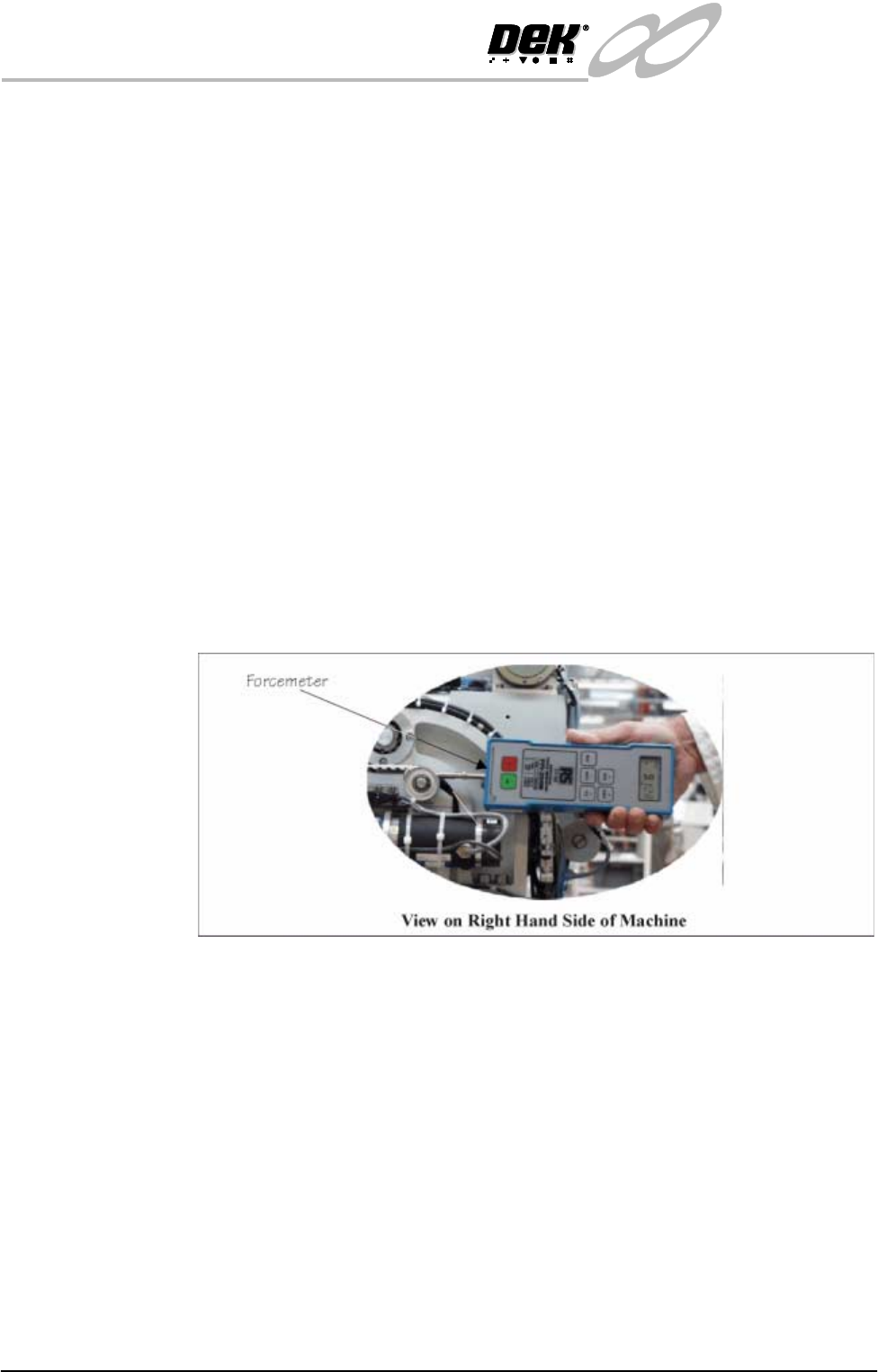
11.Engage a force meter with the spindle of the rear belt pulley. Apply a
horizontal force of 15kg to the belt. Maintaining this force, tighten the
tensioner block securing screws.
12.Fit cable ties to the belt clamp. Refit the drag chain bracket.
13.Power up and initialize the machine. Carry out the following checks:
a. Camera Y Home Positioning.
b. Camera X Axis Parallelism.
INFINITY
EX
CAMERA SYSTEM MODULE
REPLACEMENT PROCEDURES
Chapter Issue 3 Jan 04 Technical Reference Manual 17.41
Camera Y Motor Timing Belt
1. Ensure the machine is powered down.
2. Remove the left hand machine side panel.
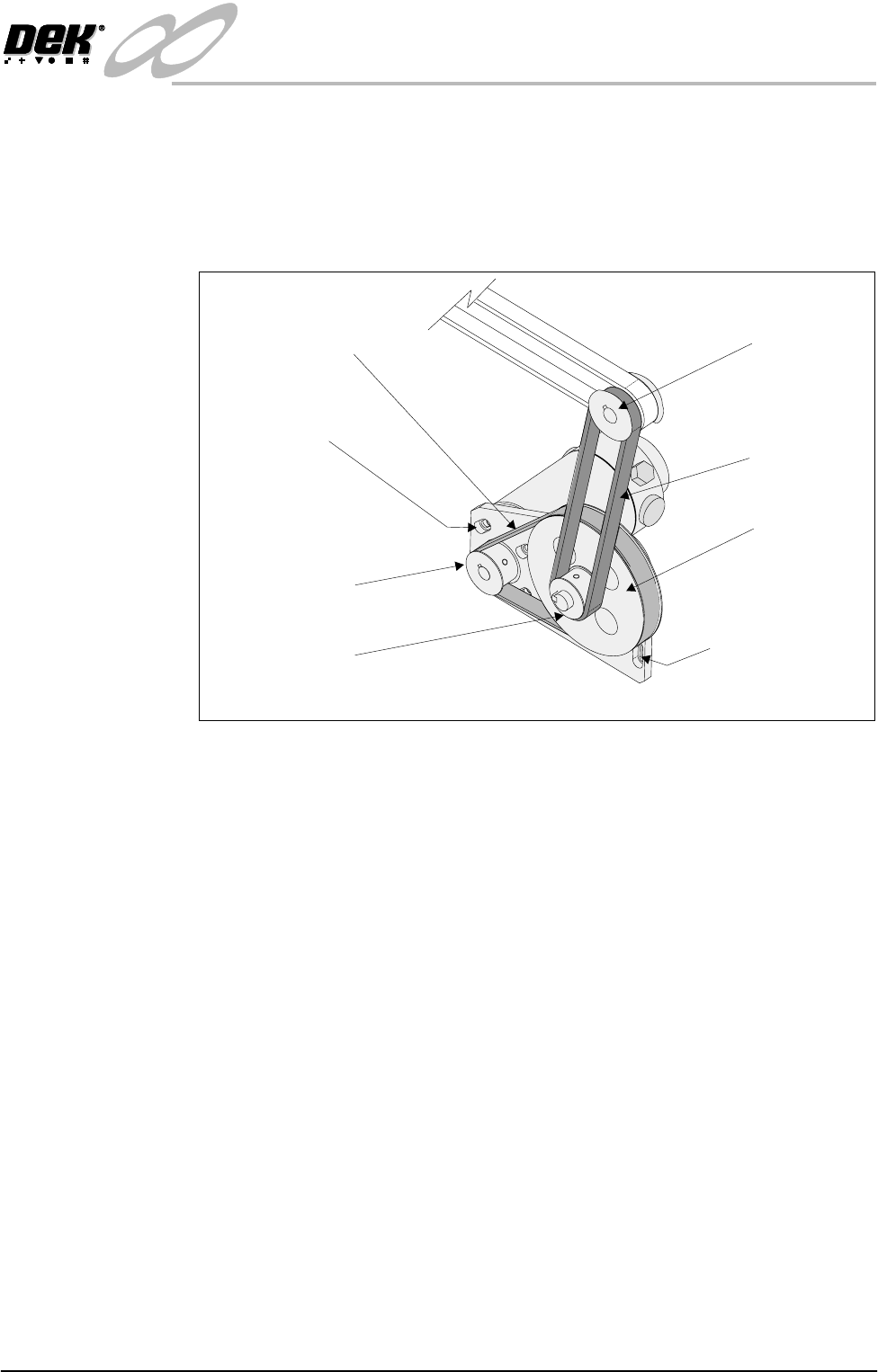
3. Loosen the four camera Y motor securing screws, slide the motor towards
the base casting releasing tension on the motor timing belt.
4. Loosen the four motor mounting plate securing screws, slide the mounting
plate towards the top of the machine releasing the tension on the motor
timing belt. Unship the belt from the Y drive shaft pulley.
5. Remove the motor timing belt and discard.
NOTE
Ensure the replacement motor timing belt is identical to the discarded belt.
6. Route the replacement timing belt around the Y motor drive and Y gear
pulleys.
7. Refit the motor transfer timing belt around the Y drive shaft pulley. Tension
the belt (Left Hand Y Transfer Timing Belt Replacement Procedure refers).
Camera Y Motor
Securing Screws
(In 4 Positions)
Motor Mounting Plate
Securing Screws
(In 4 Positions)
View on Left Hand Camera Y Axis Belt
Y Transfer
Timing Belt
Timing Pulley
Y Gear Pulley
Y Motor Timing Belt
Y Motor Drive Pulley
Y Drive Shaft Pulley