Infinity EX Camera System Module.pdf - 第32页
INFINITY EX CAME RA SY STEM MO DULE ADJUS TMEN TS AND SE TTINGS 17.3 2 Technical Reference Manual Chapter Issue 3 Jan 04 Start menu is displayed: 3. Click on Run . The following windo w is displayed: 4. Click in the open…
INFINITY
EX
CAMERA SYSTEM MODULE
ADJUSTMENTS AND SETTINGS
Chapter Issue 3 Jan 04 Technical Reference Manual 17.31
26.Select Exit twice.
27.On completion, carry out Calibrate Vision and Calibrate Offset Calibrations.
Refer to the Calibration section of this chapter.
Camera Focus The camera focus is factory set and sealed and should not be adjusted.
Camera Reference
Position
1. In Camera Axes Diagnostics, select Home Camera X Axis and press Run
Diagnost button.
2. Select Home Camera Y Axis and press Run Diagnost button.
3. Select Initialize Vision System and press Run Diagnost button.
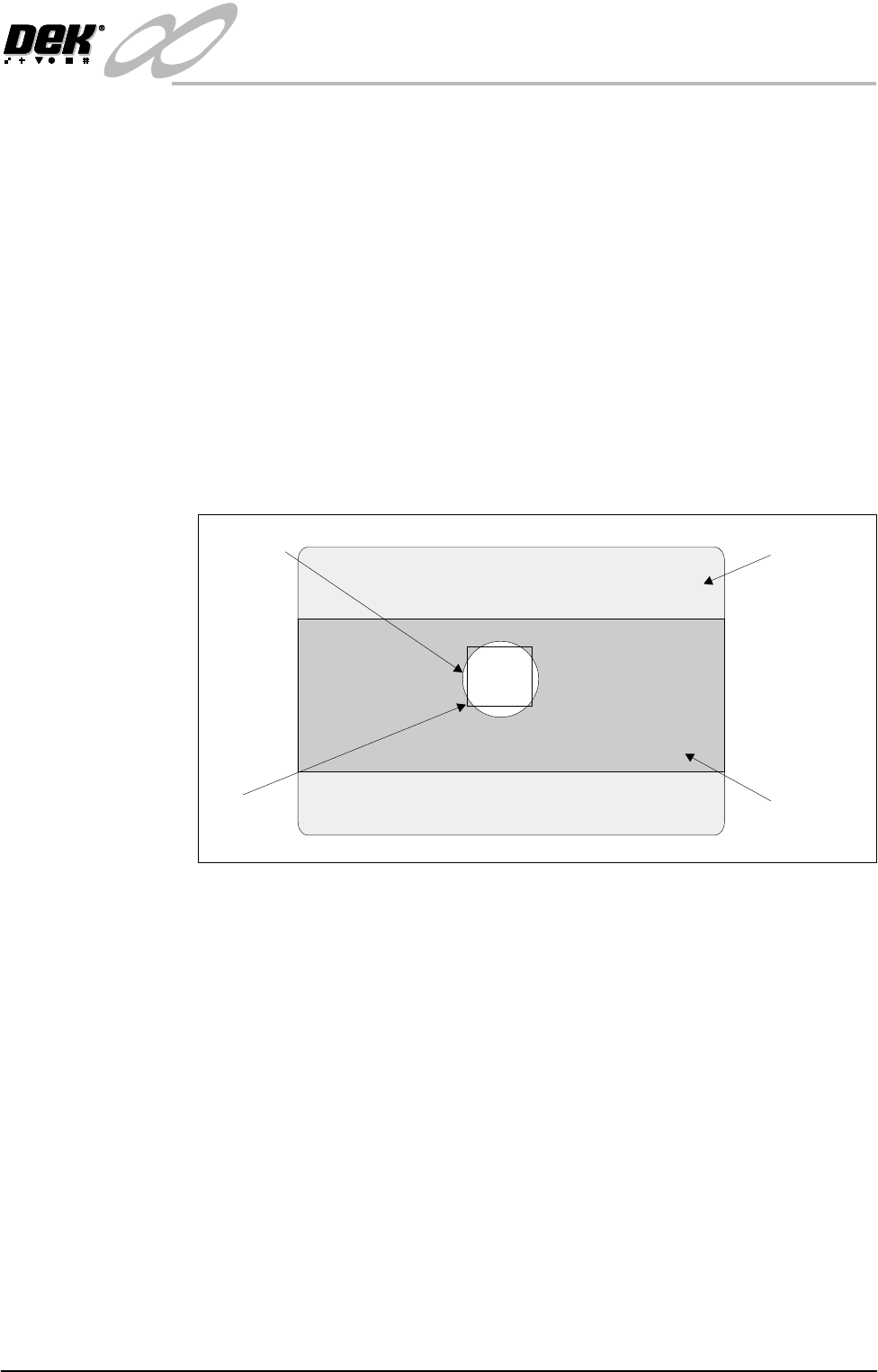
4. Select Drive to Reference Position and press Run Diagnost button, a box
and the white dot on the board clamp is visible on the monitor.
5. Using Move Camera X Axis Using Jog Buttons and Move Camera Y Axis
Using Jog Buttons, position the box centrally inside the white dot, as shown.
6. Select Set Reference Position and press Run Diagnost button.
7. The message ‘This Will Alter The Printer Configuration File - Please
Confirm’ is displayed.
8. Select Confirm. The message ‘Printer Configuration Data File Saved’ is
displayed.
Setting Camera
Type
1. Turn the mains isolator to ON. On completion of autologin, minimize the
DEK printer program.
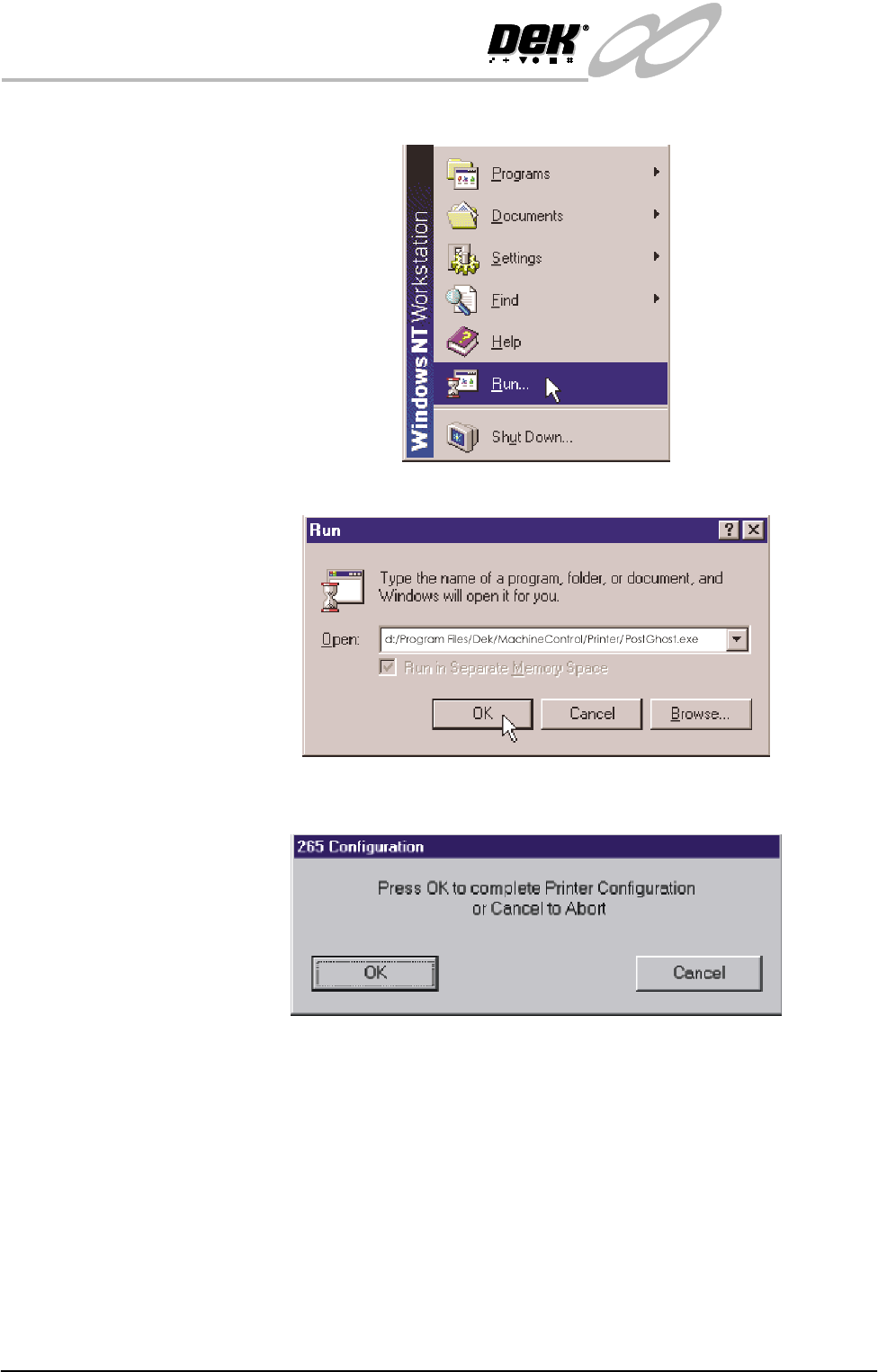
2. Using the mouse control, click on the Start icon in the desktop taskbar. The
Monitor
Board Clamp
Box
White Dot
INFINITY
EX
CAMERA SYSTEM MODULE
ADJUSTMENTS AND SETTINGS
17.32 Technical Reference Manual Chapter Issue 3 Jan 04
Start menu is displayed:
3. Click on Run. The following window is displayed:
4. Click in the open box, type d:/Program Files/Dek/MachineControl/
Printer/PostGhost.exe. Click OK the following window is displayed:
INFINITY
EX
CAMERA SYSTEM MODULE
ADJUSTMENTS AND SETTINGS
Chapter Issue 3 Jan 04 Technical Reference Manual 17.33
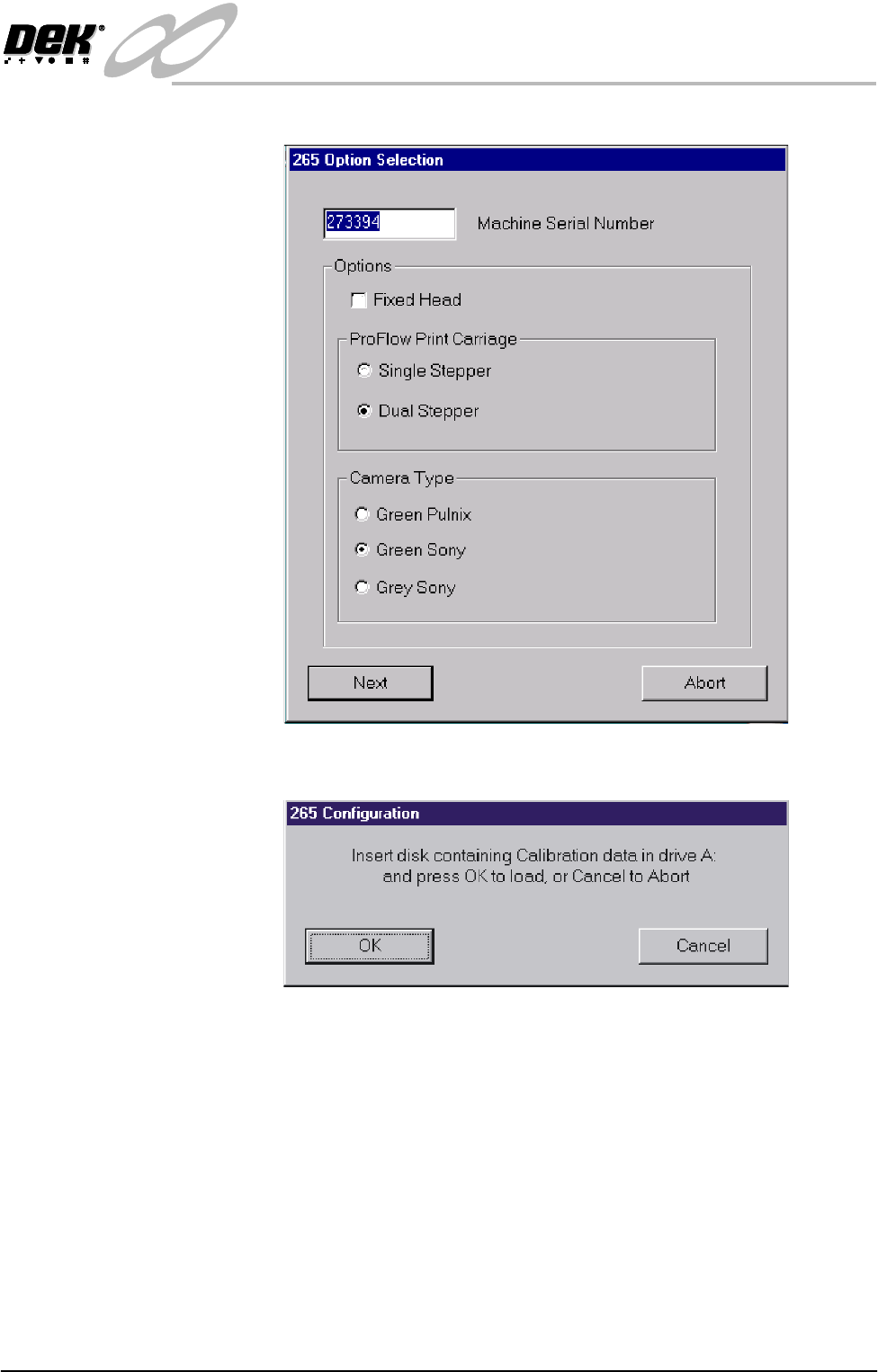
5. Select OK, the following window is displayed:
6. Using the radio buttons, select the Camera Type for the type fitted to the
machine. Select Next, the following window is displayed:
7. Insert the Calibration disk into Drive A and press OK, the calibration data
on the diskette updates the machine’s calibration data.