Infinity EX Camera System Module.pdf - 第44页
INFINITY EX CAME RA SY STEM MO DULE REP LAC EMEN T PR OCE DURE S 17.4 4 Technical Reference Manual Chapter Issue 3 Jan 04 3. At the board stop solenoid, on the left hand end of the pneumatic manifold: a. Remo v e the pip…
INFINITY
EX
CAMERA SYSTEM MODULE
REPLACEMENT PROCEDURES
Chapter Issue 3 Jan 04 Technical Reference Manual 17.43
4. Remove the Y transfer timing belt and discard.
NOTE
Ensure the replacement transfer timing belt is identical to the discarded belt.
5. Route the replacement belt around the timing pulley and the drive shaft
pulley.
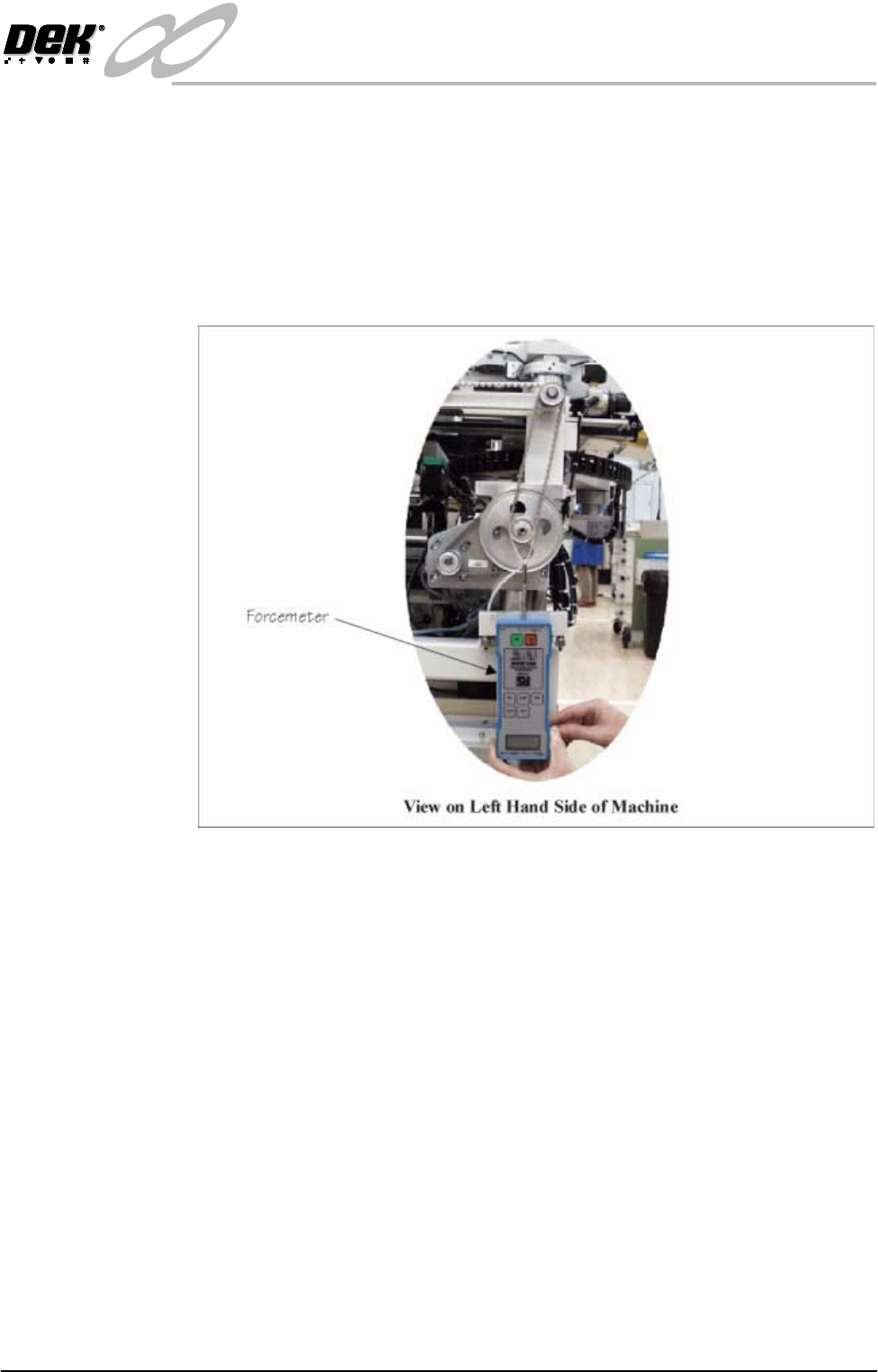
6. Using a suitable cable tie, engage a forcemeter with the drive shaft pulley.
Apply a vertical downward force of 11kg.
7. Maintaining this force, tighten the four motor mounting plate securing
screws.
8. Replace the left hand machine side panel.
9. Power up and initialize the machine. Carry out the following checks:
a. Camera X Home Positioning.
b. Camera Y Home Positioning.
Remote Board Stop to Camera Board Stop
Preparation Carry out Removing the Remote Board Stop, Rising Table Module Chapter,
Replacement Procedures refers.
External Services 1. With the machine switched off and the pneumatic supply disconnected,
remove the machine rear cover.
2. Remove the machine left hand side cover.

INFINITY
EX
CAMERA SYSTEM MODULE
REPLACEMENT PROCEDURES
17.44 Technical Reference Manual Chapter Issue 3 Jan 04
3. At the board stop solenoid, on the left hand end of the pneumatic manifold:
a. Remove the pipe from the in-line flow controller fitted to the front/*rear
port. The pipe is either marked Remote/B/Stop Up - RH or Remote/B/
Stop Up - LH.
b. Remove the pipe from the in-line flow controller self-sealed connector,
fitted to the rear/*front port. The pipe is either marked Remote/B/Stop
Down - RH or Remote/B/Stop Down - LH.
c. Fit the pipe marked Board Stop to the in-line flow controller fitted to the
front/*rear port.
NOTE
*For the following machine serial numbers: 275119, 276057, 276004,
276357 & 276380 fitted with a Norgren manifold.
4. At Breakout Board B, located on the rear left of the base casting (inside face):
a. Remove BPL6A from BSK6.
b. Connect BPL6 to BSK6.
5. Fit the rear cover. Fit the left hand side cover.
Machine Setup 1. Connect the pneumatic supply to the machine.
2. Switch on the machine
3. Select Set Prefs.
4. Select Remote Board Stop.
5. Select Not Fitted.
6. Exit Set Prefs.
7. Set up the machine to print the product, refer to the Machine Programming
chapter in the User manual.
INFINITY
EX
CAMERA SYSTEM MODULE
CALIBRATIONS
Chapter Issue 3 Jan 04 Technical Reference Manual 17.45
CALIBRATIONS
Board Stop X Offset Calibration
WARNING
BOARD CLAMPS. EXTREME CARE MUST BE EXERCISED WHEN
WORKING IN THE TOOLING AREA OF THE MACHINE TO AVOID
INJURY. THE FOILS ON THE FRONT AND REAR BOARD CLAMPS
ARE VERY SHARP.
The length of the camera optical unit varies from unit to unit, this alters the
position of the board stop and hence the board. This calibration provides an
offset to overcome variations in camera optical length. Non-compliance of this
calibration could cause compatibility issues with product files created on other
machines.
1. In Diagnostics select Camera Axes module. Select Home Camera X Axis.
2. Select Home Camera Y Axis.
3. Select Drive to Board Stop Position. Select Exit. Select Rail System
module.
4. Select Toggle Board Stop. Place a board onto the rails and up against the
board stop.
5. Select Toggle Board Clamps. Select Toggle Board Stop. Select Exit.
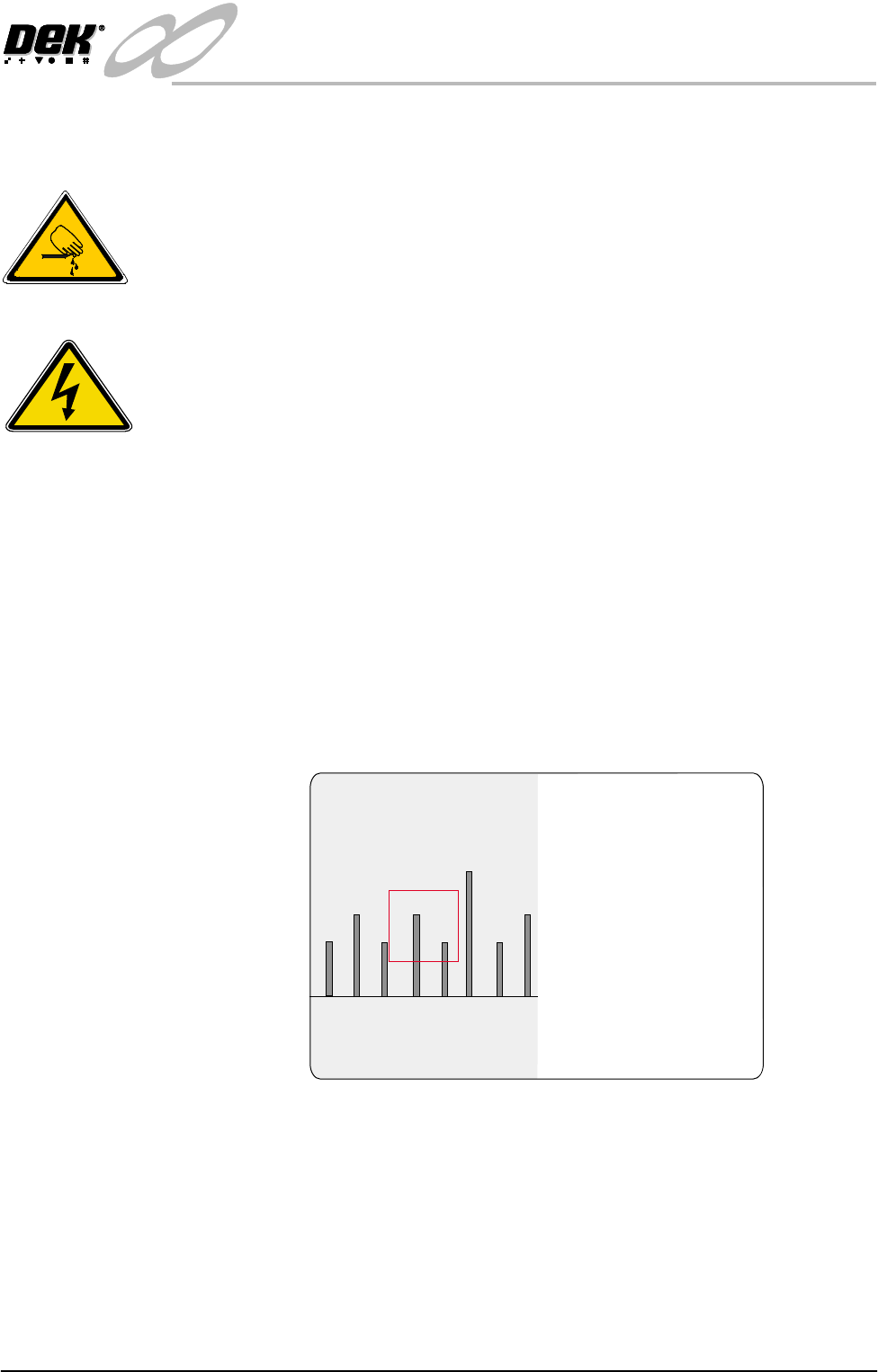
6. Place a metric rule against the board edge, within the camera field of view.
From the monitor record the distance from the board edge to the cross hair
on the fiducial (figure below refers). This value is the Board Stop X Offset
and should be 28 mm - 30 mm approximately.
NOTE
The default coloured graphic overlay is set to square (red outline).
7. Select Exit four times. Press the System button to initialize the machine.
SEMI 2
30
28 3129