Infinity EX Camera System Module.pdf - 第33页
INFINITY EX CAME RA SYSTE M MODULE ADJUS TMENT S AND SET TINGS Chapter Issue 3 J an 04 Technical Reference Manual 17.33 5. Select OK , the follo wing windo w is displayed: 6. Using the radio buttons, select the Camera T …
INFINITY
EX
CAMERA SYSTEM MODULE
ADJUSTMENTS AND SETTINGS
17.32 Technical Reference Manual Chapter Issue 3 Jan 04
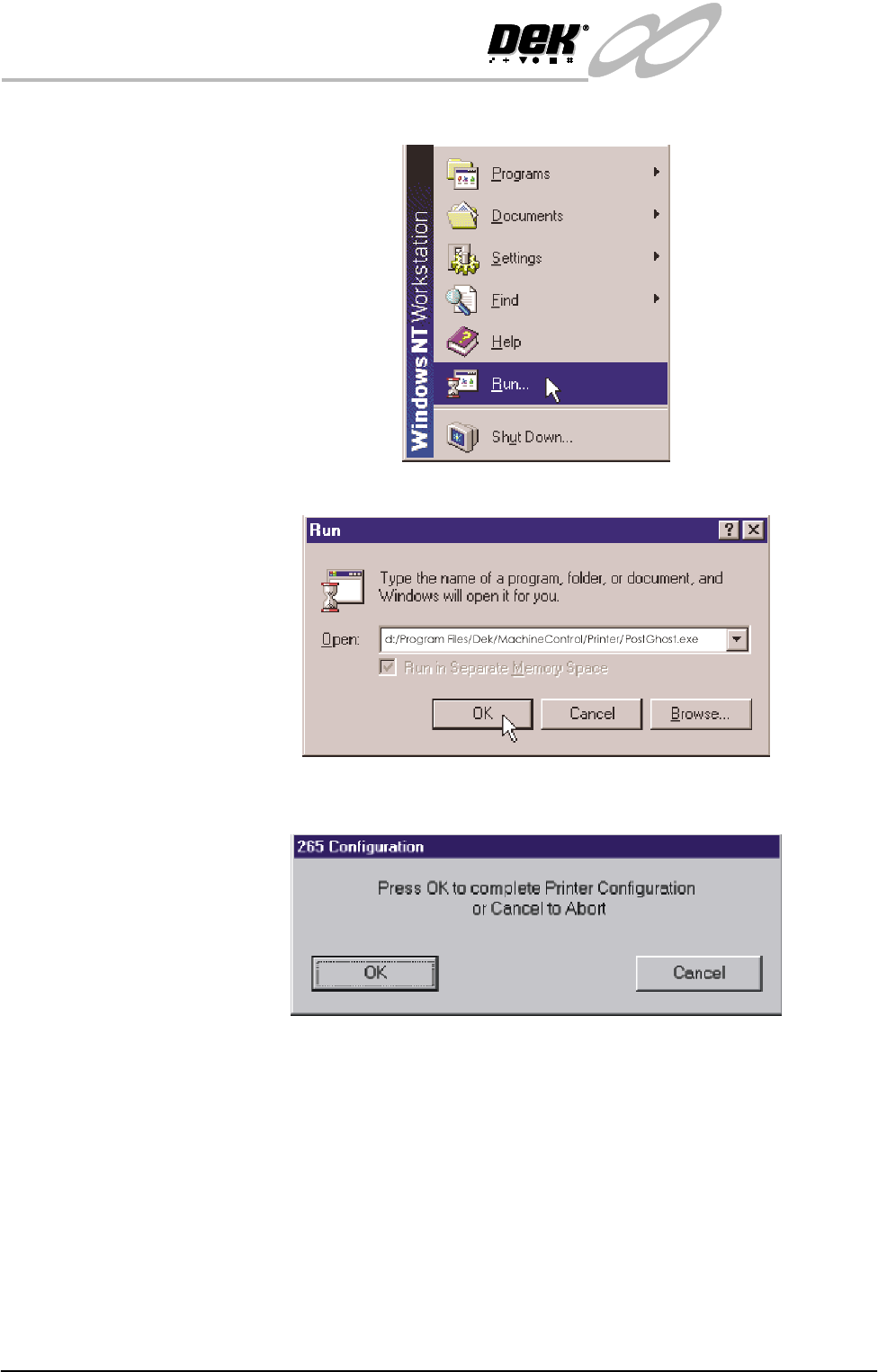
Start menu is displayed:
3. Click on Run. The following window is displayed:
4. Click in the open box, type d:/Program Files/Dek/MachineControl/
Printer/PostGhost.exe. Click OK the following window is displayed:
INFINITY
EX
CAMERA SYSTEM MODULE
ADJUSTMENTS AND SETTINGS
Chapter Issue 3 Jan 04 Technical Reference Manual 17.33
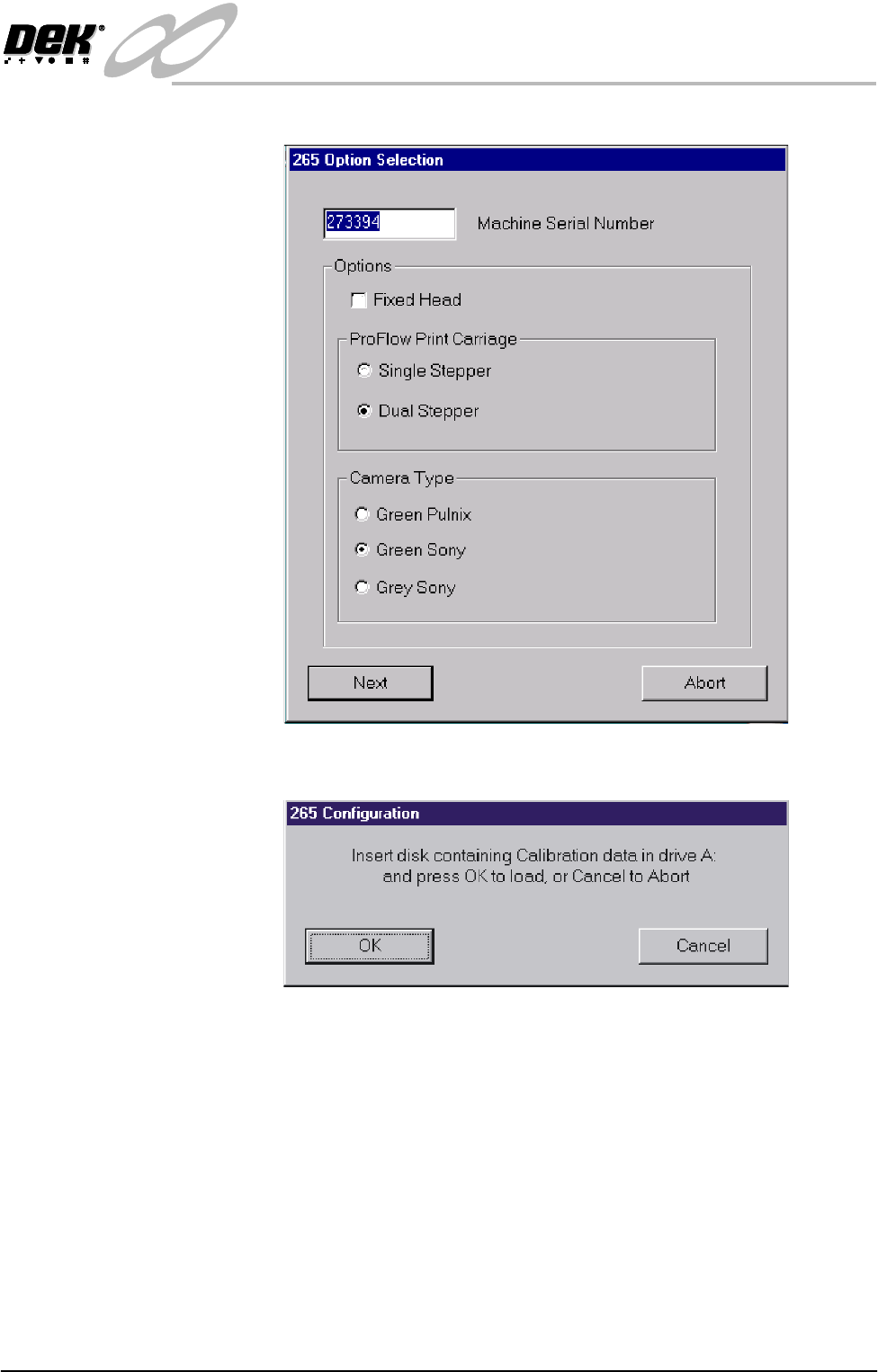
5. Select OK, the following window is displayed:
6. Using the radio buttons, select the Camera Type for the type fitted to the
machine. Select Next, the following window is displayed:
7. Insert the Calibration disk into Drive A and press OK, the calibration data
on the diskette updates the machine’s calibration data.
INFINITY
EX
CAMERA SYSTEM MODULE
REPLACEMENT PROCEDURES
17.34 Technical Reference Manual Chapter Issue 3 Jan 04
REPLACEMENT PROCEDURES
Green Camera
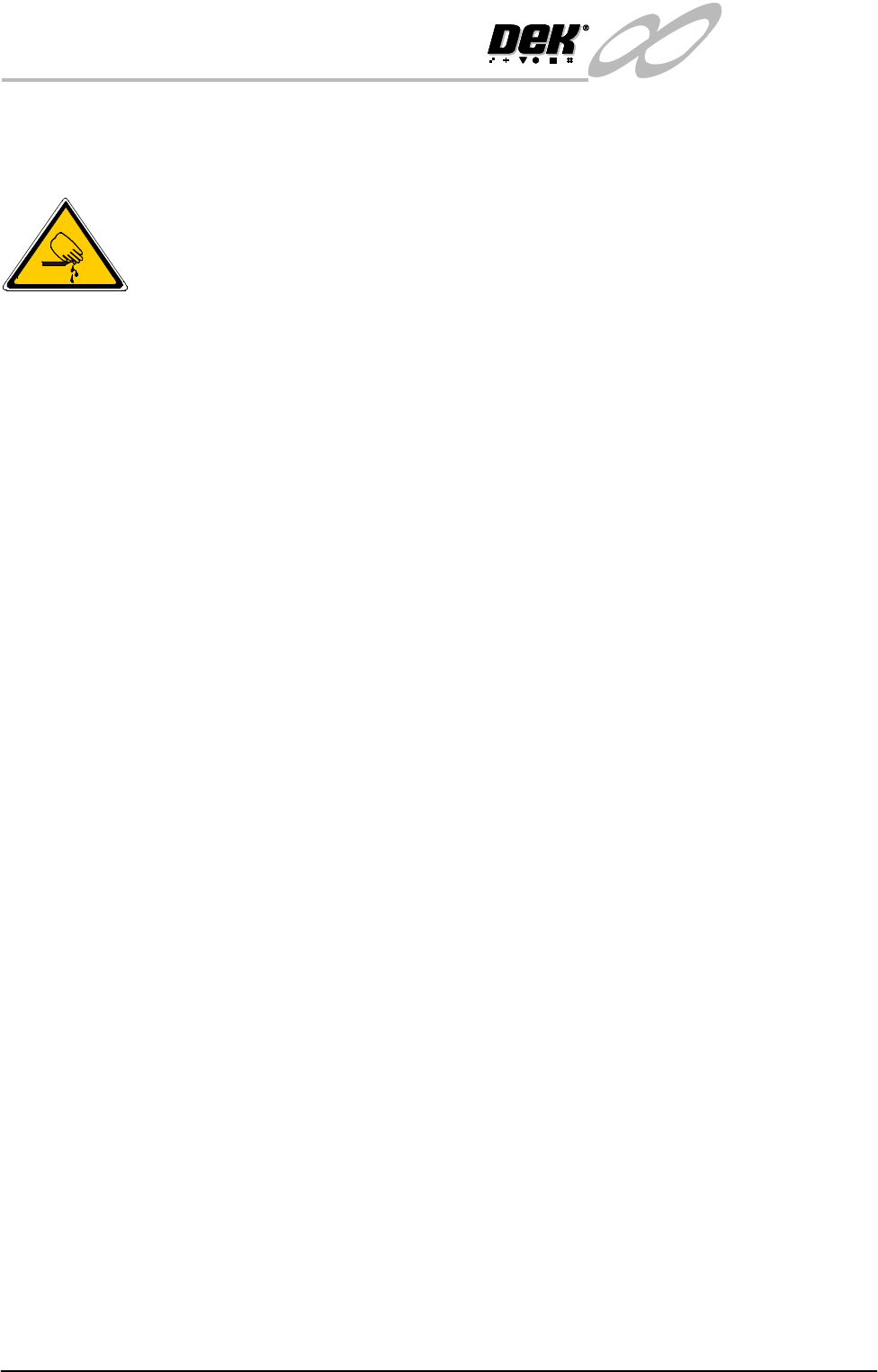
WARNING
BOARD CLAMPS. EXTREME CARE MUST BE EXERCISED WHEN
WORKING IN THE TOOLING AREA OF THE MACHINE TO AVOID
INJURY. THE FOILS ON THE FRONT AND REAR BOARD CLAMPS
ARE VERY SHARP.
Preparation 1. Switch on machine power, raise the printhead, insert the head prop and
switch off machine power.
2. To gain access to the camera for removal, move the camera forward and
central over the table by manually moving the camera carriage.
Removal 1. Remove the video connector 10PL16 (BNC Connector) from Camera Unit.
2. Remove the power connector 10PL17 (Hirose Connector) from the Camera
Unit.
3. Remove D-type locking posts (2 positions) from the D-type plug, retain the
nuts, washers and locking posts for fitment later.
4. Remove the upper and lower lighting connector 10SK13.
5. Unscrew the Camera grub screw and slide the camera to the left to allow
removal from the camera mount.
NOTE
The camera and optical unit is replaced as one unit, no separation of the
camera and optical unit is permitted.
Fitment NOTE
Do not adjust the camera gain as this is factory set.
1. Slide the camera and optics unit into position in the dovetail ensuring that
the end of the camera mount butts against the right hand side of the dovetail
and secure camera grub screw.
2. Connect upper and lower lighting connector 10SK13.
3. Fit the D-type locking posts, nuts and washers (removed in Step 3 of
Removal procedure above).
4. Connect the video connector 10PL16 (BNC Connector) to the Camera Unit.
5. Connect the power connector 10PL17 (Hirose Connector) to the Camera
Unit.
6. Cable-tie the cables back to prevent any chaffing on the board clamps or
transport rails.
Checks and Tests 1. Carry out Setting Camera Type.
2. Carry out the Vision Height.
3. Re-teach the Camera Reference Position.
4. Carry out the Board Stop X Offset Calibration.
5. Carry out the Vision Calibration.
6. Carry out the Calibrate Offset Calibration.