Printer 600 Machine Controller.pdf - 第7页
0$&+ ,1(&21752 //(5 1(;7029( &$5' Chapter Issue 4 May 03 Technical Reference Manual 6.7 NextMove Card Configurati on The NextMove card bit swi tch and jumper setti ngs are shown below: Figure 6-4 NextM…
0$&+,1(&21752//(5
1(;7029(&$5'
6.6 Technical Reference Manual Chapter Issue 4 May 03
NEXTMOVE CARD
The NextMove card is a PC bus motion controller that utilizes a Digital Signal
Processor for executing the C instruction language set (The motion control
program). The card controls all motion and input/output for the machine, leaving
the main machine processor free to run the MMI and provide peripheral
interface.
The card sits on the ISA bus of the PC in slot ISA 10 and has the control program
downloaded to it during system boot-up. This program directly controls the main
axes and I/O lines of the machine and indirectly controls the two MultiMove
cards via a Controller Area Network (CAN).
NextMove controls; four servo axes with 12 DAC demand outputs and incre-
mental encoder feedback; four stepper motor axes, three of which are utilized
to provide precision alignment the fourth output is multiplexed giving serial
control of a further five motors.
There are several digital or analog input/output signals that are used in the
control function which are routed through and controlled by the NextMove card.
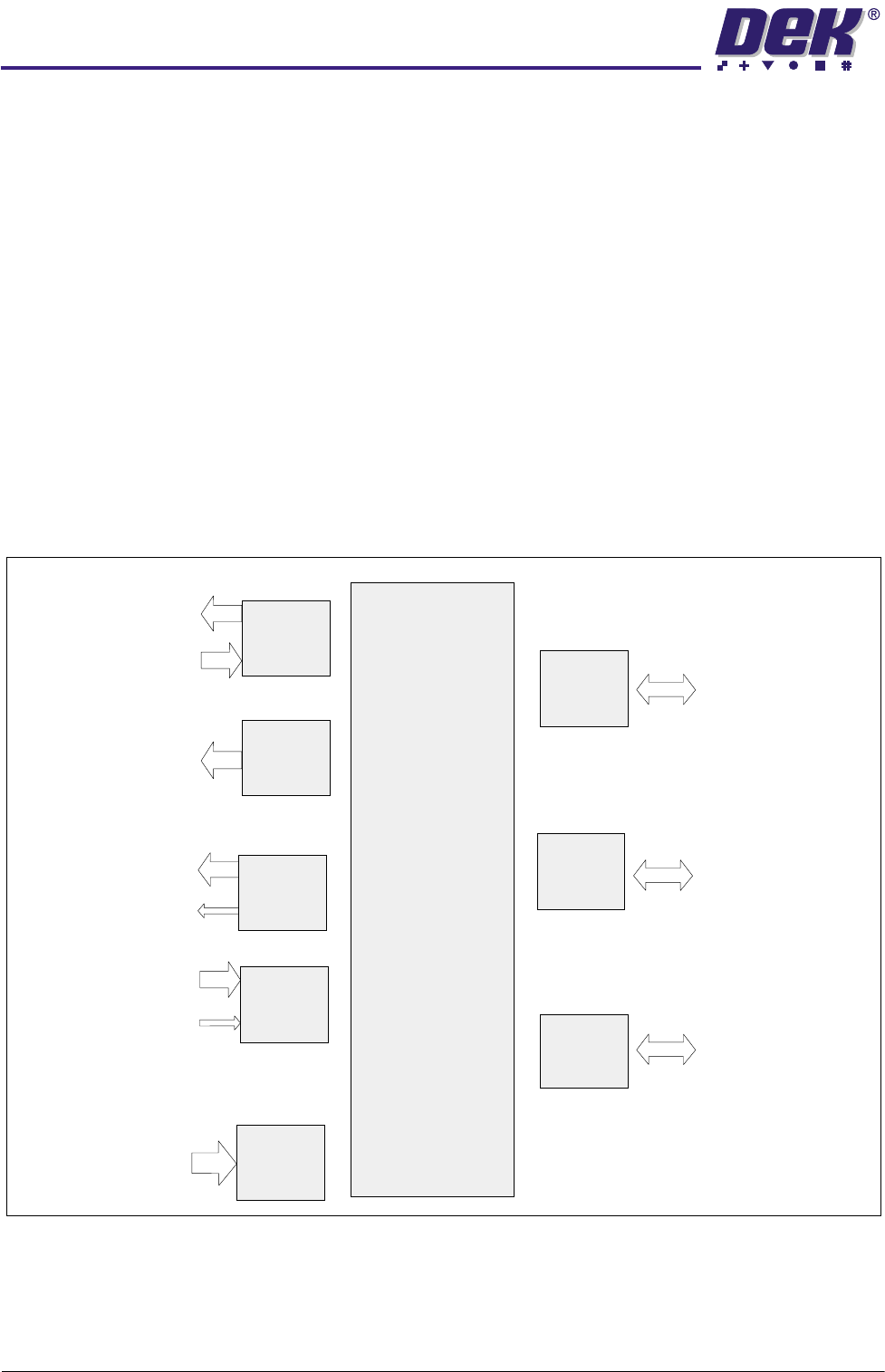
Figure 6-3 NextMove Card Overview
NextMove
Motion Controller
32 Bit Digital
Signal Processor
System
512K RAM
(Motion Control
Program Storage)
4 Servo
Amp Demands
4 Incremental
Encoders
4 Axes of
Closed Loop
Servo Control
4
4
12
Digital
Outputs
12 Digital Outputs
Opto-isolated
Drive Enable Relay
12
24
Digital
Inputs
24 Digital Inputs
Opto-isolated
Hardware Position
Latch and Fast
Interrupt Input
24
4
Analog
Inputs
4x12Bit
Differential
Analog Inputs
4
4 Axes of
Stepper
Motors
4 Step and
Direction Signals
to Control
Stepper Drives
3 Direct, 1 Via MUX
4
ISA/ PCI
Bus Interface
Communication
via
PISA Bus
CAN Bus
Network
Serial
Ports
Industrial Control
Local Area Network
High Speed Card to
Card Data Transfer
0$&+,1(&21752//(5
1(;7029(&$5'
Chapter Issue 4 May 03 Technical Reference Manual 6.7
NextMove Card
Configuration
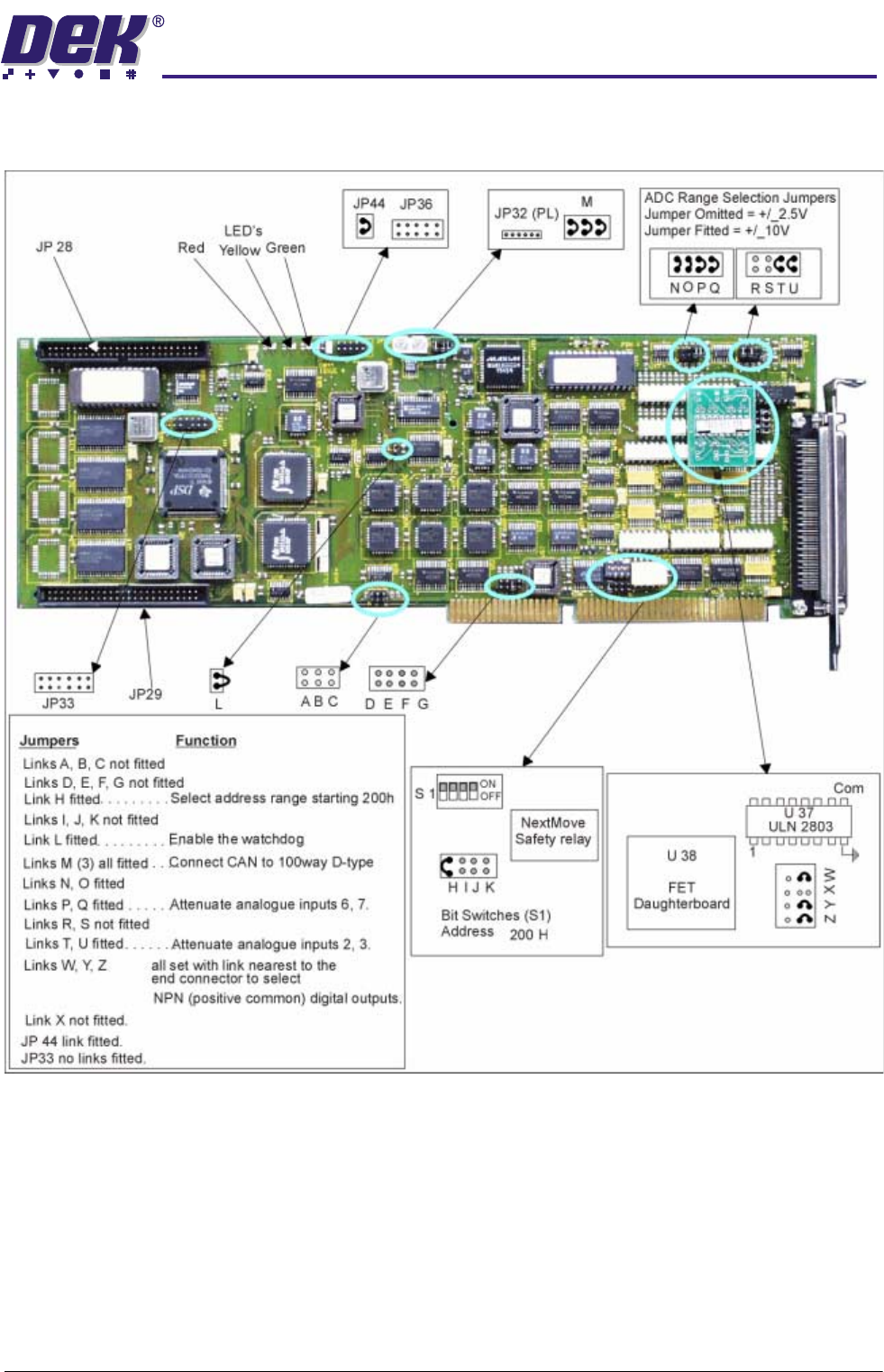
The NextMove card bit switch and jumper settings are shown below:
Figure 6-4 NextMove Card Set Up

0$&+,1(&21752//(5
1(;7029(&$5'
6.8 Technical Reference Manual Chapter Issue 4 May 03
Safety Features The NextMove card incorporates many safety features:
• A Limit Error signal is generated at the end of travel limits.
• The maximum permissible following error, before cutting power to the
motors, can be pre-set.
• A Control Stop input is used to bring all axes to a controlled stop.
• An External Error input is used to bring all axes to a quick stop, ie E Stop.
• The system watchdog (Jumper L) resets the processor in the event of a
major operating firmware malfunction.
Change-over Relay A change-over relay which is energized under software control is included on
the NextMove card to provide a volt free contact, it is used to provide the
software controlled E Stop. The relay is controlled by a latch which is cleared
during reset of the card. Reset occurs on power down, watchdog error or under
control of the PC. Reset is indicated by all three LEDs being illuminated at the
same time.