SIPLACE OIS Version 13.1 Getting Started.pdf - 第21页
Getting Started with SIPLACE OIS 2 Overview: The user Interface Software Version 13.1 05/2016 EN Edition 21 The following representations are possible: 2 The reject rate lies below the defined warning limit, there is no …
2 Overview: The user Interface Getting Started with SIPLACE OIS
05/2016 EN Edition Software Version 13.1
20
2.5 Main View – "Reject rate" View
2
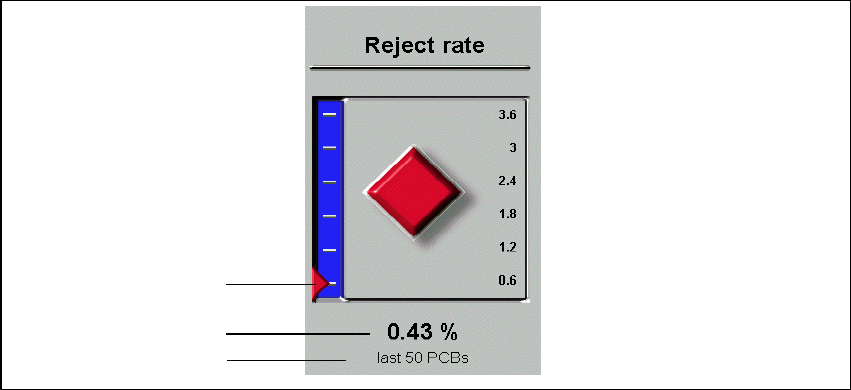
Fig. 2 - 11 Reject rate
Legend
(1) Graphical representation of the reject rate
(2) Reject rate in %
(3) Only visible when the Separate observation period for reject rate check box is activated
in Options--> Monitoring... and a number has been entered in the Most recent PCBs field.
The display shows the current value for the reject rate and indicates whether the rate is remaining
constant during operation (diamond), is increasing (up-arrow), or decreasing (down-arrow). 2
If the calculated reject rate falls below a previously defined value (warning limit), this is indicated
by a red or flashing red background. 2
Warning limits for individual components can be exceeded. This is indicated by a red or flashing
red diamond or arrow icon. 2
1
2
3
Getting Started with SIPLACE OIS 2 Overview: The user Interface
Software Version 13.1 05/2016 EN Edition
21
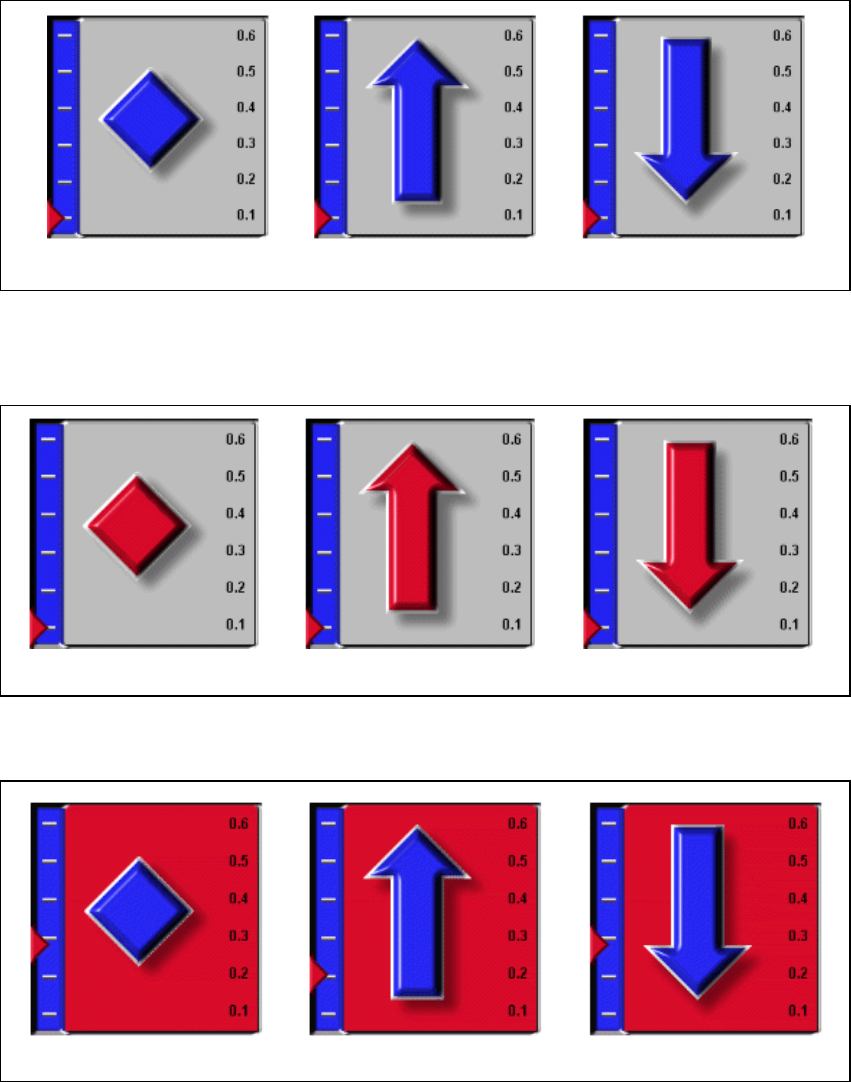
The following representations are possible: 2
The reject rate lies below the defined warning limit, there is no reference to faults: 2
2
The reject rate lies below the defined warning limit. The maximum number of errors for a
component has been exceeded: 2
2
The reject rate lies above the defined warning limit: 2
2
remains constant is increasing is decreasing
remains constant is increasing is decreasing
remains constant is increasing is decreasing
2 Overview: The user Interface Getting Started with SIPLACE OIS
05/2016 EN Edition Software Version 13.1
22
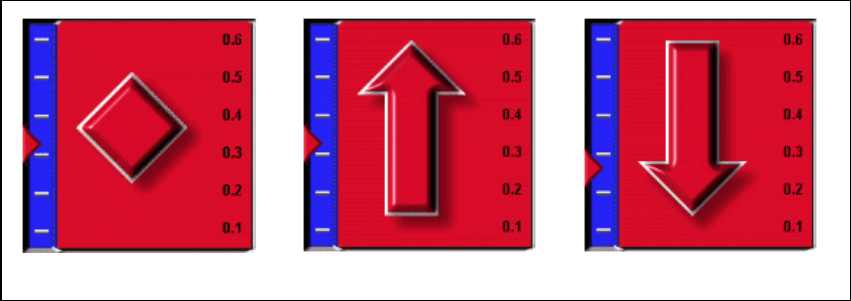
The reject rate lies above the defined warning limit. The limit value was exceeded for at least one
error class: 2
2
If any of the icons is displayed in red, this indicates that the corresponding error class occurs
repeatedly, i.e. the warning limit defined for the reject rate or for a component has been
exceeded. 2
remains constant is increasing is decreasing