SIPLACE OIS Version 13.1 Getting Started.pdf - 第39页
Getting Started with SIPLACE OIS 4 Tips and Tricks Software Version 13.1 05/2016 EN Edition 39 4 T ips and T ricks 4.1 Sort Options in T ables Y ou can adapt the table display to suit your purposes: 4 – Each table in OIS…
3 Practical Examples Getting Started with SIPLACE OIS
05/2016 EN Edition Software Version 13.1
38
Getting Started with SIPLACE OIS 4 Tips and Tricks
Software Version 13.1 05/2016 EN Edition
39
4 Tips and Tricks
4.1 Sort Options in Tables
You can adapt the table display to suit your purposes: 4
– Each table in OIS can be sorted on the basis of whichever column you desire.
Action: 4
Click the appropriate field in the table header.
– The column width in each table can also be changed.
Action: 4
Drag the appropriate column to the desired width.
4.2 Online Help System
Make use of the comprehensive information in the online help system. Here you will find detailed
information on every function in SIPLACE OIS. 4
Action: 4
Click the Help button in the appropriate view.
The online help system is activated for this view.
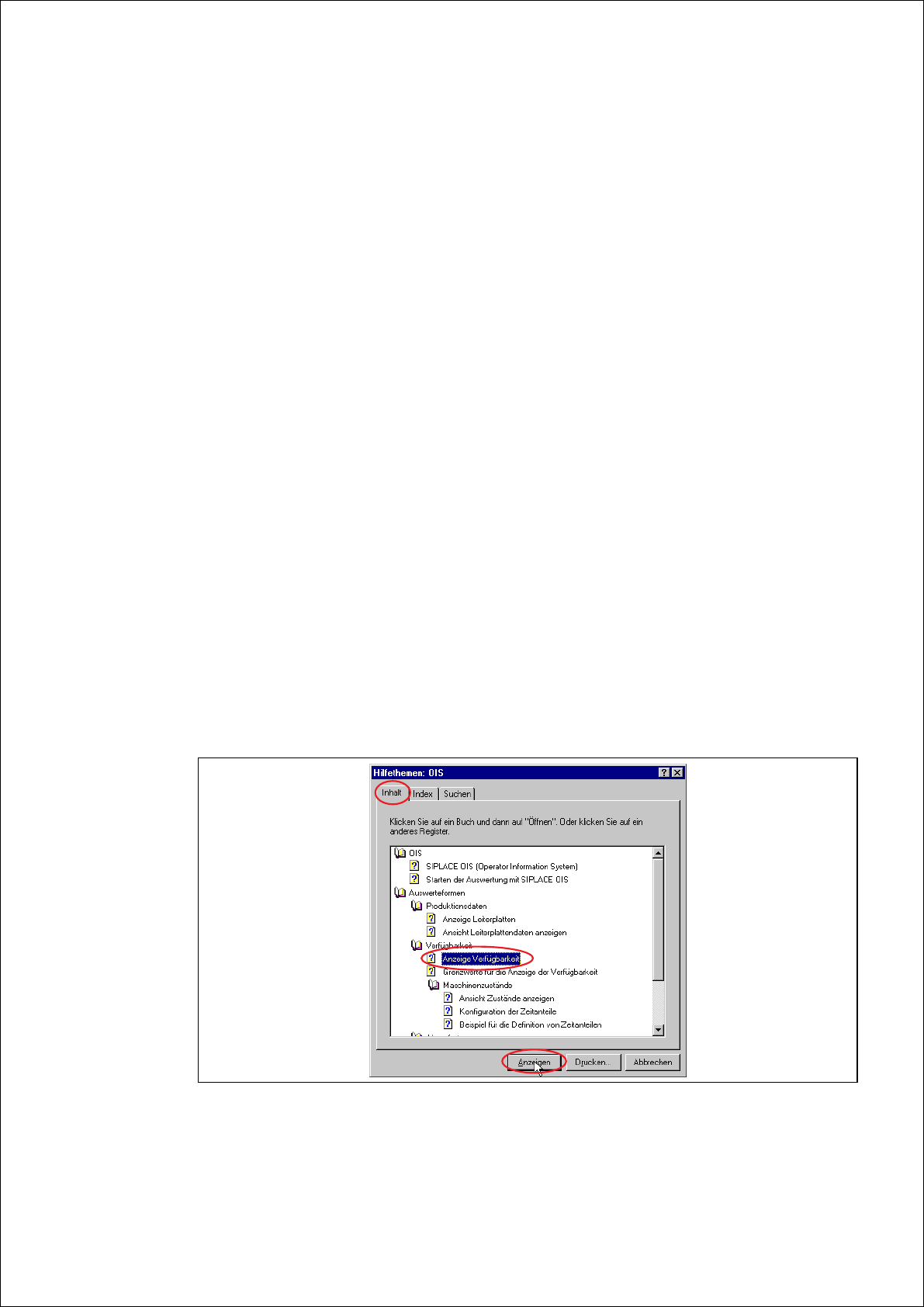
Click the Help topics tab in the online help.
The following dialog appears:
4
Fig. 4 - 1 OIS help topics - contents
4 Tips and Tricks Getting Started with SIPLACE OIS
05/2016 EN Edition Software Version 13.1
40
Choose a topic and click the Display button.
The selected help topic is displayed.
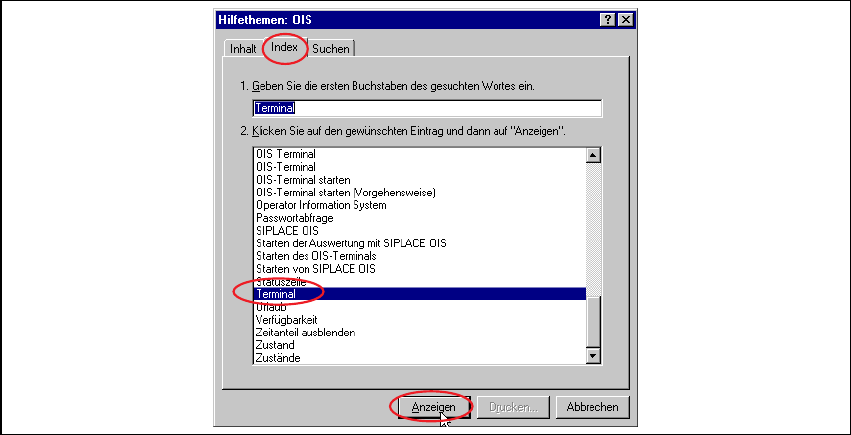
Click the Index tab.
The following dialog appears:
4
Fig. 4 - 2 OIS help topics - index
Enter a topic and click the Display button.
The selected help topic is displayed.