SIPLACE OIS Version 13.1 Getting Started.pdf - 第40页
4 Tips and Tricks Getting Started with SIPLACE OIS 05/2016 EN Edition Software Version 13.1 40 Choose a topic and click the Display button. The selected help topic is displayed. Click the Index tab. The following dia…
Getting Started with SIPLACE OIS 4 Tips and Tricks
Software Version 13.1 05/2016 EN Edition
39
4 Tips and Tricks
4.1 Sort Options in Tables
You can adapt the table display to suit your purposes: 4
– Each table in OIS can be sorted on the basis of whichever column you desire.
Action: 4
Click the appropriate field in the table header.
– The column width in each table can also be changed.
Action: 4
Drag the appropriate column to the desired width.
4.2 Online Help System
Make use of the comprehensive information in the online help system. Here you will find detailed
information on every function in SIPLACE OIS. 4
Action: 4
Click the Help button in the appropriate view.
The online help system is activated for this view.
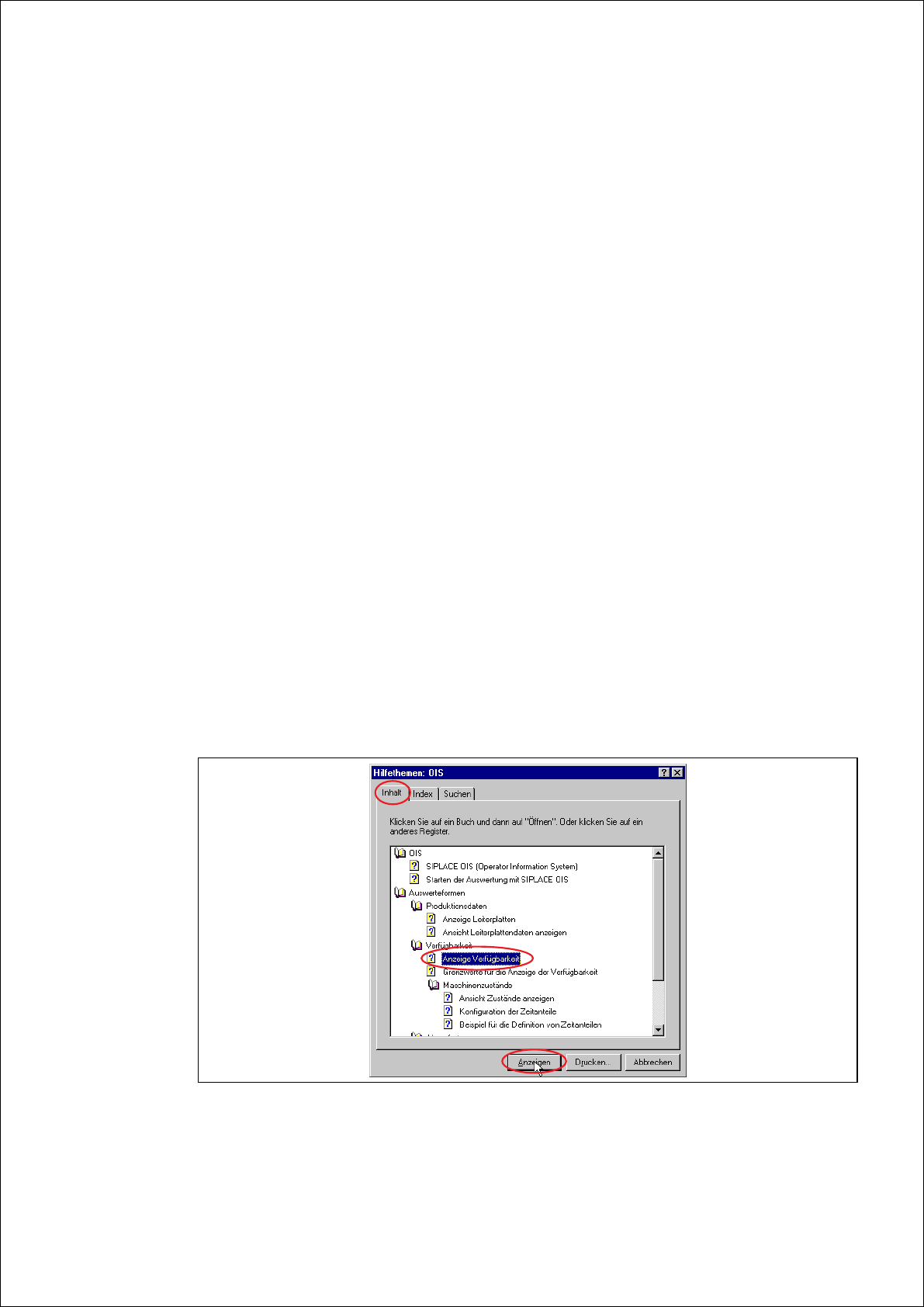
Click the Help topics tab in the online help.
The following dialog appears:
4
Fig. 4 - 1 OIS help topics - contents
4 Tips and Tricks Getting Started with SIPLACE OIS
05/2016 EN Edition Software Version 13.1
40
Choose a topic and click the Display button.
The selected help topic is displayed.
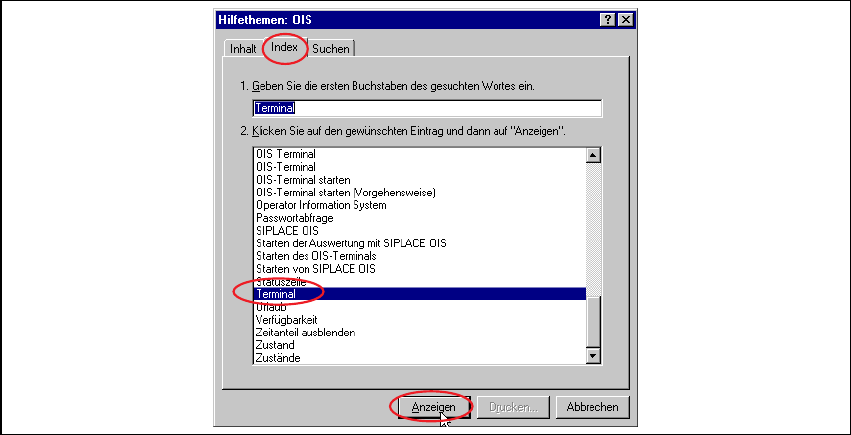
Click the Index tab.
The following dialog appears:
4
Fig. 4 - 2 OIS help topics - index
Enter a topic and click the Display button.
The selected help topic is displayed.
Getting Started with SIPLACE OIS Index
Software Version 13.1 05/2016 EN Edition
41
Index
Symbols
"Availability" view 17, 19
"Hit lists" view 23
"PCBs" view 12, 13
"Reject rate" view 20
A
Access level 37
access level 36
automatic start time 30
availability of machine 7
D
define access level 36
E
error lists 24
Excel format 32
explanation of symbols 5
exporting data 32
F
filter error list 25
H
Help index 40
Help topics 39
I
information block 7
L
line/station selection 11
load product 35
M
maintenance 35
menu bar 7, 8
most recent lot/cluster change 30
most recent PCBs 30, 31
most recent set-up change 30
N
normal operation 35
O
OIS terminal 34
online help system 39
P
PCB status 7
pick-up reliability 7
planned downtime 35
S
selection menu 7
separate observation period 30
setting up 35
sort options in tables 39
start time 30
starting SIPLACE OIS 6
status bar 7
T
text format 33
time slice (offline) 30
tips and tricks 39
U
unplanned downtime 35
user interface 7
V
values for monitoring 29
virtual keyboard 8
W
works holiday 35