00194307-01_SAHF_Intern_1203_ENG.pdf - 第14页
3 Serv ice Gan tri es SIPLACE HF Replacing the Gantry [030 06781-xx ] 3-4 0019 4307- 01 Iss ue 12/2 003 Copyr igh t © 2 003 S ie mens D em atic SD EA 1 1 3 2 Undo the 4 screws fas tening t he PC B camer a mount (1) . R…
SIPLACE HF
Replacing the Gantry [03006781-xx]
Service
Gantries
3
Copyright © 2003 Siemens Dematic SDEA 1 00194307-01 Issue 12/2003 3-3
2
1
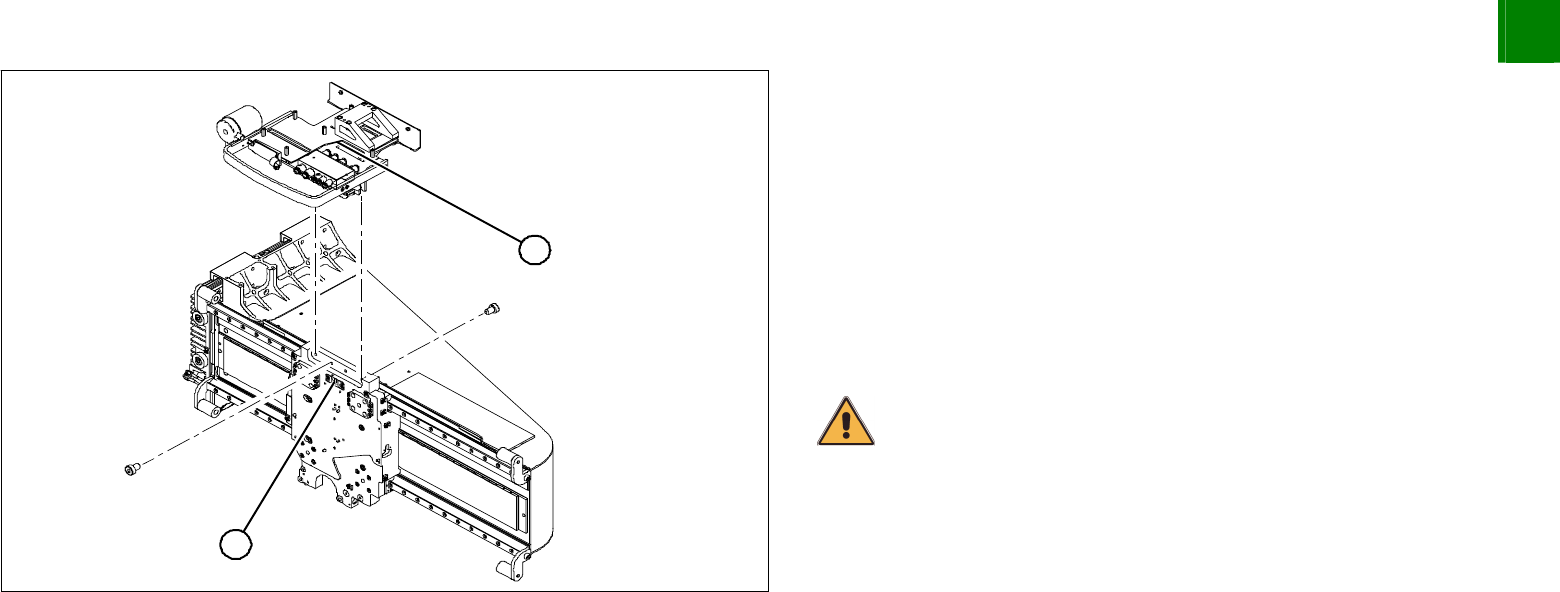
Unplug the proximity switch cable (2) and pull it forwards, out of
the head mount.
Undo the 8 screws (4 x at front/ 4x at back) fastening the x-
mount (1) and pull these up and out, together with the trailing
cable.
Loosen the two pressure plates on the gantry.
Remove the trailing cable as far as the trailing cable console.
Fasten the x-mount at a suitable point.
CAUTION
Make sure that the flat ribbon cable and the pneumatic hoses are not
rubbed against any parts or kinked. Watch out for sharp edges.
3
Service
Gantries
SIPLACE HF
Replacing the Gantry [03006781-xx]
3-4
00194307-01 Issue 12/2003 Copyright © 2003 Siemens Dematic SDEA 1
1
3
2
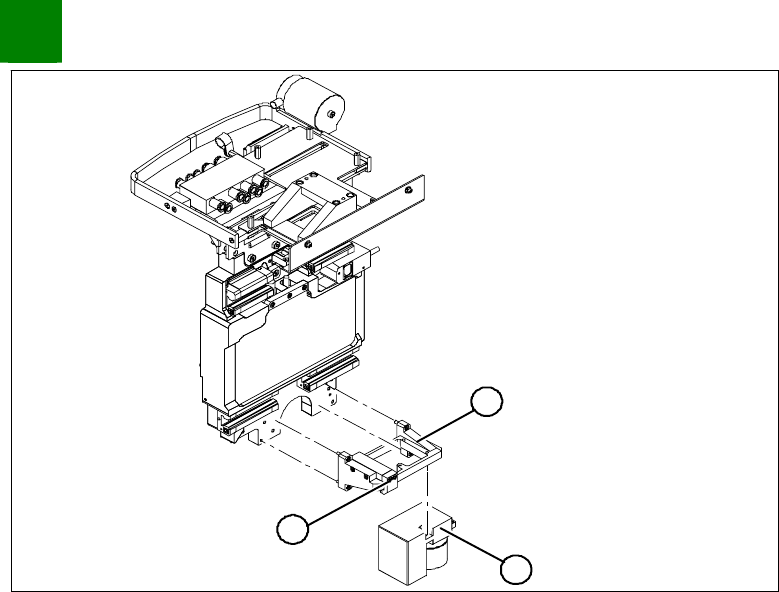
Undo the 4 screws fastening the PCB camera mount (1).
Remove the complete unit, including PCB camera (3) and
damping bracket (2).
Remove the connection cable fixtures from the gantry.
Fasten the mount at a suitable point. Take care not to damage
the camera.
SIPLACE HF
Replacing the Gantry [03006781-xx]
Service
Gantries
3
Copyright © 2003 Siemens Dematic SDEA 1 00194307-01 Issue 12/2003 3-5
Dismantling the Magnet Cover and the Magnetic Strip
1
4
3
2
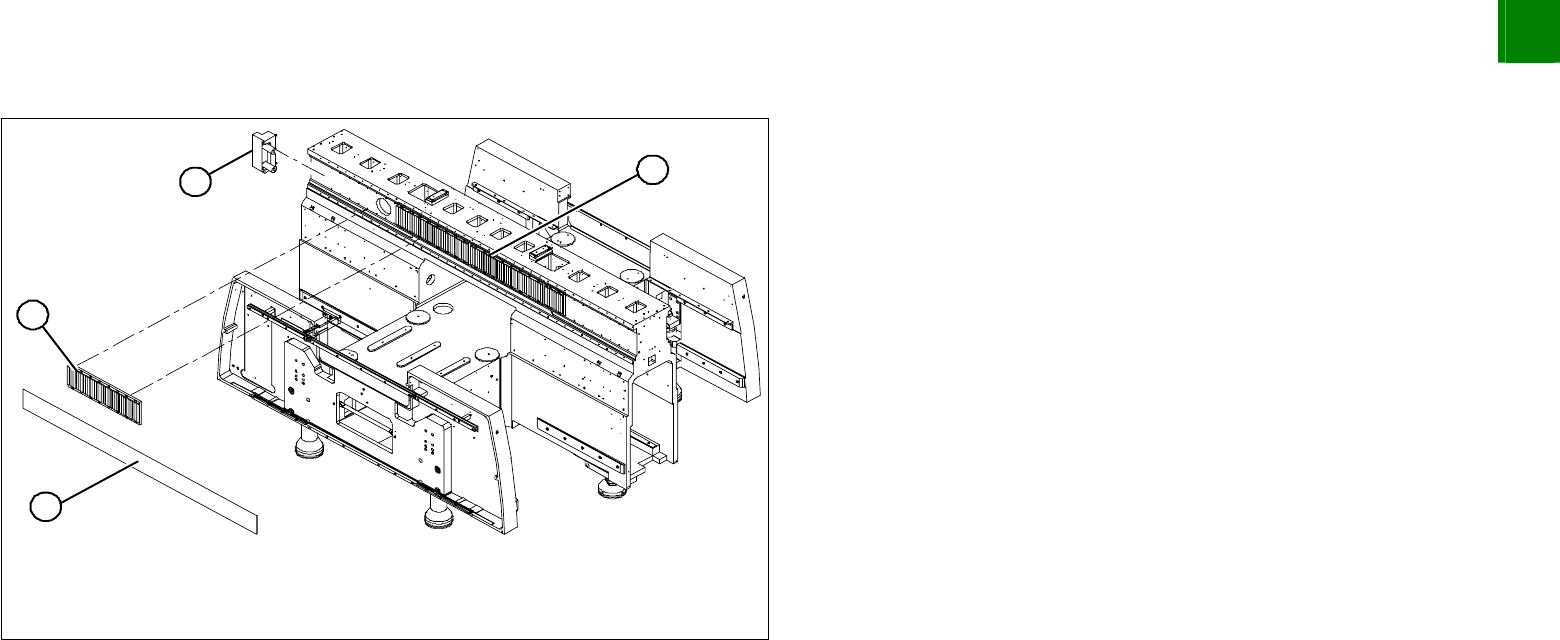
Remove the magnet cover (1). You might need to enlist the help
of a second person.
Lift both sides of the cover plate at the same time.
Pull it out on one side, until it reaches the groove between two
magnet plates.
Insert the notch of the shorter end into the groove on the
magnetic strip (2).
Move the gantry over this groove, until the cover plate is
accessible and can be removed.
Remove the buffer (3) from the side with the large magnetic
strip (4).
Lever off the blue covers and undo the 16 screws fastening the
magnetic strip (4).
NOTE
If the blue cover is damaged (kinks, cracks etc.), replace it during
reinstallation. White or pale patches in the plastic indicate areas of
damage.
Remove the magnetic strip (4) and push the gantry outside the
magnetic strips's area of influence.