00194307-01_SAHF_Intern_1203_ENG.pdf - 第37页
SIPLACE HF Replacing the X -Drive (Prima ry) [00375245 -xx] Serv ice Gan tri es 3 Copy ri ght © 2 00 3 S iem ens D emat ic SDEA 1 0019 4307- 01 Iss ue 12/2 003 3-27 1 1 1 2 2 M4 x 8 M4 x 18 M4 x 14 1 Unscrew the remain…
3
Service
Gantries
SIPLACE HF
Replacing the X-Drive (Primary) [00375245-xx]
3-26
00194307-01 Issue 12/2003 Copyright © 2003 Siemens Dematic SDEA 1
1
2
2
1
2
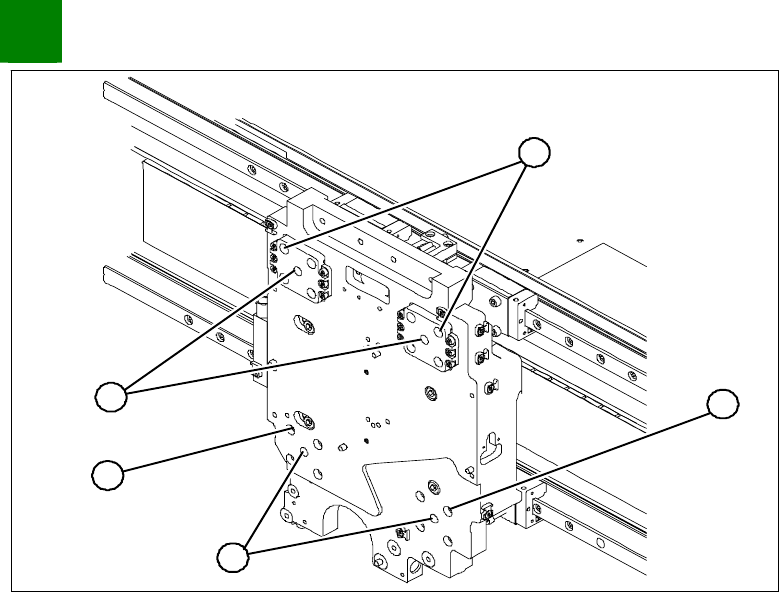
1. Insert the forcing screws
2. Locking screw M4x60
Screw 1 forcing screw (1) into each side, tightening until it
reaches the plate.
Remove one fastening screw (2) from each of the 4 sides.
Replace the fastening screw with a M4x60 locking screw. The
motor has now been secured against falling.
SIPLACE HF
Replacing the X-Drive (Primary) [00375245-xx]
Service
Gantries
3
Copyright © 2003 Siemens Dematic SDEA 1 00194307-01 Issue 12/2003 3-27
1
1
1
2
2
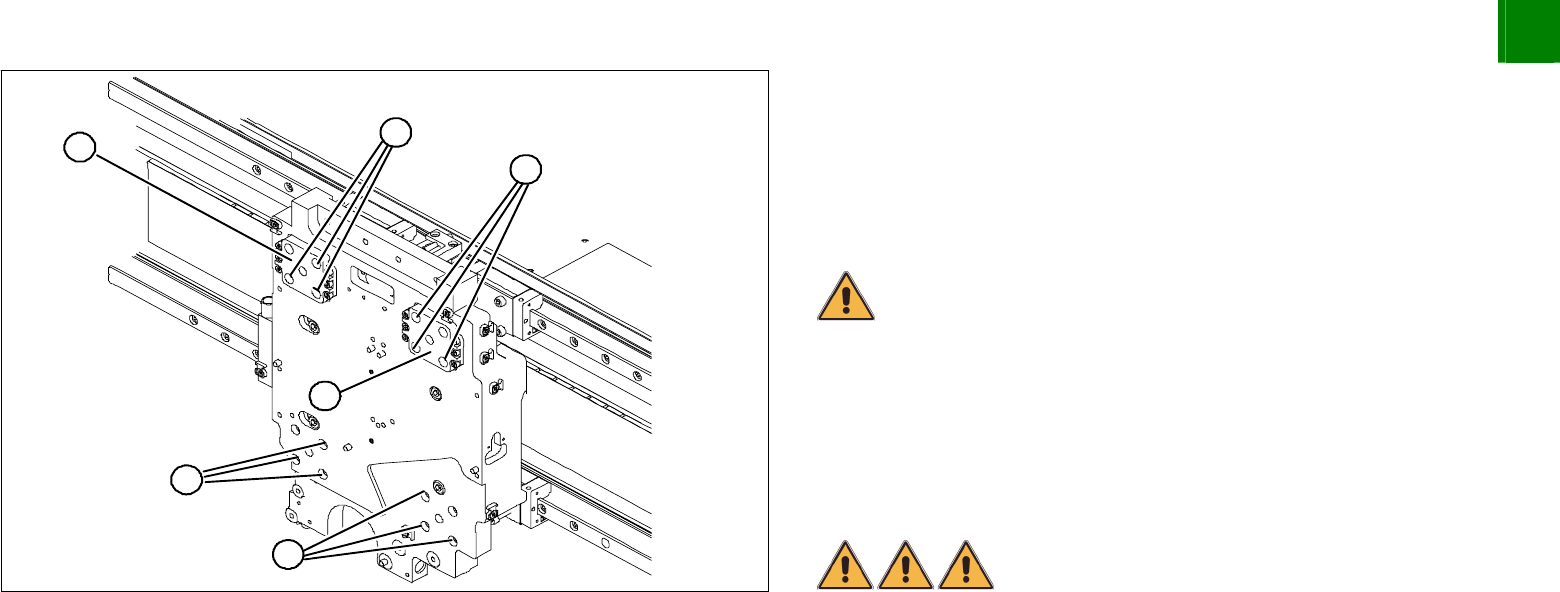
M4 x 8
M4 x 18
M4 x 14
1
Unscrew the remaining 12 fastening screws (1).
CAUTION
The screws are of different lengths. These will need to be correctly
replaced later. To make sure there are no mistakes, mark the
positions of the screws.
CAUTION
Do not loosen or unscrew the screws secured with loctite on the Z-
axis compensation (2).
Tighten the forcing screws alternately so that the X-drive is
evenly pushed away from the magnetic field of the magnetic
strip. The X-drive is held by the 4 locking screws.
DANGER
Risk of serious or fatal injuries through trapping limbs.
Place a foam mat between the X-drive and the magnetic strip for
your own safety.
For additional safety, leave the forcing screws in place until the X-
drive has been removed from the machine.
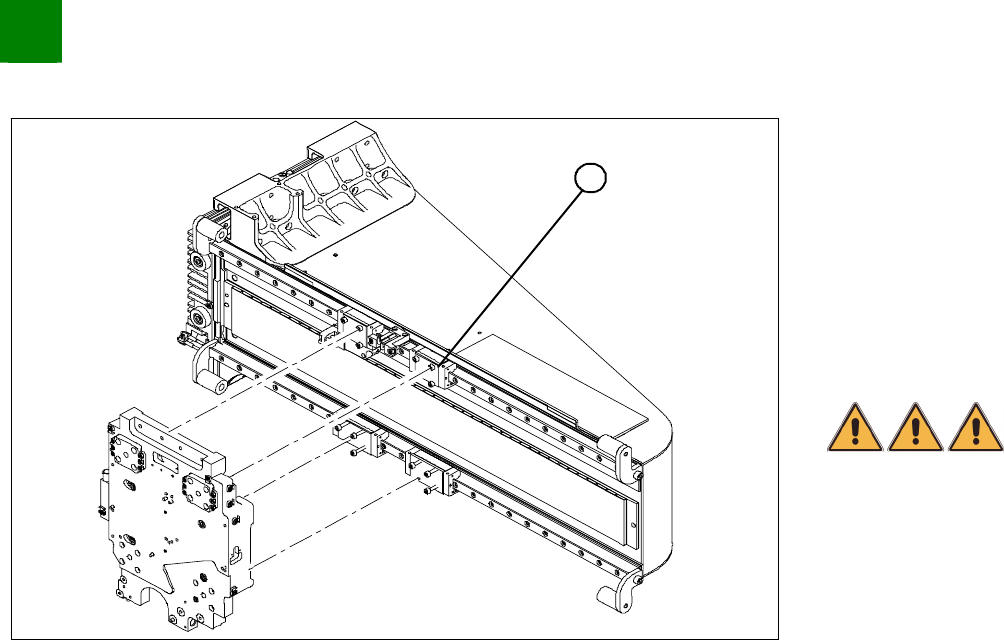
Once the X-drive has left the strong magnetic field, it can be
taken out of the machine. To do this, remove the 4 locking
screws.
3
Service
Gantries
SIPLACE HF
Replacing the X-Drive (Primary) [00375245-xx]
3-28
00194307-01 Issue 12/2003 Copyright © 2003 Siemens Dematic SDEA 1
Installation
1
Clean the contact surface of the guide slide (1) with a dressing
stone. Then wipe the surface clean with ethanol.
Fully tighten the forcing screws on each side of the new X-drive.
Place the foam mat on the magnetic strip.
Lift the new X-drive at the guide slide and secure the drive with
the M4x60 locking screws.
Pull out the foam mat.
DANGER
Risk of fatal injuries through trapping limbs. Do not place body
members between the X-drive and the magnetic strip.
Alternately loosen the forcing screws so that they are
unscrewed evenly. The X- drive must be evenly attracted
towards the magnet on all 4 sides.
Install 3 fastening screws on each side. Take care to use the
right screw lengths.
Remove the locking screws and replace with the remaining
fastening screws.
Tighten the fastening screws with a torque wrench (2.9 N).
Install the PCB camera.
Check the distance between the X-drive and the magnet cover
with a 0.4 mm thickness gauge (plastic).