00194307-01_SAHF_Intern_1203_ENG.pdf - 第34页
3 Serv ice Gan tri es SIPLACE HF Replacing the X -Drive (Prima ry) [00375245 -xx] 3-24 0019 4307- 01 Iss ue 12/2 003 Copyr igh t © 2 003 S ie mens D em atic SD EA 1 2 1 Unplug the p roximity switc h cable (2) a nd pull…
SIPLACE HF
Replacing the X-Drive (Primary) [00375245-xx]
Service
Gantries
3
Copyright © 2003 Siemens Dematic SDEA 1 00194307-01 Issue 12/2003 3-23
Disassembly
5
5
1 4
3
2
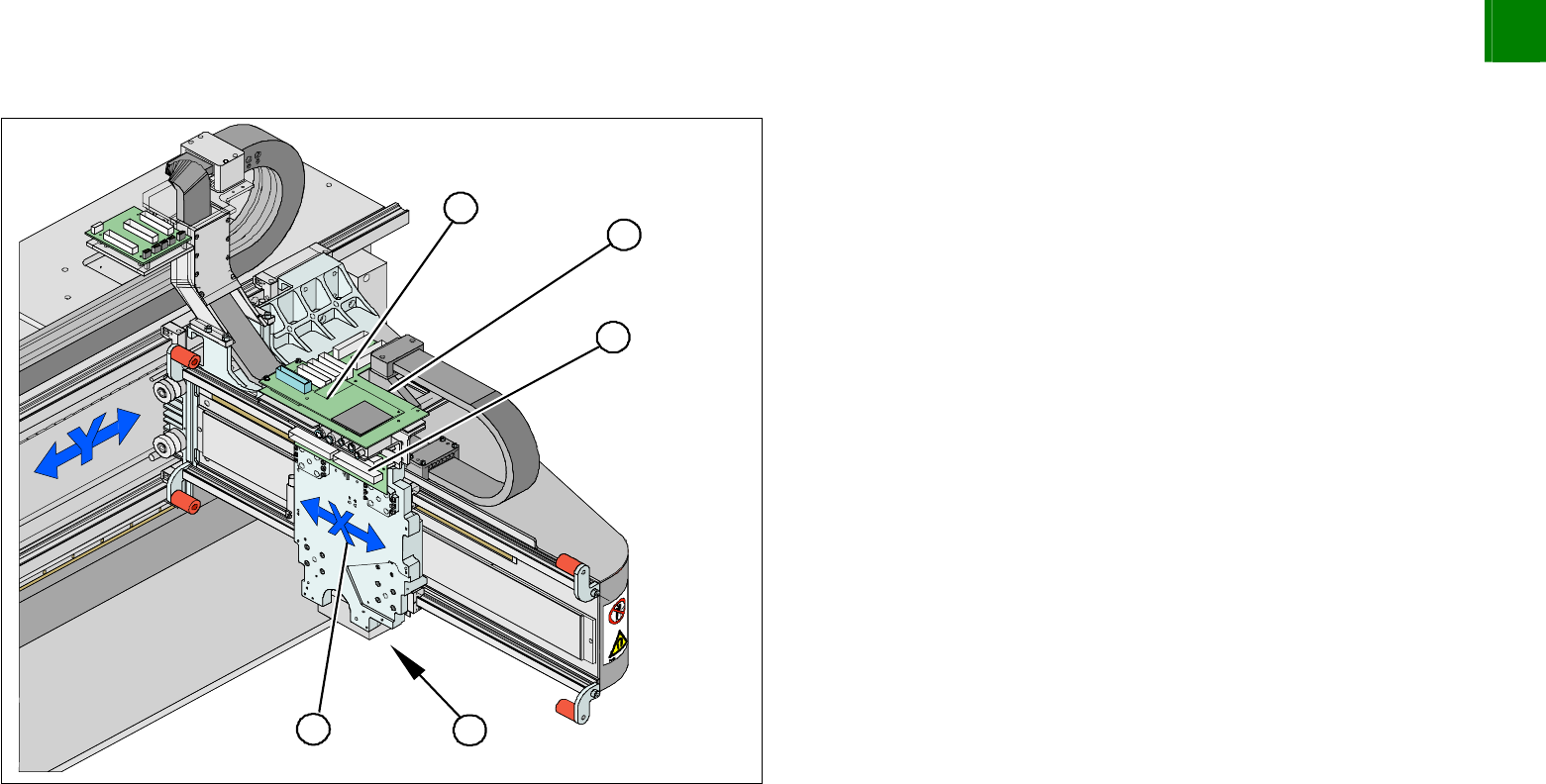
1. X-drive (primary) with head mount
2. X-mount with trailing cable
3. Head adapter board
4. Mount with PCB camera
5. Head board
Dismantle the placement head.
Remove the head adapter board (3). The x-mount fixtures are
now (2) accessible.
Unplug the following cables from the head board (5) and
remove them from the x-mount (2):
X motor cable
X-axis scanner head
Temperature sensor (if supplied).
3
Service
Gantries
SIPLACE HF
Replacing the X-Drive (Primary) [00375245-xx]
3-24
00194307-01 Issue 12/2003 Copyright © 2003 Siemens Dematic SDEA 1
2
1
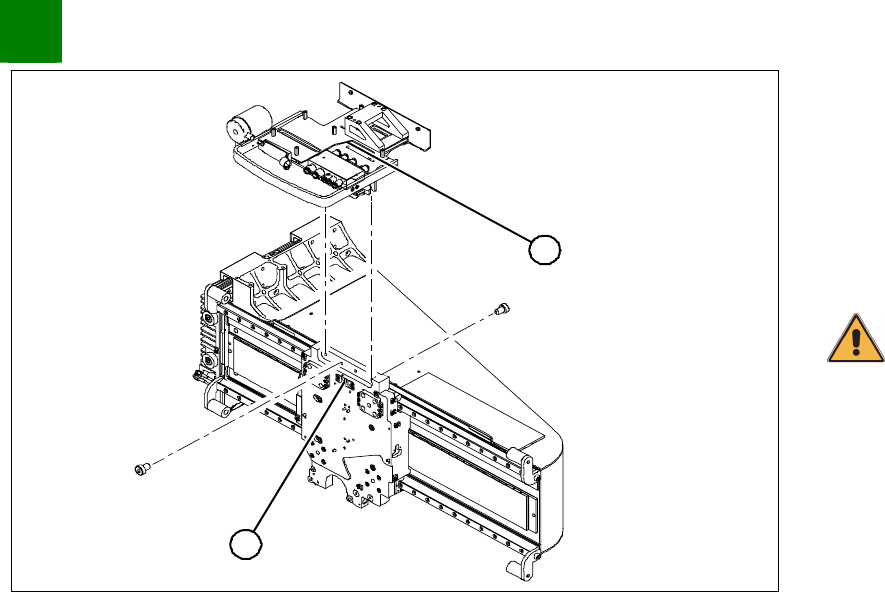
Unplug the proximity switch cable (2) and pull it forwards, out of
the head mount.
Undo the 8 screws (4 x at front/ 4x at back) fastening the x-
mount (1) and pull these up and out, together with the trailing
cable.
Fasten the x-mount at a suitable point.
CAUTION
Make sure that the flat ribbon cable and the pneumatic hoses are not
rubbed against any parts or kinked. Watch out for sharp edges.
SIPLACE HF
Replacing the X-Drive (Primary) [00375245-xx]
Service
Gantries
3
Copyright © 2003 Siemens Dematic SDEA 1 00194307-01 Issue 12/2003 3-25
1
3
2
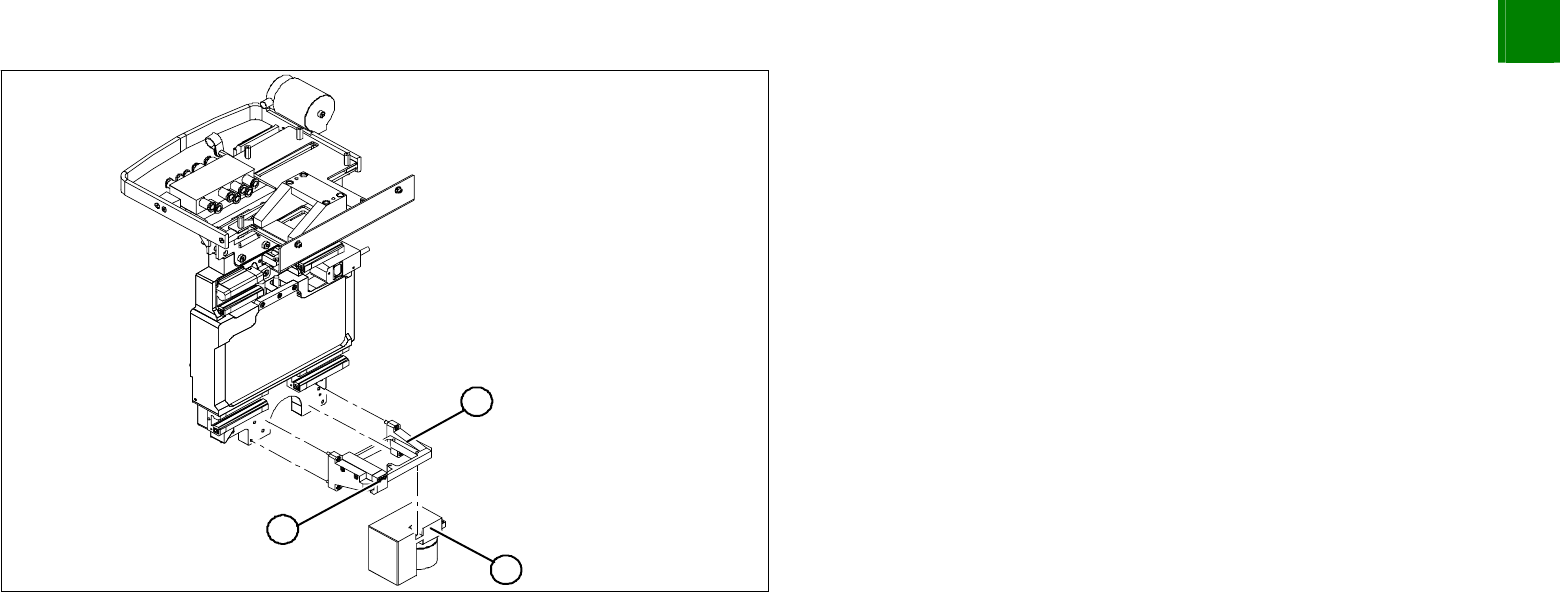
Undo the 4 screws fastening the PCB camera mount (1).
Remove the complete unit, including PCB camera (3) and
damping bracket (2).
Fasten the mount to a suitable part of the machine frame. Take
care not to damage the camera.