TM5761.Badmark Transfer.pdf - 第17页
S M T S o f t w a r e E n g i n e e r i n g G r o u p I M O p e r a t i o n s Y A M A H A M O T O R C O . , L T D . MDOC-SOFT501 16 17/48 2.4. Others 2.4.1. Machine comm on 2.4.1.1. Operatio n of mixed line The badmark t…
SMT Software Engineering Group
IM Operations YAMAHA MOTOR CO., LTD.
MDOC-SOFT50116 16/48
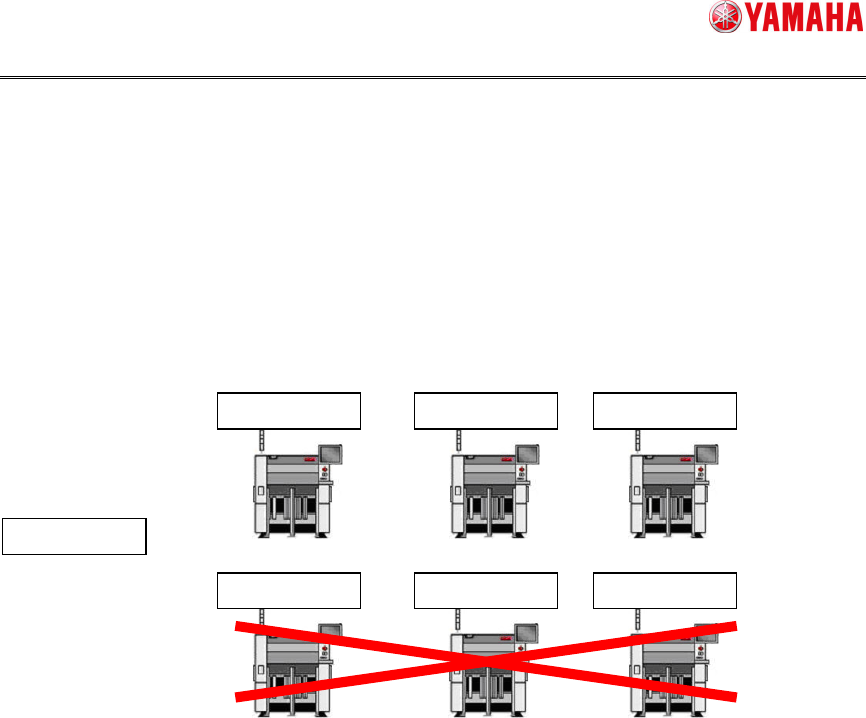
2.3.7. Detailed explanation of the “Board name check”
In the board name check, it is checked that the board name of the badmark recognition
result file meets the board name currently used for the production.
This function is used to ensure the consistency between the board and badmark recognition
result file in the operation without using the board ID. Note that there are cases that the
operation is performed with different board name by machine when producing one product
type. When such operation is performed, the board name is checked off or the board name
is unified.
AssyNo
Y001
Program
Y001
Program
Y001
Program
Y001
Program
Y001
Program
Y002
Program
Y003
SMT Software Engineering Group
IM Operations YAMAHA MOTOR CO., LTD.
MDOC-SOFT50116 17/48
2.4. Others
2.4.1. Machine common
2.4.1.1. Operation of mixed line
The badmark transfer can be operated even in a line with the Xg and YGseries mixed.
At this time, it is necessary to install a custom specification (Tok660: TRANSPORT BAD
RESULT) into the Xg and YGseries.
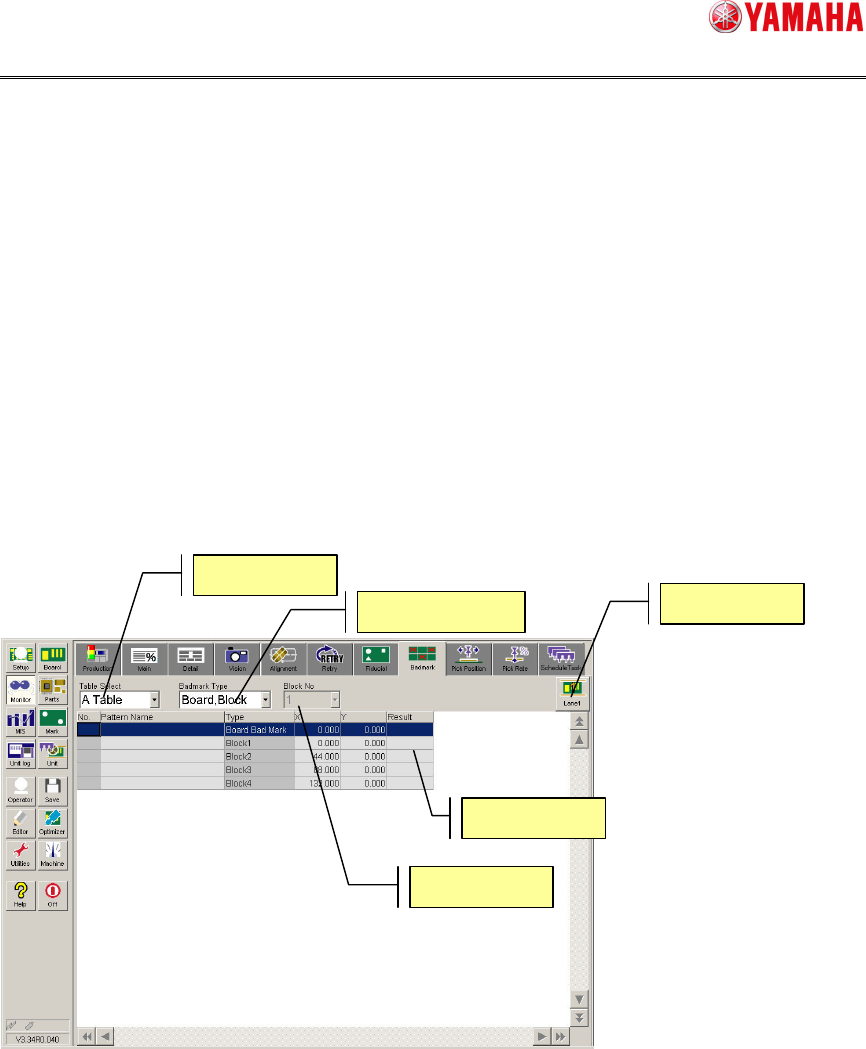
2.4.1.2. Badmark recognition result
The badmark recognition result can be checked through the monitor screen. Additionally,
when the badmark is transferred, the badmark recognition result is displayed after the data
has been transferred.
The badmark recognition result can be checked by choosing [Monitor][Badmark].
For details, refer to the badmark from “Monitor display during production” stated in
“YSseries Operator’s Manual”.
Table Select
Badmark Type
Block No
Lane
Result
SMT Software Engineering Group
IM Operations YAMAHA MOTOR CO., LTD.
MDOC-SOFT50116 18/48
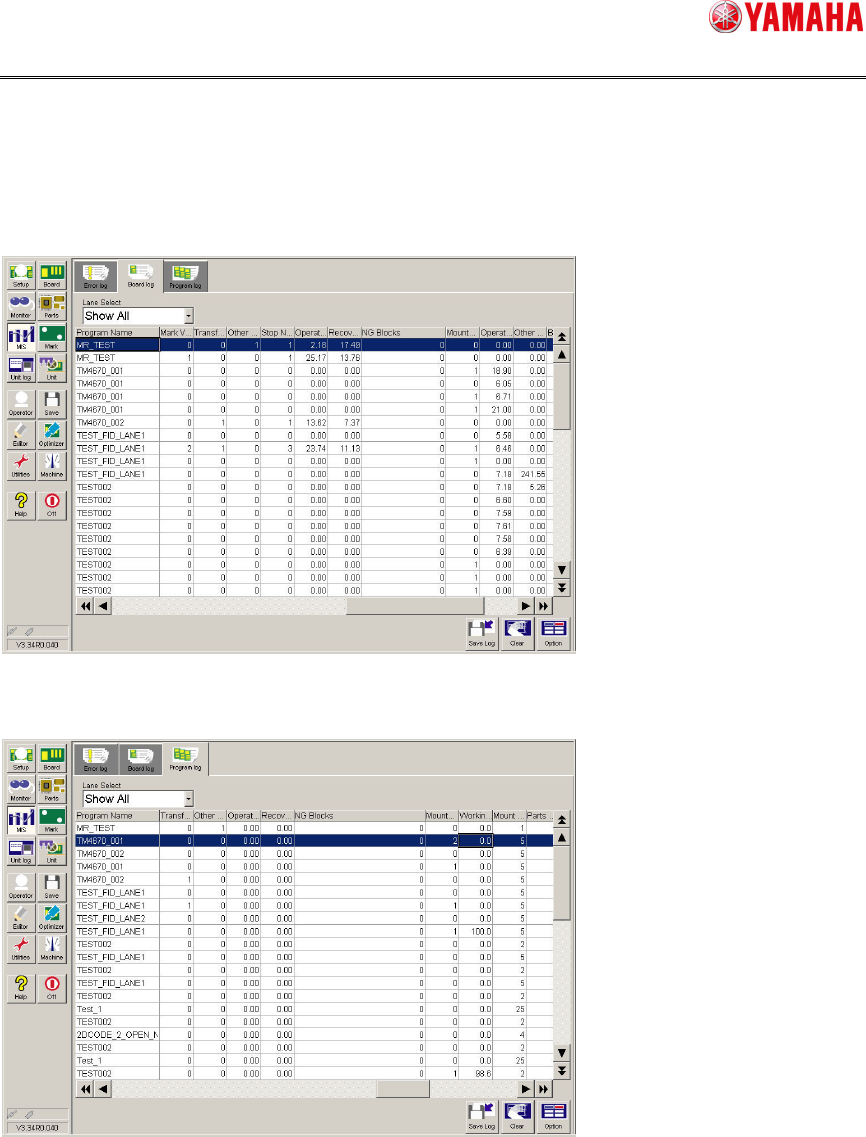
2.4.1.3. Number of badmark NGs
You can check the number of blocks that are determined as NG by the badmark in units of
boards or lots.
To check the number of badmark NGs by board, choose [MS][Board log].
To check the number of badmark NGs by lot, choose [MS][Program log].
For details, refer to “Mounter History Record specification” or “Printer (YSP) History
Record specification”.