TM5761.Badmark Transfer.pdf - 第39页
S M T S o f t w a r e E n g i n e e r i n g G r o u p I M O p e r a t i o n s Y A M A H A M O T O R C O . , L T D . MDOC-SOFT501 16 39/48 3. Restoring the st ate Return the board to the sta te that is the same as error o…
SMT Software Engineering Group
IM Operations YAMAHA MOTOR CO., LTD.
MDOC-SOFT50116 38/48
5.1. Corrective actions to be taken in case on an error
As the automatic operation is restarted after the error recovery, the operation restarts with
the badmark transferred data retained when the board stock state is the same as that before
the error stop.
5.1.1. Taking actions in case of an error
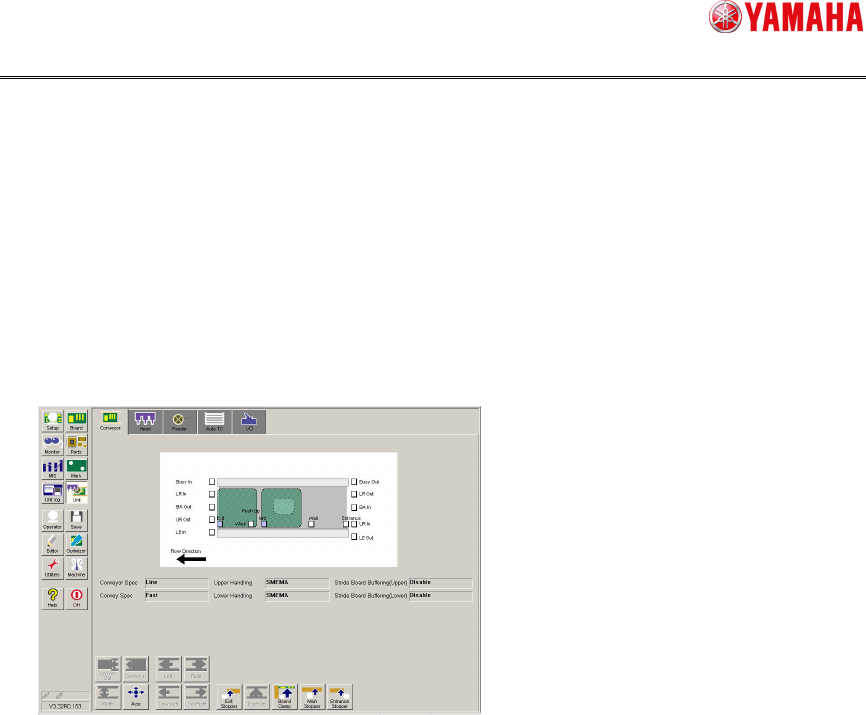
1. If an error occurs, check the board position.
You can make the check by choosing [Unit][Conveyor].
2. Taking corrective actions
Follow the contents of the error message to take corrective actions.
SMT Software Engineering Group
IM Operations YAMAHA MOTOR CO., LTD.
MDOC-SOFT50116 39/48
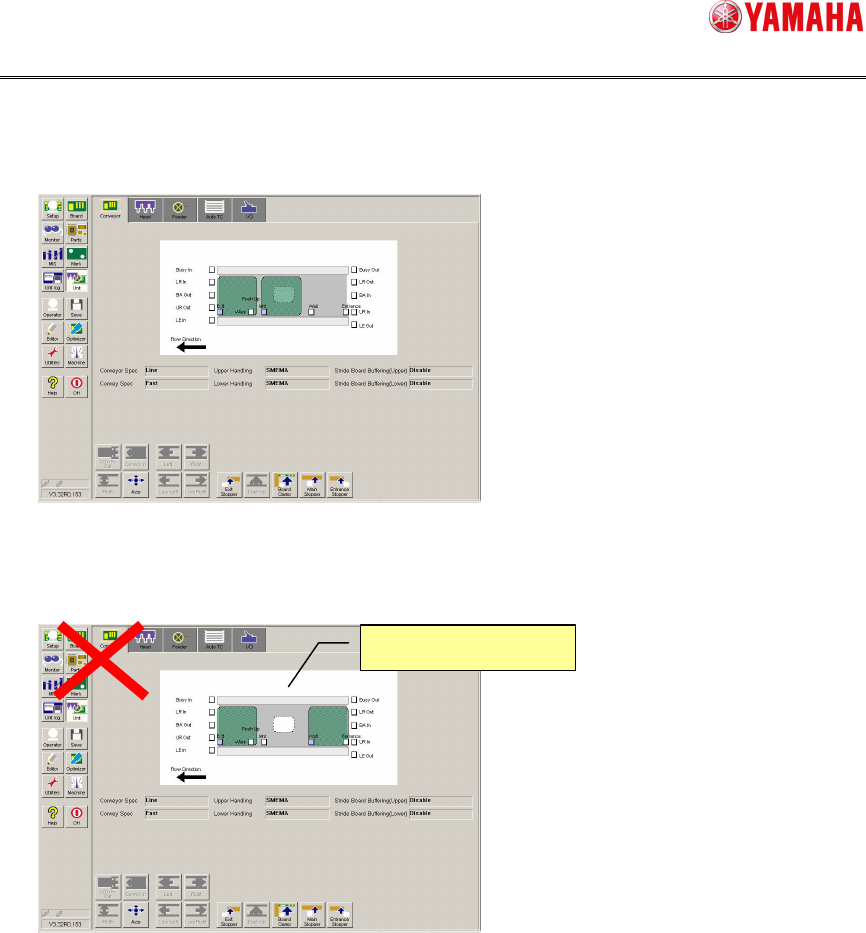
3. Restoring the state
Return the board to the state that is the same as error occurrence, when the board is
moved.
The operation cannot be restarted if the board stock state is different. To restart the
operation in the different board stock state, load the board from the upstream machine
again.
4. Restarting the automatic operation
Restart the automatic operation.
Different
board stock state
SMT Software Engineering Group
IM Operations YAMAHA MOTOR CO., LTD.
MDOC-SOFT50116 40/48
6. Interface
6.1. File format
This section describes the specifications of the bad mark recognition result file.
6.1.1. File naming rules
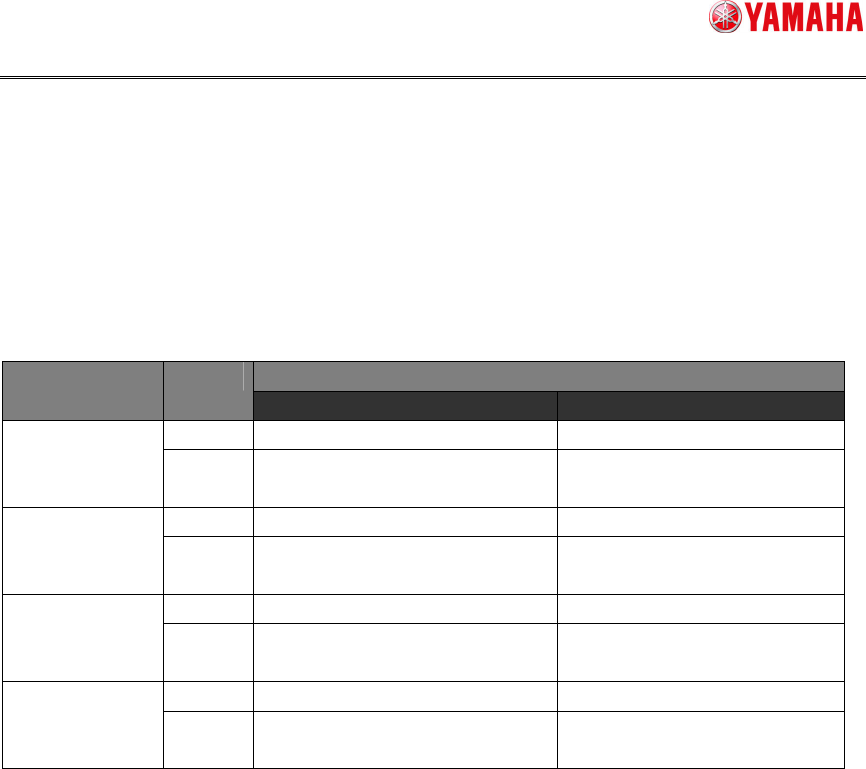
The following shows the badmark recognition result file naming rules.
File name Board ID Lane
Format Sample
Single BadMark_Inf.csv BadMark_Inf.csv
NON
Multi BadMark_Inf_Ln.csv
BadMark_Inf_L1.csv
BadMark_Inf_L2.csv
Single BadMark_Inf_XXXXXX.csv BadMark_Inf_SAMPLE.csv
BOARD ID
Multi BadMark_Inf_XXXXXX_Ln.csv
BadMark_Inf_SAMPLE_L1.csv
BadMark_Inf_SAMPLE_L2.csv
Single BadMark_Inf_XXXXXX.csv BadMark_Inf_SAMPLE.csv
TAKE OVER
Multi BadMark_Inf_XXXXXX_Ln.csv
BadMark_Inf_SAMPLE_L1.csv
BadMark_Inf_SAMPLE_L2.csv
Single BadMark_Inf_YYYYMMDDHHMMSS.csv BadMark_Inf_20121231115959.csv
NON (UNIQUE ID)
Multi BadMark_Inf_Ln_YYYYMMDDHHMMSS.csv
BadMark_Inf_L1_20121231115959.csv
BadMark_Inf_L2_20121231115959.csv
Ln … “n” shows a lane No.
XXXXXX … When there is a board ID, the barcode read result is put in “XXXXXX”.
YYYYMMDDHHMMSS …"Year, Month, Day, Hour, Minutes, Second" enters.