TM5761.Badmark Transfer.pdf - 第27页
S M T S o f t w a r e E n g i n e e r i n g G r o u p I M O p e r a t i o n s Y A M A H A M O T O R C O . , L T D . MDOC-SOFT501 16 27/48 4.1.3. Print er se tting Block offset/bad m ark The block of f set and badmark a…
SMT Software Engineering Group
IM Operations YAMAHA MOTOR CO., LTD.
MDOC-SOFT50116 26/48
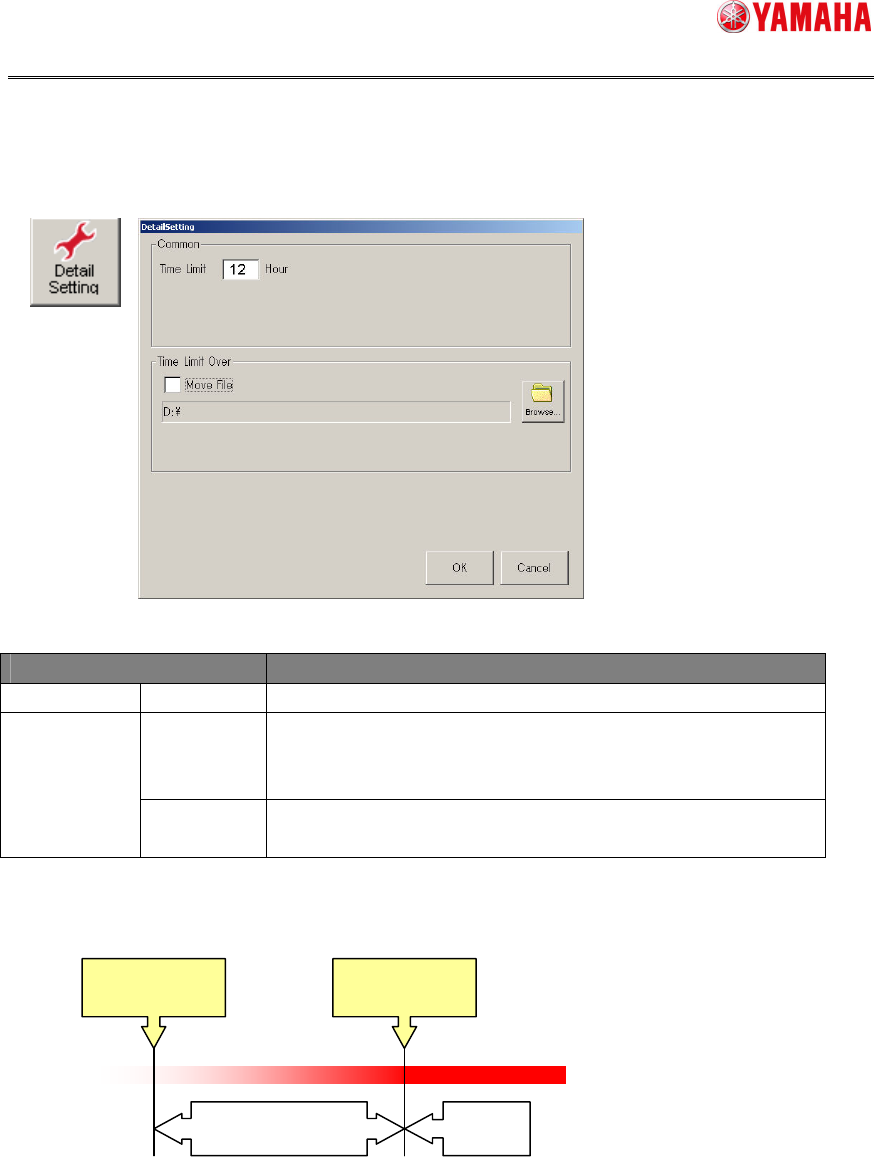
Detail setting
The detail setting about input information file is made on the screen shown below.
[
Setup
][
Software setting
][
Basic
][
TakeOver setting
][Details setting]
The succeeded file becomes invalid when it exceeds the effective period from the final
update date of the file.
A period of time, during which the board can be loaded again, is set for the effective
period. As a guideline of a reloading possible period, the effective period of the solder
(period of time by considering the oxidation or flux deterioration) is referred to. Additionally,
when using multiple solders, the shortest time is used.
To remain the file that is made invalid, check on [Move File]. The file is then stored into
the set folder.
Menu Edit item
Common Time Limit Set an effective period of the takeover file.
Checked on.
:
Moves the file, the effective period of which has expired.
Move File
Checked off.
:
Deletes the file, the effective period of which has
expired.
Time Limit Over
[Browse]
button
Used to set a destination where the file, the effective period of which has
expired, is moved.
Effective period
File creation date
Invalid
Effective period
SMT Software Engineering Group
IM Operations YAMAHA MOTOR CO., LTD.
MDOC-SOFT50116 27/48
4.1.3. Printer setting
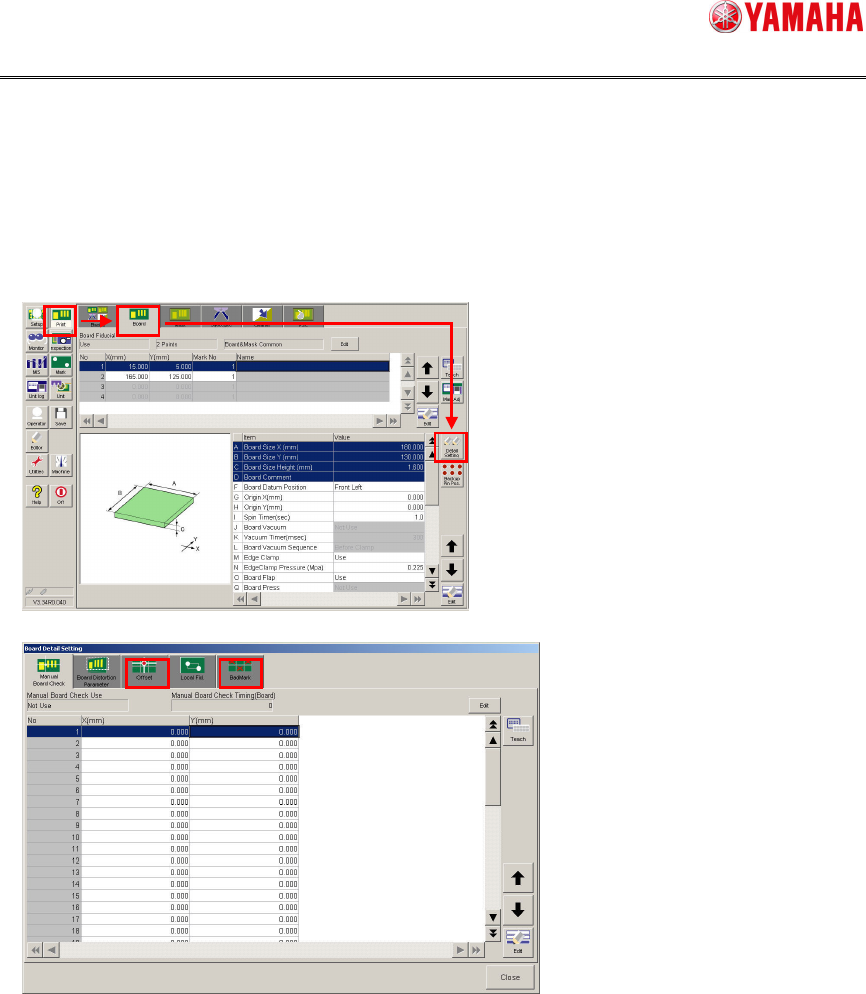
Block offset/badmark
The block offset and badmark are set from the screen shown below.
[Print][Board][Detail Setting]
The data setting is the same as the mounter setting.
SMT Software Engineering Group
IM Operations YAMAHA MOTOR CO., LTD.
MDOC-SOFT50116 28/48
Print inspection object
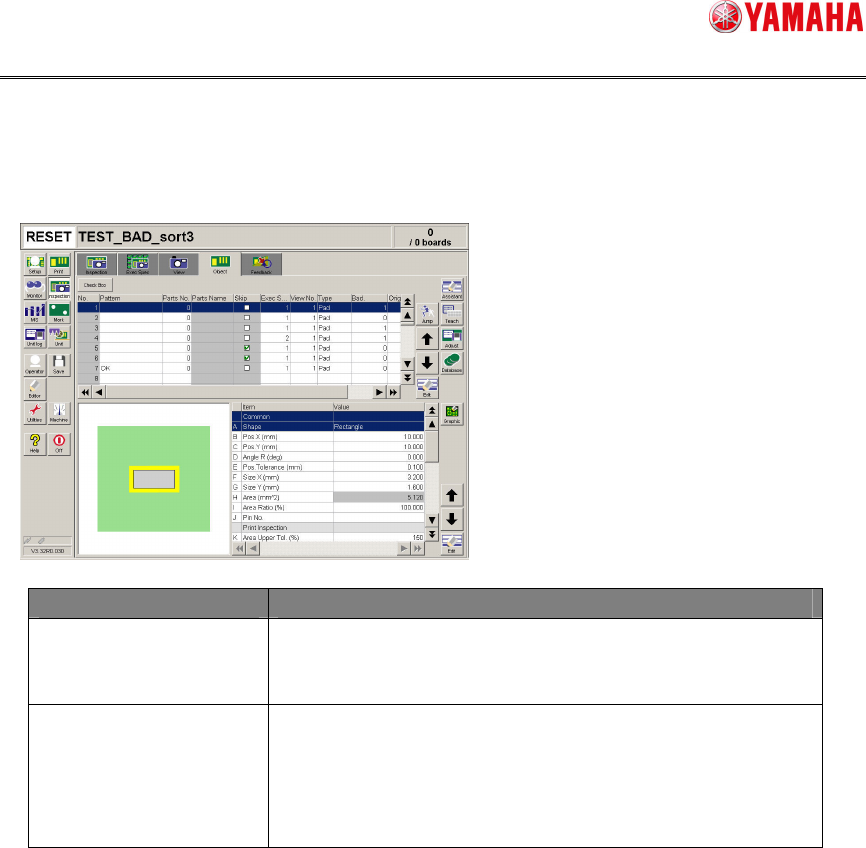
The print inspection object is set from the screen shown below.
[Inspection][Object]
Menu Edit item
Bad When the local badmark is set, enter a local badmark No
to be used for this print inspection object.
Enter “0” when this function is not used.
Original block No When the block badmark is set, enter a block No to be
used for this print inspection object.
Additionally, when handling the board data of the block
distribution (reference data is provided), enter an original
block No before the block distribution.