TM5761.Badmark Transfer.pdf - 第29页
S M T S o f t w a r e E n g i n e e r i n g G r o u p I M O p e r a t i o n s Y A M A H A M O T O R C O . , L T D . MDOC-SOFT501 16 29/48 Graphic view Object data is ident i fied from the image and a badm ark No is ass…
SMT Software Engineering Group
IM Operations YAMAHA MOTOR CO., LTD.
MDOC-SOFT50116 28/48
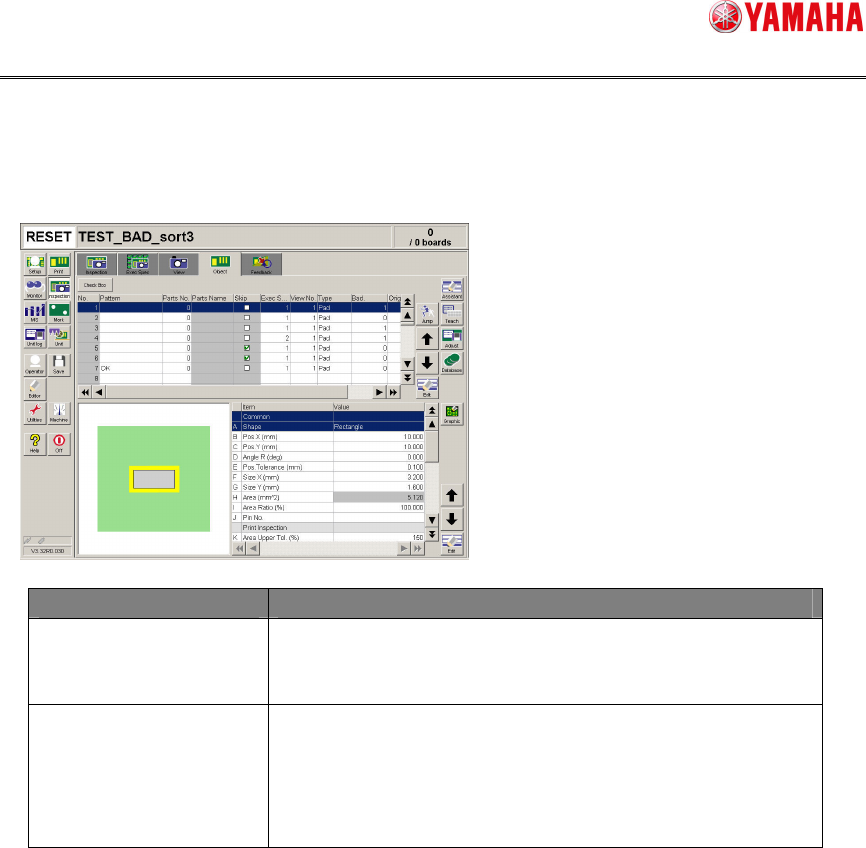
Print inspection object
The print inspection object is set from the screen shown below.
[Inspection][Object]
Menu Edit item
Bad When the local badmark is set, enter a local badmark No
to be used for this print inspection object.
Enter “0” when this function is not used.
Original block No When the block badmark is set, enter a block No to be
used for this print inspection object.
Additionally, when handling the board data of the block
distribution (reference data is provided), enter an original
block No before the block distribution.
SMT Software Engineering Group
IM Operations YAMAHA MOTOR CO., LTD.
MDOC-SOFT50116 29/48
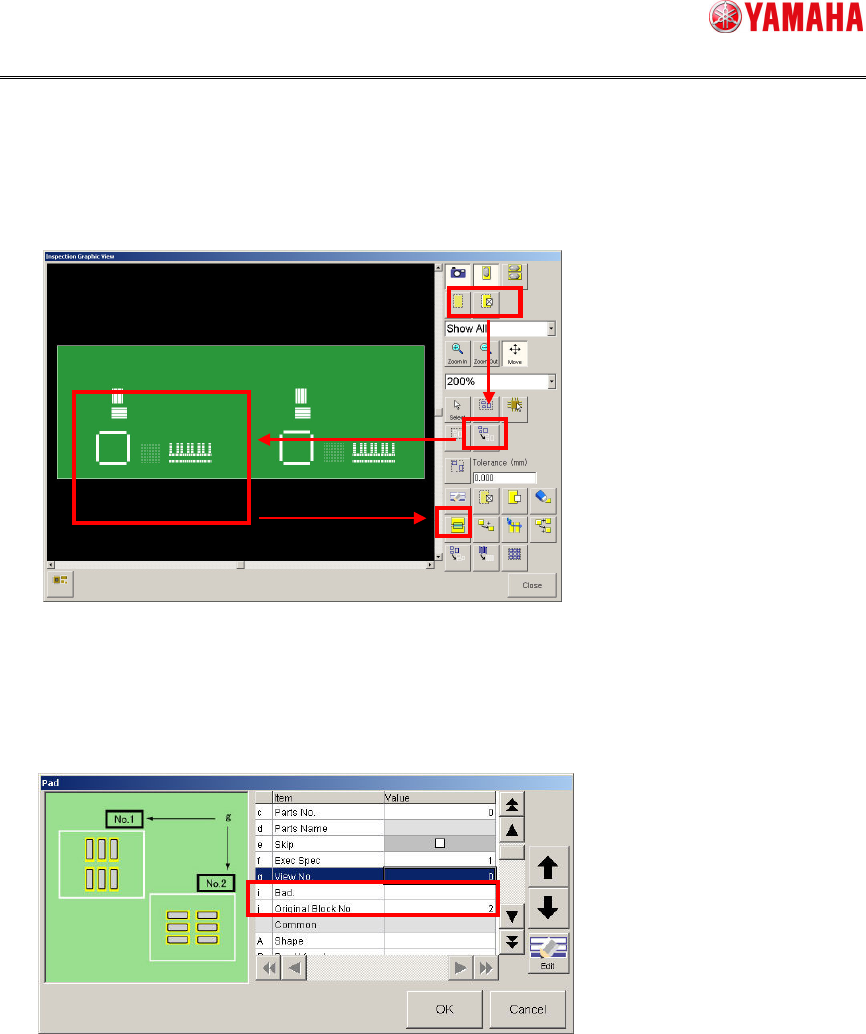
Graphic view
Object data is identified from the image and a badmark No is assigned to it. The setting
is made from the screen shown below.
[Inspection][Graphic], [Inspection][View][Graphic], [Inspection][Object][Graphic]
① Choose a display object (pad, bridge).
② Choose [Rectangle].
③ Choose an inspection object to be set.
④ Press the [Batch Edit] button.
Edit the bad and original block No for the inspection object you have chosen in the
batch mode.
②
①
③
④
SMT Software Engineering Group
IM Operations YAMAHA MOTOR CO., LTD.
MDOC-SOFT50116 30/48
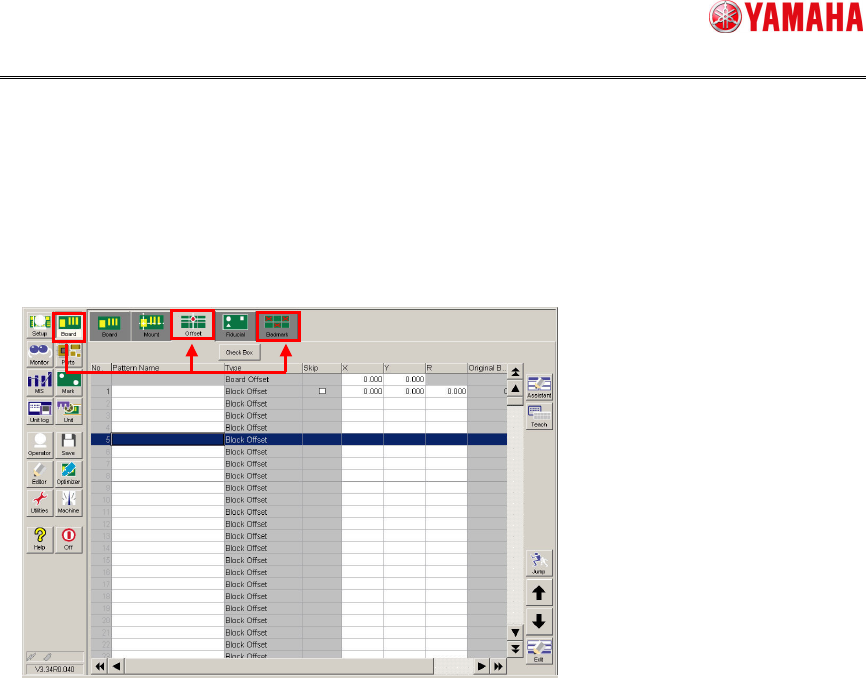
4.1.4. Mounter setting
Block offset/badmark
The block offset and badmark setting is made from the screen shown below.
[Board]