TM5761.Badmark Transfer.pdf - 第19页
S M T S o f t w a r e E n g i n e e r i n g G r o u p I M O p e r a t i o n s Y A M A H A M O T O R C O . , L T D . MDOC-SOFT501 16 19/48 2.4.2. Board edi tor The prin ter with the badmark t ransfer set va lid can edi t …
SMT Software Engineering Group
IM Operations YAMAHA MOTOR CO., LTD.
MDOC-SOFT50116 18/48
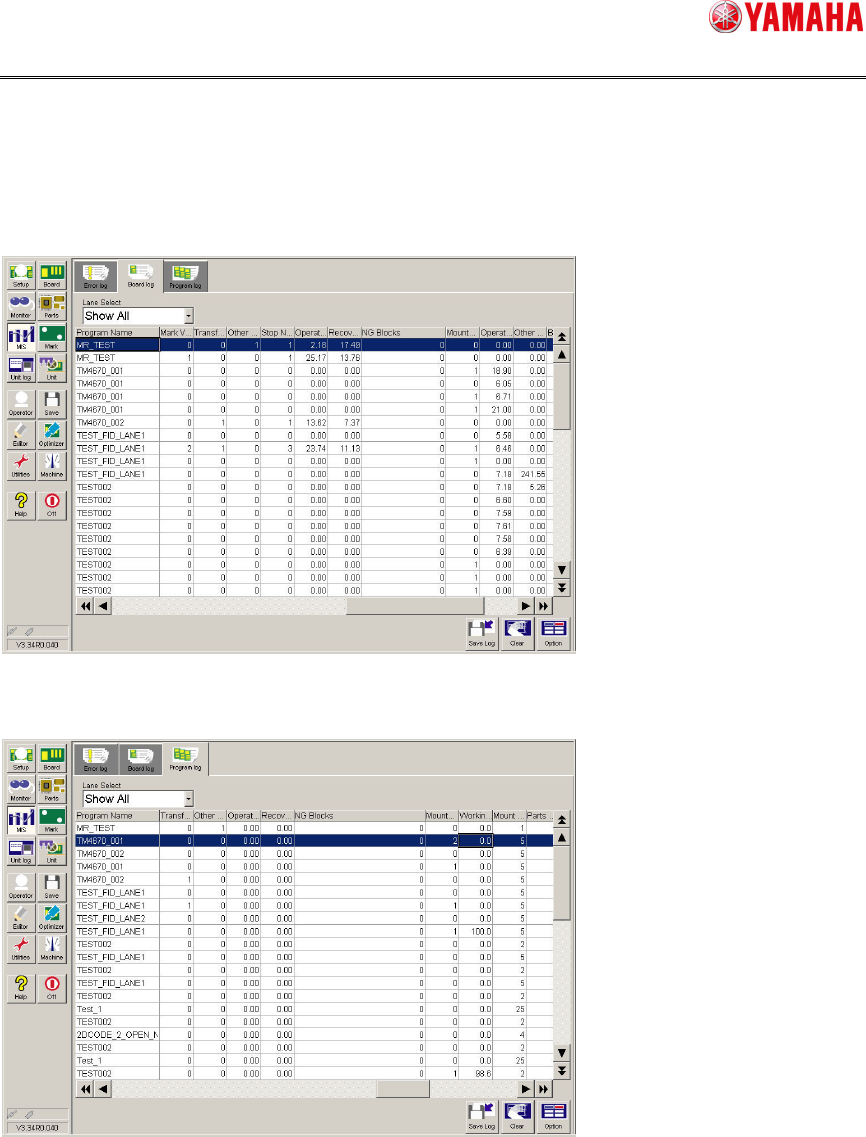
2.4.1.3. Number of badmark NGs
You can check the number of blocks that are determined as NG by the badmark in units of
boards or lots.
To check the number of badmark NGs by board, choose [MS][Board log].
To check the number of badmark NGs by lot, choose [MS][Program log].
For details, refer to “Mounter History Record specification” or “Printer (YSP) History
Record specification”.
SMT Software Engineering Group
IM Operations YAMAHA MOTOR CO., LTD.
MDOC-SOFT50116 19/48
2.4.2. Board editor
The printer with the badmark transfer set valid can edit the block offset and badmark using
the line data. Relative coordinates from the origin are set for the badmark coordinates.
When handling the line data, it is necessary to adjust the mounter and printer origins.
2.4.2.1. Origin
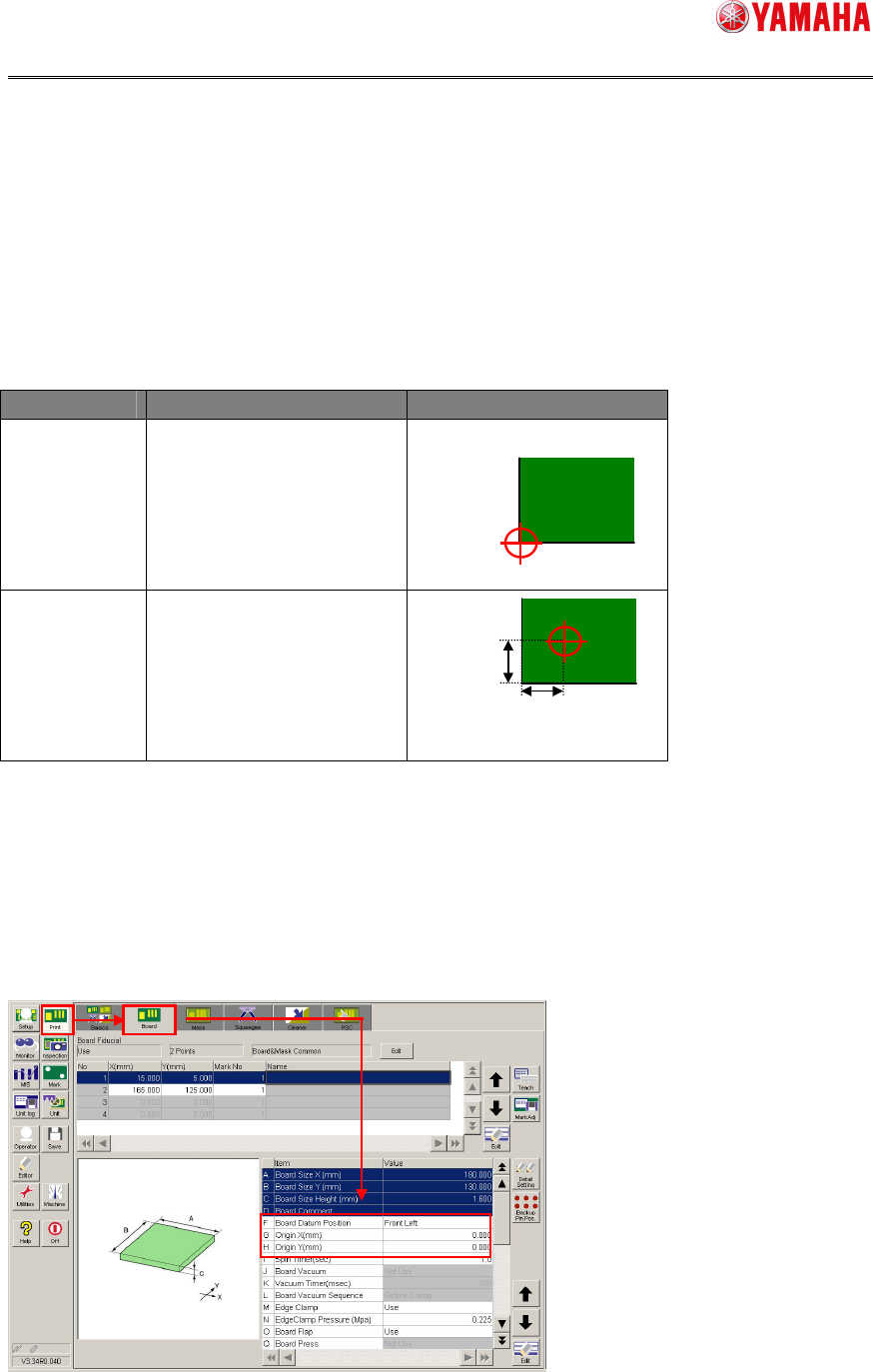
The board datum position and origin (coordinates) of the printer differ from those of the
mounter.
Machine Board datum position Origin (Coordinates)
Printer Changeable
Initial value: Front left of
board
Mounter
Not changeable.
To adjust the board data of the printer to the board datum position of the mounter, the
following data needs to be corrected. The board datum position may have an individual
difference depending on the machine. So, it is recommended to check the board datum
position on the actual machine.
Board datum position
Origin X (mm)
Origin Y (mm)
5mm
5mm
SMT Software Engineering Group
IM Operations YAMAHA MOTOR CO., LTD.
MDOC-SOFT50116 20/48
2.4.2.2. Line data
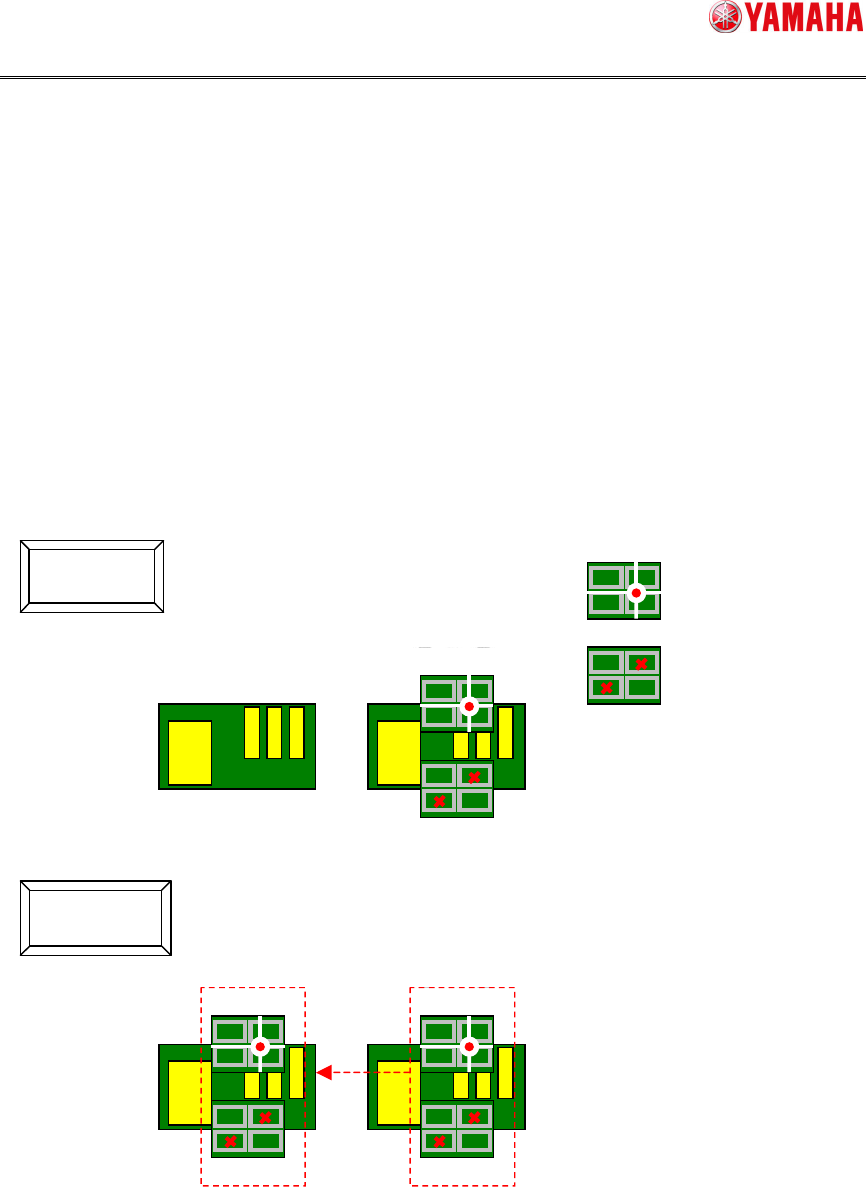
As the printer with the badmark transfer set valid is registered, the block offset and
badmark including the printer can be edited as line data.
* It is necessary that the printer and mounter set the mark data individually.
* This function can be used from the board editor of the PTool.
2.4.2.3. Line data import
The badmark information can be imported from the board data of the mounter to the board
data of the printer. Use of this data import function makes it possible to reduce the load
when creating board data of the printer.
Additionally, when there are print inspection objects, the original block No and badmark No
of the print inspection object are copied from the mounting information.
For details, refer to “4.2.2.1 Line data import”.
* This function can be used from the board editor of the PTool.
Not Use
Use
COPY
Block offset
Badmark