TM5761.Badmark Transfer.pdf - 第23页
S M T S o f t w a r e E n g i n e e r i n g G r o u p I M O p e r a t i o n s Y A M A H A M O T O R C O . , L T D . MDOC-SOFT501 16 23/48 4.1.2. Machine co m m on setting The following shows t h e items that need to be s…
SMT Software Engineering Group
IM Operations YAMAHA MOTOR CO., LTD.
MDOC-SOFT50116 22/48
4. Setting method of the badmark transfer
4.1. Machine setting
4.1.1. Board data setting
It is necessary to set the block offset and badmark for the board data, when using the
badmark transfer,
Refer to “YSseries Programming Manual” for more details.
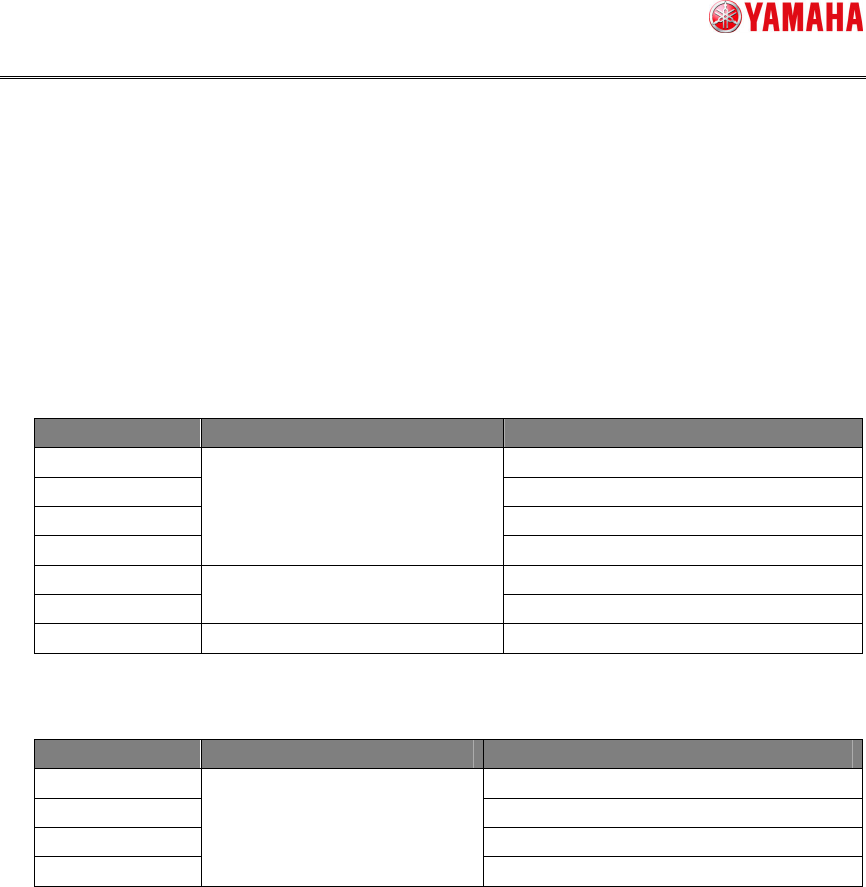
Target Large classification item Medium classification item
Block offset 1.3 Offset parameter
Mark 4. Creating the mark information
Mark adjust 5. Mark recognition test
Teach
Chapter 2 Setting the board
parameter
7. Teach and trace
Badmark 1.1 Using the badmark functions
Edit assistant
Chapter 4 Using the advance
functions
4 Edit assistant function
Block distribution Chapter 5 Using the Editor 3. Block offset
Refer to “Factory Tools PTool Manual Programming PC Software User’s Manual” for
more details.
Target Large classification item Medium classification item
Block offset 4. Creating board information
Badmark 4. Creating board information
Mark 6. Creating the mark information
Block distribution
Chapter 1 Creating and editing
board data
8. Editing the board data
SMT Software Engineering Group
IM Operations YAMAHA MOTOR CO., LTD.
MDOC-SOFT50116 23/48
4.1.2. Machine common setting
The following shows the items that need to be set.
Machine setting (VmSpec)
Menu Edit item
↓
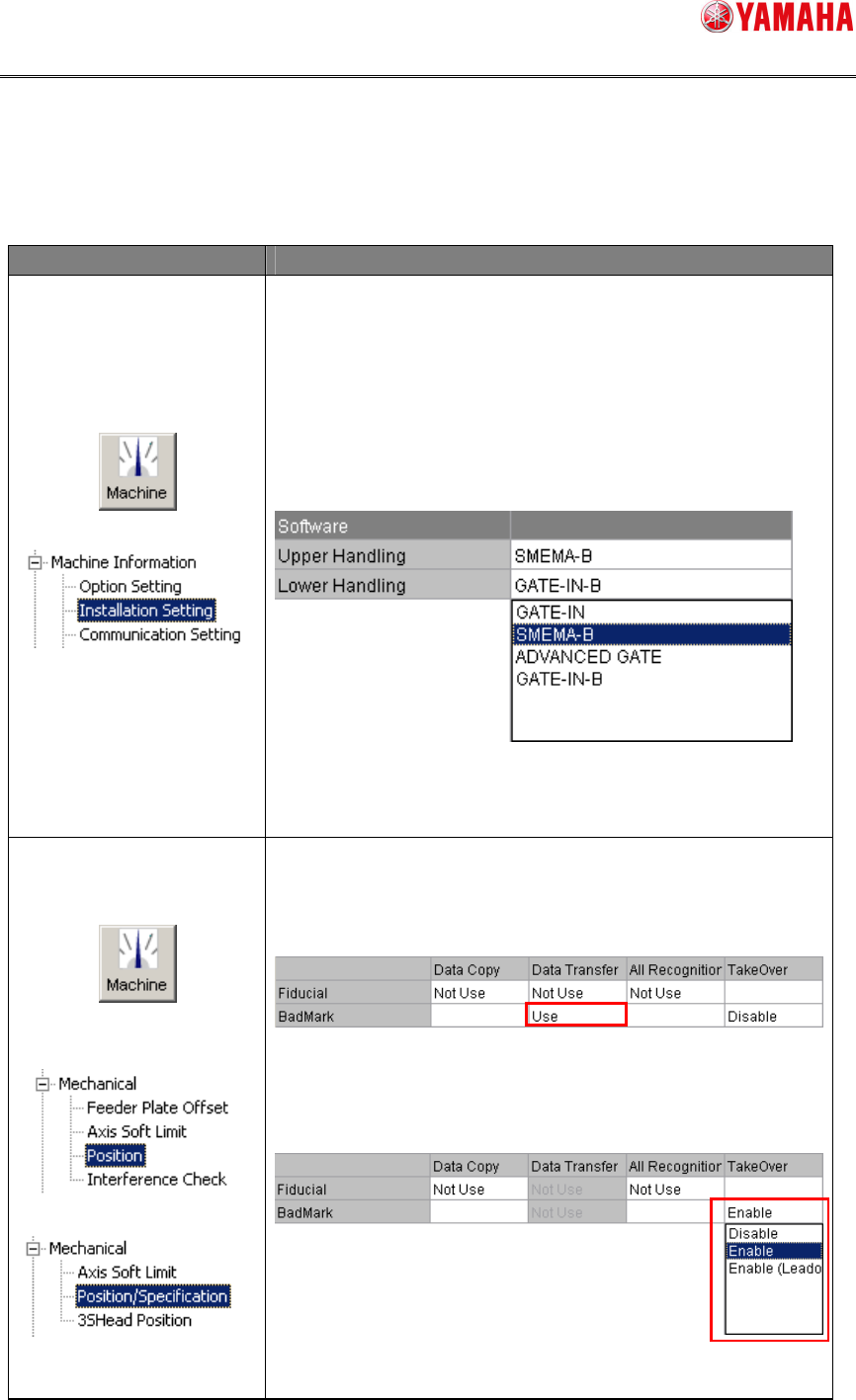
Upper Handling:
To receive the “badmark recognition result” from the
upstream machine, choose [SMEMA] or [ADVANCED GATE].
Lower Handling:
To send the “badmark recognition result” to the
downstream machine, choose [SMEMA] or [ADVANCED
GATE].
Fig. 1 Installation Setting screen
* [SMEMAB] can also be operated.
↓
Mounter:
Printer:
Data Transfer:
Choose [Use] in the “Data Transfer” field of the badmark.
* This setting is not needed for the single stage machine.
Fig. 2 Position Coordinate Setting screen
TakeOver:
Set [Enable] or [Enable (
Leadoff)].
Fig. 3 Position Coordinate Setting screen
SMT Software Engineering Group
IM Operations YAMAHA MOTOR CO., LTD.
MDOC-SOFT50116 24/48
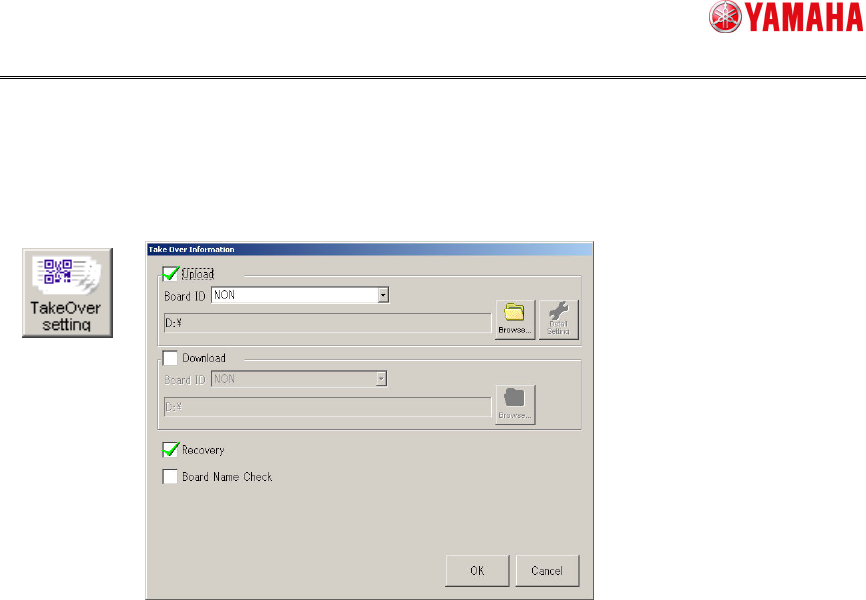
Application setting
The input/output file settings are made on the screen shown below.
[Setup][Software setting][Basic][TakeOver setting]