TM5761.Badmark Transfer.pdf - 第18页
S M T S o f t w a r e E n g i n e e r i n g G r o u p I M O p e r a t i o n s Y A M A H A M O T O R C O . , L T D . MDOC-SOFT501 16 18/48 2.4.1.3. Number o f badmark NGs Y ou can check the num ber of blocks th at are det…
SMT Software Engineering Group
IM Operations YAMAHA MOTOR CO., LTD.
MDOC-SOFT50116 17/48
2.4. Others
2.4.1. Machine common
2.4.1.1. Operation of mixed line
The badmark transfer can be operated even in a line with the Xg and YGseries mixed.
At this time, it is necessary to install a custom specification (Tok660: TRANSPORT BAD
RESULT) into the Xg and YGseries.
2.4.1.2. Badmark recognition result
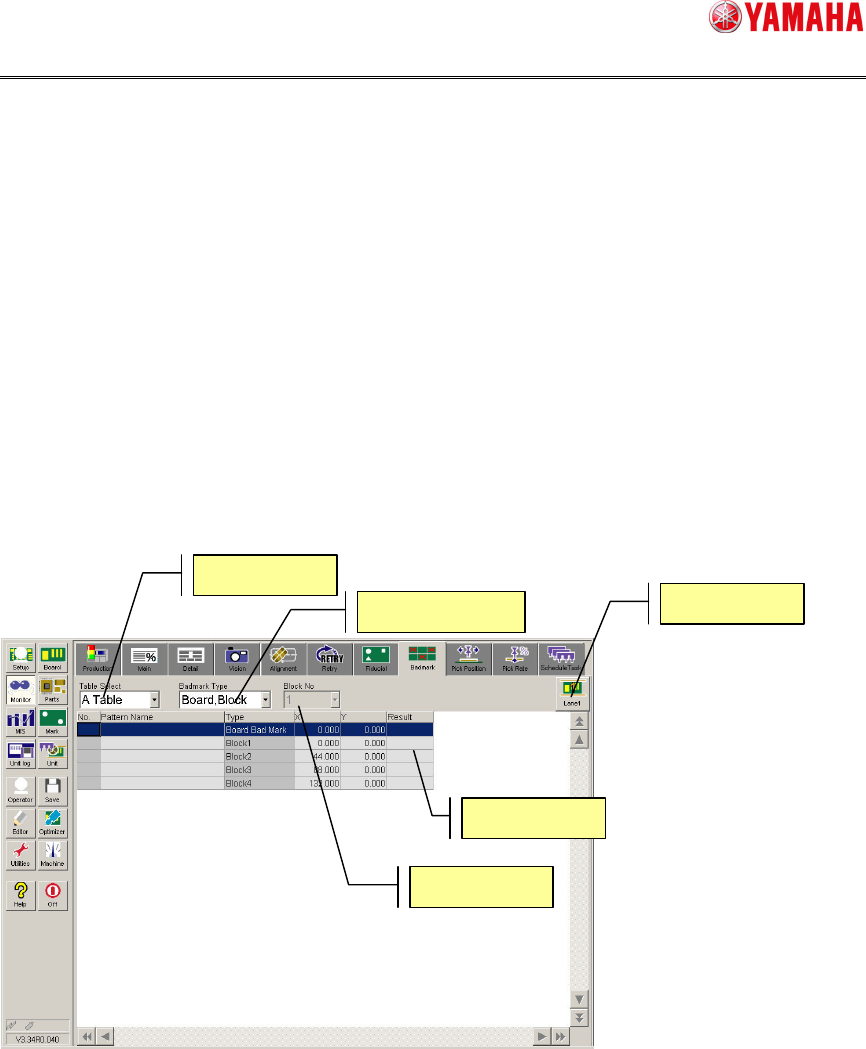
The badmark recognition result can be checked through the monitor screen. Additionally,
when the badmark is transferred, the badmark recognition result is displayed after the data
has been transferred.
The badmark recognition result can be checked by choosing [Monitor][Badmark].
For details, refer to the badmark from “Monitor display during production” stated in
“YSseries Operator’s Manual”.
Table Select
Badmark Type
Block No
Lane
Result
SMT Software Engineering Group
IM Operations YAMAHA MOTOR CO., LTD.
MDOC-SOFT50116 18/48
2.4.1.3. Number of badmark NGs
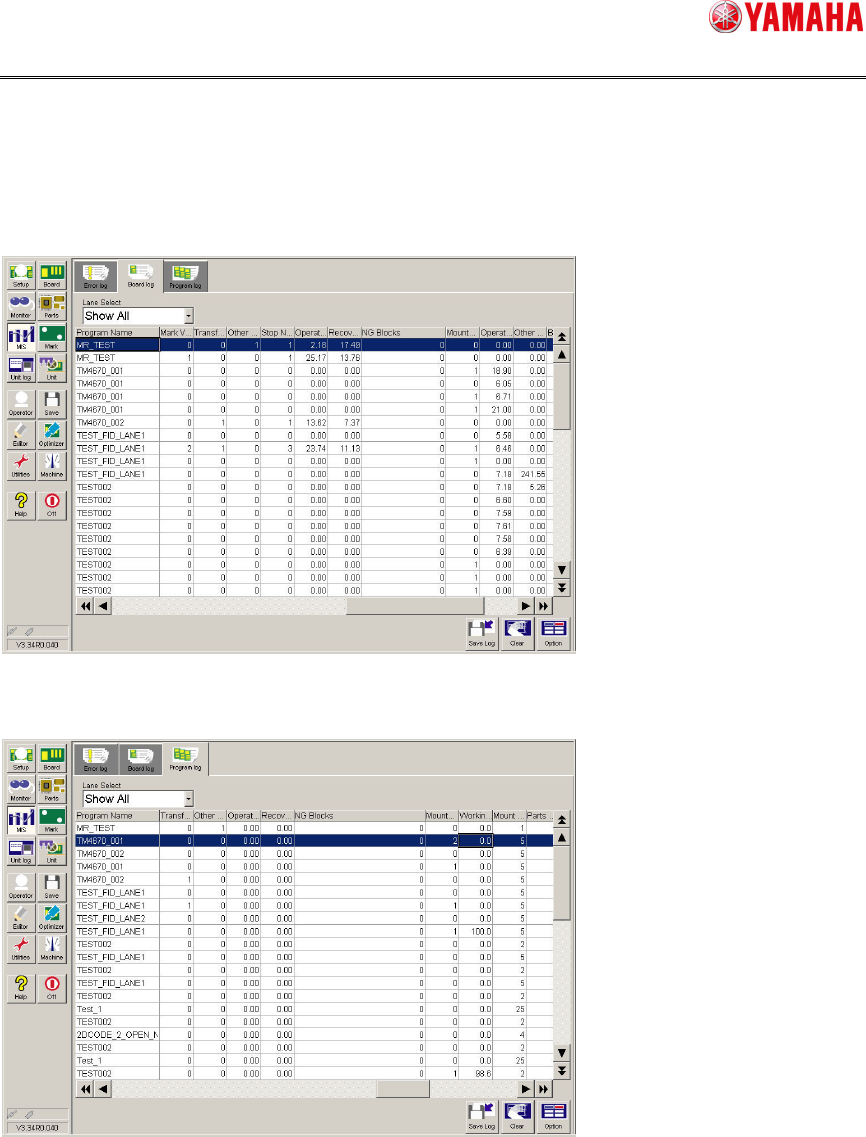
You can check the number of blocks that are determined as NG by the badmark in units of
boards or lots.
To check the number of badmark NGs by board, choose [MS][Board log].
To check the number of badmark NGs by lot, choose [MS][Program log].
For details, refer to “Mounter History Record specification” or “Printer (YSP) History
Record specification”.
SMT Software Engineering Group
IM Operations YAMAHA MOTOR CO., LTD.
MDOC-SOFT50116 19/48
2.4.2. Board editor
The printer with the badmark transfer set valid can edit the block offset and badmark using
the line data. Relative coordinates from the origin are set for the badmark coordinates.
When handling the line data, it is necessary to adjust the mounter and printer origins.
2.4.2.1. Origin
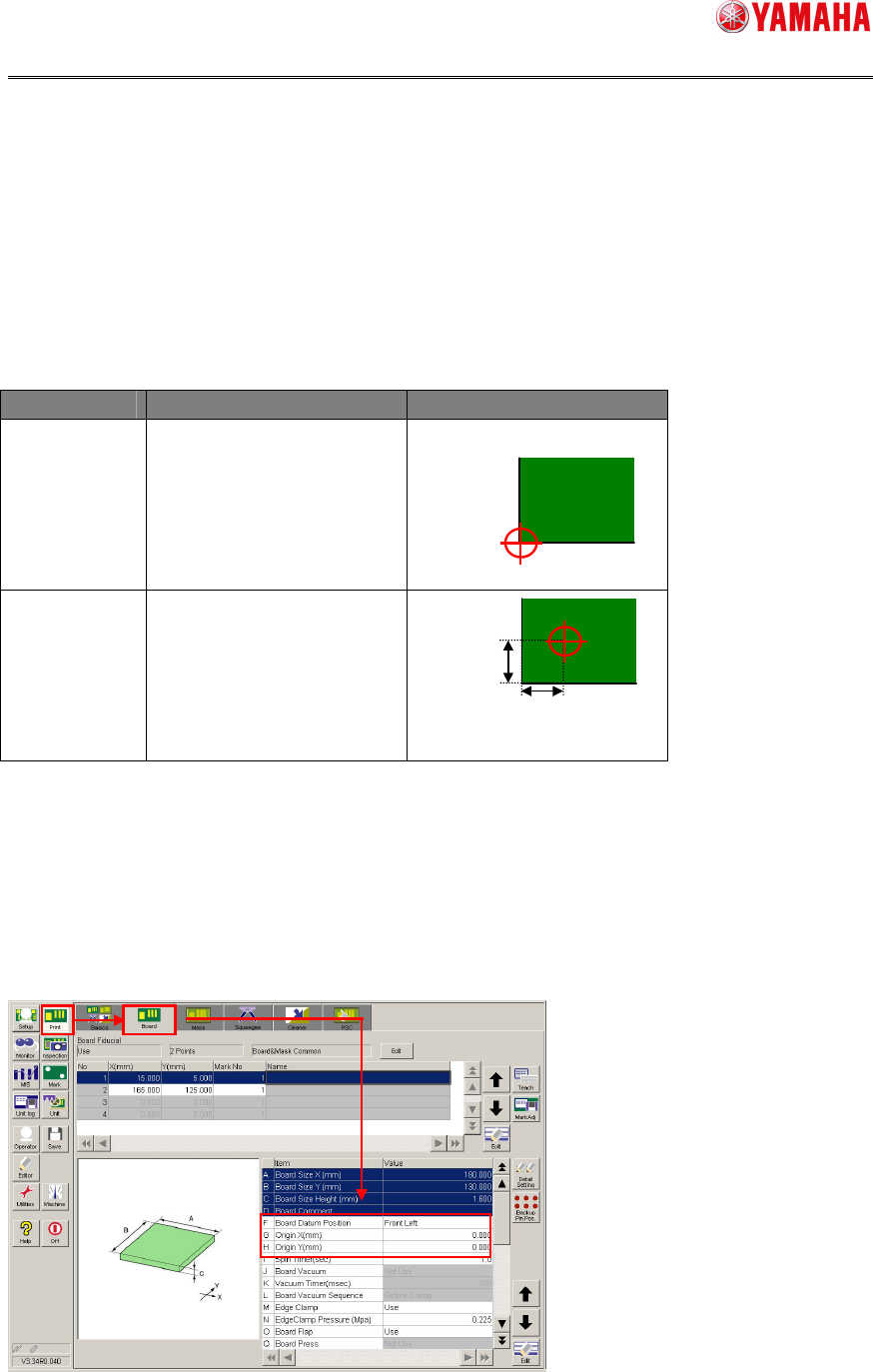
The board datum position and origin (coordinates) of the printer differ from those of the
mounter.
Machine Board datum position Origin (Coordinates)
Printer Changeable
Initial value: Front left of
board
Mounter
Not changeable.
To adjust the board data of the printer to the board datum position of the mounter, the
following data needs to be corrected. The board datum position may have an individual
difference depending on the machine. So, it is recommended to check the board datum
position on the actual machine.
Board datum position
Origin X (mm)
Origin Y (mm)
5mm
5mm