TM5761.Badmark Transfer.pdf - 第32页
S M T S o f t w a r e E n g i n e e r i n g G r o u p I M O p e r a t i o n s Y A M A H A M O T O R C O . , L T D . MDOC-SOFT501 16 32/48 4.2.2.1. Li ne dat a im port This function copies usefu l data fro m the board dat…
SMT Software Engineering Group
IM Operations YAMAHA MOTOR CO., LTD.
MDOC-SOFT50116 31/48
4.2. Offline software setting
4.2.1. Board Explorer
To handle the block offset and badmark of the printer as line data, follow the steps below
to register the printer.
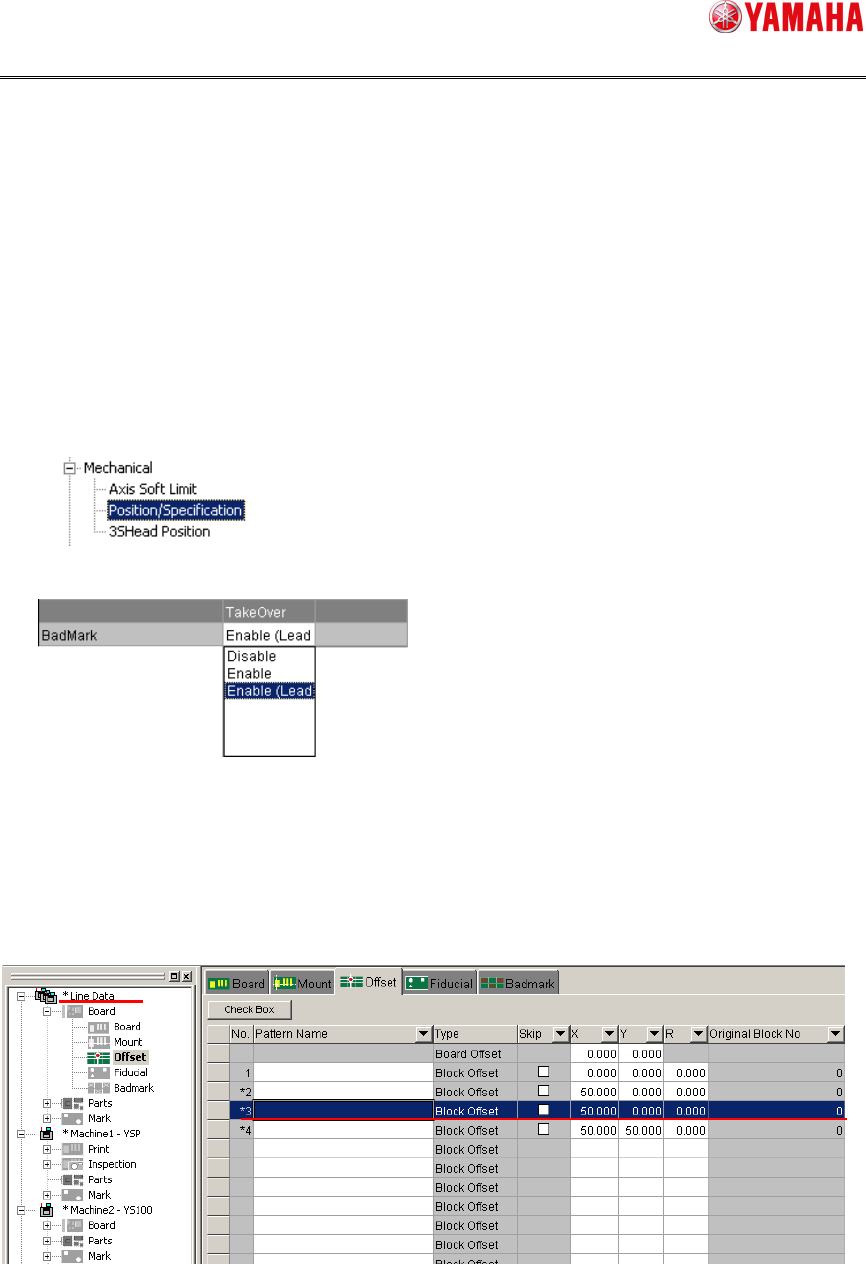
1. Checking the machine setting
Check the machine setting of the printer.
Check the machine setting by choosing
[Setting][Machine][Mechanical][Position/Specification].
Make sure that
[Enable] or [Enable (
Leadoff)] is set in the [TakeOver] field.
2. Registering the machine
Register (reregister) the machine from the Board Explorer.
4.2.2. Board editor
When any line data is edited, the set values are reflected on all machines registered in the
line.
SMT Software Engineering Group
IM Operations YAMAHA MOTOR CO., LTD.
MDOC-SOFT50116 32/48
4.2.2.1. Line data import
This function copies useful data from the board data of the mounter to the printer.
1. Preparing board data
Prepare board data that is already operated. When the block distribution or optimization
is needed, prepare data, the block distribution or optimization of which has been
completed.
2. Reading the board data
Read the board data of the printer and mounter.
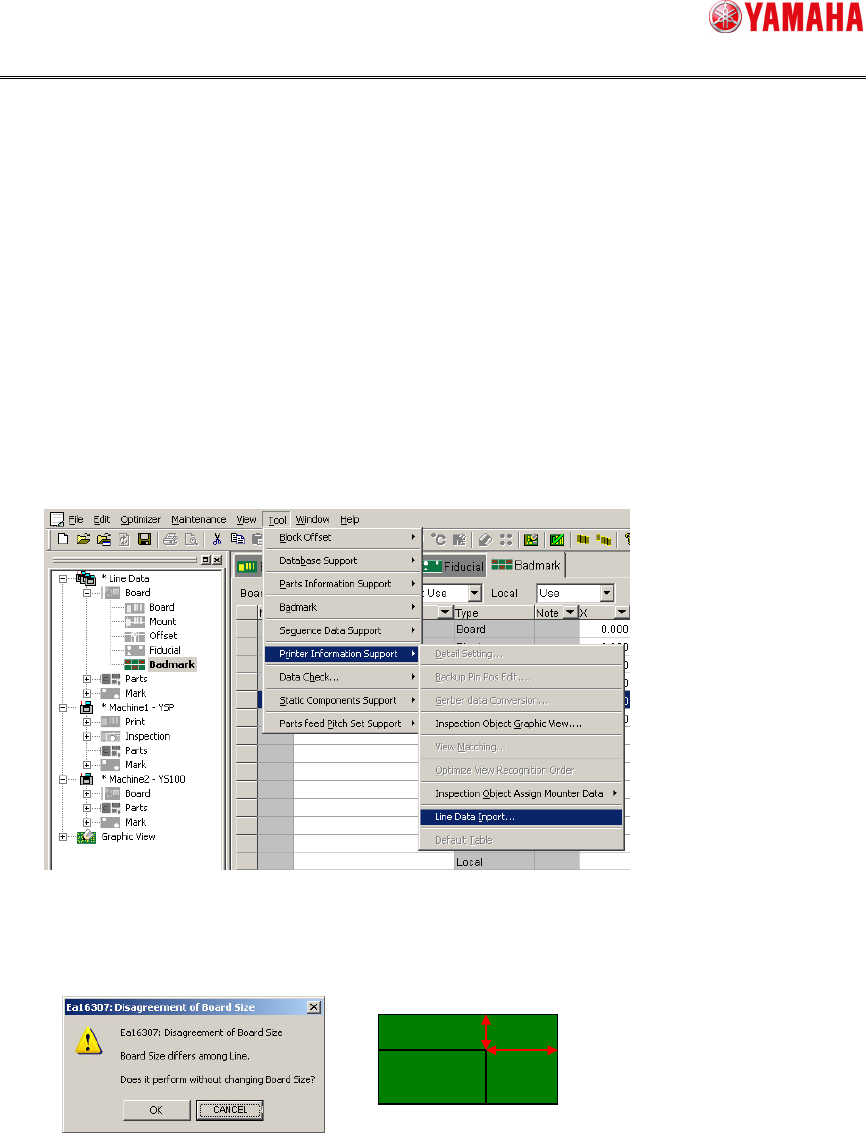
3. Executing the line data import
Open the Line Data Import screen.
4. Changing the board size
If the board size of the mounter differs from that of the printer, the response dialog box
will appear. When the board size is not adjusted to the mounter, click [OK].
SMT Software Engineering Group
IM Operations YAMAHA MOTOR CO., LTD.
MDOC-SOFT50116 33/48
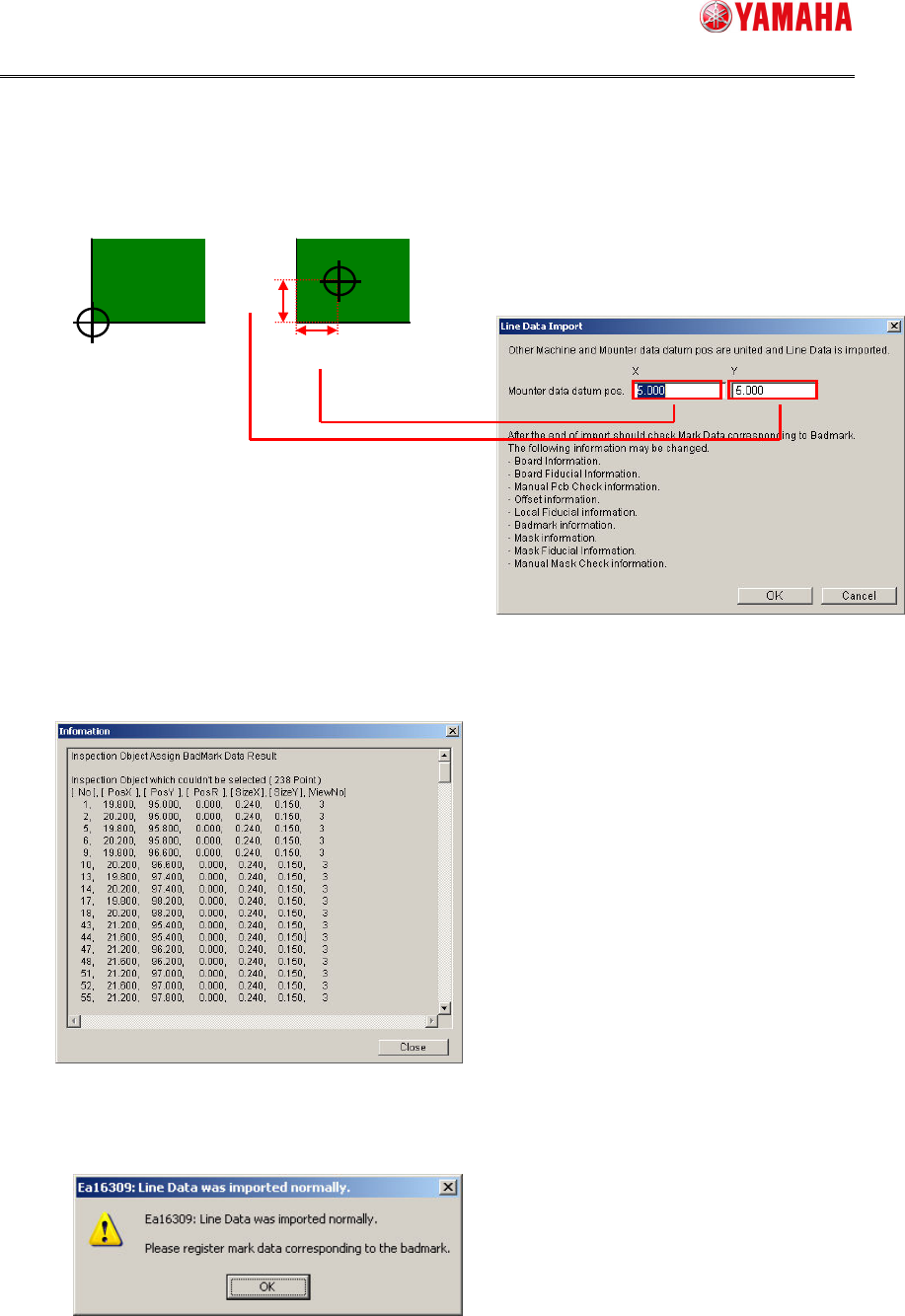
5. Changing the board datum position
The board datum position of the mounter differs from that of the printer. Set differences
(mm) in datum position so that the mounter and printer use the same board datum
position.
6. Displaying the result check screen
If there is inspection object data that cannot be identified from the mounter data, its list
is displayed.
7. Displaying the line data import completion screen
The line data import completion is displayed.
Follow the display contents to check the data.
Mounter
5 mm
5 mm
Printer