YSH20_Ope_E.pdf - 第106页
2-49 2 asic operation 3 Open the P arts screen. Press the [Parts] button to open the Parts screen and select the component from the upper list . Parts screen 24225-H0-00 4 Displa y the basic par ameters. Select the [Ba…
2-48
2
asic operation
5. Settings on the machine side
After installing the tape feeders and the tray changer in the machine, you must make settings for the machine.
5.1 Setting the "Package" parameter.
Tape feeder :
Set the "Package", "Tape Type" and "Feed Pitch" parameters.
Wafer tray changer :
Set the "Package" and "Feeder Type" parameters.
1
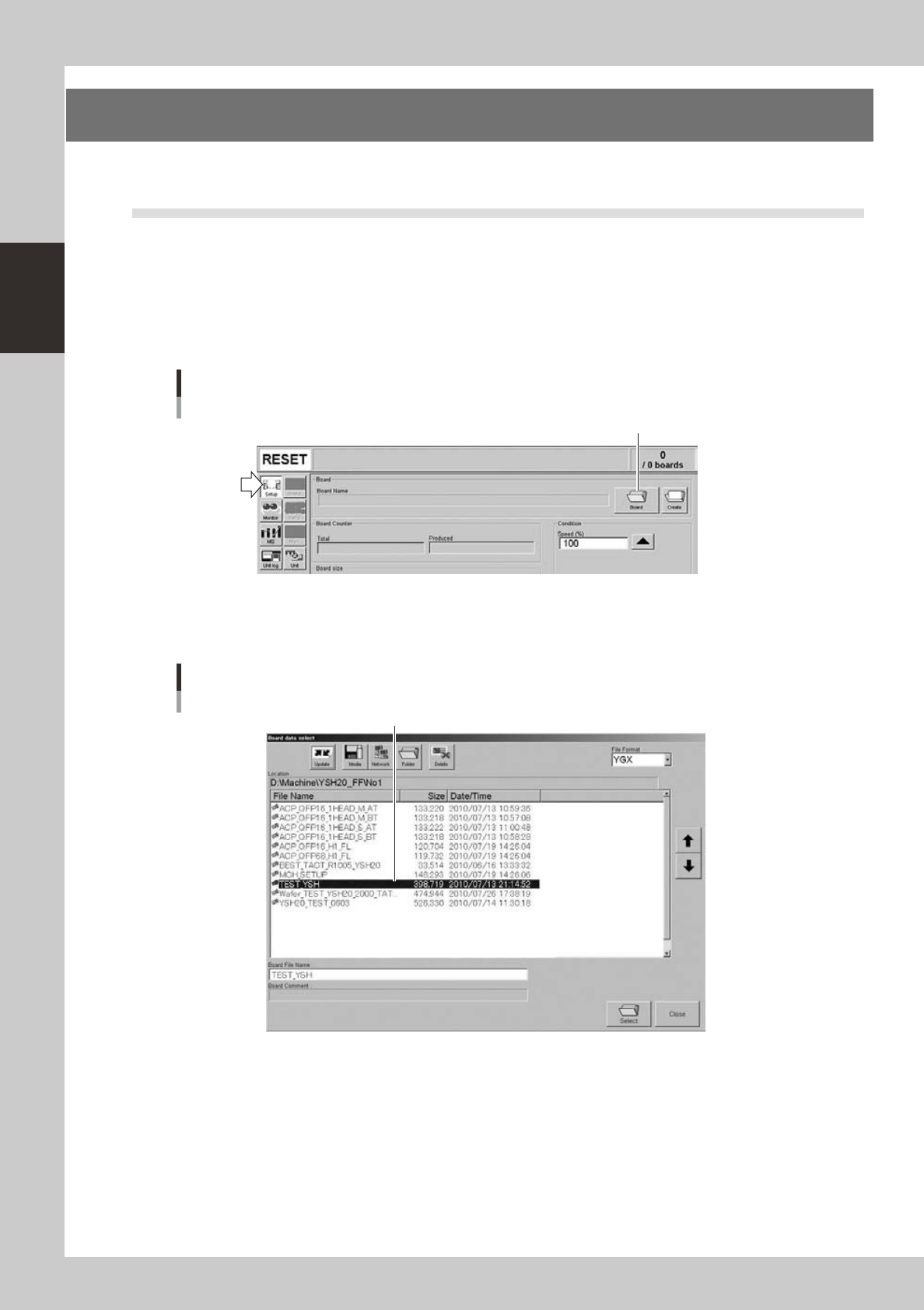
Open the "Board data select" screen.
On the Setup screen, press the [Board] to open the "Board data select" screen.
Setup screen
[Board] button
[Board] button
24223-H0-00
2
Select the board data.
Select the board data in the list and press the [Select] button.
"Board data select" screen
Select the board data.
24224-H0-00
2-49
2
asic operation
3
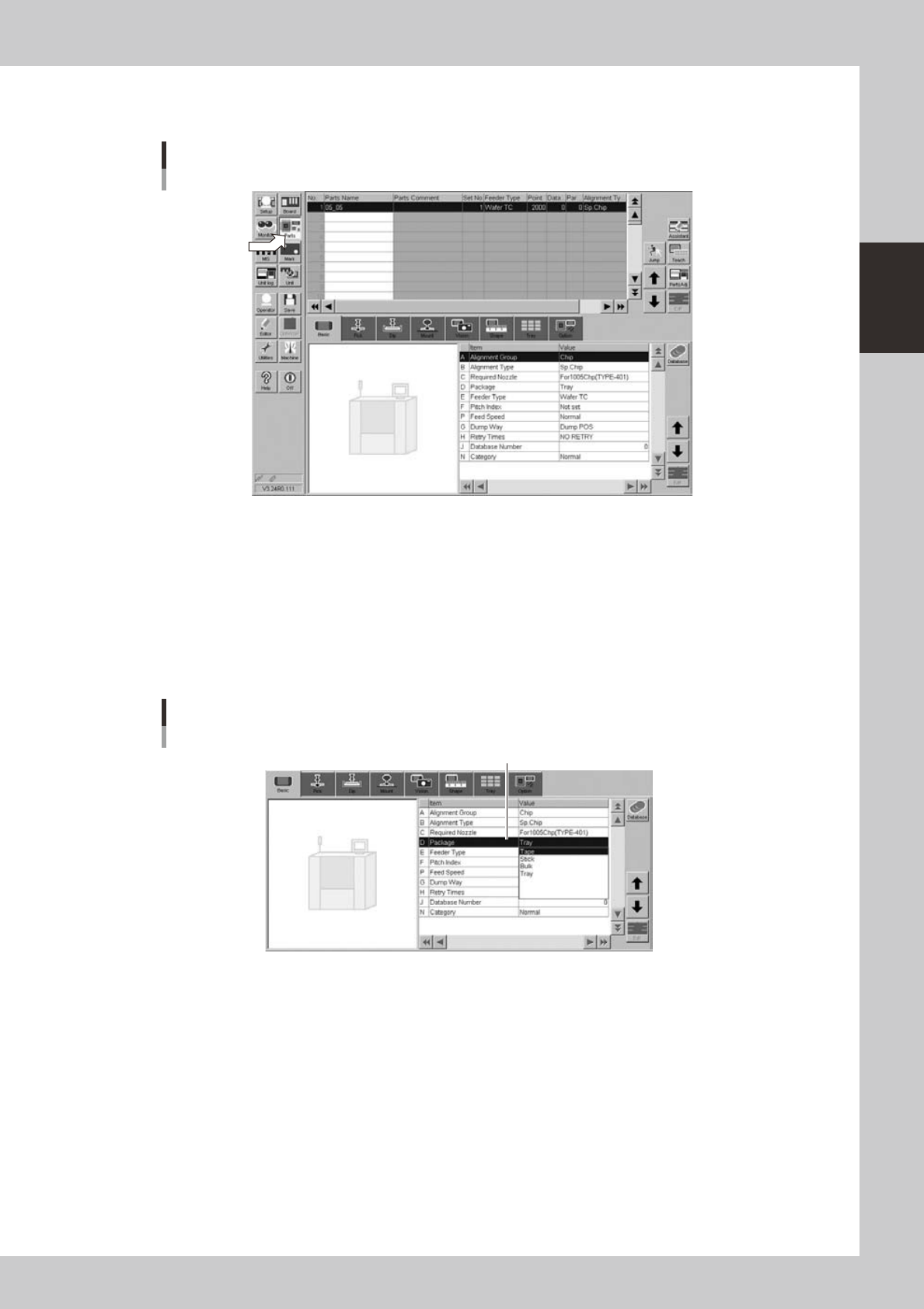
Open the Parts screen.
Press the [Parts] button to open the Parts screen and select the component from the upper list.
Parts screen
24225-H0-00
4
Display the basic parameters.
Select the [Basic] tab to display the basic parameters.
5
Set the "Package" parameter.
Double-click the "Package" parameter field and select an appropriate package from the drop-down
list.
• Tape components: Tape
• Tray components: Tray
Parts screen
"Package" parameter
"D. Package"
24226-H0-00
2-50
2
asic operation
n
Tape components
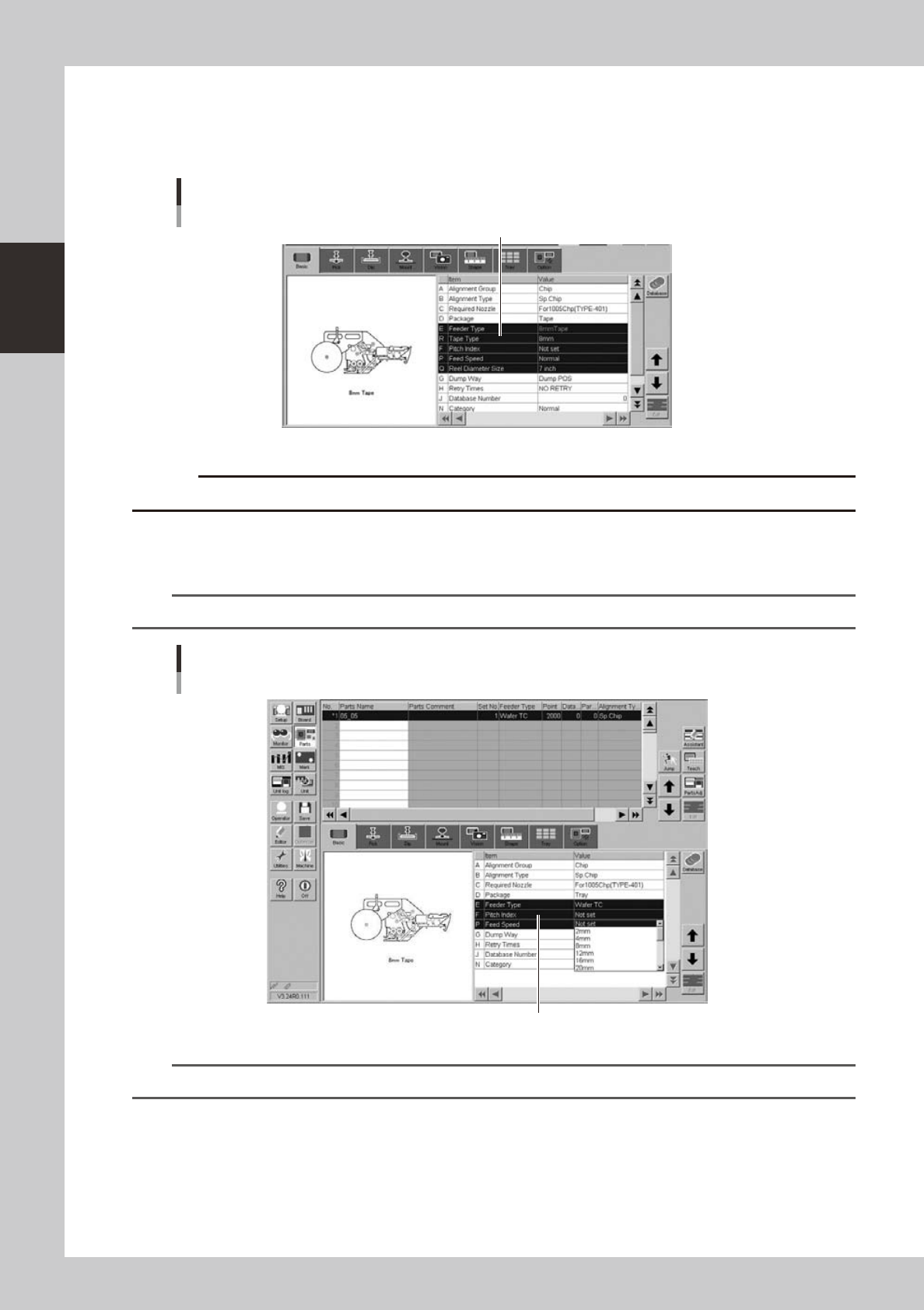
6
Set the "Tape Type" and "Feeder Type" parameters.
Double-click the "R. Tape Type" parameter field and select a desired tape type from the drop-down list.
[Parts] - [Basic] screen
Example of tape feeder
"R Tape Type"
24227-H0-00
c
7
Set the "Pitch Index" parameter.
Double-click the "F. Pitch Index" parameter field and select a correct feed pitch from the drop-down list.
n
NOTE
This parameter does not appear when "Reference of feeder pitch" is set to "Feeder setup".
Parts screen
"Pitch Index" parameter
"F. Pitch Index"
24228-H0-00
TIP
For more details, refer to the SS feeder user's manual.