YSH20_Ope_E.pdf - 第76页
2-19 2 asic operation 3.1 Pre-operation check e Check the follo wing points before turning on the power . w W ARNING n Pre-operation checklist …
2-18
2
asic operation
3. Starting and stopping the machine
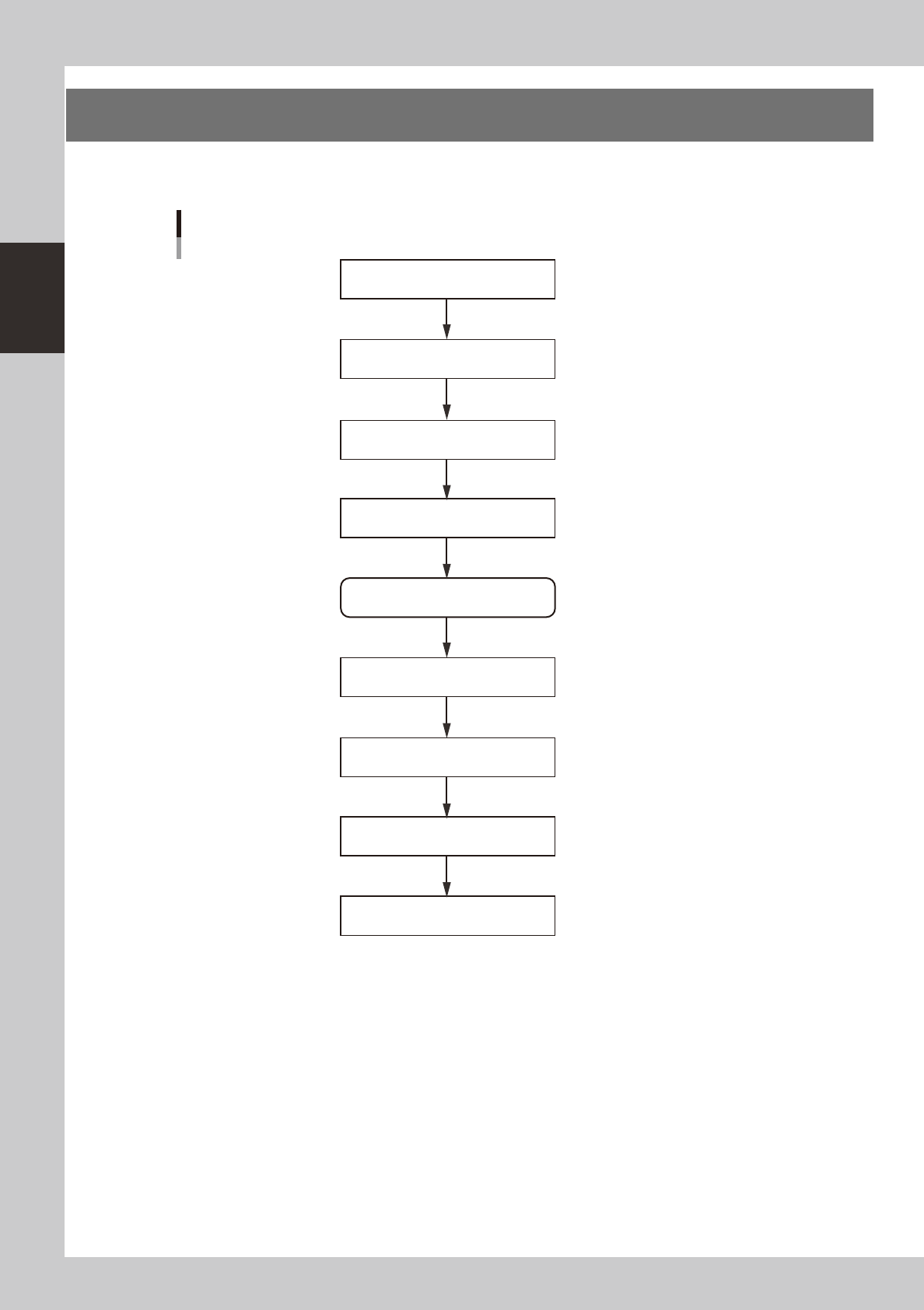
This section explains routine procedures for starting and turning off the machine according to the flow charts
beow.
Starting and turning off machine
Production (Running)
Press emergency stop button
Return axes to origins
Turn off power switch
Check before operation
Preform return-to-origin
Specify operator
Press [Off] button on screen
Program is loaded.
Return-to-origin dialog box appears.
Move-to-origin dialog box appears.
Shut down dialog box appears.
Finish board production.
Setup screen appears.
Turn on power switch
23201-H0-00
2-19
2
asic operation
3.1 Pre-operation check
e
Check the following points before turning on the power.
w
WARNING
n
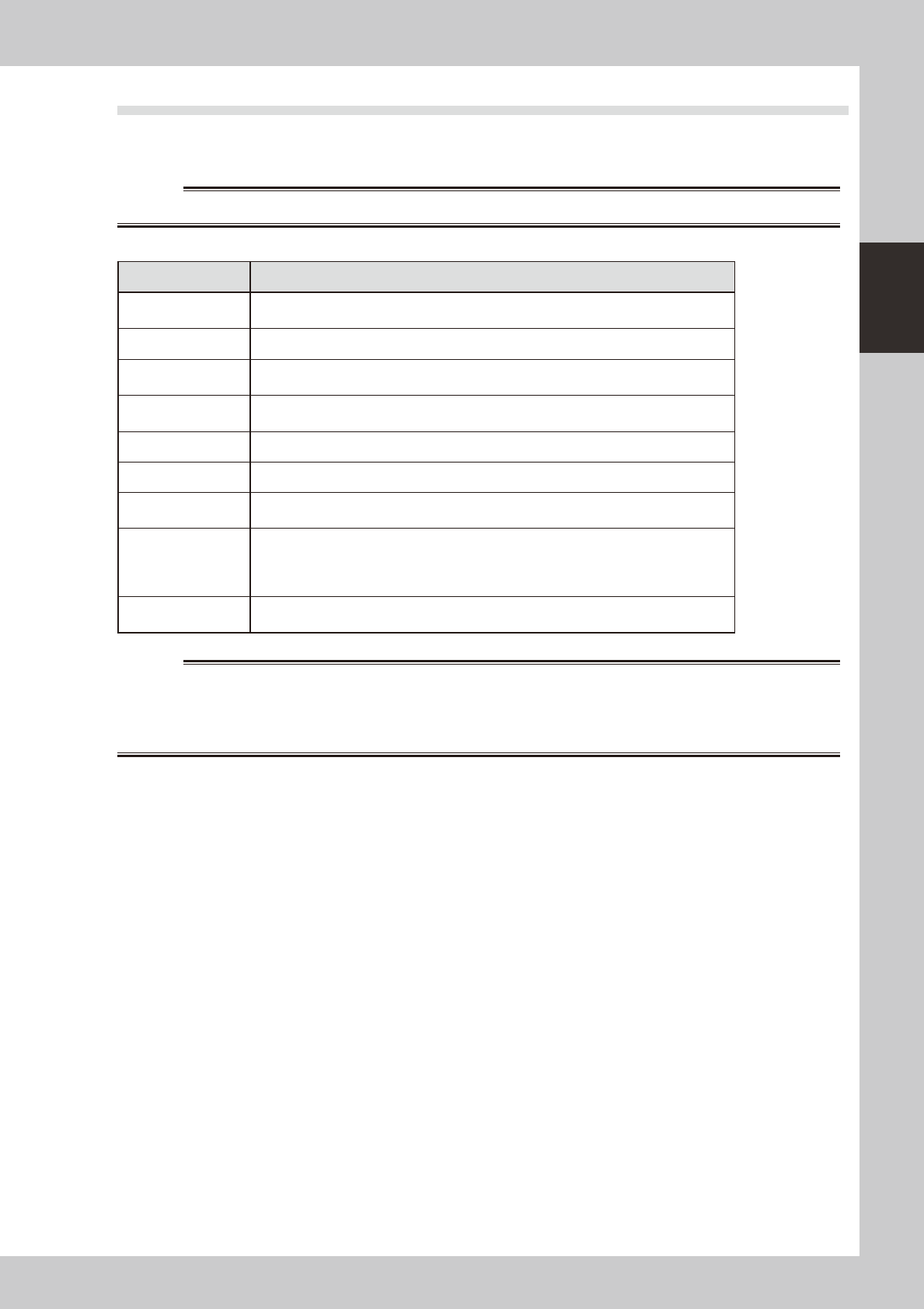
Pre-operation checklist
Check item Checkpoint
Power supply
Check that the specified power is connected to the power supply box located behind the
front lower right panel of the machine.
Safety cover Check that the covers are closed.
Signal light (signal
tower)
Check that the red lamp is lit.
Feeder (option) Check that feeders are securely attached to the feeder plate and are not tilted.
Check that no chips or debris adhere to the feeders.
Conveyor Check that no chips or debris are on the conveyor.
Head Check that each nozzle is correctly installed to the head.
Nozzle
Check that the nozzle tips are not nicked, solder does not adhere to the nozzle tips, and
nozzle spring-action is smooth.
Wafer tray changer
(option)
Check that the components (dicing frame or wafer pallet) are correctly set in place.
Check that the wafer unit (magazine) is correctly connected.
Check that the magazine door is closed.
Check that the magazine position selector switch is set to "AUTO".
Dipping station
(option)
Check that this unit is correctly installed on the feeder plate.
Check also that the wire harness is connected to the specified connector.
w
WARNING
2-20
2
asic operation
3.2 Starting the machine
Proceed as follows to start the machine.
1
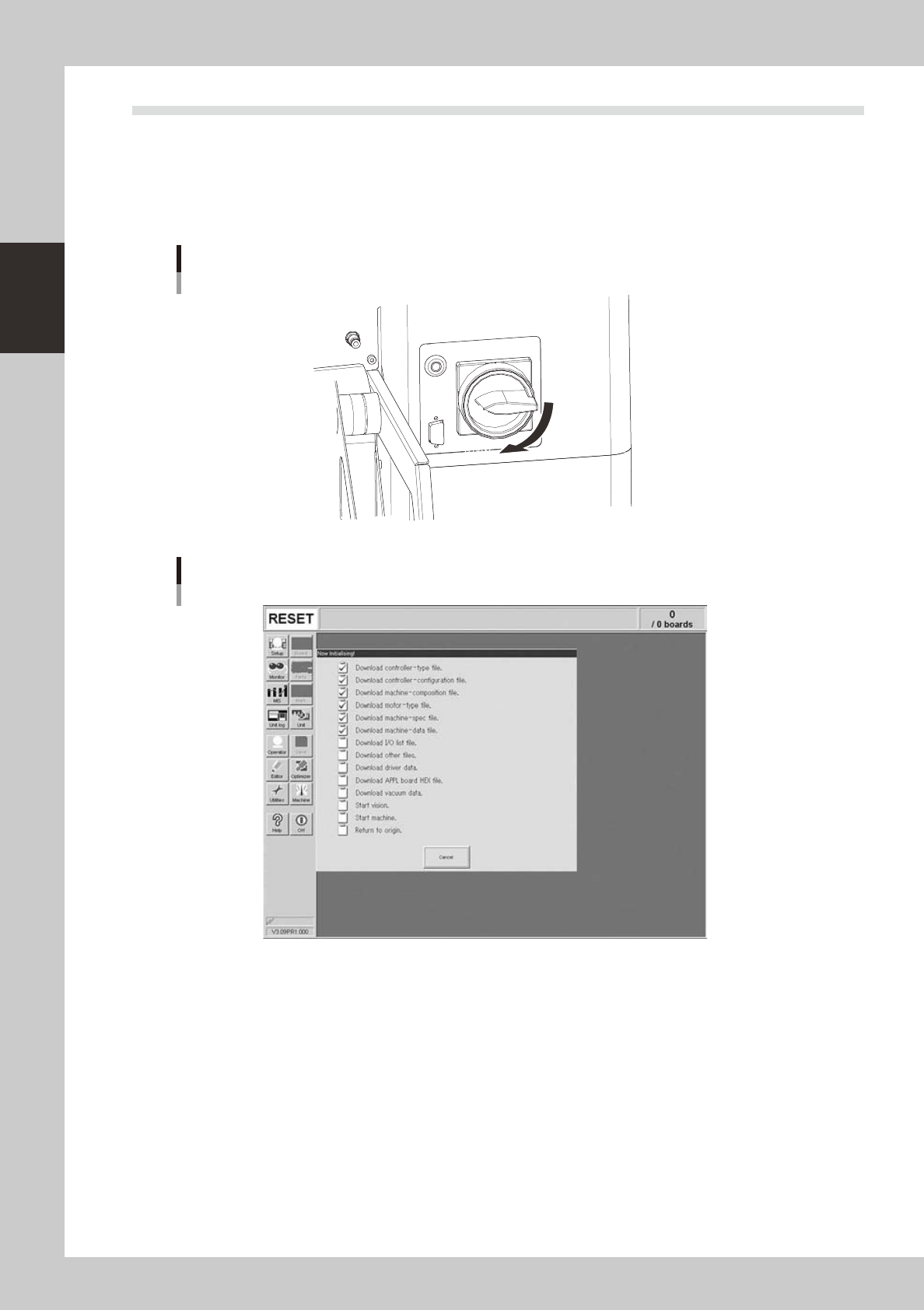
Turn the main power ON.
Turn on the main power switch at the front lower right of the machine, by turning it to the right. After the
system has started, the Initialization screen appears and the program necessary for machine operation
is loaded.
OFF
ON
Main switch
23202-H0-00
Initialization screen
24213-H0-00
2
Perform return-to-origin.
The return-to-origin dialog box appears. Press the [READY] button and follow the instructions on the
screen.