YSH20_Ope_E.pdf - 第82页
2-25 2 asic operation 4. Preparing the component supply unit 4.1 T ape feeders 4.1.1 Setting the tape c Always use a tape set station or a power station to set the tape. The tape cannot be set directly on the m…
2-24
2
asic operation
1
Adjust the conveyor width.
After selecting the board data, open the [Unit]-[Conveyor] tab and press the [Width] button. Check the
conveyor width shown in the "Conveyor Width" dialog box that appears, and press the [OK] button.
e
2
Press the emergency stop button and open the safety cover.
3
Set a board on the conveyor.
Press the [Push Up] button on the [Unit]-[Conveyor] tab to raise the push-up plate and check that the
board is securely clamped.
4
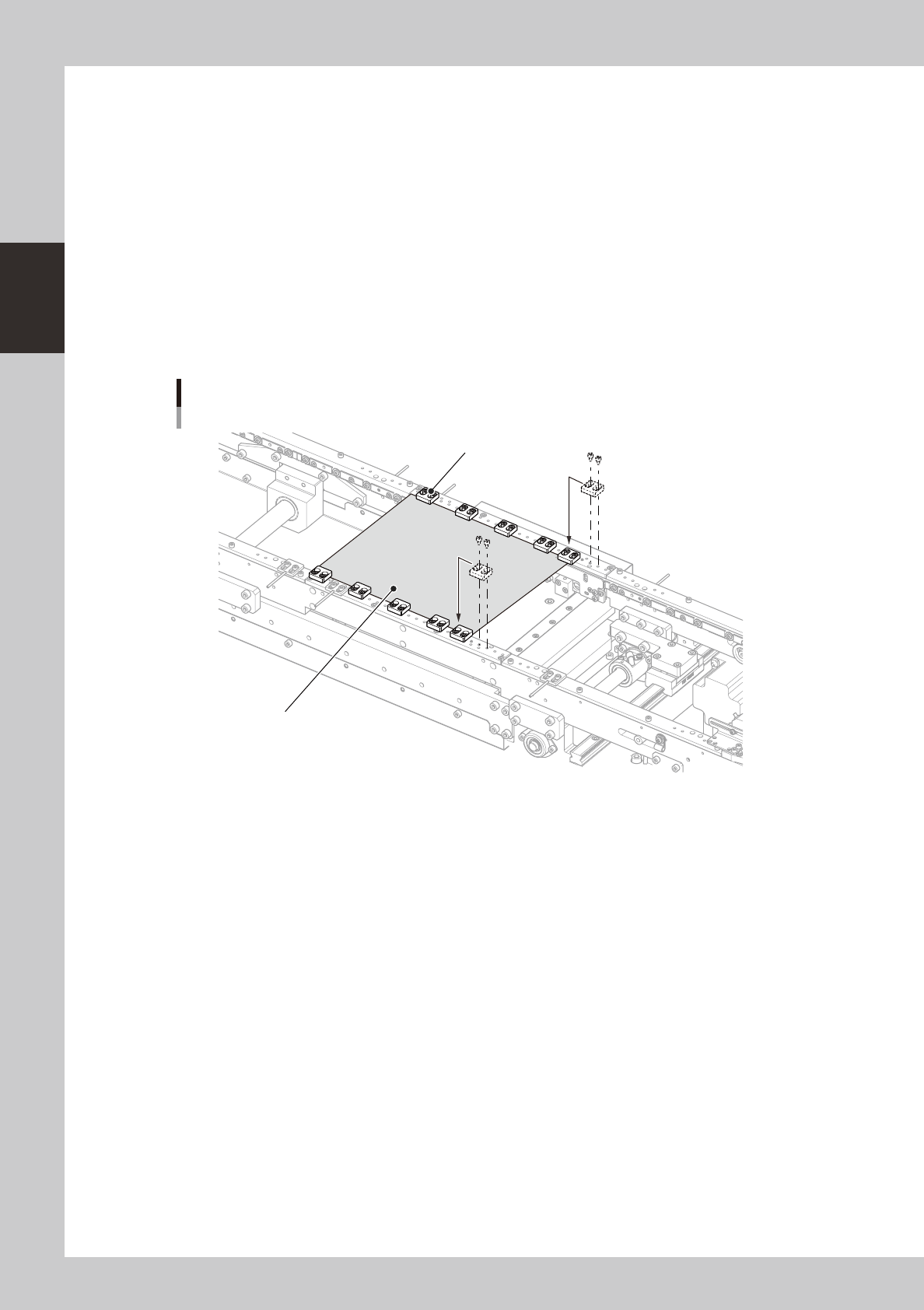
Adjust the positions of the board hold plates.
1. Lower the push-up plate.
2. Adjust the positions of the board hold plates so that the board is uniformly clamped when the board
clamp unit is raised. Use a hex wrench to remove the bolts that secure each board hold plate and
reattach it in the proper position.
Board hold plates
Board
Board hold plate
23204-H0-00
5
Check that the board is uniformly clamped on the conveyor.
1. Raise the push-up plate.
2. Check that the board is uniformly clamped on the conveyor. Lightly tap on the board and also
check for warping of the board. If the board is supported evenly with no warping, the adjustment is
okay.
6
Remove the board from the conveyor.
Lower the push-up plate and remove the board from the conveyor. Then cancel emergency stop.
2-25
2
asic operation
4. Preparing the component supply unit
4.1 Tape feeders
4.1.1 Setting the tape
c
Always use a tape set station or a power station to set the tape. The tape cannot be set directly on the machine.
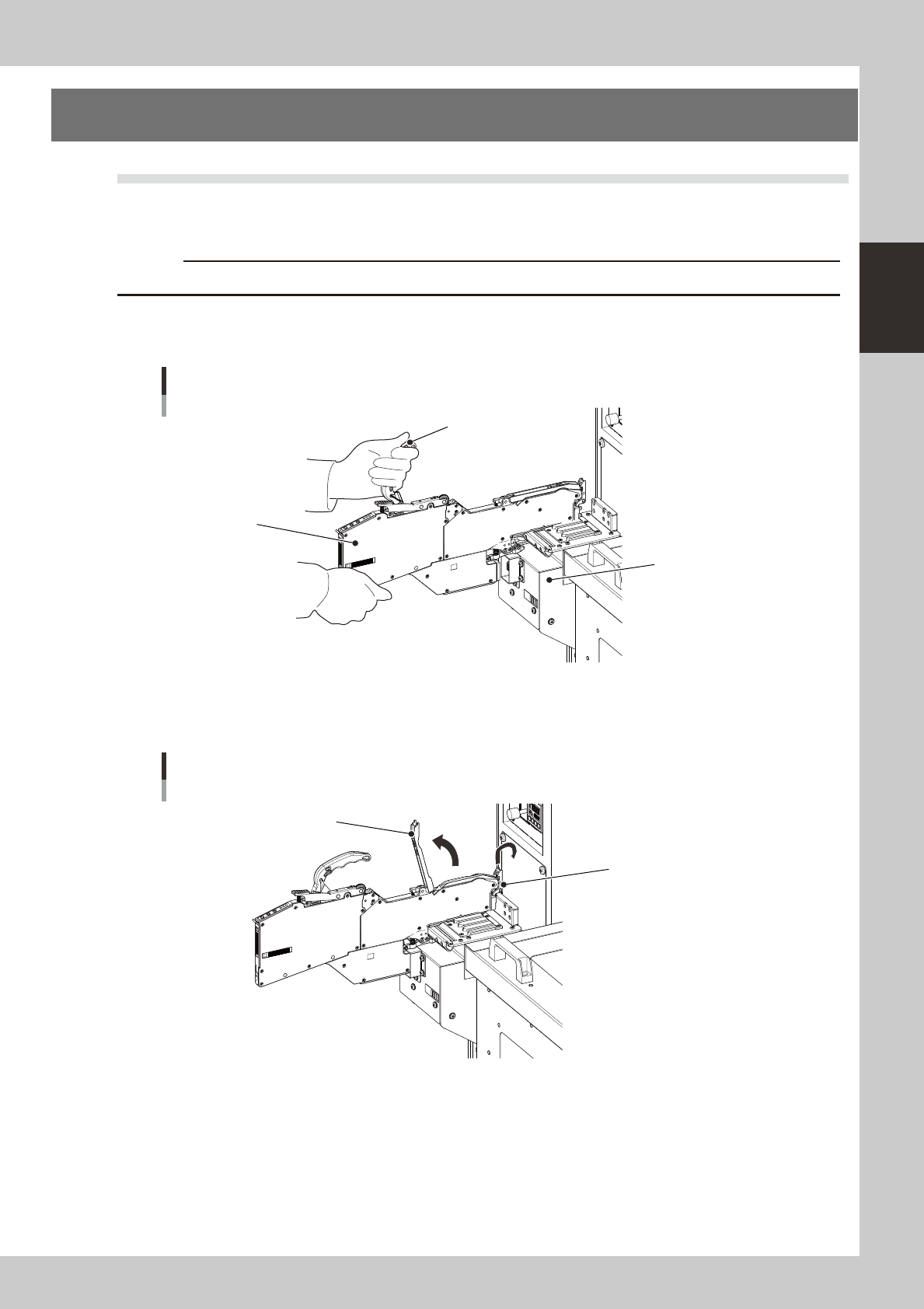
1
Set the feeder.
Place the feeder in the temporary tape set station or power station for the off-line setup.
Setting the feeder
Handle
Feeder
Tape set station
23205-H0-00
2
Raise the tape guide assembly.
Lower the front lever for the tape guide while lifting it, and raise the tape guide assembly.
Raising the tape guide assembly
Tape guide assembly
Tape guide front lever
23206-H0-00
2-26
2
asic operation
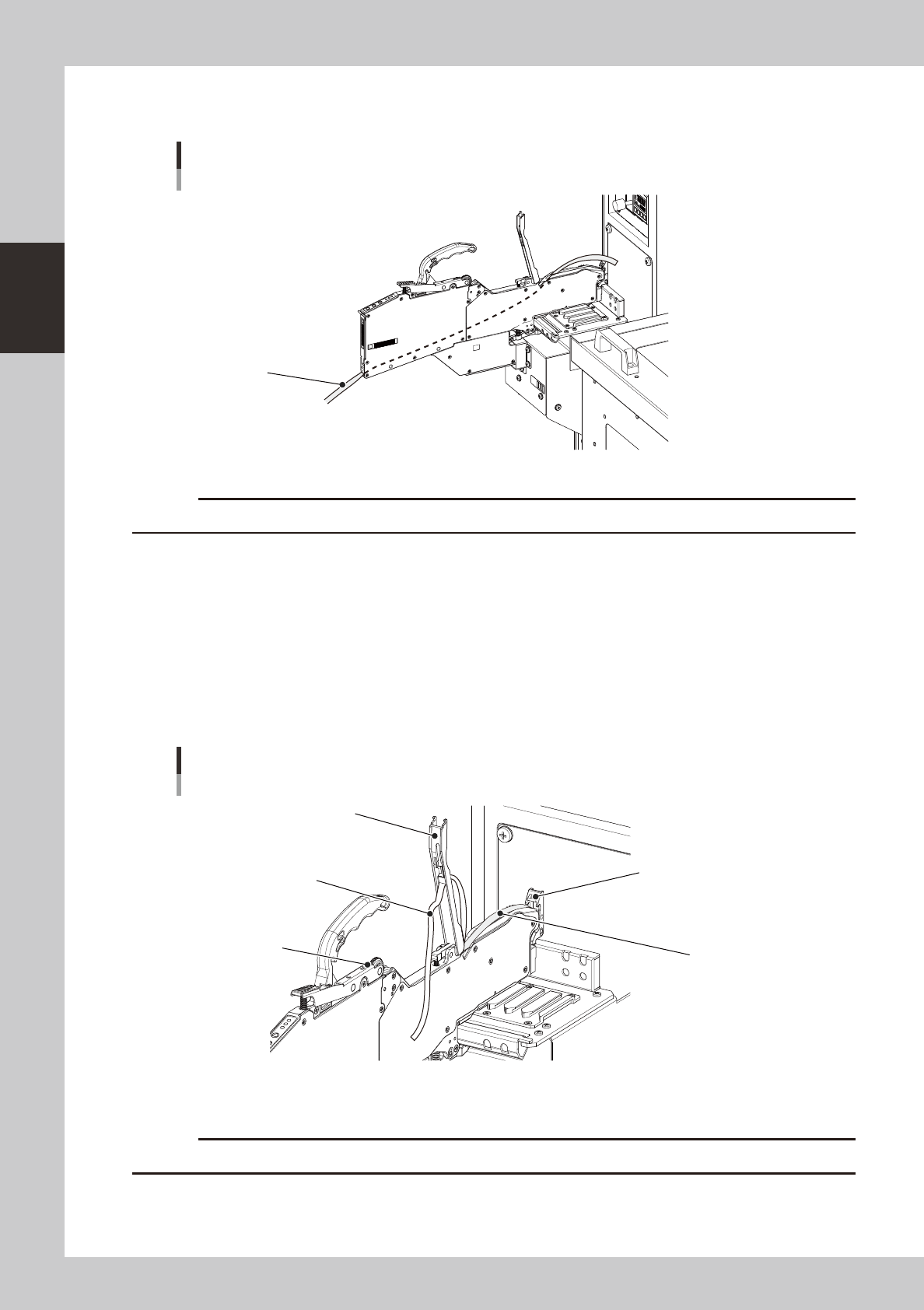
3
Set the tape in the tape feeder.
Insert in the hole on the rear of the feeder.
Setting the tape
Tape
23207-H0-00
c
4
Peel off the top tape.
The tape consists of 2 layers. One is a "carrier tape" holding the electronic component and the other is a
"top tape" covering the upper surface of the component. Peel off the top tape.
5
Set the carrier tape.
Run the carrier tape through the hole in the tape guide front lever.
6
Set the top tape.
Run the top tape through the notch in the tape guide assembly. Be sure to pull out enough tape so the
top tape reaches the take-up roller.
Carrier tape and top tape
Tape guide assembly
Take-up roller
Top tape
Carrier tape
Tape guide front lever
23208-H0-00
c