00195813-07_IM_SSW_605.03_SP3_DE EN.pdf - 第33页
Installat ion Manual, Station Software Version 605.03 SP 3 12 /2012 E dition 33 of 46 5.4.6 Selecting the H ardware C onfiguratio n T he Hardwareconfigur ation dialog box is opene d, in which you can c onfigure the hardw…
Installation Manual, Station Software Version 605.03 SP3 12/2012 Edition
32 of 46
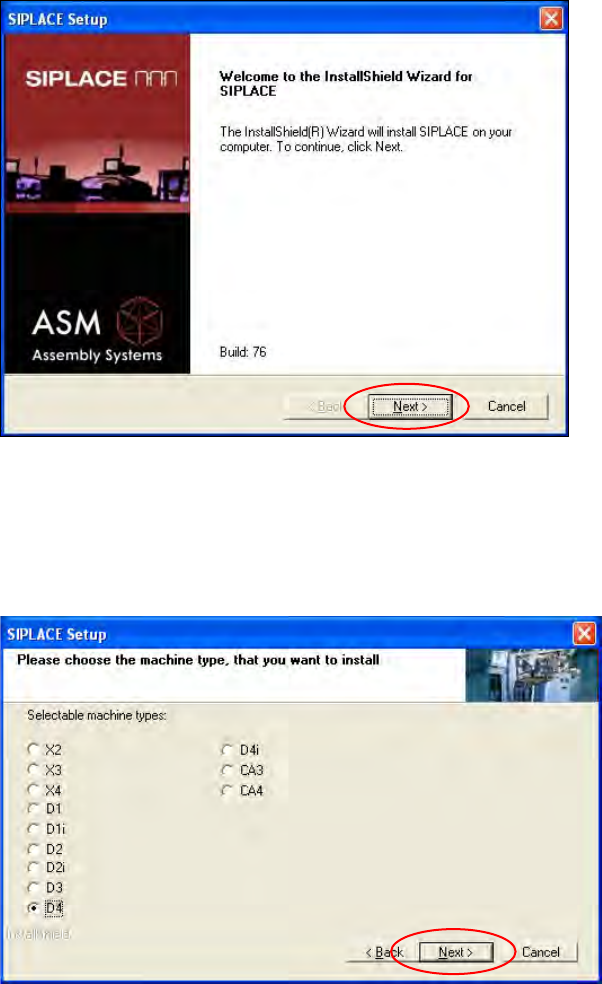
5.4.4 Welcome Screen
Fig. 5-18: Welcome screen
→ Click the Next button.
5.4.5 Selecting the Machine Type
Fig. 5-19: Selecting the machine type
→ Select the option for the machine type for which the software is to be configured.
→ Click the Next button.
Installation Manual, Station Software Version 605.03 SP3 12/2012 Edition
33 of 46
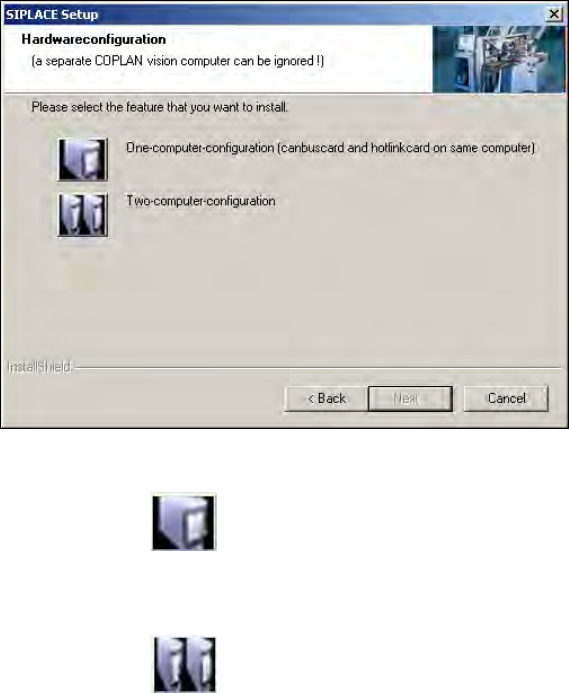
5.4.6 Selecting the Hardware Configuration
The Hardwareconfiguration dialog box is opened, in which you can configure the hardware for one-
computer or two-computer operation. Two-computer operation has always to be selected for X- and CA-
series placement machines. For D-series placement machines the selection should match the actual
hardware configuration.
Fig. 5-20: Selecting the hardware configuration
→ Click on the One-computer-configuration button for one-computer operation
Or
→ Click on the
Two-computer-configuration for two-computer operation.
→ Click on the Next button.
Installation Manual, Station Software Version 605.03 SP3 12/2012 Edition
34 of 46
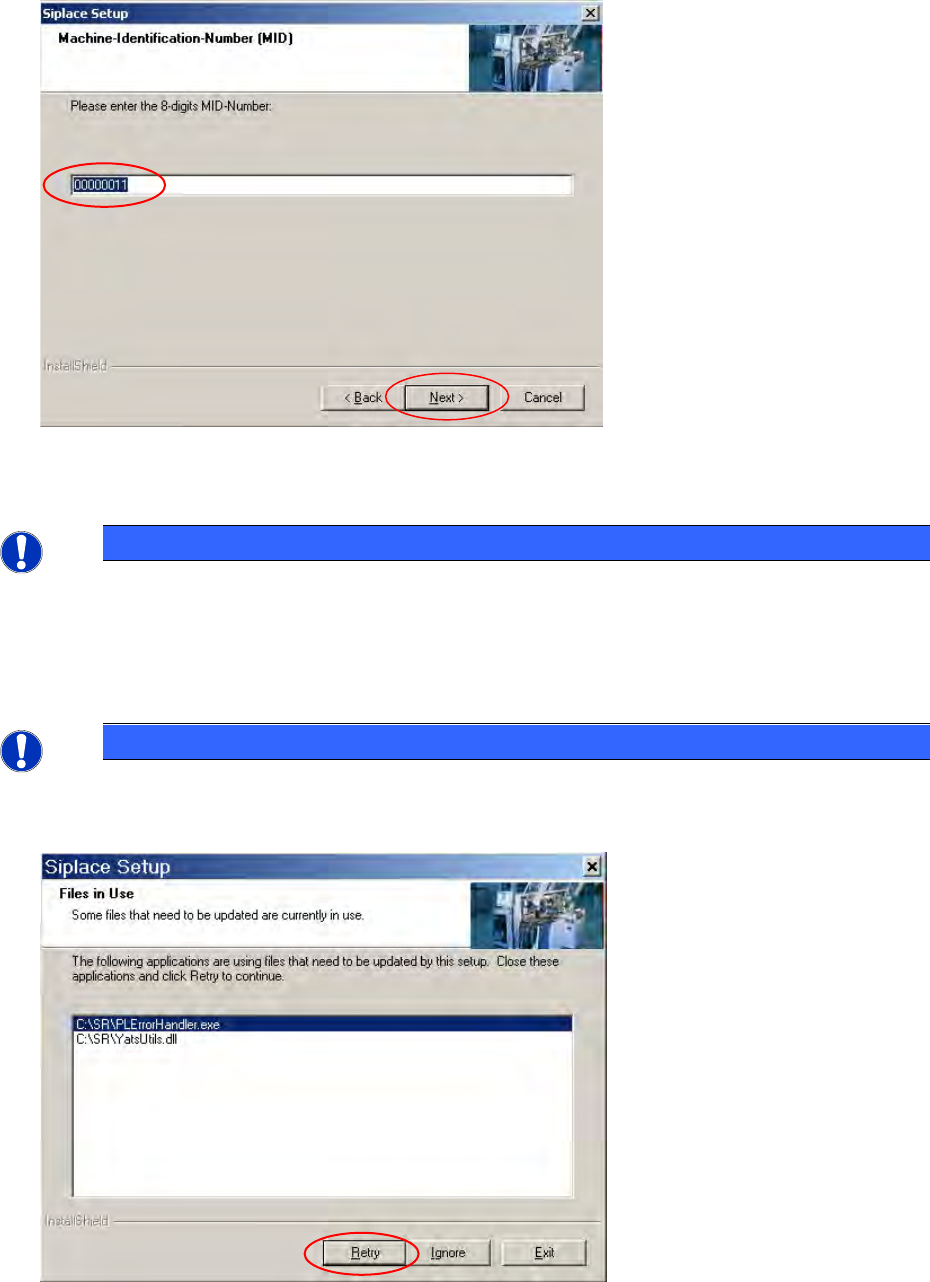
5.4.7 Entering the Machine Identification Number (MID)
Fig. 5-21: Entering the Machine Identification Number (MID)
→ In the text box, enter the 8-digit machine identification number.
NOTICE
You will find the MID on an adhesive label on the side of the protective covers directly below
the label for the number of the relevant location. Only the first eight digits with leading zeros
must be entered. The number following the dash after the MID specifies the location
(e.g. 00000001-2 stands for location 2).
→ Click the Next button.
NOTICE
The following screen only appears if applications are open which use files which must be
updated during installation of SIPLACE.
Fig. 5-22: Open applications