00196805-02_VD_EDM_1_10_de_en.pdf - 第12页
EDM V1.10 / Version Description Ausgabe 07/2011 Edition A corresponding confirmati on window is displ ayed. Figure 4-7: Confirming objects to be restored ► Confirm your selection by clicking OK . The selected objects are…
EDM V1.10 / Version Description Ausgabe 07/2011 Edition
4.2.1.2 Restoring data with pending changes in the Clearing Pool
By default, an object is not overwritten or restored as long as there are untreated changes for this
object on the current line in the Clearing Pool. During a pull operation it is now possible to restore
data on the Line Server to the current version of the Master Server, although a modified version
has been transmitted to the Clearing Pool.
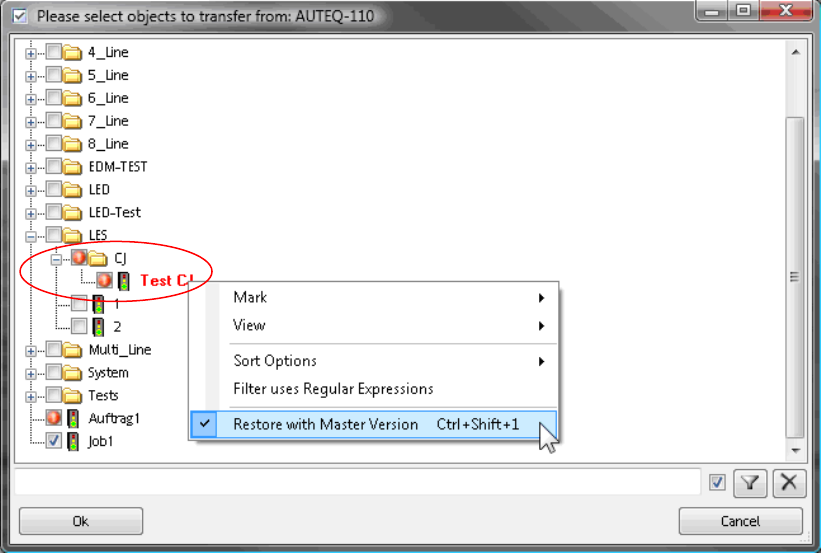
Figure 4-6: Restoring data
The folders that contain at least one object that can be restored and the objects themselves are
marked with the icons above.
► Check the object(s) to be restored.
► Click the right-hand mouse button to open the context menu and select the Restore with
Master Version menu entry.
11
EDM V1.10 / Version Description Ausgabe 07/2011 Edition
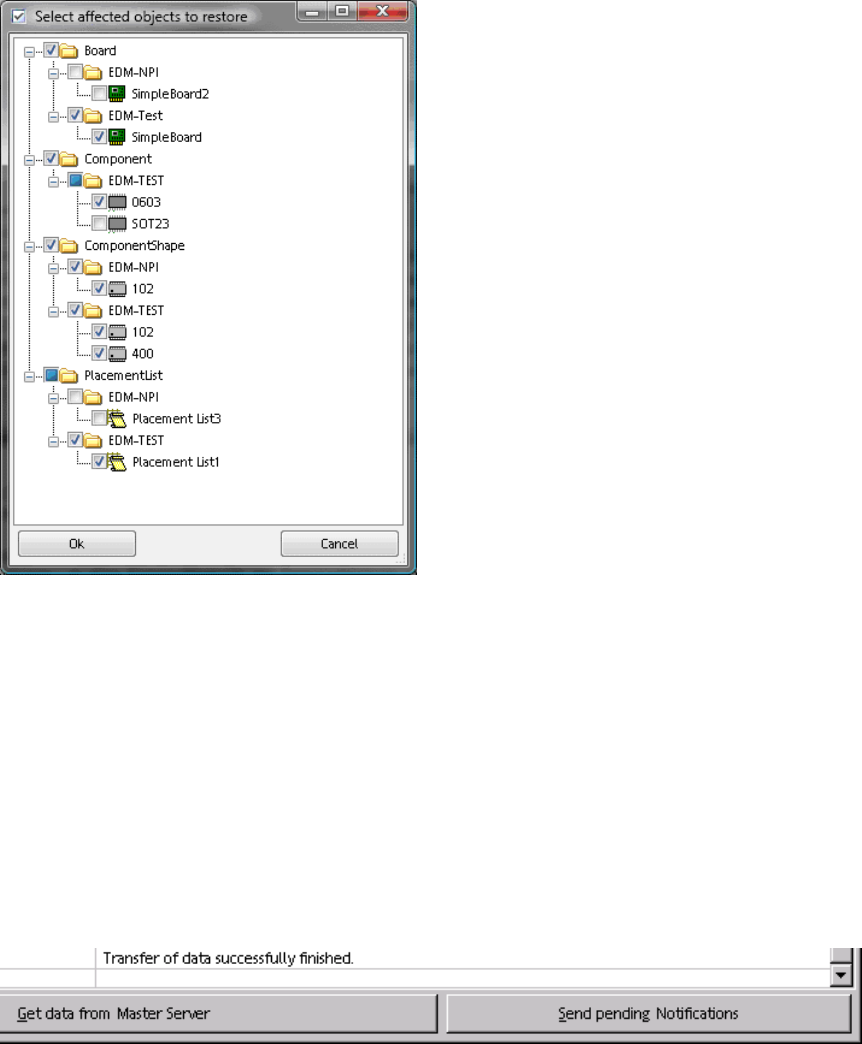
A corresponding confirmation window is displayed.
Figure 4-7: Confirming objects to be restored
► Confirm your selection by clicking OK.
The selected objects are restored on the Line Server and the changes are removed from the
Clearing Pool.
4.2.2 Transferring the change notices to the EDM Master
At the latest after a configurable time period (see the EDM Installation Manual, section 5.2.3.5), all
the change notifications are transferred to the EDM Master. Notifications can be sent immediately
by clicking Send Pending Notifications in the EDM Client:
Figure 4-8: Sending pending notifications
12
EDM V1.10 / Version Description Ausgabe 07/2011 Edition
4.2.3 Configuring "Auto Reject" and "Direct Import" at the EDM Client
Data which complies with the rules for Auto Reject and Direct Import does not flow into the
Clearing Pool. In the case of Direct Import, the data flows directly into the EDM Master database,
and the data is ignored in the case of Auto Reject. It therefore makes no sense to enter comments
at the EDM Line in a case such as this. The comment dialog box is not displayed provided that the
EDM Client knows these rules:
► Immediately after any changes for Auto Reject and Direct Import have been made, the user
must manually distribute the relevant configuration files of the EDM Master
(ClearingPoolImportFilterConfig.xml and ClearingPoolRejectFilterConfig.xml) to all the EDM
Clients.
13