00196805-02_VD_EDM_1_10_de_en.pdf - 第23页
EDM V1.10 / Version Description Ausgabe 07/2011 Edition 4.4.1.3 Filtering notifications In the column header of the notification view in the Clearing Pool values ca n be selected to filter the notification list. Figure 4…
EDM V1.10 / Version Description Ausgabe 07/2011 Edition
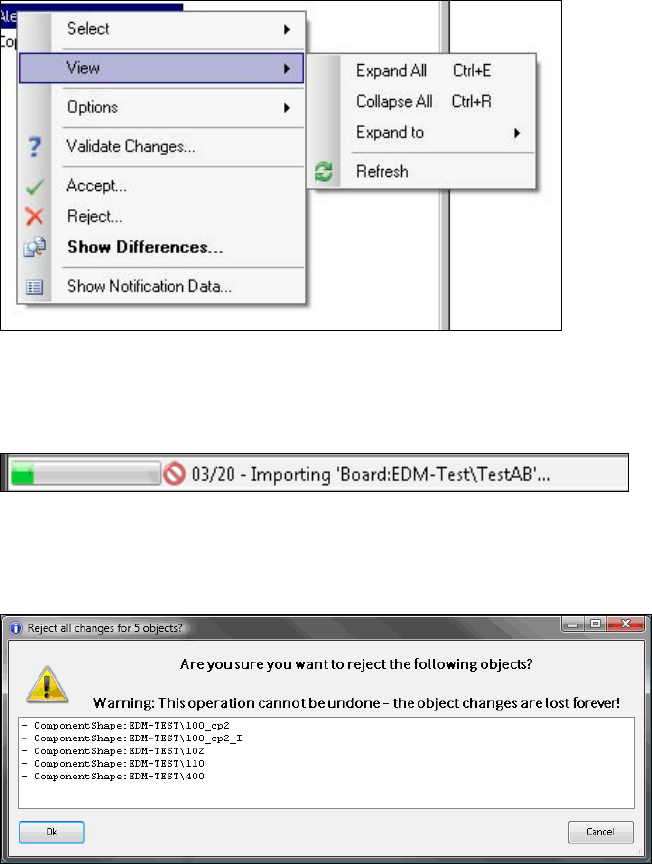
Via the View menu entry settings can be made for the tree structure (expanding / collapsing).
On a single node, the Extended Difference Editor can be displayed for the selected object via the
Show Differences menu entry:
Figure 4-20: Show Differences for a single object
During the import of multiple objects, the batch import progress is displayed in the status bar of the
Clearing Pool:
Figure 4-21: Batch import progress
When multiple objects are rejected, a dialog is displayed, in which the rejection has to be confirmed
or canceled:
Figure 4-22: Confirmation dialog
22
EDM V1.10 / Version Description Ausgabe 07/2011 Edition
4.4.1.3 Filtering notifications
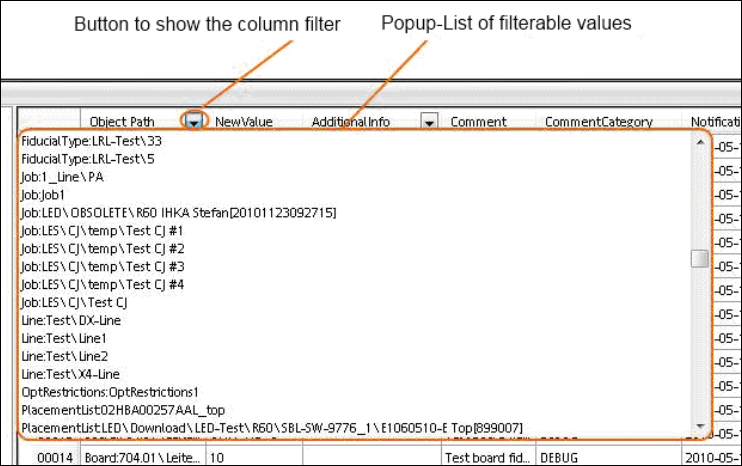
In the column header of the notification view in the Clearing Pool values can be selected to filter the
notification list.
Figure 4-23: Filter values
► Select any of the available filter values or All to display all entries.
23
EDM V1.10 / Version Description Ausgabe 07/2011 Edition
4.4.1.4 Additional grouping options
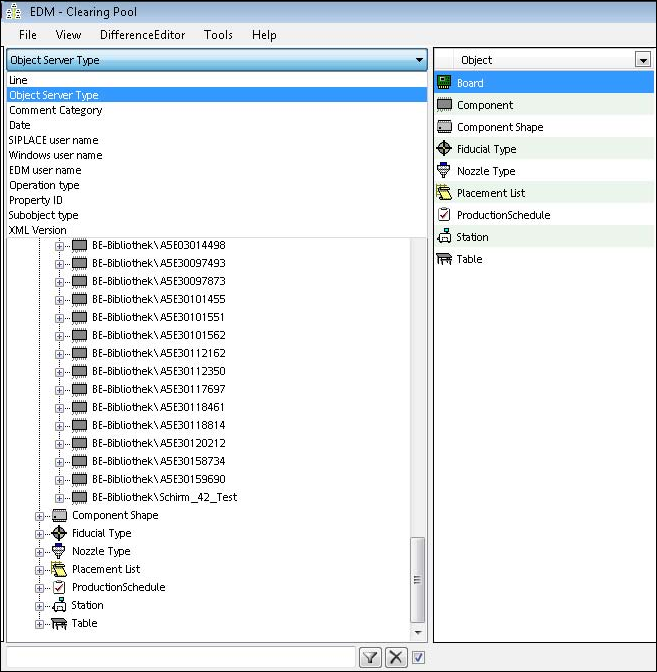
In an EDM environment with several lines it may happen that one and the same object is changed
on more than one line and by different users. For a better overview, some additional grouping
options are now available to change the hierarchy of the tree view in the Clearing Pool:
Figure 4-24: Grouping options
Depending on the grouping, building the tree may take some time.
4.5 EDM notifications
The EDM notifications subsystem converts the change notifications received from the lines into a
human-readable form and distributes these to the appropriate locations. The type of messages
sent and the recipients of the messages can be configured.
4.6 EDM configuration
The EDM configuration is the central location for configuring the customized settings. There you
will find the functionality to
● create and administer application templates
● configure the EDM notifications
24