00196805-02_VD_EDM_1_10_de_en.pdf - 第17页
EDM V1.10 / Version Description Ausgabe 07/2011 Edition 4.3.1.6 Checking the data packa ges The Status Monitor tab lists the packages sent. This view is used to track the push operations. Figure 4-13: Checking the data p…
EDM V1.10 / Version Description Ausgabe 07/2011 Edition
4.3.1.5 Sending the data package
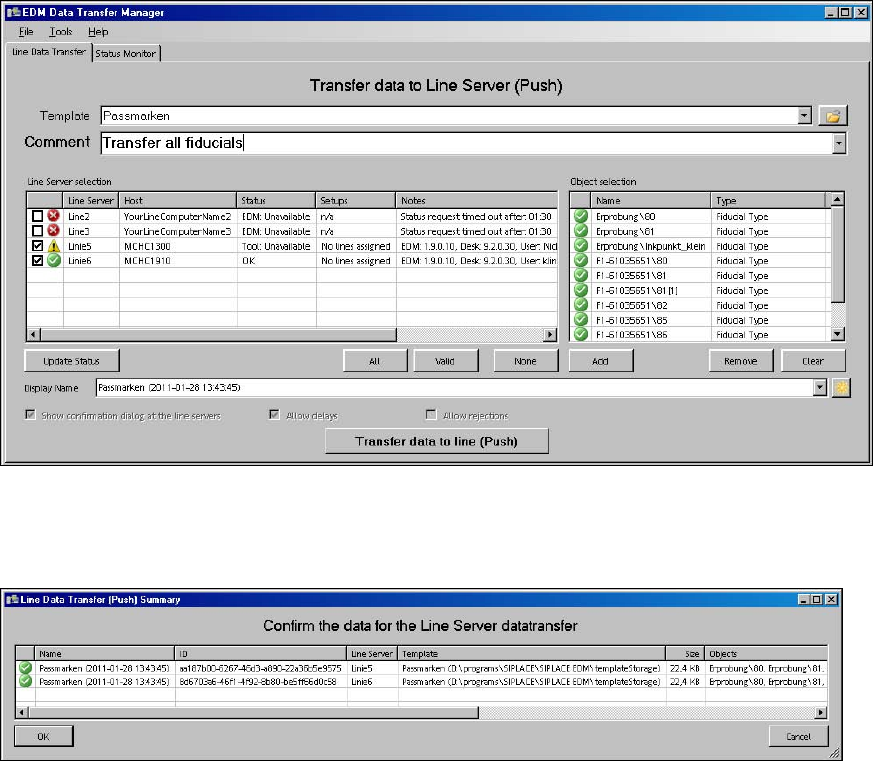
Once the user has performed all the steps above, the button for transferring the package is
enabled and the error icon next to it is no longer visible.
Figure 4-11: Sending the data package
After the Transfer data to line (Push) button is pressed, the selected data is exported from
SIPLACE Pro. The summary has then to be confirmed or the push operation has to be canceled:
Figure 4-12: Confirming/Cancelling the push operation
16
EDM V1.10 / Version Description Ausgabe 07/2011 Edition
4.3.1.6 Checking the data packages
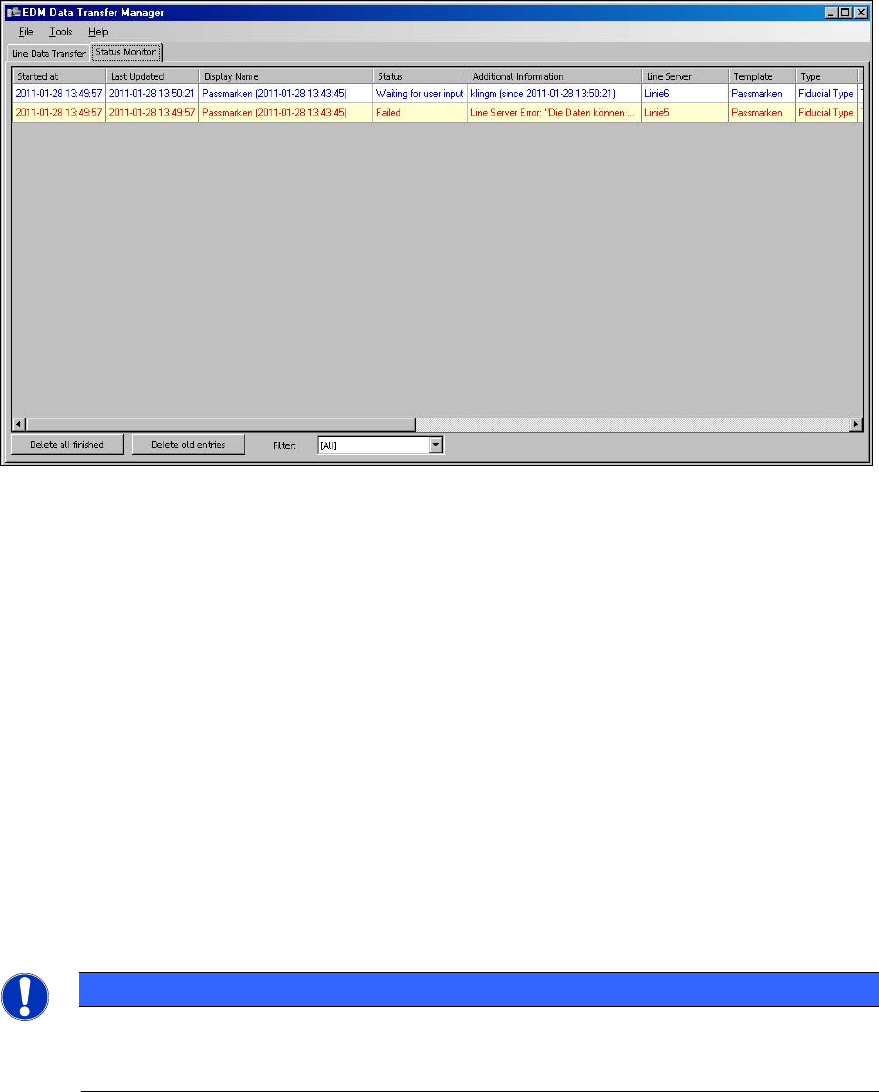
The Status Monitor tab lists the packages sent. This view is used to track the push operations.
Figure 4-13: Checking the data packages
Depending on the status of the relevant push package, the context menu (right mouse button) in
each row allows you to delete the associated entry, cancel data transfer or create a new data
package on the basis of the current entry in the Line Data Transfer tab (Repeat Push...).
4.3.2 Receiving data on the EDM Line Server
4.3.2.1 Accepting the push data packages
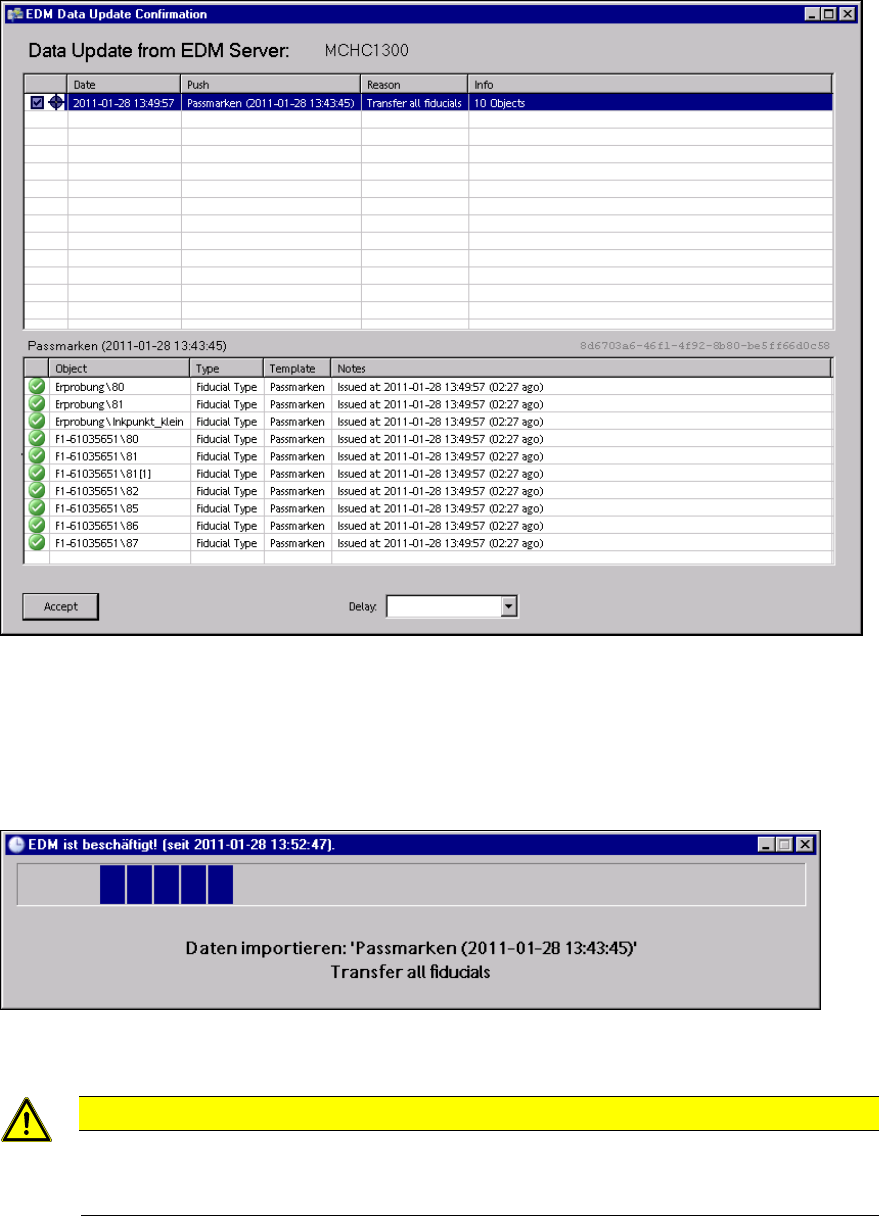
By default, EDM pops up a confirmation dialog box on the Line Server after the push package has
been sent by the Data Transfer Manager.
Depending on the configuration set by the Data Transfer Manager, the user at the Line Server can
reject packages or flag them for resubmission (Delay). EDM can be configured in such a way that
the confirmation dialog box does not appear and the data is imported on the Line Server with no
further intervention by the user. This is described in the EDM Installation Manual.
NOTICE
The EDM Tool must be started on the Line Server to allow the user to confirm receipt of
data packages from the Data Transfer Manager. The EDM Service is sufficient to allow
data to be imported without user interaction.
17
EDM V1.10 / Version Description Ausgabe 07/2011 Edition
Figure 4-14: Accepting the push data packages
4.3.2.2 Importing the objects
After the user has confirmed the dialog box on the Line Server, the objects transferred are imported
into SIPLACE Pro.
Figure 4-15: Importing the objects
CAUTION
Although Push Mode and Pull Mode are not mutually exclusive, concurrent SIPLACE
Pro export and import data models (e.g. an import data model in SIPLACE Pro Desk and
"pulling" with the EDM Client) should be avoided on the same EDM computer.
As soon as this dialog box closes, transfer is complete and the objects are available for further
processing in the SIPLACE Pro instance of the Line Server.
18