00196805-02_VD_EDM_1_10_de_en.pdf - 第19页
EDM V1.10 / Version Description Ausgabe 07/2011 Edition 4.3.3 Automatic push in the Clearing Pool If Auto Push is enabled, a push data package i s created automatically by the Clearing Pool and sent to the line if change…
EDM V1.10 / Version Description Ausgabe 07/2011 Edition
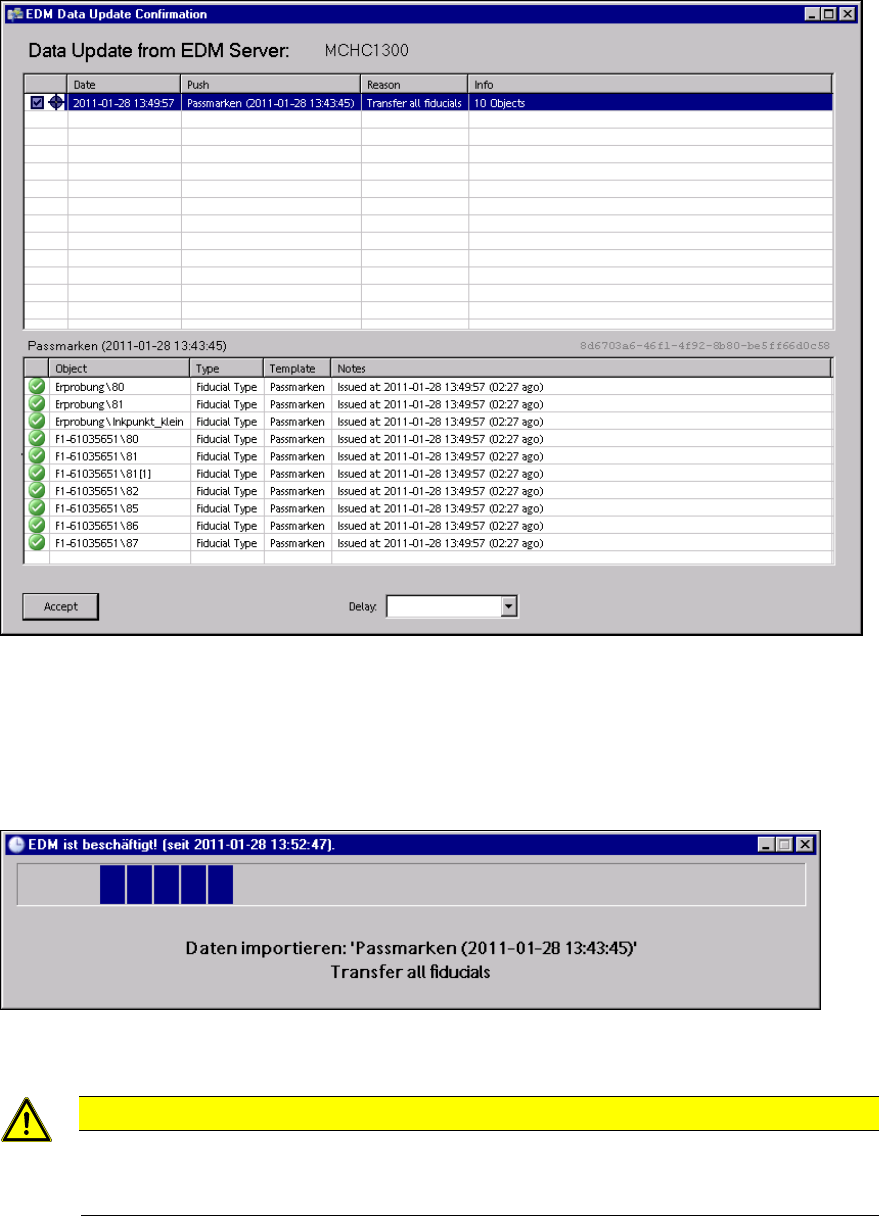
Figure 4-14: Accepting the push data packages
4.3.2.2 Importing the objects
After the user has confirmed the dialog box on the Line Server, the objects transferred are imported
into SIPLACE Pro.
Figure 4-15: Importing the objects
CAUTION
Although Push Mode and Pull Mode are not mutually exclusive, concurrent SIPLACE
Pro export and import data models (e.g. an import data model in SIPLACE Pro Desk and
"pulling" with the EDM Client) should be avoided on the same EDM computer.
As soon as this dialog box closes, transfer is complete and the objects are available for further
processing in the SIPLACE Pro instance of the Line Server.
18
EDM V1.10 / Version Description Ausgabe 07/2011 Edition
4.3.3 Automatic push in the Clearing Pool
If Auto Push is enabled, a push data package is created automatically by the Clearing Pool and
sent to the line if changes are rejected. This ensures that the most recent data is available on the
Line Server. The configuration options are described in the EDM Installation Manual, section
5.2.4.2.
4.4 EDM Clearing Pool
The EDM Clearing Pool is the tool used by data preparation to examine the change notifications
from each of the lines in terms of their relevance and, if necessary, integrate them into the
SIPLACE Pro master database. With the functionality already available in SIPLACE Pro, individual
objects of a certain type (components, component shapes, boards and placement lists) can be
compared attribute-by-attribute, and changes can be applied at this low level.
The Clearing Pool can be installed independently of the EDM master service on a separate
workstation computer.
4.4.1 New features
The following features have been added to the EDM Clearing Pool as of the EDM 1.10 Version.
4.4.1.1 Handling changed line Vision data
The handling of changed line Vision data for assigned SIPLACE Pro lines has been optimized as
follows:
Notifications with changed line Vision data and a list of the assigned SIPLACE Pro lines are
transferred from the Line Server to the Clearing Pool. The list of the assigned SIPLACE Pro lines is
passed to the Extended Difference Editor (EDE) in SIPLACE Pro.
By clicking with the right-hand mouse button on an object and selecting the Validate Changes…
entry in the context menu, the EDE is started and displays all differences in the line data.
19
EDM V1.10 / Version Description Ausgabe 07/2011 Edition
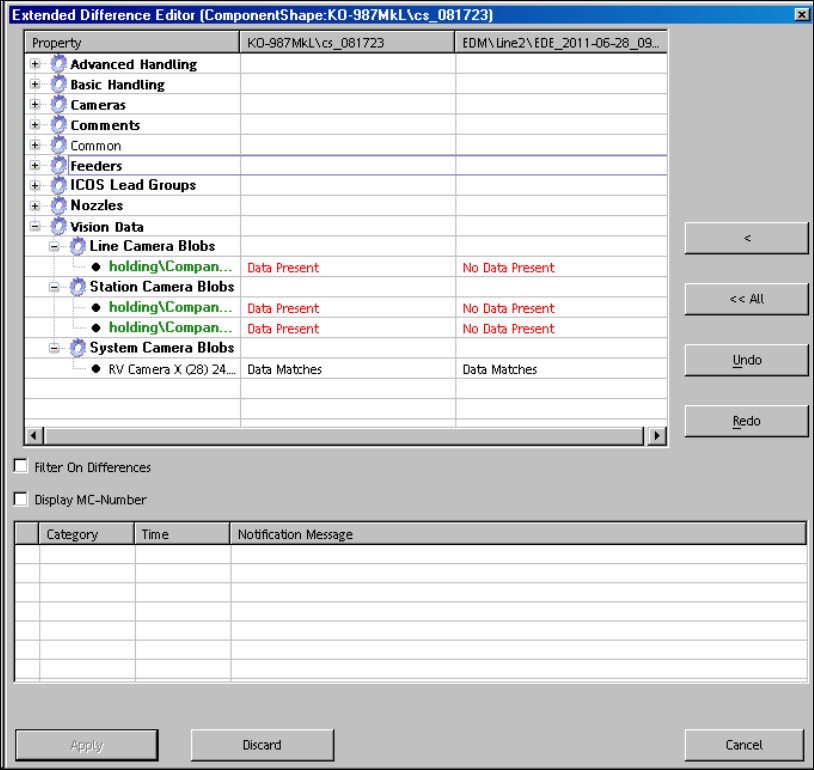
Figure 4-16: Displaying differences in the line data
The master version is displayed on the left side and the client version on the right side and the
assigned SIPLACE Pro lines are highlighted. The data preparation engineer accepts the changed
line Vision data for all assigned SIPLACE Pro lines by clicking the <<All or All>> buttons (or the
Apply button, if repeating the action).
The differences for line data of non-assigned SIPLACE Pro lines can be merged via the < and >
buttons.
20