Infinity Generic Tooling.pdf - 第35页
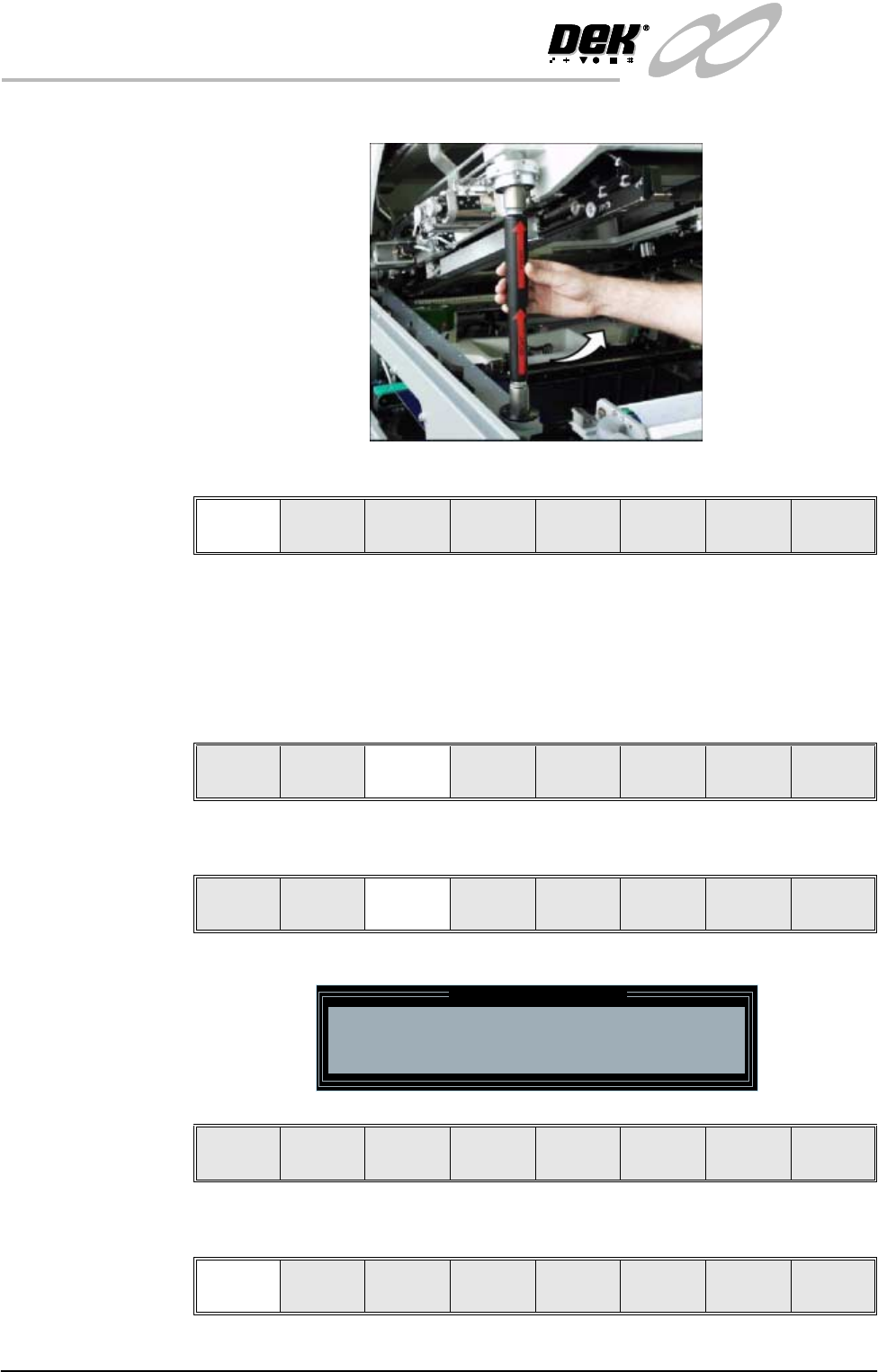
INFINITY MACHI NE PROG RAMMI NG STAGE 6 E - FORMFLEX TOOLING User Manual 1.61 28. Select Raise Head (F7). 29. Raise the printhead using two button contro l. 30. Fit the head prop. 31. Press Confirm (F1) . 32. Place the F…
INFINITY
MACHINE PROGRAMMING
STAGE 6E - FORMFLEX TOOLING
1.60 User Manual
20. Remove the head prop.
21. Select Confirm (F1).
22. Lower the printhead using two button control.
23. Close the front printhead cover.
24. Press the System button.
25. Select Vision Height (F3), the message ‘Table at Vision Height. Check
Tooling Clearance’ is displayed.
26. Select Contact Height (F3).
The following window and menu bar are displayed:
27. Select Continue (F1), the message ‘Table at Contact Height. Check
Tooling Clearance.’ is displayed.
Confirm Cancel
Unload
Vision
Height
Home
Height
Board
Clamp
Change
Screen
Raise
Head
Exit
Contact
Height
Trans pr t
Height
Change
Screen
Raise
Head
Exit
Contact Height Warning
WARNING Check for obstructions between
the Rails and the Screen
Continue
Open
Cover
Exit
Continue
Open
Cover
Exit
INFINITY
MACHINE PROGRAMMING
STAGE 6E - FORMFLEX TOOLING
User Manual 1.61
28. Select Raise Head (F7).
29. Raise the printhead using two button control.
30. Fit the head prop.
31. Press Confirm (F1).
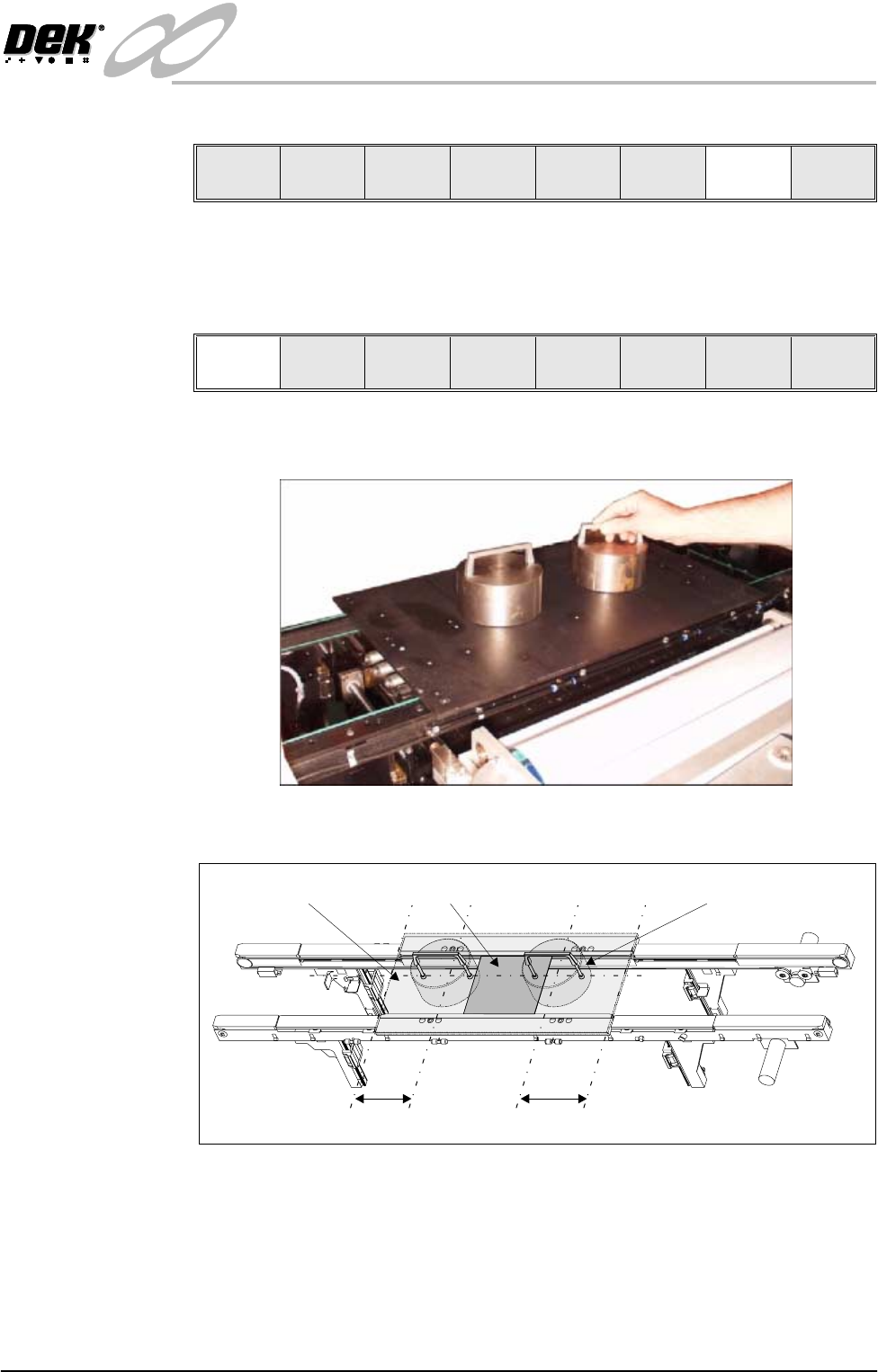
32. Place the FormFlex setup plate centrally over the tooling modules and rails
and place the weights on top of the setup plate.
33. Align the weights along the centre line in the Y axis and one third of the plate
length in the X axis.
Vision
Height
Raise
Head
Exit
Confirm
Lower
Head
C/L
1/3
1/3
BoardSetup Plate Weight (in 2 positions)
INFINITY
MACHINE PROGRAMMING
STAGE 6E - FORMFLEX TOOLING
1.62 User Manual
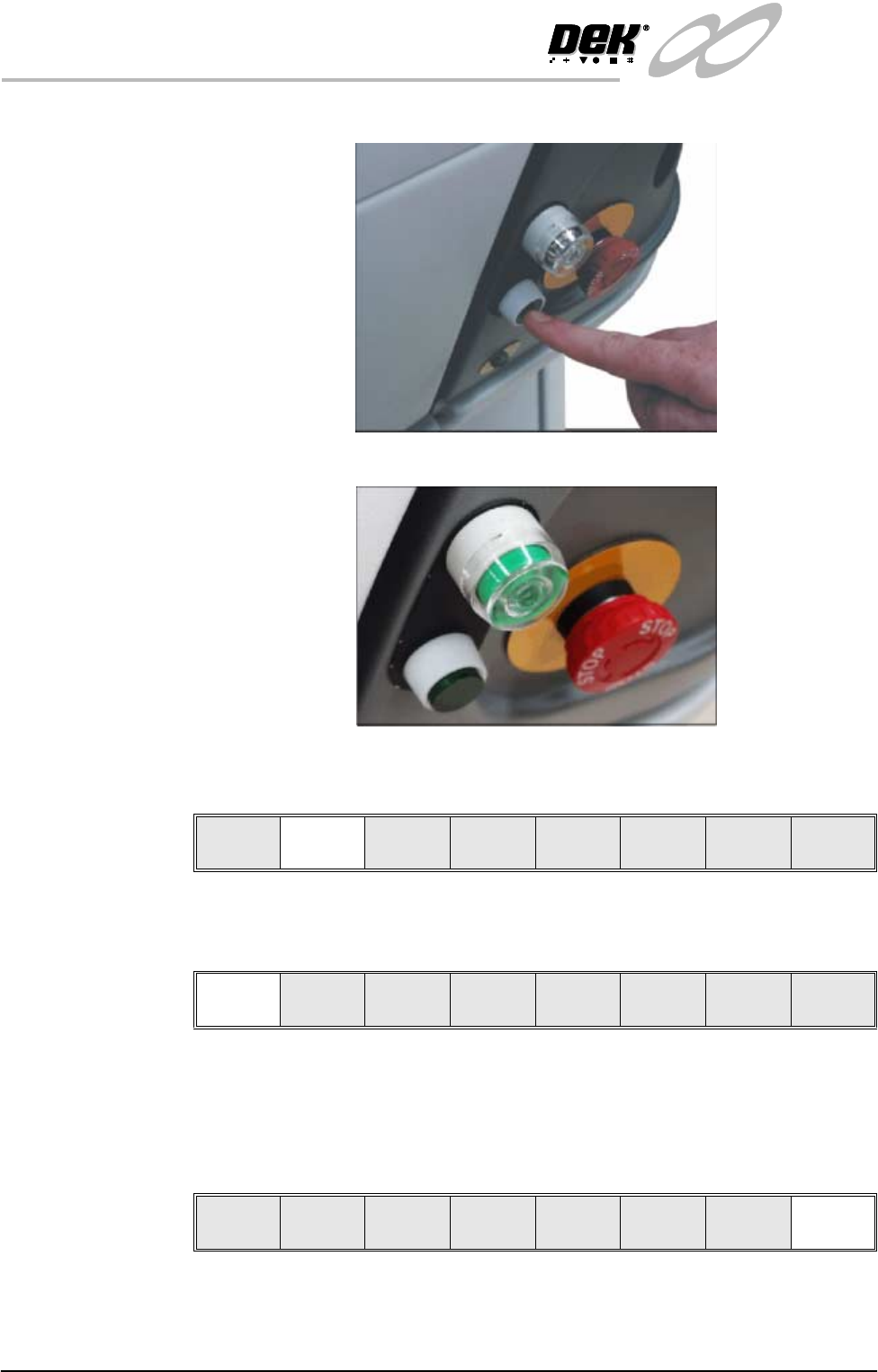
34. Press the operator switch on the front of the machine covers.
35. Wait until the pneumatic indicator on the front cover displays green.
36. Remove the weights and the FormFlex setup plate from the tooling area.
37. Select Lower Head (F2).
38. Remove the head prop.
39. Select Confirm (F1).
40. Lower the printhead using two button control.
41. Close the front printhead cover.
42. Press the System button.
43. Select Exit (F8).
Lower
Head
Confirm Cancel
Vision
Height
Raise
Head
Exit