NR_Mechanischer_Stopper.pdf - 第219页
Assembly Instructions PCB Stopper Single Conveyor SIPLACE S-27HM / HS-60 / D4 / D 3 / HF- / X-Series Edition 06/2007 219 O Re-inst all the covers for the cable duct s. O Re-inst all the metal covers for the la teral cabl…
Assembly Instructions PCB Stopper Single Conveyor SIPLACE S-27HM / HS-60 / D4 / D3 / HF- / X-Series
Edition 06/2007
218
15.4 Concluding work
O Clean the adhesive surfaces for the distance pieces with a lint-free cloth moistened with ethyl
alcohol.
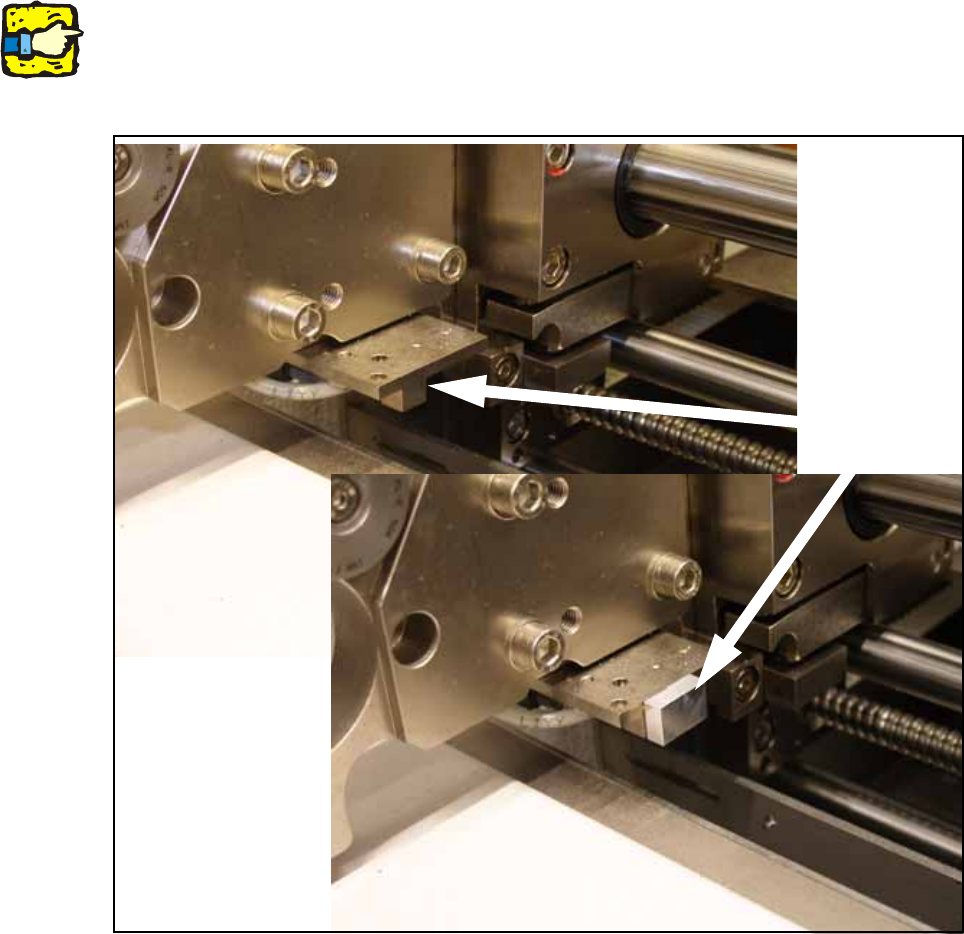
O Stick the distance pieces [03040724-xx] onto the limit switch actuator on the conveyor side with
the available adhesive tape. In placement area 1 the limit switch is located on conveyor sides
2 and 4 at the input conveyor.
15
15
15
Note: This distance piece prevents the conveyor sides from coming within 52 mm of each other
and so prevents the PCB conveyor and the stoppers from being damaged. 15
15
Fig. 198 Position to stick distance piece
Stick here

Assembly Instructions PCB Stopper Single Conveyor SIPLACE S-27HM / HS-60 / D4 / D3 / HF- / X-Series
Edition 06/2007
219
O Re-install the covers for the cable ducts.
O Re-install the metal covers for the lateral cable ducts.
O Re-install the cover for the conversion board.
O Install the shortened lifting table plates.
15
Caution: Crash hazard!
Check whether there are any objects left in the machine! Remove them.
O Switch on the placement machine at the main switch.
O Change to SITEST.
O Perform the settings according to:
"Setting the sonar proximity switches on the stopper" see section 16 on page - 221 15
"Software configuration and testing of the stopper" see section 18 on page - 227 15
15
Assembly Instructions PCB Stopper Single Conveyor SIPLACE S-27HM / HS-60 / D4 / D3 / HF- / X-Series
Edition 06/2007
220
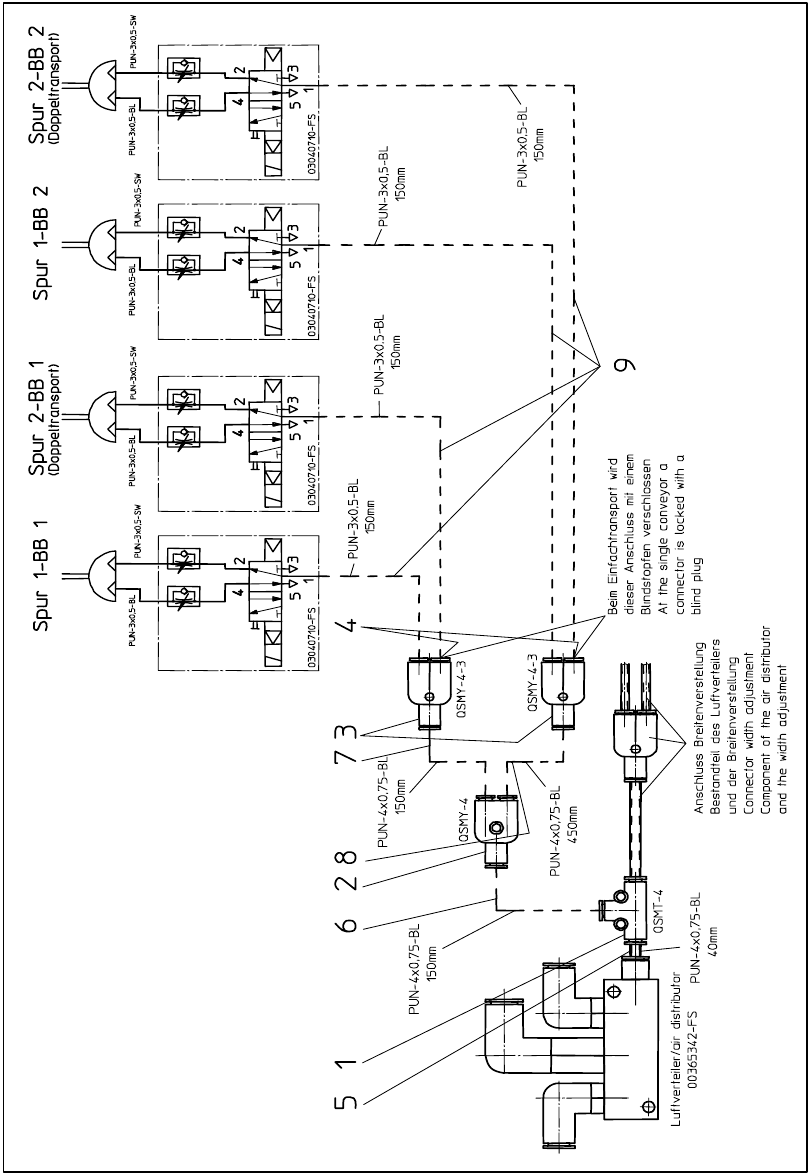
15.5 Pneumatics plan HF-, X-Series, D3
Fig. 199 Pneumatics plan HF-, X-Series, D3