AOIGUI_ProgrammingManual_CHN.pdf - 第194页
K oh Y oung Technolo g y Inc. 194 AOIGUI 在 设置 > 技 术人员 > Debug ( 调试) 窗口中选择如下 3 个选项: □ Run optimization for components bigger t han FOV □ Run optimization for components bigger t han Side FOV □ Move divided FOVs to t…
Koh Young Technology Inc.
193
利用侧面相机检测的元件的尺寸大于侧面相机FOV时,用户无需分割元件,即可进行侧面相机检测。无
需用户另行介入,可自动分割FOV后摄像,且作为单一元件进行侧面相机检测。
※ 制约事项
- 异性角度元件只能应用自动分割(Auto Divide)功能。
- FOV的分割超过4个的元件无法使用该功能。(FOV最多可分割为4个)
系统要求
适用型号:安装Zenith2或侧面相机的设备
软件版本:AOIGUI 2.7.4.2, KYI 1.1.11.0_48142版本以上
操作系统:Windows 7
分辨率:1280x1024
设置项目
AOIConfig
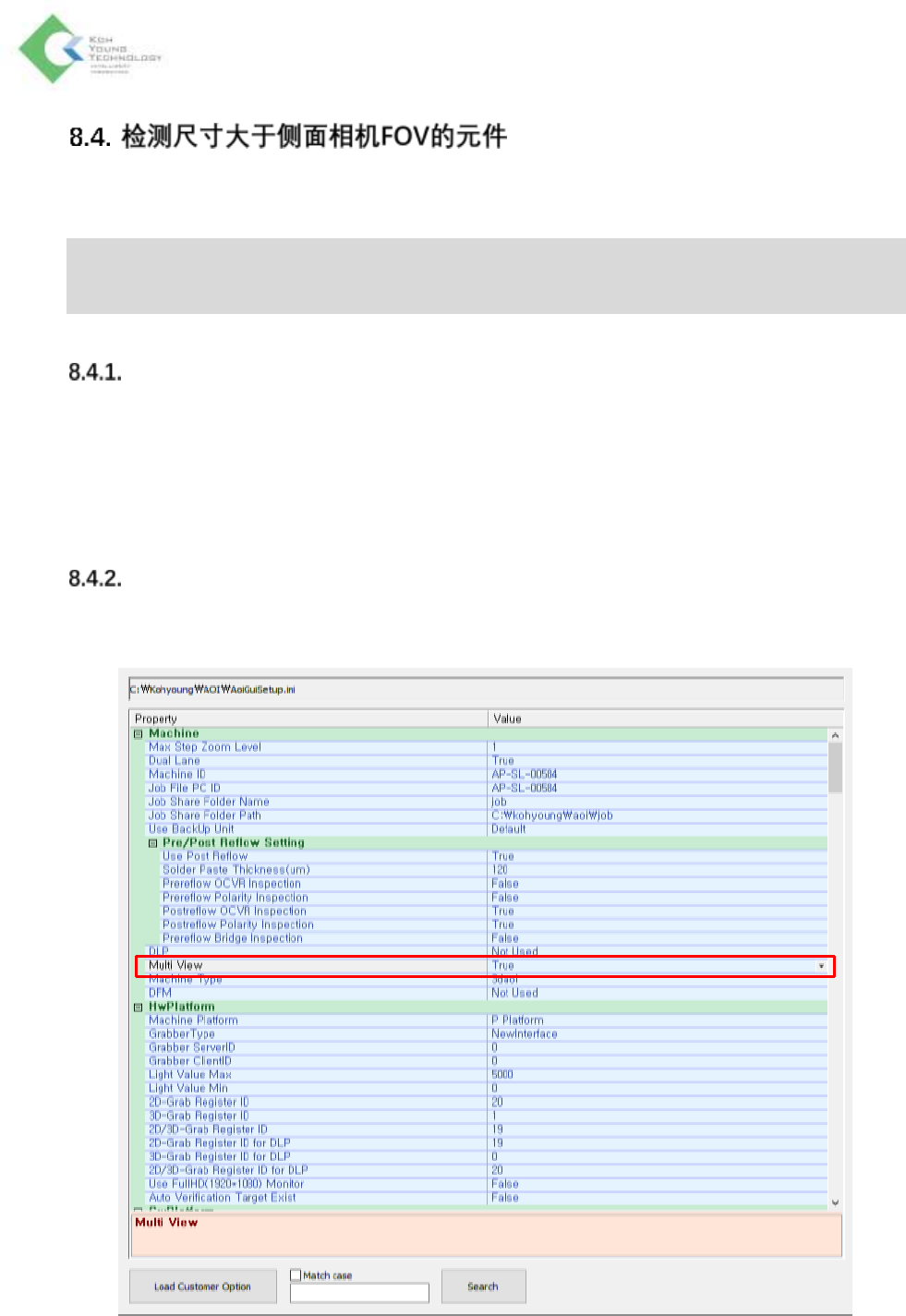
将AOIConfig > Multi View设为“True”。
Koh Young Technology Inc.
194
AOIGUI
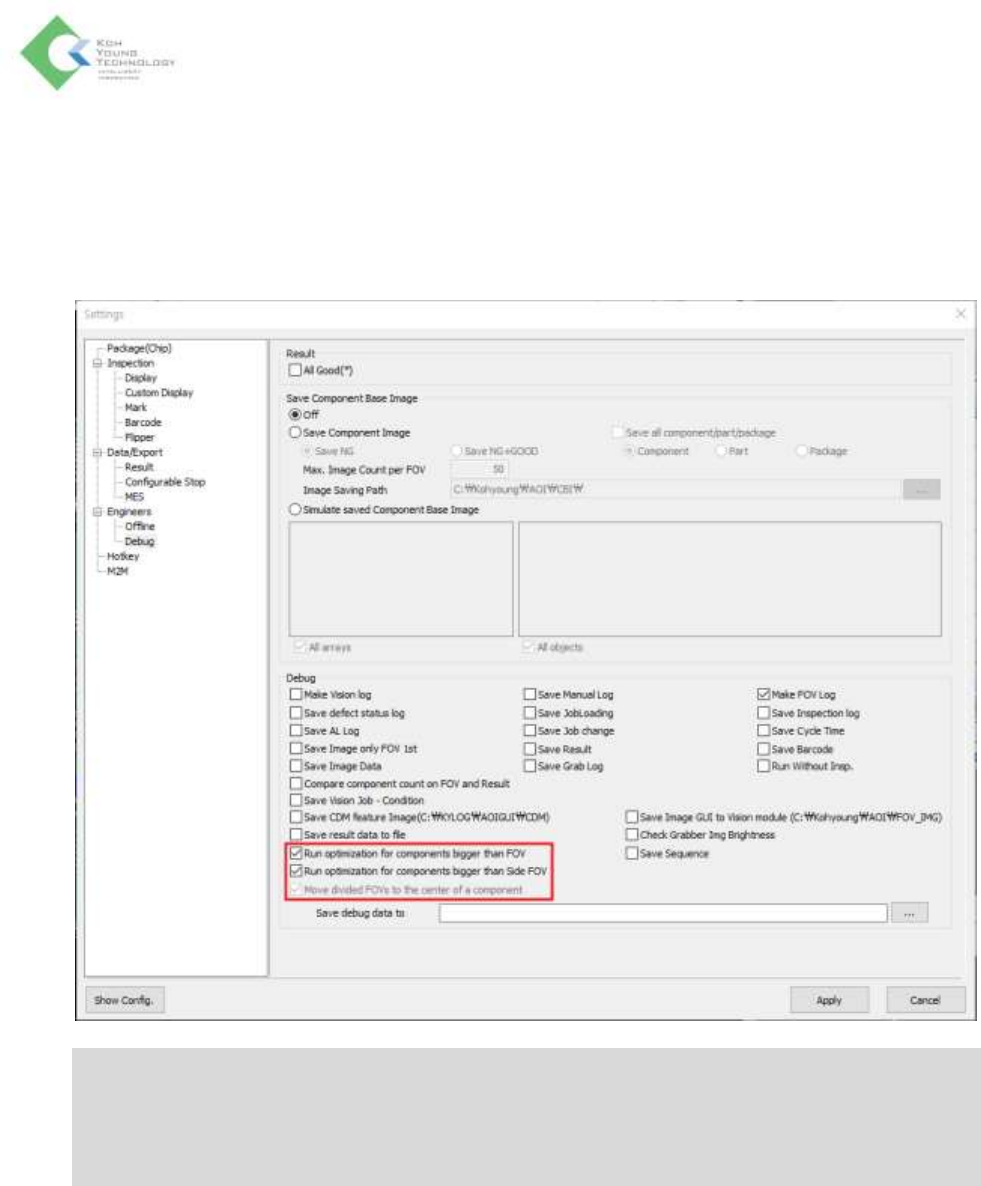
在设置 > 技术人员 > Debug(调试)窗口中选择如下3个选项:
□ Run optimization for components bigger than FOV
□ Run optimization for components bigger than Side FOV
□ Move divided FOVs to the center of a component
※ 注:
- 要想激活“Run optimization for components bigger than Side FOV”选项,需要先选择“Run
optimization for components bigger than FOV”选项。
- 设置“Run optimization for components bigger than Side FOV”选项时,“Move divided FOVs to the
center of a component”选项自动被勾选。
Koh Young Technology Inc.
195
功能的使用步骤
侧面相机检测的设置
1. 在编程选项卡中选择要用侧面相机检测的元件后,点击元件目录最左边一列的MMC按钮,激活
侧面相机检测。
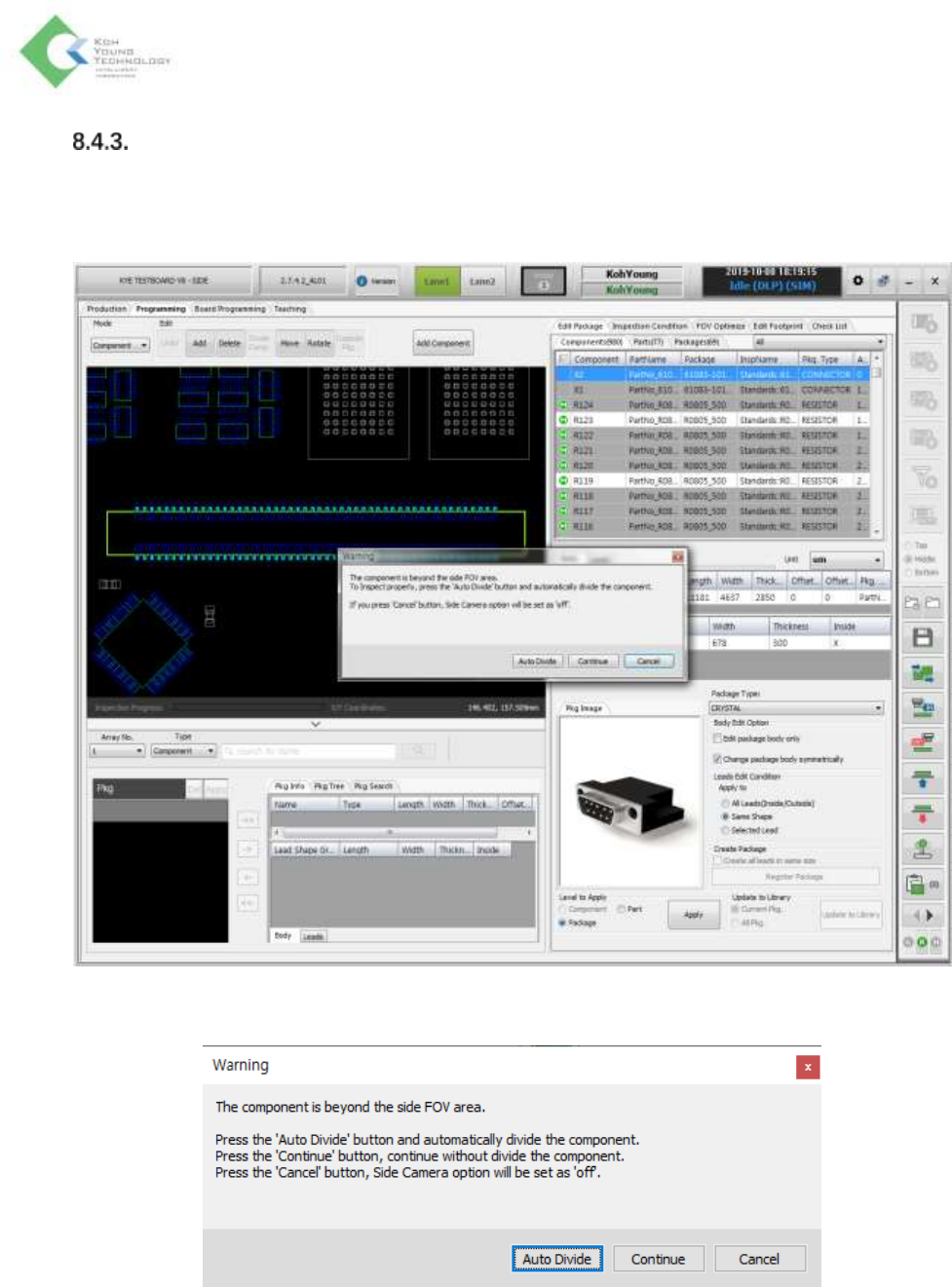
2. 选择进行侧面相机检测的元件的尺寸大于侧面相机FOV时,弹出如下报警窗口。