4OM-1054-002.pdf - 第117页
1 . 2 "CHECK" Windows 1.2.1 "CHECK" Windows • Window Layout When the machine is not reset to its normal condition after an operator makes an error operation or an error occurs in the operation system,…
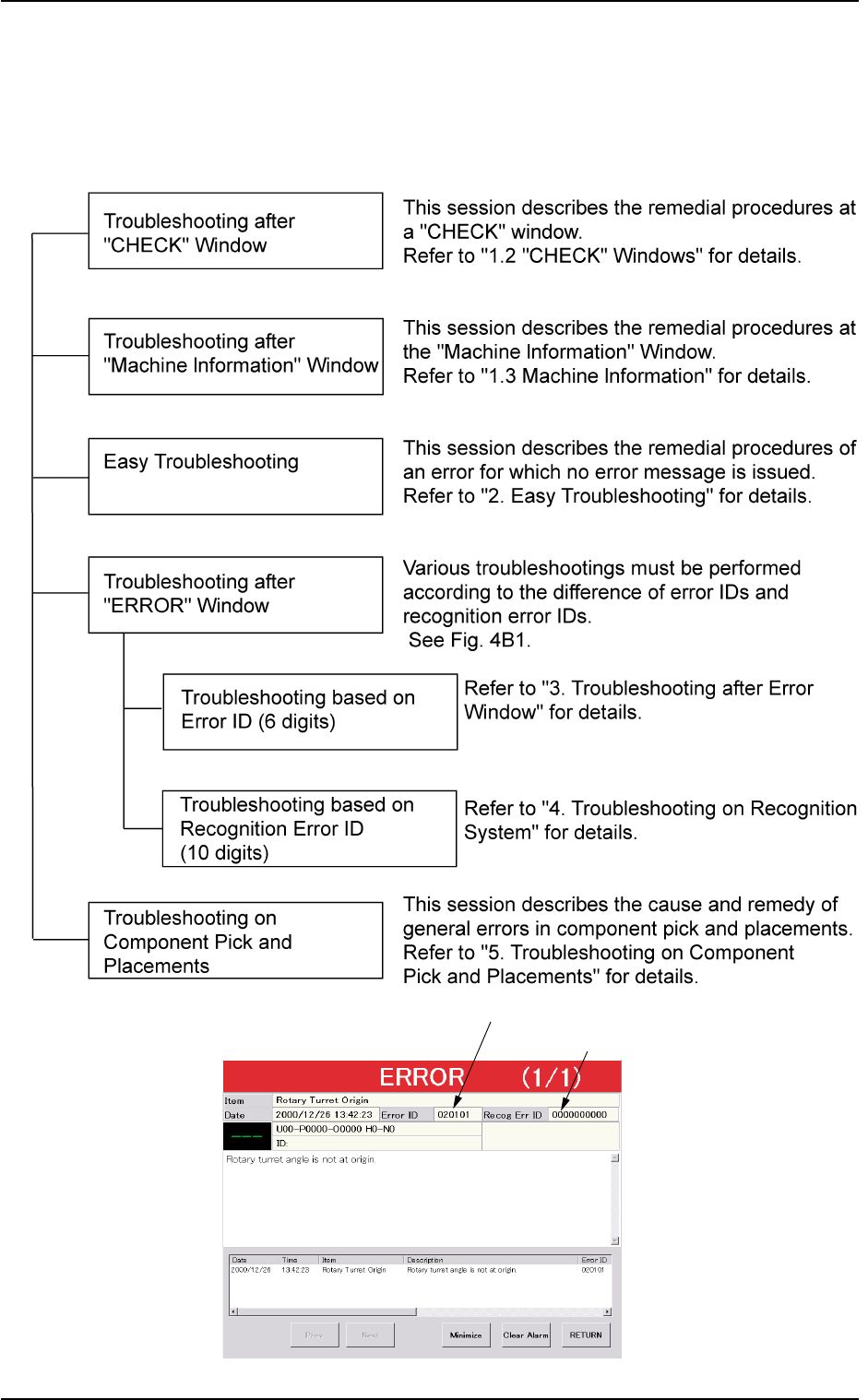
Error ID (6 digits)
Recognition Error ID (10 digits)
1. Scope
1.1 Scope of Troubleshooting
The troubleshooting is composed as follows.
Fig. 4B1
0211-004 2-1
AGS01ETRP
1. Scope
1.2 "CHECK" Windows
1.2.1 "CHECK" Windows
• Window Layout
When the machine is not reset to its normal condition after an operator
makes an error operation or an error occurs in the operation system, a
window like the following opens.
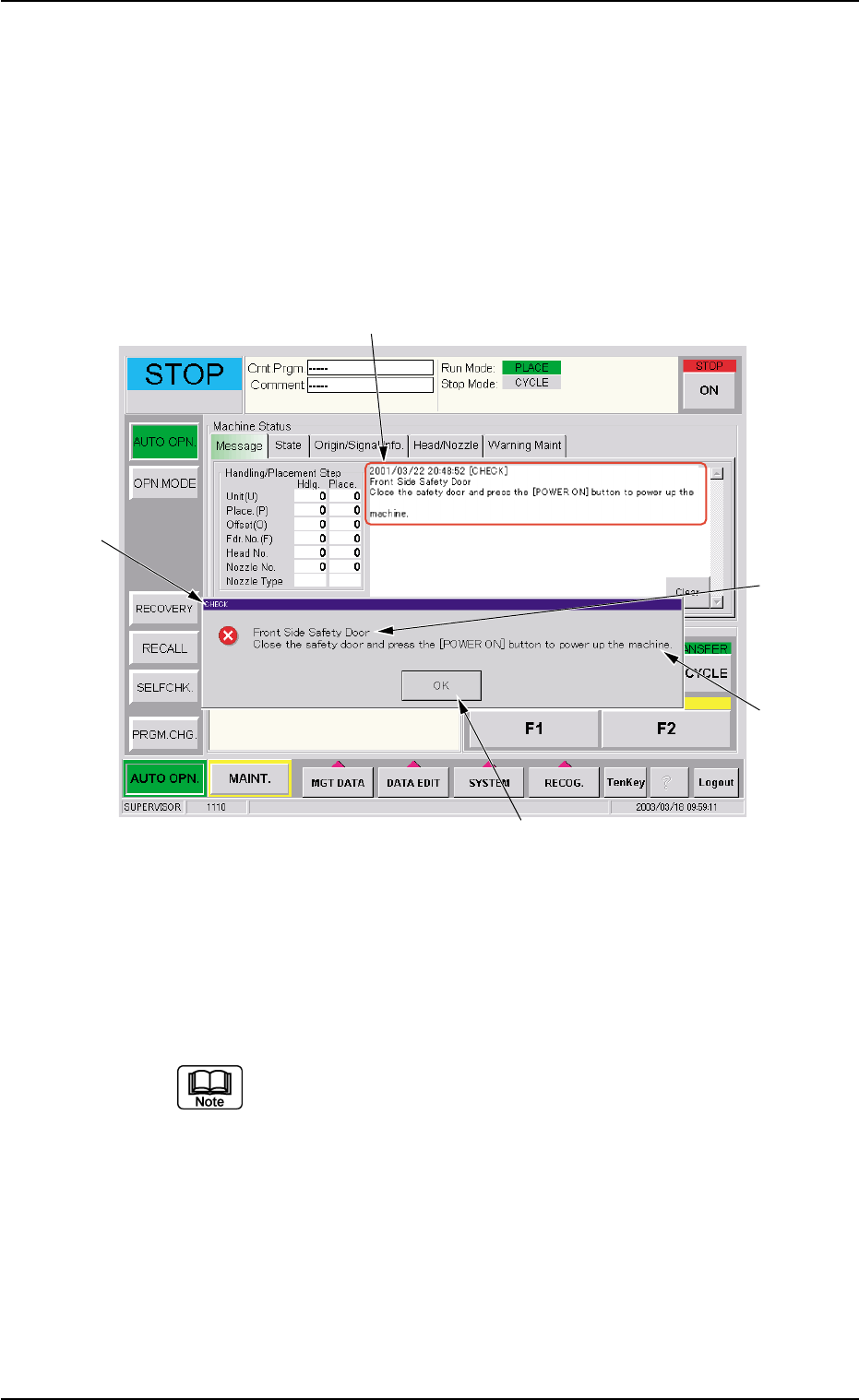
Fig. 4B2 Example of "CHECK" Window
• Window Composition
*1 Check Message
A check message is issued and displayed.
Refer to "1.2.2 List of Check Messages" for details.
*2 Display Field A
Displayed is the scope of the check message.
*3 Display Field B
Displayed are the details of the check message.
0303-005 2-2
AGS01ETRP
1.2 "CHECK" Windows
*1
*4
*3
*5
*2

*4 [OK] Button
When pressed, this button closes the "CHECK" window.
*5 Saving the check message
The check message is saved as a production message.
••
••
• Reset Procedure from "CHECK" Window
(1) Take a note of the issued check message.
Be sure to take a note of the check message. If you forget the
contents of the message, the machine cannot be reset cor-
rectly to its normal condition.
(2) Press the [OK] button. The original window resumes.
(3) Follow the contents of the check message to reset the machine
correctly to its normal condition.
0211-004 2-3
AGS01ETRP
1.2 "CHECK" Windows