DFD6361-Maintenance.pdf - 第260页
C-48 USER DEFIN E DATA scr een [screen 7.4 ] (Continued) [Setting Ite m] Item No. Descriptions [23] Specif y whether the CRT shows a cam era image (t arget check and street check) duri ng kerf check. Display s the camera…
C-47
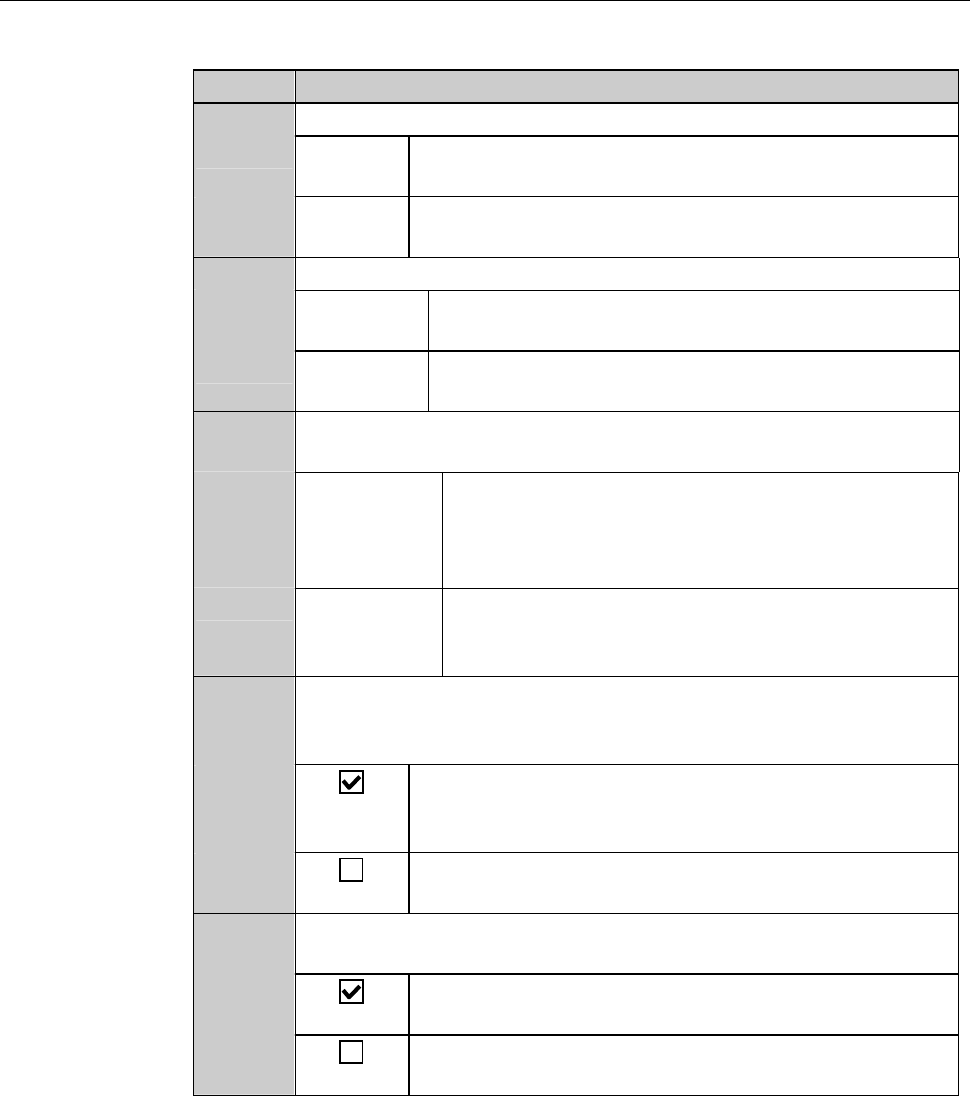
USER DEFINE DATA screen [screen 7.4] (Continued)
[Setting Item]
Item No. Descriptions
[18]
Specify a frame detection mode for push-pull frame loading.
SENSOR Detects a frame by the optical sensor which is located
to the left of the clamp finger section.
CLAMP Detects a frame in accordance with the clamp finger
cylinder movement width.
[19]
Specify the starting position of workpiece loading.
TOP-SIDE Starts to load workpiece from the top slot of the top
cassette.
BOTTOM Starts to load workpiece from the lowest slot of the
lowest cassette.
[20]
Specify whether or not to suspend or resume processing when an
inspection workpieces returns to the stage.
STOP Suspends processing and makes no transportation
for other workpiece until the inspection of the
sample workpiece finishes and the workpiece
returns to the cassette.
CONTINUE Continues processing for other workpieces, without
waiting for the inspection workpiece returning to
the stage.
[21]
Specify whether or not to permit cutting height modification
during cutting. (The value changed during cutting will be cleared
when the setup is completed.)
Allows you to change the cutting height no matter
whether a cutting operation is in progress or is
temporarily halted.
Height correction cannot be made during cutting but
can be done while the cutting is temporarily halted.
[22]
Specify whether or not to stop the spindle and wheel coolant water
systems when some blade breakage is detected.
Stops the spindle and wheel coolant water system
automatically when a blade breakage is detected.
The spindle and wheel coolant water system do not
stop even when a blade breakage is detected.
C-48
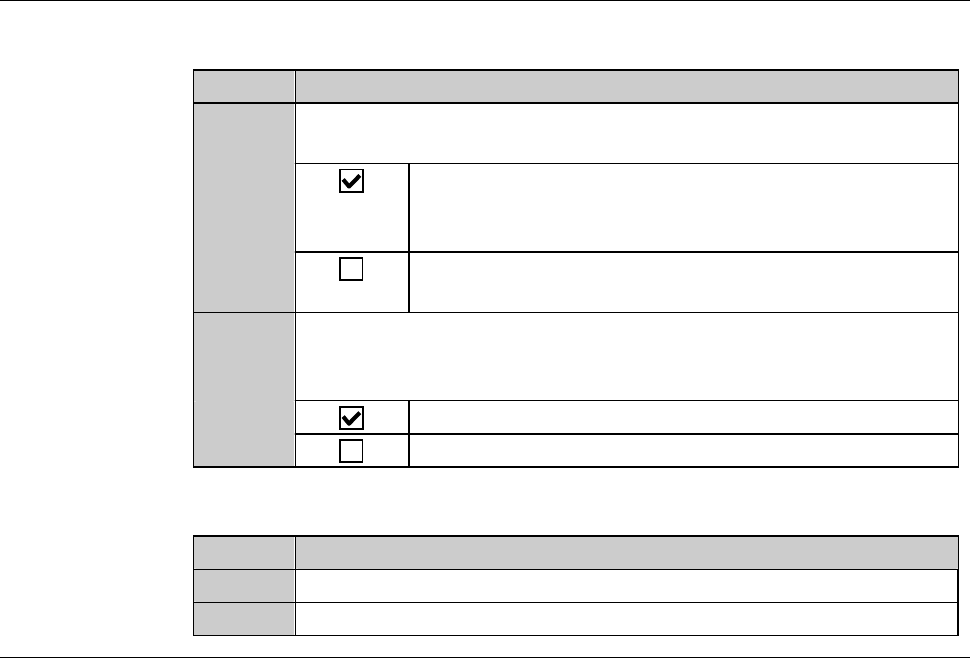
USER DEFINE DATA screen [screen 7.4] (Continued)
[Setting Item]
Item No. Descriptions
[23]
Specify whether the CRT shows a camera image (target check and
street check) during kerf check.
Displays the camera image derived from kerf check.
The throughput is slightly lowered because it takes
some time for the CRT to display the camera image.
Dose not display the camera image derived from kerf
check.
[24]
During a full automation operation using a two-tier cassette,
specify whether to make an operator call when the last workpiece
of the first cassette returns to its original cassette slot.
Makes an operator call.
Does not make an operator call.
[Function button]
Press To
F5
Call up the SET DATE & TIME dialog box.
F10
Call up the USER SPECIAL screen [screen 7.4.10].
C-49
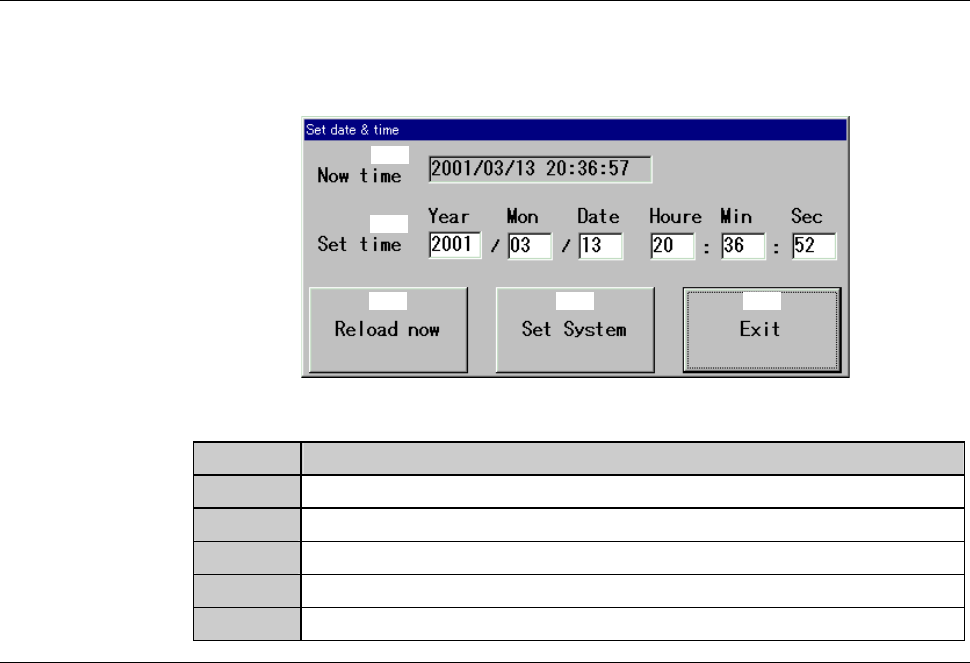
SET DATE & TIME dialog box
The description of SET DATE & TIME dialog box is as follows:
[Screen]
[1]
[2]
[3] [4] [5]
[Setting Item]
Item No. Descriptions
[1]
Indicates the current date and time.
[2]
Input the date and time to set.
[3]
Sets the current date and time as "Set Time".
[4]
Registers the date and time entered as "Set Time".
[5]
Close the SET DATE & TIME dialog box.