DFD6361-Maintenance.pdf - 第444页
E-8 1-1-2. Cl eaning of the non-c ontact s etup sensor Position o f the non- contact setup sensor The illustration below shows the loca tion of the non-contact setup sensor. Z1-axis Z2-a xis Non-cont act setup sensor Pro…
E-7
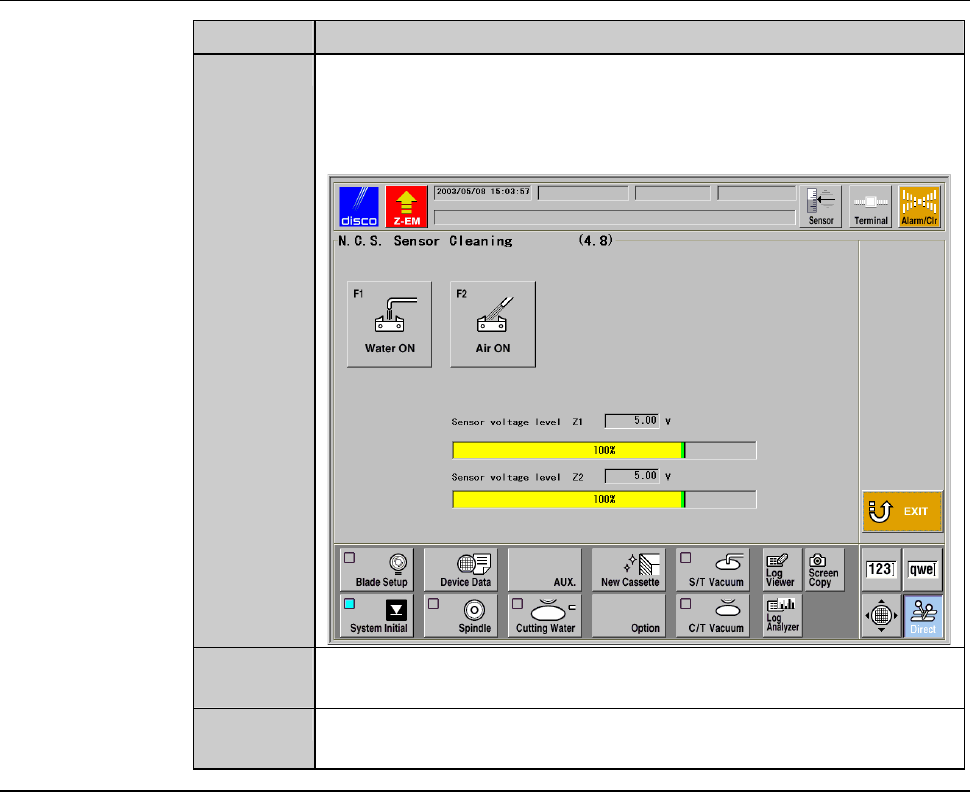
Procedures for calling up the NCS SENSOR CLEANING screen [screen 4.8] (Continued)
Step No. Do This
4
Press the <F8> button to call up the NCS SENSOR CLEANING
screen [screen 4.8].
- The protection cover for the non-contact setup block opens.
- The X-axis automatically moves to its origin position.
5
Press the <F1> button to turn OFF the sensor protecting water
from the non-contact setup block, if it is ON.
6
Press the <F2> button to turn OFF the air blow from the non-
contact setup block, if it is ON.
Continued in the next section.
E-8
1-1-2. Cleaning of the non-contact setup sensor
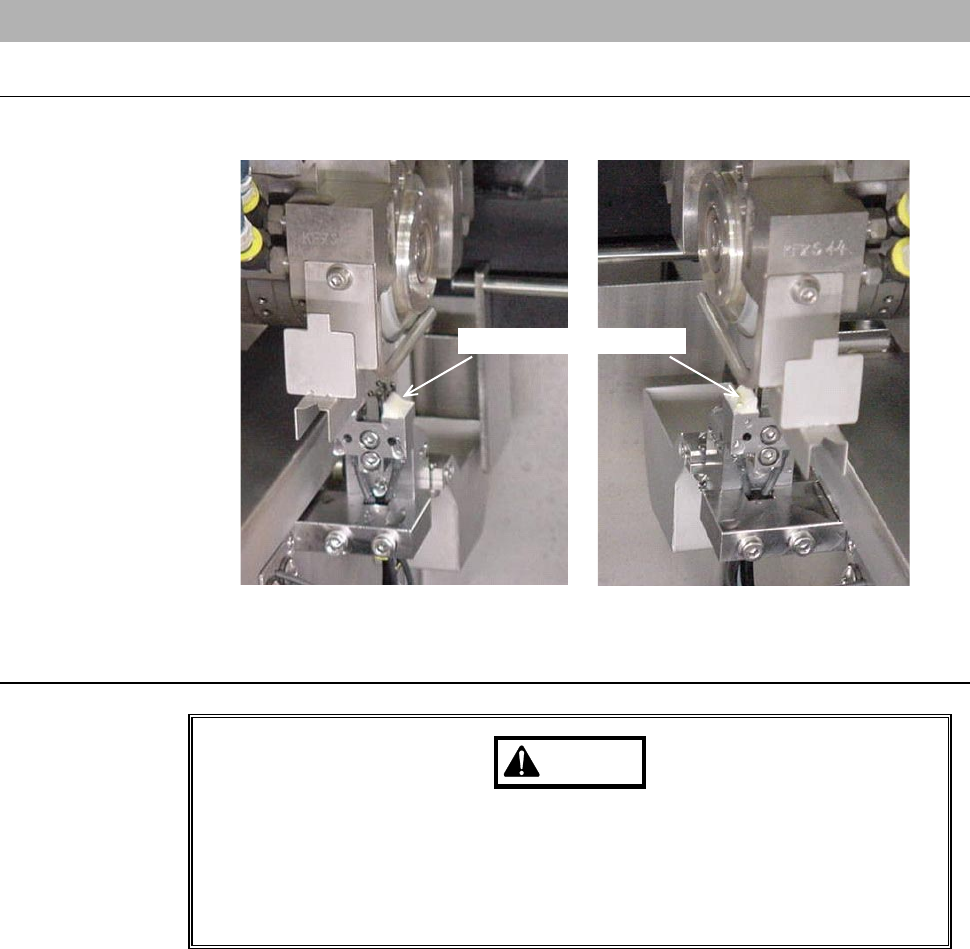
Position of the non-contact setup sensor
The illustration below shows the location of the non-contact setup sensor.
Z1-axis Z2-axis
Non-contact setup sensor
Procedures for cleaning the non-contact setup sensor
WARNING
If your fingers or hands are placed under the rotating spindle, they
may be caught or cut off.
Before opening the splash cover, visually make sure from the outside
of the splash cover that the spindle stops completely. Also, do not
position your fingers or hands under the rotating spindle.
E-9
Procedure for cleaning of the non-contact setup sensor (Continued)
Step No. Do This
(Continued from the previous section)
1
Open the splash cover.
2
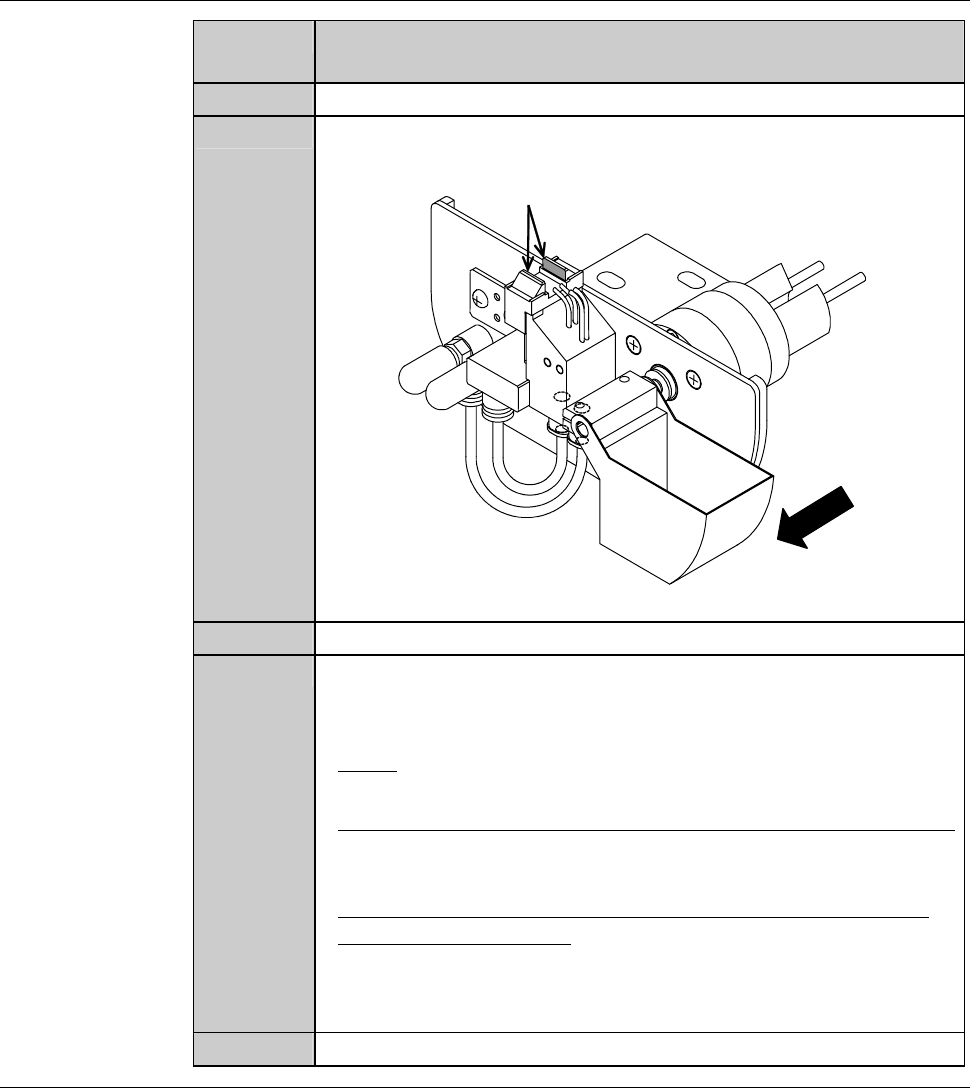
Using a cotton swab moistened with alcohol, wipe off any soiling
on the detection surface of the non-contact setup sensor.
ÿ
Detection surface
Front
3
With an air-injection gun, blow air on the detection surface.
4
After cleaning, check whether the voltage level reading on the
NCS SENSOR CLEANING screen [screen 4.8] is within a range
of 100 ± 2% (4.90 to 5.10 V).
- If not;
Repeat cleaning of the step No. 2 to 3 of this table.
- When using the abrasives for non-contact setup sensor cleaning;
See the section 1-1-3 of this chapter, [Cleaning the non-contact
setup amplifier with abrasives].
- When the voltage level does not come within this range, even
after repeating cleaning;
Adjust the non-contact setup amplifier.
See the section 1-1-4 of this chapter, [Adjusting the non-contact
setup amplifier].
5
Close the splash cover.
Continued in the next section.