DFD6361-Maintenance.pdf - 第277页
C-65 7-1. Calli ng up the MAINTENANCE S CHEDULER S creen Procedures for calling up the MAINTENANCE SCHEDULER scre en Step No. Do This 1 Press the <F7> button from the ENGINEER ING MAINTENANCE screen [ screen 7.0]. …
C-64
7. Maintenance Scheduler
About Maintenance Scheduler
The Maintenance Scheduler enables you to preset the schedule for
replacement of parts and periodic maintenance, and effect an operator call
when the specified maintenance date comes.
Summary of this section
This section explains about the ways to use the Maintenance Scheduler.
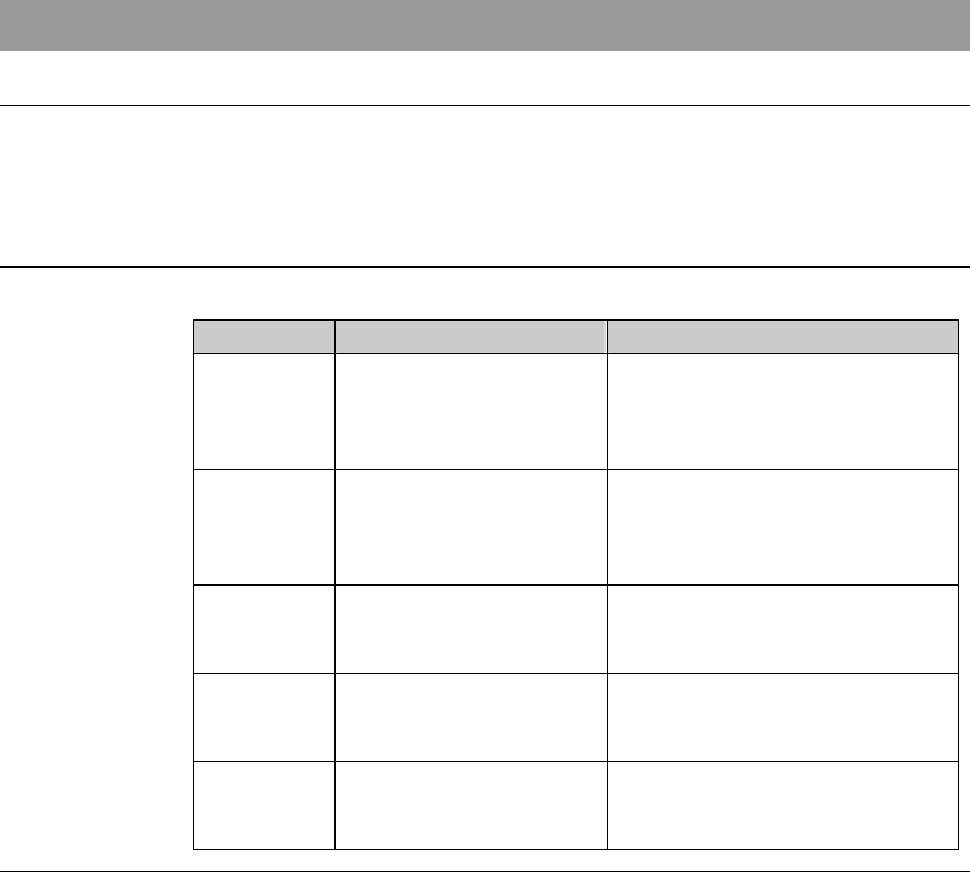
Section No. Title Contents
7-1 Calling up the
MAINTENANCE
SCHEDULER Screen
- Procedures to call up the
MAINTENANCE
SCHEDULER screen and on-
screen items
7-2 Updating LAST MENT
DATE
- Procedures to update "LAST
MENT DATE" of the
MAINTENANCE
SCHEDULER screen
7-3 Changing DAYS SET - Procedures to change "DAYS
SET" of the MAINTENANCE
SCHEDULER screen
7-4 Changing the
Maintenance ITEM
- Procedures to add the new
"ITEM" at the MAINTENANCE
SCHEDULER screen
7-5 Deleting the Maintenance
ITEM
- Procedures to delete an "ITEM"
of the MAINTENANCE
SCHEDULER screen
C-65
7-1. Calling up the
MAINTENANCE SCHEDULER Screen
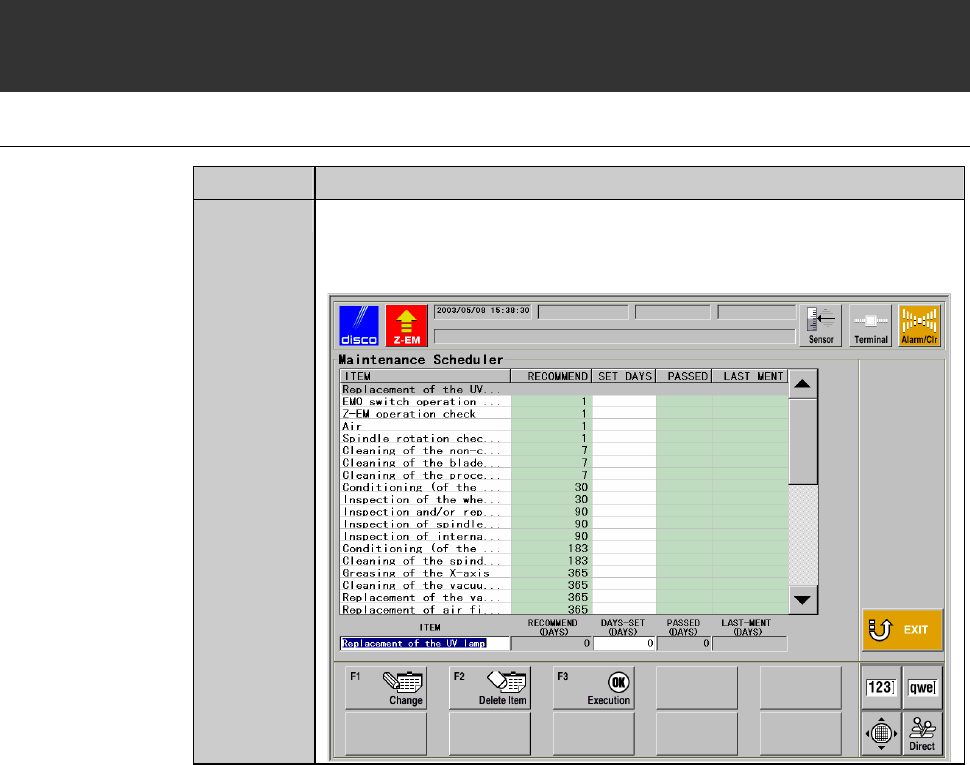
Procedures for calling up the MAINTENANCE SCHEDULER screen
Step No. Do This
1
Press the <F7> button from the ENGINEERING
MAINTENANCE screen [screen 7.0].
- The MAINTENANCE SCHEDULER screen then appears.
C-66
MAINTENANCE SCHEDULER screen
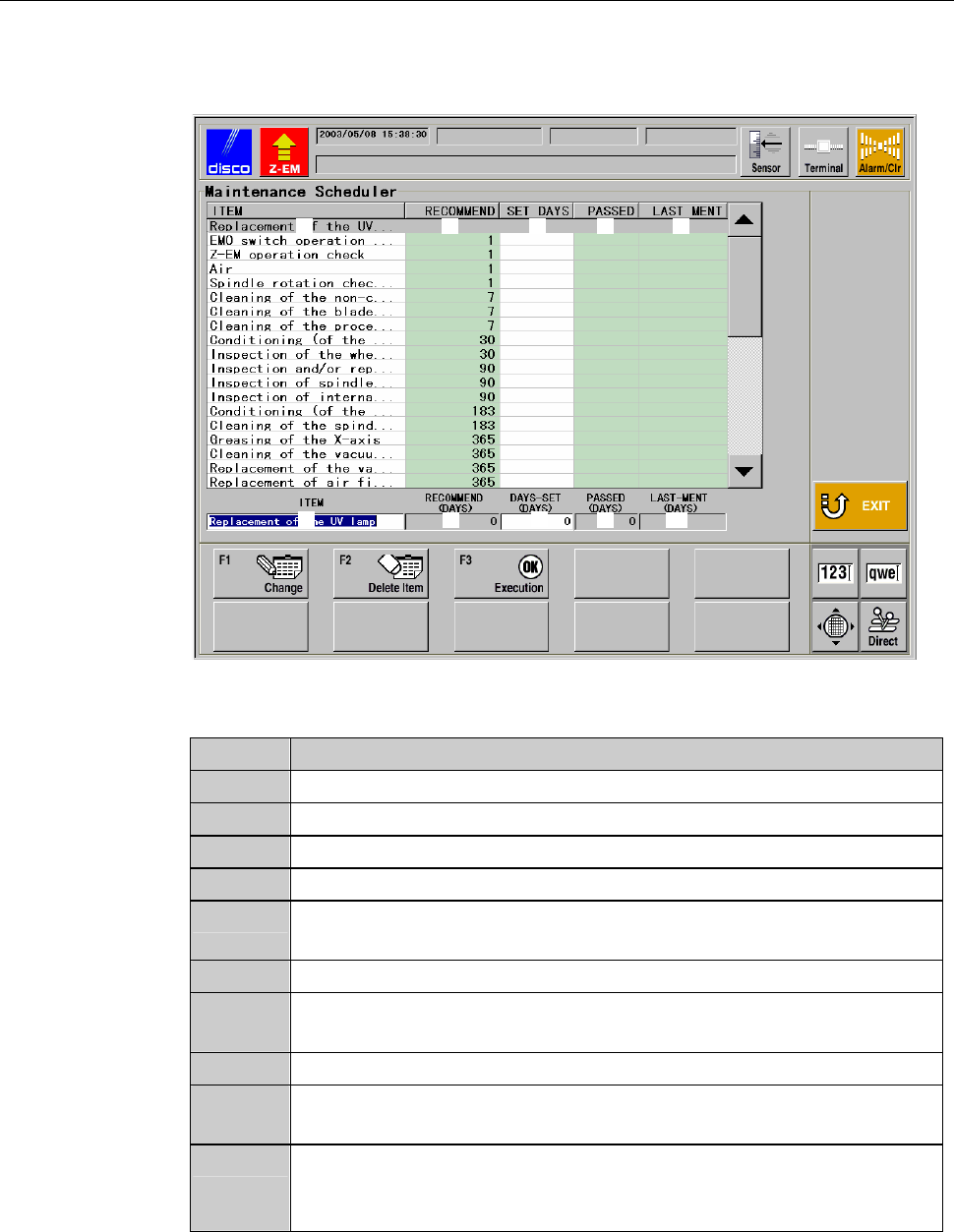
The description of MAINTENANCE SCHEDULER screen is as follows.
[Screen]
ÿ
[1] [2] [3][3] [4] [5]
[1] [2]
[6] [8][7] [9] [10]
[Setting Item]
Item No. Descriptions
[1]
Displays the maintenance item.
[2]
Displays the recommended interval of the maintenance item.
[3]
Displays the maintenance intervals specified by the user.
[4]
Displays the number of days currently elapsed from the date of [3].
[5]
Displays the date when the <F3> button was pressed. (<F3> button
is to be pressed after maintenance is performed.)
[6]
Displays the selected maintenance item.
[7]
Displays the recommended interval of the selected maintenance
item.
[8]
Displays the maintenance intervals of the selected item.
[9]
Displays the number of days elapsed since the last maintenance
date displayed at [10] for the selected maintenance item.
[10]
Displays the date when the <F3> button was pressed for the
selected maintenance item. (<F3> button is to be pressed after
maintenance is performed.)