DFD6361-Maintenance.pdf - 第458页
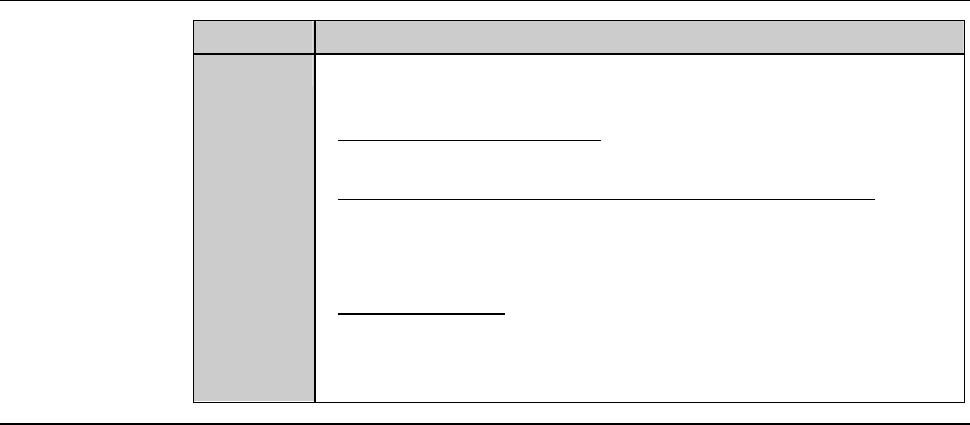
E-22 Procedur es for cl eanin g the bla de break age detect or sens or (Contin ued) Step No. Do This 6 Check whether the maximum sensitivity comes between or e qual to 90% and 99%. - When it is l ower than 90%; Clean the…
E-21
Procedures for cleaning the blade breakage detector sensor
Step No. Do This
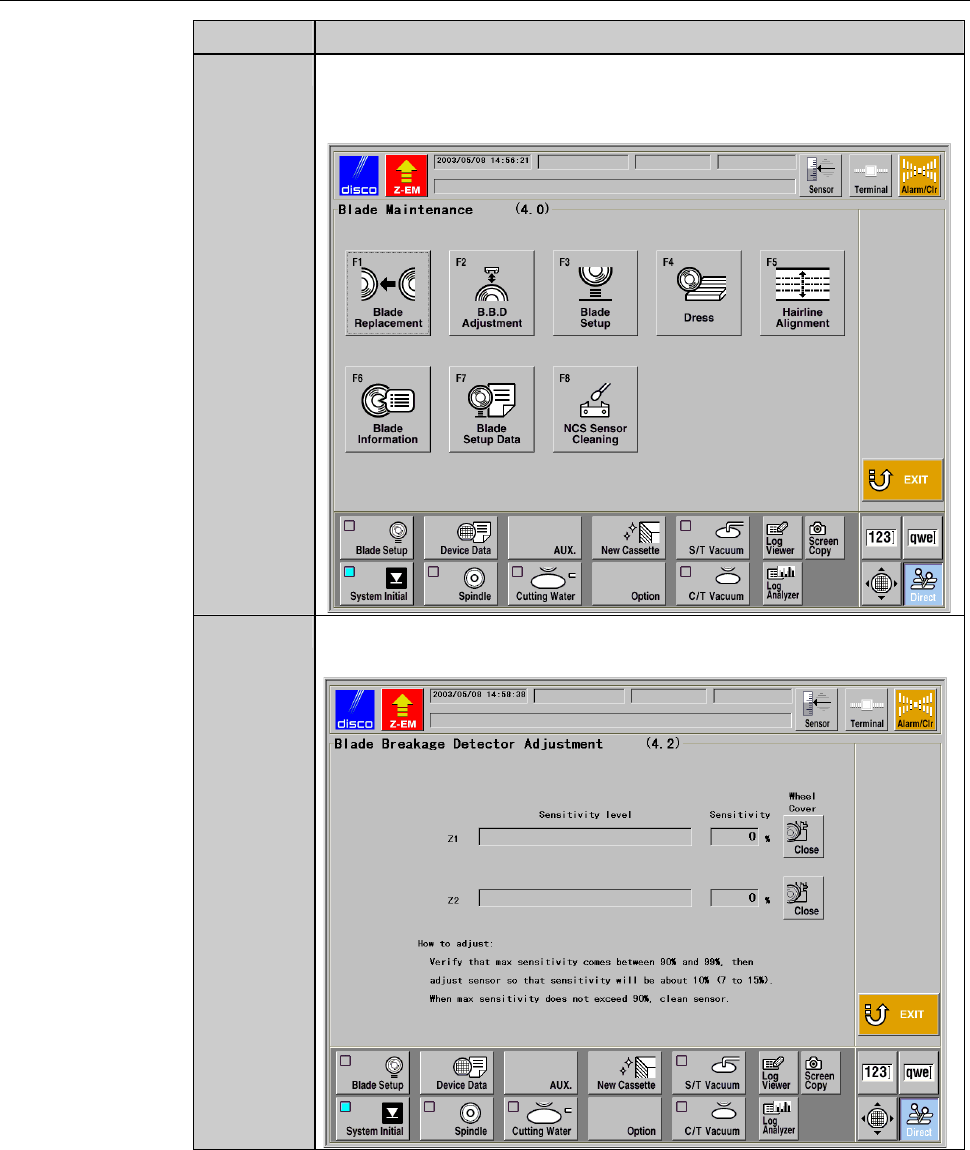
4
From the MAIN MENU screen [screen 0.0], press the <F4>
button to call up the BLADE MAINTENANCE screen
[screen 4.0].
5
Press the <F2> button to call up the BLADE BREAKAGE
DETECTOR ADJUSTMENT screen [screen 4.2].
E-22
Procedures for cleaning the blade breakage detector sensor (Continued)
Step No. Do This
6
Check whether the maximum sensitivity comes between or equal
to 90% and 99%.
- When it is lower than 90%;
Clean the sapphire glass surface again.
- When it is still lower than 90% after repeating cleaning;
Adjust the amplifier of blade breakage detector.
See the section 1-2-3 of this chapter, [Adjusting the amplifier of
blade breakage detector]
- When it is 100%;
Adjust the amplifier of blade breakage detector.
See the section 1-2-3 of this chapter, [Adjusting the amplifier of
blade breakage detector]
Continued in the next section.
E-23
1-2-3. Adjusting the amplifier of blade breakage detector
The case where this procedure is required
This adjustment become necessary when the maximum sensitivity does not
come between or equal to 90% and 99%, even after cleaning the sensor section
of the blade breakage detector.
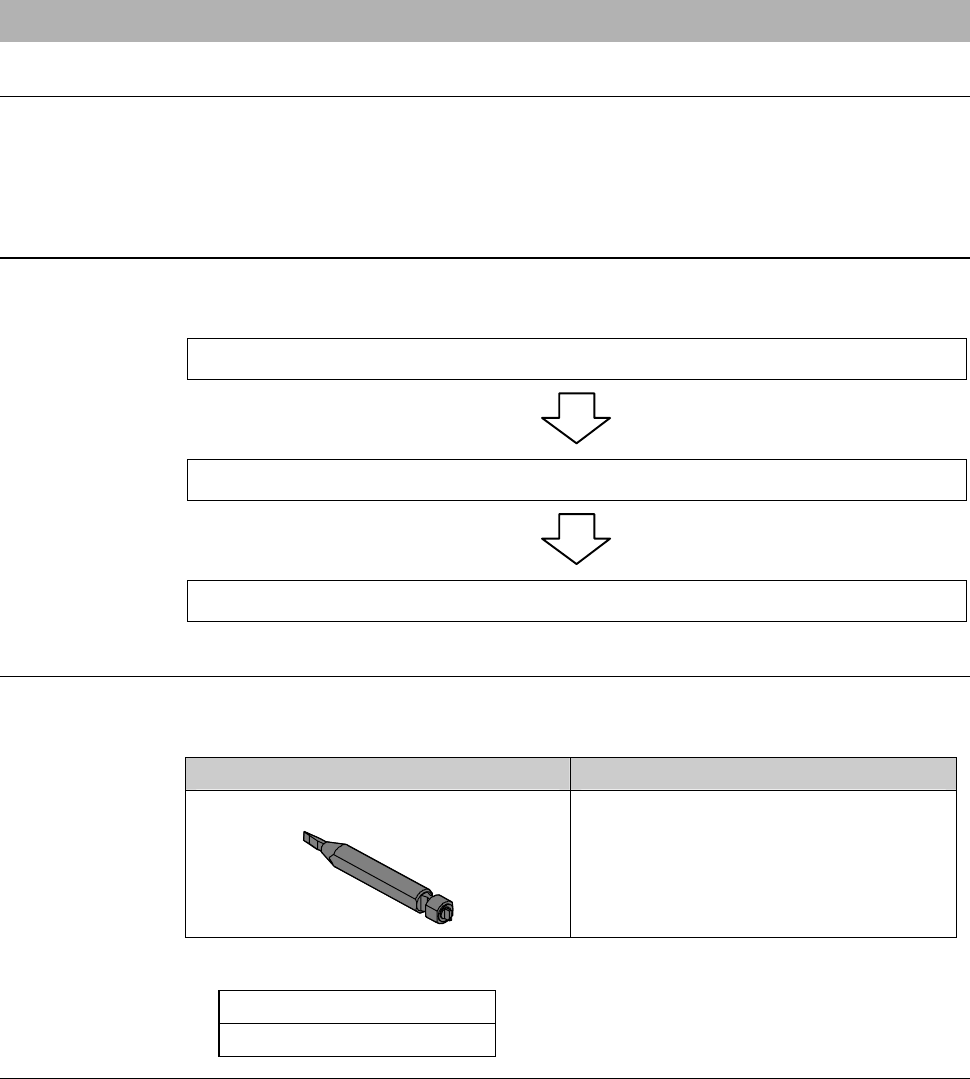
Operation flow
The procedure for adjusting the amplifier of blade breakage detector consists
of the following steps.
1-2-3-1 Moving the Y (Y1, Y2)-axis
1-2-3-2 Removing the partition (left)
1-2-3-3. Adjusting the amplifier of blade breakage detector
Before adjustment
Have on hand the following tool to adjust the blade breakage detector
amplifier.
Tool Part No.
Amplifier adjustment driver
AK81526287
-Others;
3mm Allen wrench
Phillips screwdriver