DFD6361-Maintenance.pdf - 第625页
F-55 Procedur es for re moving the mac hine outer c over (Continue d) Step No. Do This 5 Remove the cover [U]. Then s tore it sufficiently awa y from the working area. - For the cover removal procedur e; See the section …
F-54
2-1-1. Removing the machine outer cover
Procedures for removing the machine outer cover
CAUTION
When you perform maintenance with the outer cover removed,
observe the following precaution. If you stand the removed outer
cover against the machine, you may receive injury by the cover if it is
toppled by the earthquake or like that.
After taking off the outer cover for maintenance purposes, store it
sufficiently away from the working area.
Step No. Do This
1
Turn OFF the main switch and then remove the key.
2
Shut off the facility power supply.
3
Close the mail valve of the spindle coolant water.
4
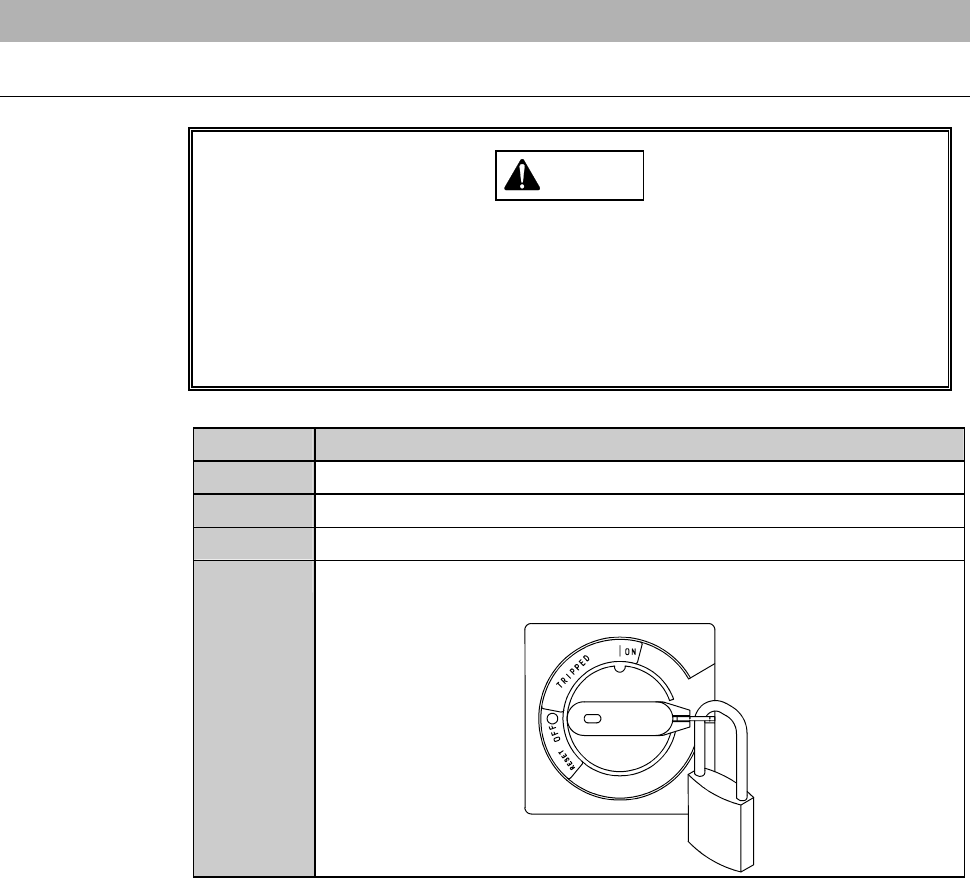
Turn OFF the circuit breaker at the left of the machine. Lock out
the circuit breaker lever with a padlock or the like.
ÿ
F-55
Procedures for removing the machine outer cover (Continued)
Step No. Do This
5
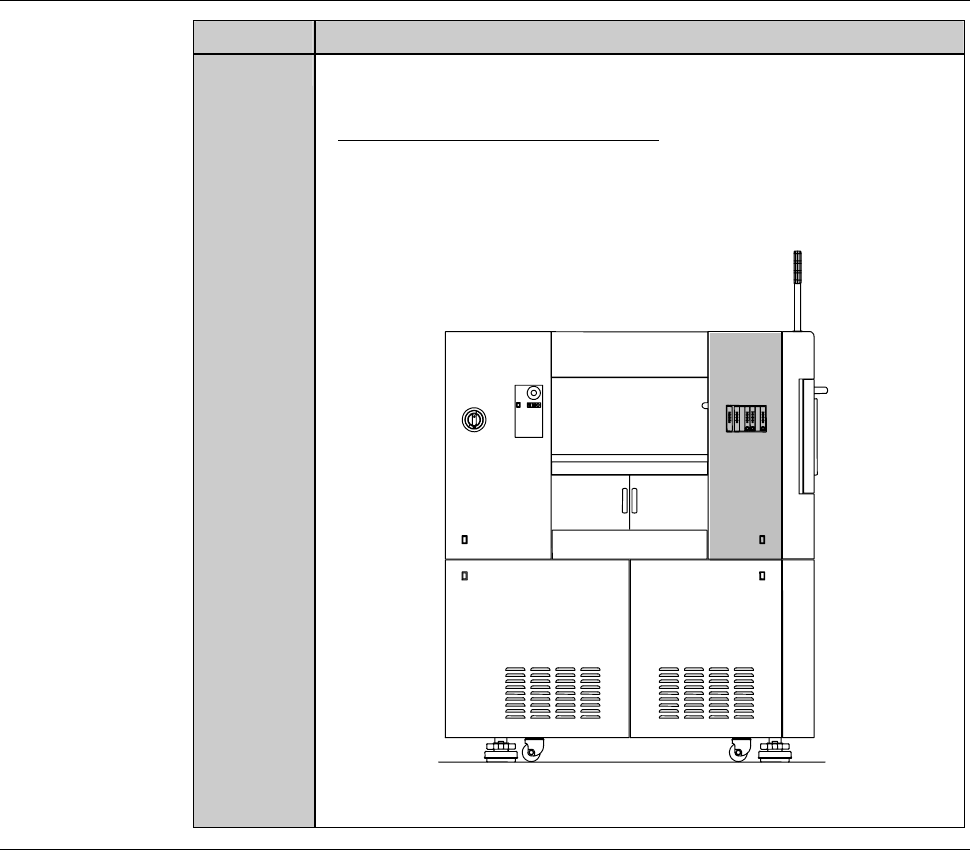
Remove the cover [U]. Then store it sufficiently away from the
working area.
- For the cover removal procedure;
See the section B-2-2, [Removing the Machine Outer Cover,
Monitor and Status Indicator] of Installation Manual.
ÿ
[U]
LEFT SIDE
Continued in the next section.
F-56
2-1-2. Replacing the flow rate sensor
Procedures for replacing the flow rate sensor
CAUTION
The flowmeter piping and switch harnesses are attached to the
bracket. When you remove the bracket, exercise care not to pull it
strongly with undue force.
Step No. Do This
(Continued from the previous section)
1
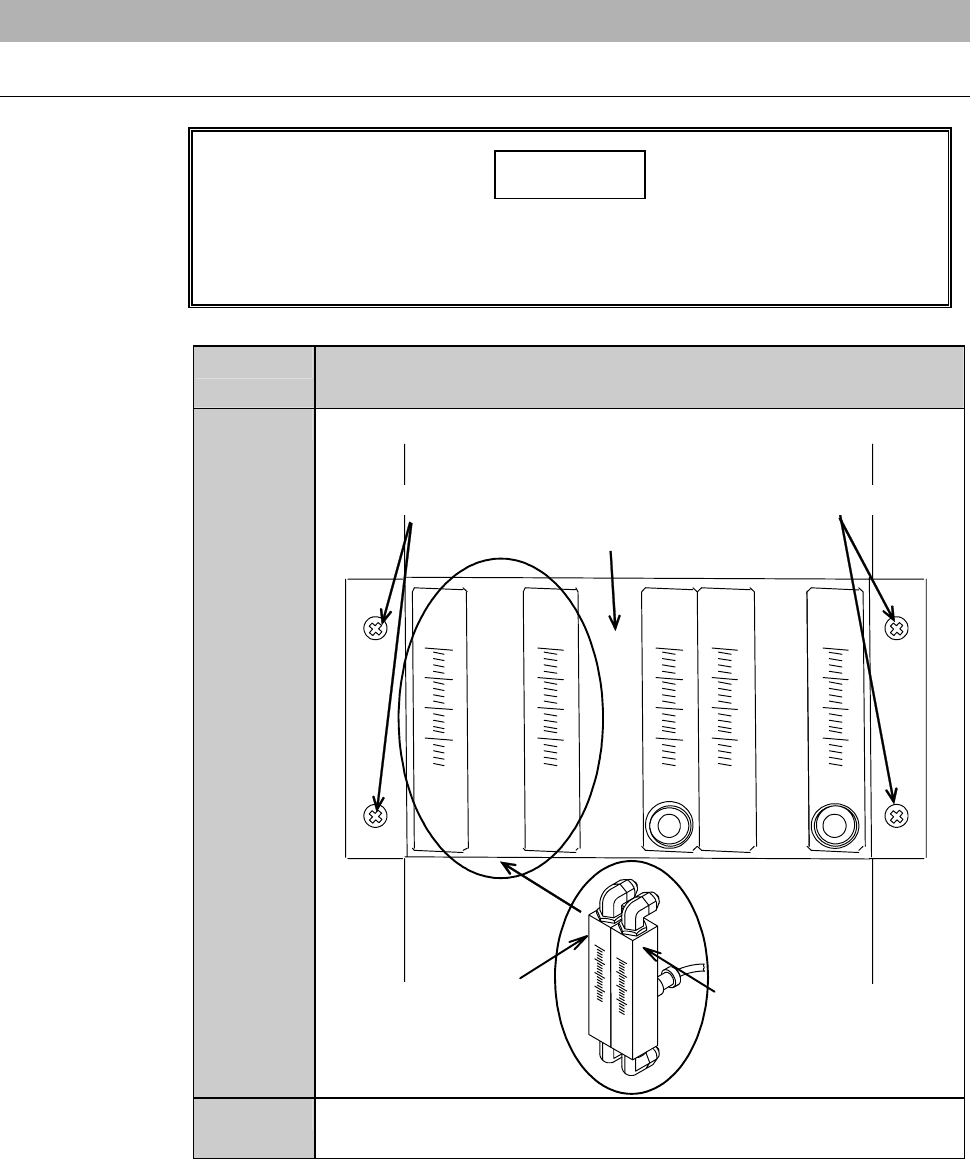
Unscrew the retaining screws of the bracket.
Retaining screws Retaining screws
Bracket
Spindle 1 coolant water
flow rate sensor (Z2)
Spindle 2 coolant water
flow rate sensor (Z1)
2
Remove the bracket slowly, being careful not to unplug the
junctions behind the bracket.