DFD6361-Maintenance.pdf - 第275页
C-63 Devi ce data whose set tings cann ot be modi fied Settings of the following device data cannot be modified. Device Data No . Device Data 000 MM-SAMPLE 111 I NCH-SAMP L E DEVICE DATA CHANGE screen - conf irmation [Sc…
C-62
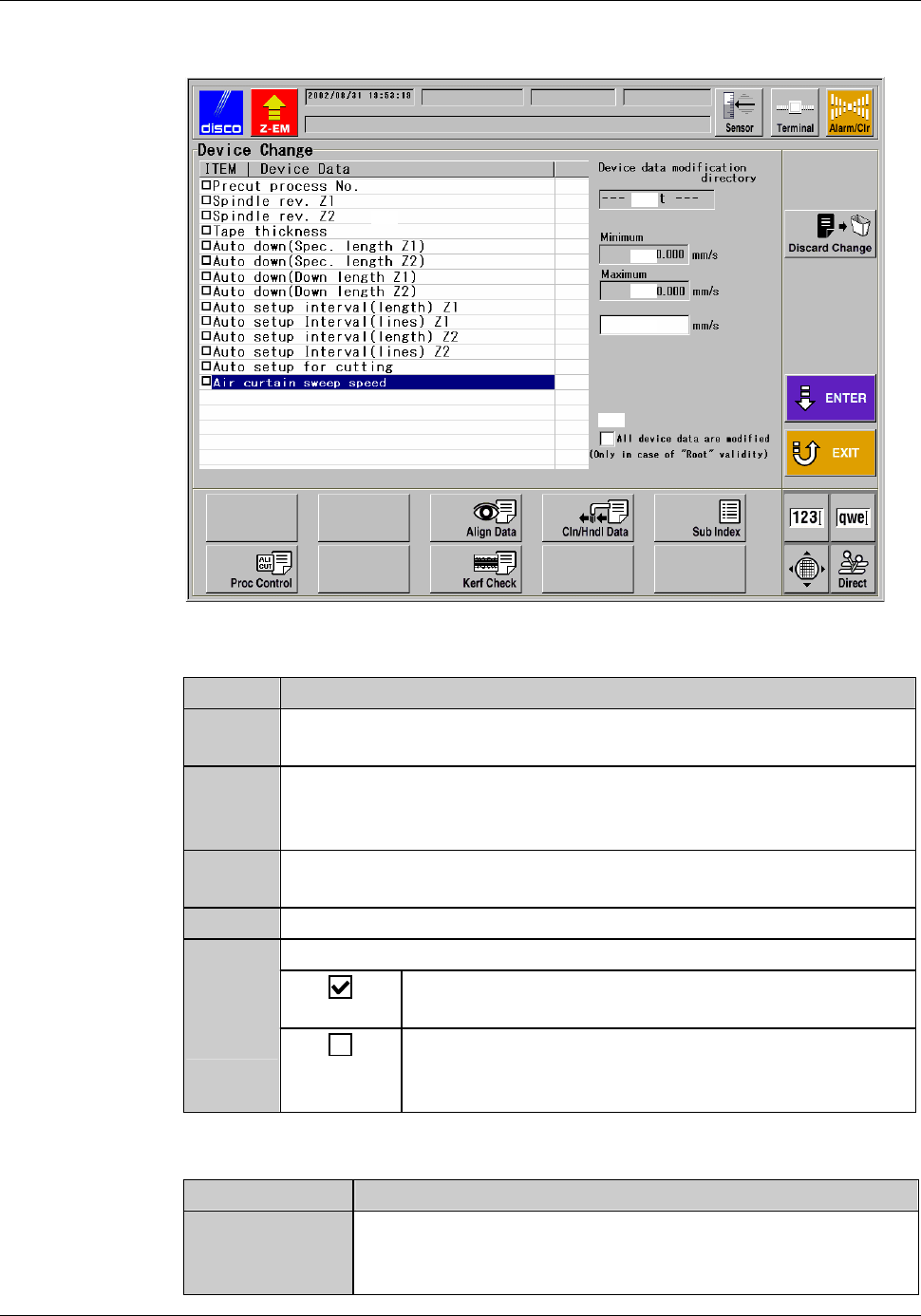
DEVICE DATA CHANGE screen
[Screen]
[2]
[1]
[3]
[5]
[3]
[4]
[Setting Item]
Item No. Descriptions
[1]
Indicates the items whose values can be commonly changed
through multiple device data.
[2]
Indicates the directory designated in the DEVICE DATA
MAINTENANCE screen. The change of the value will be applied
to the entire device data stored in the directory displayed here, [2].
[3]
Indicates the upper and/or the lower limit of the setting value, if
there is limitation.
[4]
Enter the new value of the item selected at [1]
[5]
Check when you select the root directory at [2].
The change made on this screen will be applied to all
the device data stored in the machine's memory.
The change made on this screen will be applied to the
device data stored in the root directory. The device
data in the subdirectories will not be changed.
[Function button]
Press To
Discard
Change
Clear all the settings made on this screen. Even when you
have made changes on multiple items, all of them will be
cleared.
C-63
Device data whose settings cannot be modified
Settings of the following device data cannot be modified.
Device Data No. Device Data
000 MM-SAMPLE
111 INCH-SAMPLE
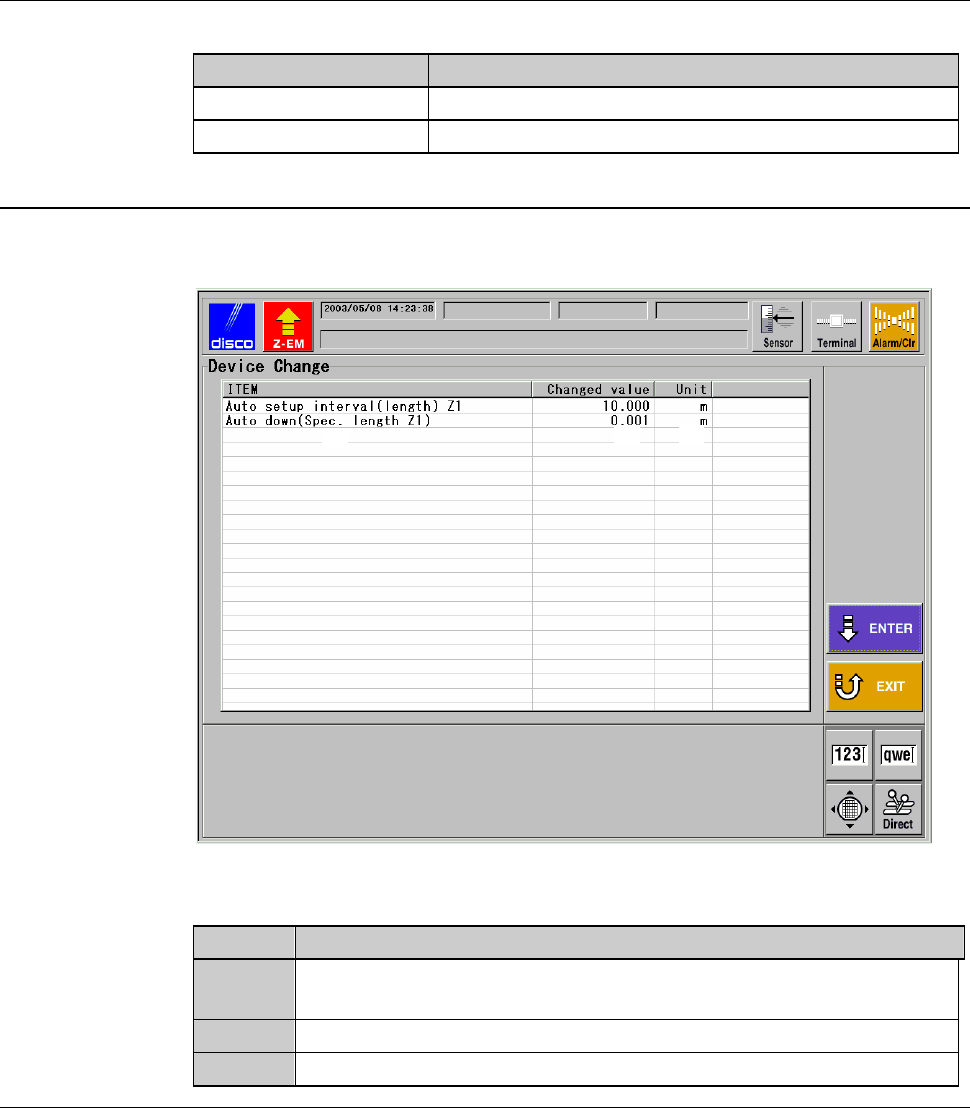
DEVICE DATA CHANGE screen - confirmation
[Screen]
[1]
[2]
[3]
[Setting Item]
Item No. Descriptions
[1]
Lists the items to which new values were entered in the DEVICE
DATA CHANGE screen (for setting).
[2]
Indicates the new values set for the item displayed at [1].
[3]
Indicates the unit of the values of the item [1].
C-64
7. Maintenance Scheduler
About Maintenance Scheduler
The Maintenance Scheduler enables you to preset the schedule for
replacement of parts and periodic maintenance, and effect an operator call
when the specified maintenance date comes.
Summary of this section
This section explains about the ways to use the Maintenance Scheduler.
Section No. Title Contents
7-1 Calling up the
MAINTENANCE
SCHEDULER Screen
- Procedures to call up the
MAINTENANCE
SCHEDULER screen and on-
screen items
7-2 Updating LAST MENT
DATE
- Procedures to update "LAST
MENT DATE" of the
MAINTENANCE
SCHEDULER screen
7-3 Changing DAYS SET - Procedures to change "DAYS
SET" of the MAINTENANCE
SCHEDULER screen
7-4 Changing the
Maintenance ITEM
- Procedures to add the new
"ITEM" at the MAINTENANCE
SCHEDULER screen
7-5 Deleting the Maintenance
ITEM
- Procedures to delete an "ITEM"
of the MAINTENANCE
SCHEDULER screen