DFD6361-Maintenance.pdf - 第471页
E-35 1-3-2. Rem oving the wheel cover Procedur e for remov ing the w heel cover Note that removal of the wheel cov er should be made onl y when it is required. If you don't have to remove the wheel c over, go to the…
E-34
1-3-1. Removing the blade and flange/hub mount
Procedures for removing the blade and flange/hub mount
Step No.
Do This
1
Press the <System Initial> button to effect system initialization.
2
Remove the blade.
For the procedures for removing the blade;
See the section B-6, [Blade Maintenance] of the Operation
Manual.
3
Remove the flange or hub mount.
For the procedures for removing the blade;
See the section B-2 of this manual, [Flange/Hub Mount
Replacement].
Continued in the next section.
E-35
1-3-2. Removing the wheel cover
Procedure for removing the wheel cover
Note that removal of the wheel cover should be made only when it is required.
If you don't have to remove the wheel cover, go to the section 1-3-3, [Cleaning
the spindle main body].
Step No.
Do This
(Continued from the previous section)
1
From outside of the cover, visually make sure that the spindle has
completely stopped.
2
Using the I/O CHECK screen, open the wheel covers of the Z1-
and Z2-axes.
3
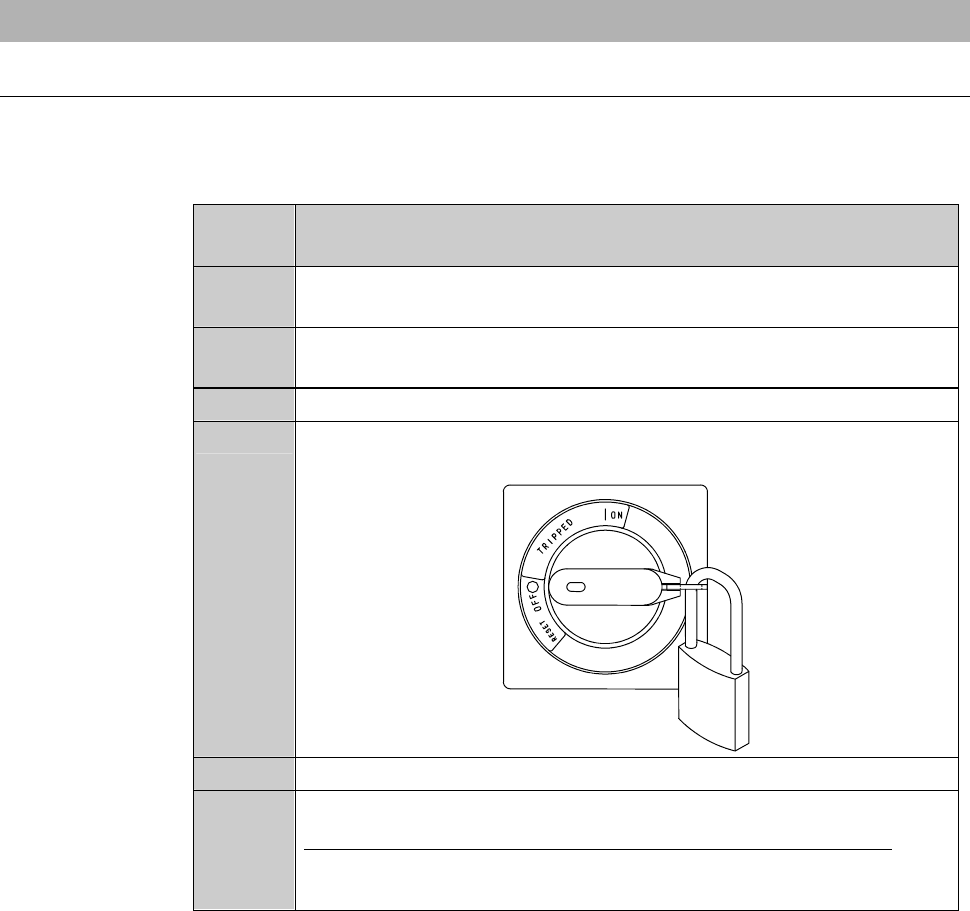
Turn OFF the main switch and pull out the key.
4
Turn OFF the circuit breaker and lock out the circuit breaker lever
with a padlock or the like.
5
Shut down the facility power.
6
Remove the blade breakage detector.
For the procedures for removing the blade breakage detector;
See the section 1-2 of this chapter, [Cleaning the Blade Breakage
Detector Sensor].
E-36
Procedure for removing the wheel cover (Continued)
Step No.
Do This
7
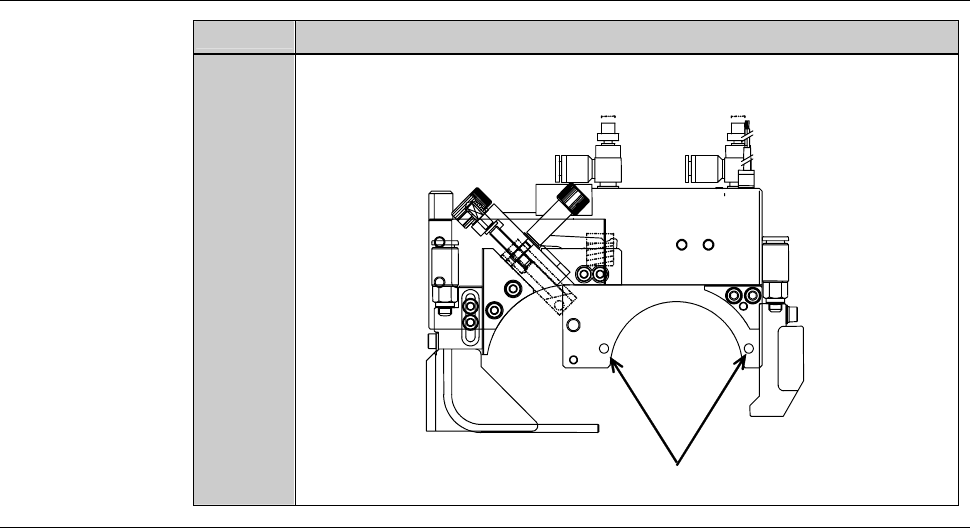
Unscrew two retaining screws (M4), and then remove the wheel
cover.
ÿ
Retaining screws (M4)
Continued in the next section.