00198152-02_OM_VirtualInkspotHandling_for_SSW7xx_EN.pdf - 第13页
Virtual Inkspot Handling for SSW 7xx / Operating Manual 10/2017 Edition 13 ► Open the Stati on Editor. Figure 4-2: Station Editor ► Select the Whisper do wn the line option for al l used stations. ► Open the line object …
Virtual Inkspot Handling for SSW 7xx / Operating Manual 10/2017 Edition
12
4 Configuration with XML Files
NOTICE
VIH files provided by the customer are interpreted by the first machine.
There is no ASM Board Gate Keeper involved.
This option is also known as "iSkip"!
4.1 SIPLACE Pro Settings
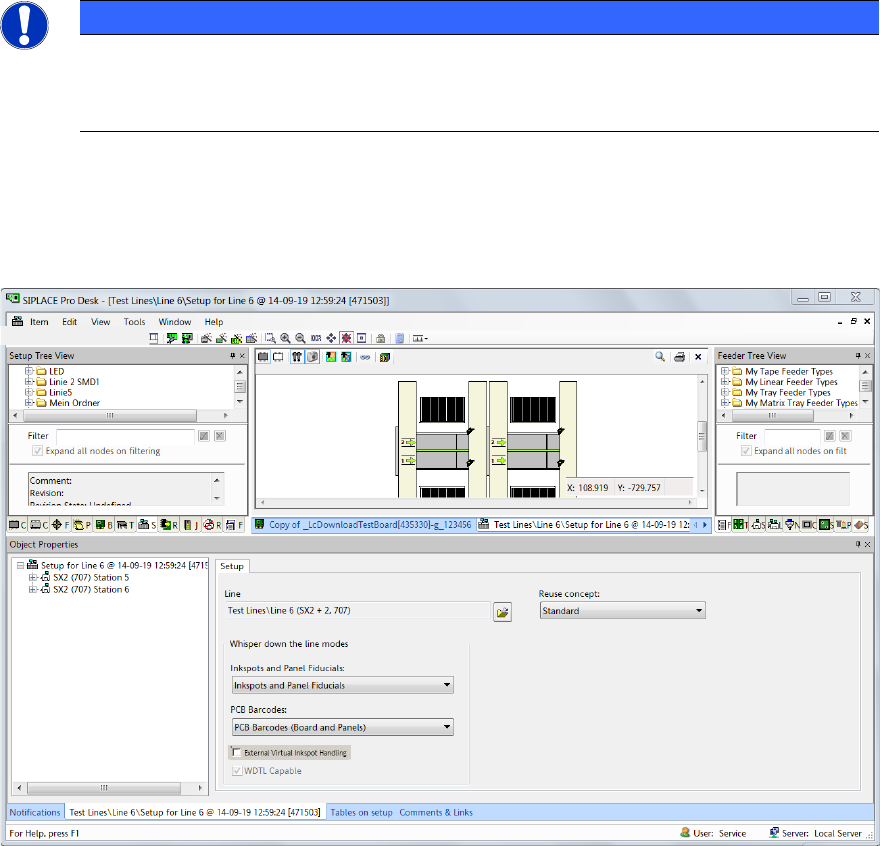
► Open the setup in the Setup Editor of SIPLACE Pro.
Figure 4-1: Opening setup in SIPLACE Pro
► From the PCB Barcodes drop-down list select PCB Barcodes (Board and Panels) for the
internal barcode reader.
► If a line consists of multiple machines, select External Inkspots Only from the Inkspots and
Panel Fiducials drop-down list.
The available settings for the Whisper down the line option are listed in Table 5-1.
Virtual Inkspot Handling for SSW 7xx / Operating Manual 10/2017 Edition
13
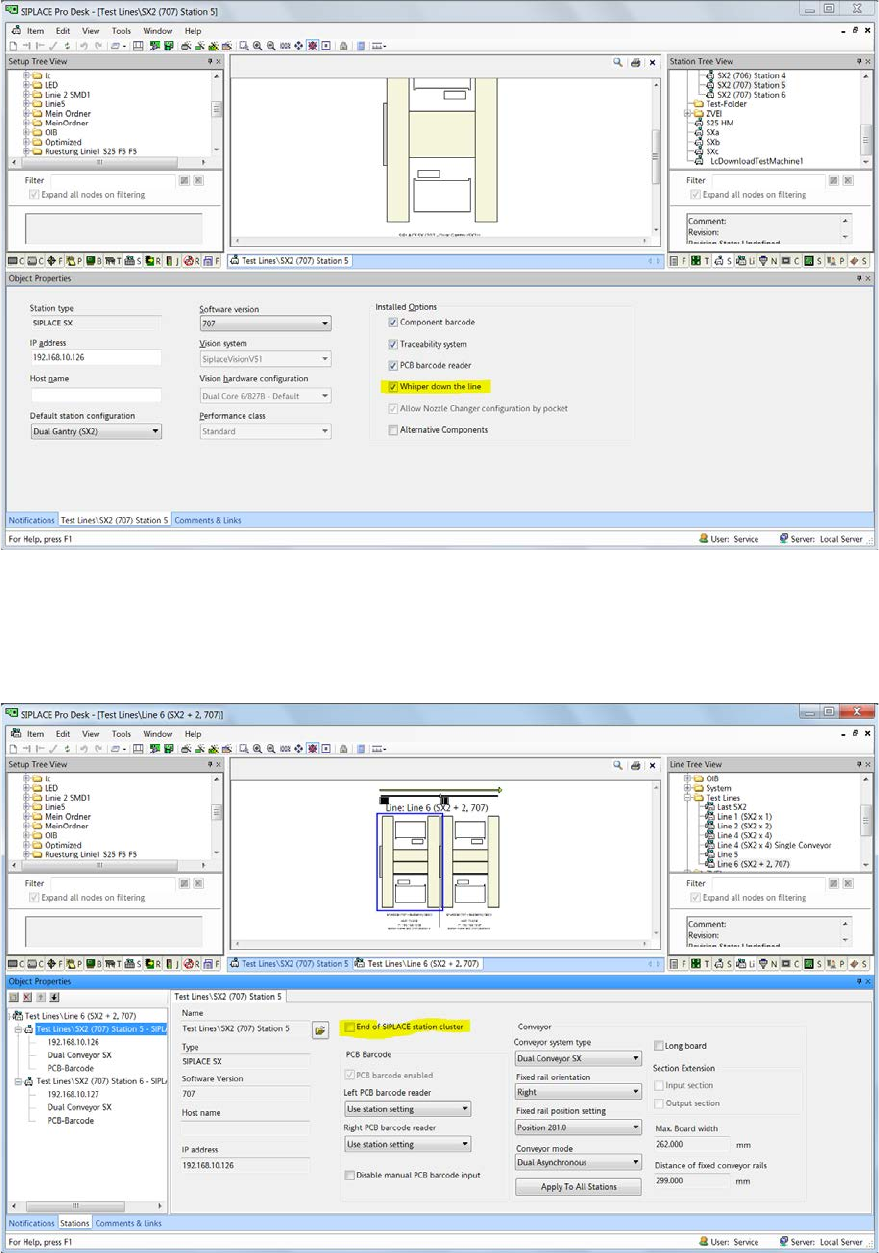
► Open the Station Editor.
Figure 4-2: Station Editor
► Select the Whisper down the line option for all used stations.
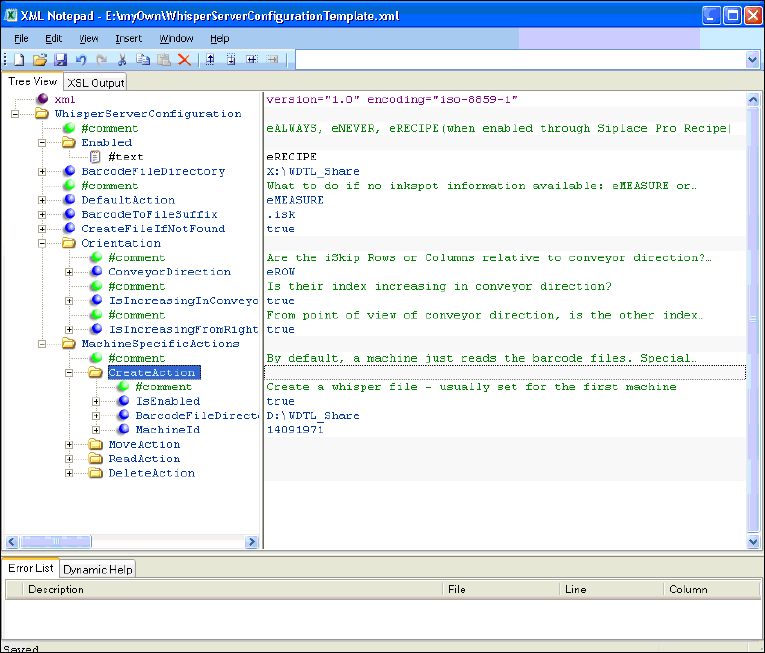
► Open the line object in the Line Editor.
Figure 4-3: Line Editor
► Ensure that all machines but the last one are not the End of SIPLACE station cluster.
Therefore disable this option for all machines but the last one.
Virtual Inkspot Handling for SSW 7xx / Operating Manual 10/2017 Edition
14
4.2 Station Software Settings
The inkspot file has to be configured and activated at the first station in the line. A template file is
available under C:\Sirio\Type\, file name: WhisperServerConfigurationTemplate.xml. Machine-
specific settings are assigned by the machine identification (MID) of the single machine.
► Create a copy of the template file.
► Adapt the copied file according to your requirements.
Figure 4-4: Configuring inkspot file
Configuration example
Enabled
eRECIPE means that WDTL is active if enabled in SIPLACE Pro as well (job-download).
BarcodeFileDirectory
Read and write access to the barcode files.
DefaultAction
Describes the behavior if the barcode files are not available or the barcode is not readable.
CreateFileIfNotFound
True if the file is created by the first station.