00198152-02_OM_VirtualInkspotHandling_for_SSW7xx_EN.pdf - 第30页
Virtual Inkspot Handling for SSW 7xx / Operating Manual 10/2017 Edition 30 5.2.2 ASM Studio – Factory Expl orer Settings The SIPLACE VIH XML Wrapper has to be assigned in ASM Studio. ► Open the Factory Ex plorer in ASM S…
Virtual Inkspot Handling for SSW 7xx / Operating Manual 10/2017 Edition
29
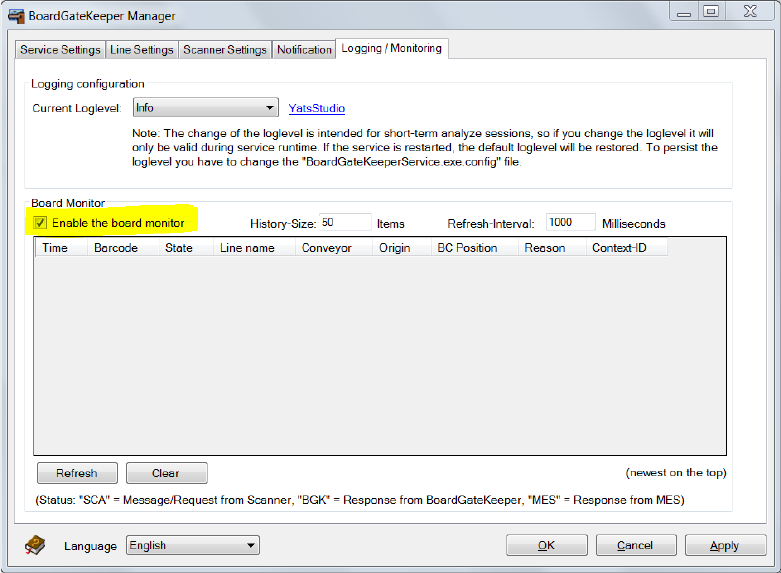
► Select the Enable the board monitor option in the Logging / Monitoring tab.
Figure 5-24: Enabling board monitor
► Click OK or Apply.
Virtual Inkspot Handling for SSW 7xx / Operating Manual 10/2017 Edition
30
5.2.2 ASM Studio – Factory Explorer Settings
The SIPLACE VIH XML Wrapper has to be assigned in ASM Studio.
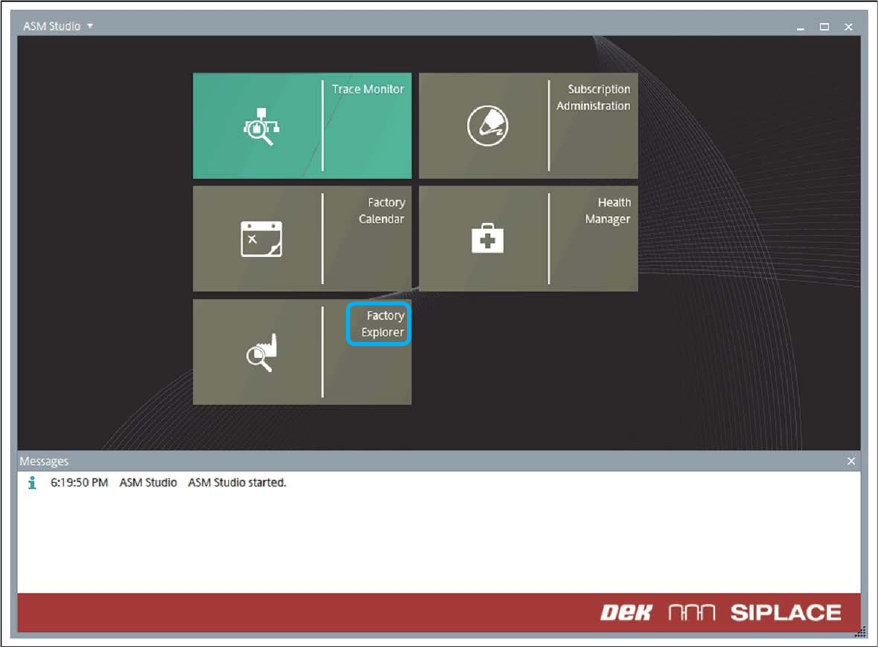
► Open the Factory Explorer in ASM Studio.
Figure 5-25: ASM Studio – Factory Explorer
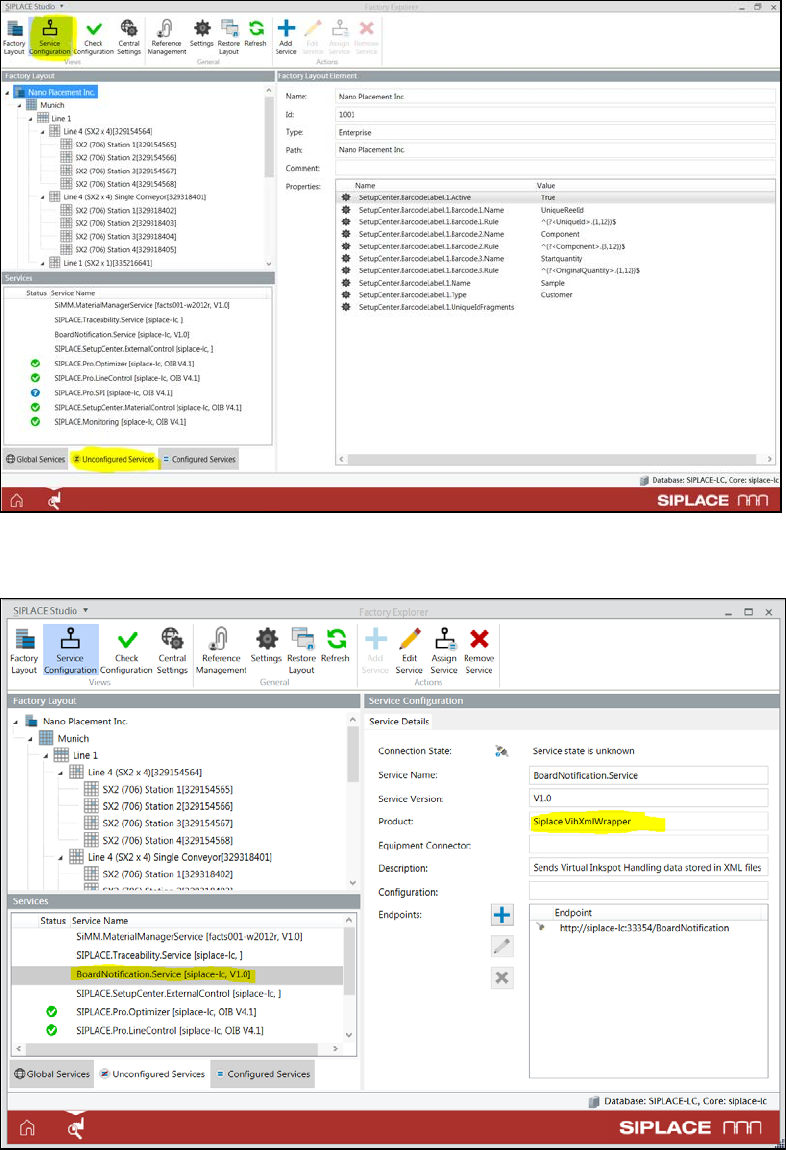
► Open the Service Configuration.
► Select Unconfigured Services.
Virtual Inkspot Handling for SSW 7xx / Operating Manual 10/2017 Edition
31
Figure 5-26: Service Configuration
► Select the BoardNotification.Service entry with the product name Siplace VihXmlWrapper.
Figure 5-27: Selecting service
► If the BGK MES interface is only used at one line, you may leave the BoardNotification.Service
entry under Unconfigured Services for simplicity.
► If the VIH or other BGK MES systems are used on more than one line, you must assign the
service to the correct line. In this case you may need to perform a download and assign the SPI
adapter to the correct line first.