00198152-02_OM_VirtualInkspotHandling_for_SSW7xx_EN.pdf - 第26页
Virtual Inkspot Handling for SSW 7xx / Operating Manual 10/2017 Edition 26 ► Add a line in the Line Set tings tab. Figure 5-20: Adding a line ► Select Generate Board Events f or that line and Interlo cking Mode under Lin…
Virtual Inkspot Handling for SSW 7xx / Operating Manual 10/2017 Edition
25
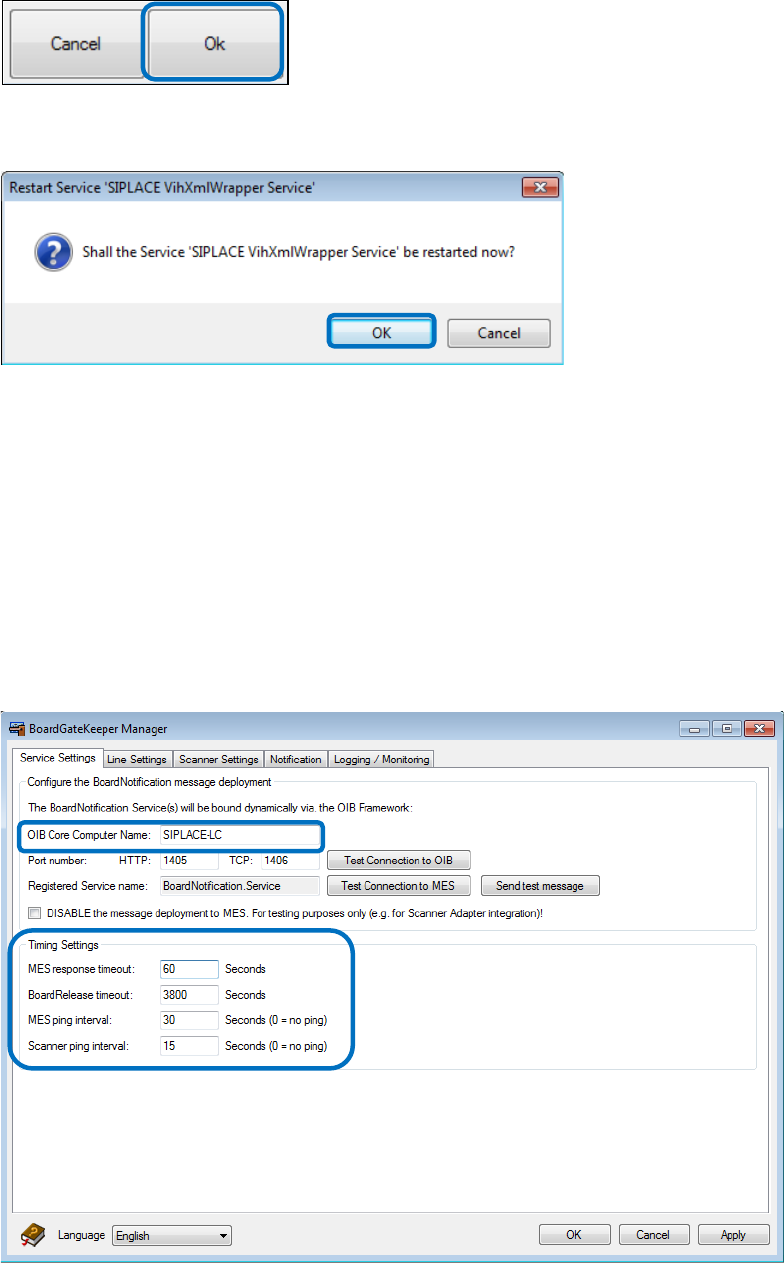
Figure 5-17: Saving the settings
The following dialog box is displayed.
Figure 5-18: Restarting the service
► Click OK to restart the VIH XMLWrapper Service.
5.2 Enabling VIH
► Perform the settings in the following sections to enable VIH.
5.2.1 BoardGateKeeper Settings
► Adjust the name of the OIB core computer in the Service Settings tab.
Figure 5-19: Adjusting OIB core computer name
Virtual Inkspot Handling for SSW 7xx / Operating Manual 10/2017 Edition
26
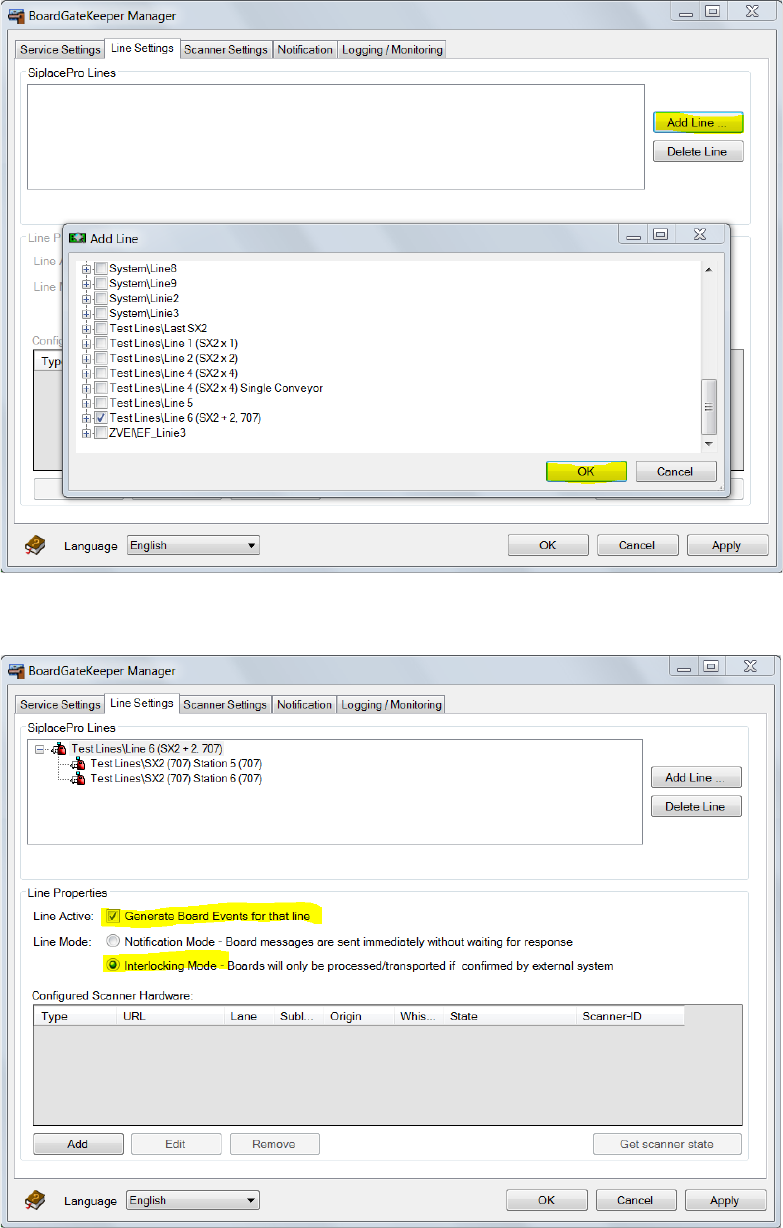
► Add a line in the Line Settings tab.
Figure 5-20: Adding a line
► Select Generate Board Events for that line and Interlocking Mode under Line Properties.
Figure 5-21: Setting line properties
Virtual Inkspot Handling for SSW 7xx / Operating Manual 10/2017 Edition
27
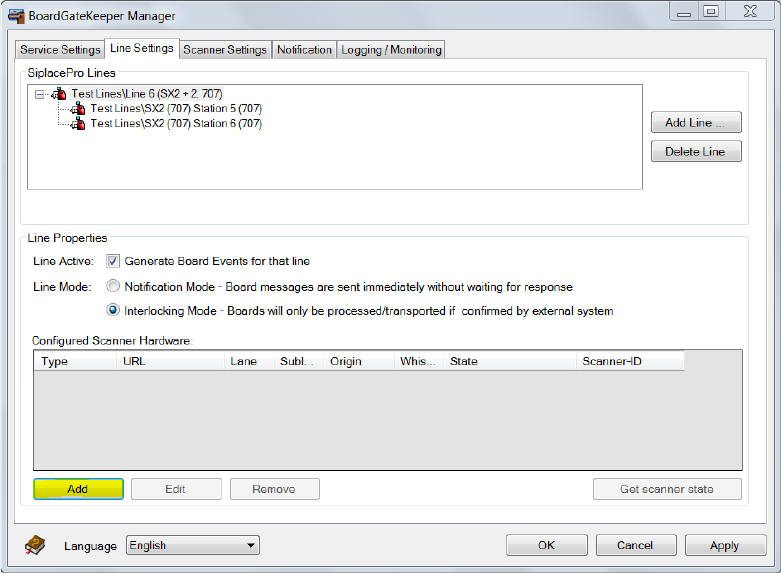
► Click Add to add a barcode reader.
Figure 5-22: Adding a barcode reader