00198152-02_OM_VirtualInkspotHandling_for_SSW7xx_EN.pdf - 第29页
Virtual Inkspot Handling for SSW 7xx / Operating Manual 10/2017 Edition 29 ► Select the Enable t he board monitor option in t he Logging / Monitoring tab. Figure 5-24: Enabling board monitor ► Click OK or Apply .
Virtual Inkspot Handling for SSW 7xx / Operating Manual 10/2017 Edition
28
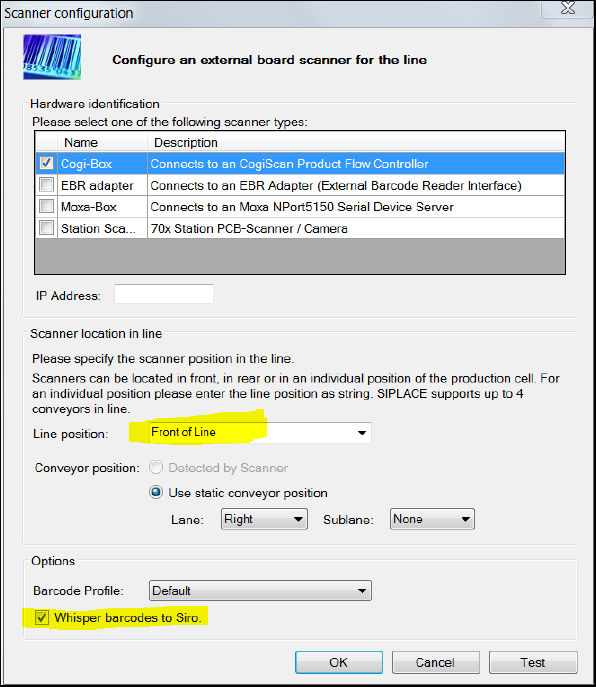
► Specify the scanner settings.
► External barcode readers must be in Line position: Front of Line.
► Select the Whisper barcodes to Sirio option for external barcode readers.
► If you read barcodes with the PCB camera or with cameras in the input conveyor, select Station
Scanner.
Figure 5-23: Configuring barcode reader
Virtual Inkspot Handling for SSW 7xx / Operating Manual 10/2017 Edition
29
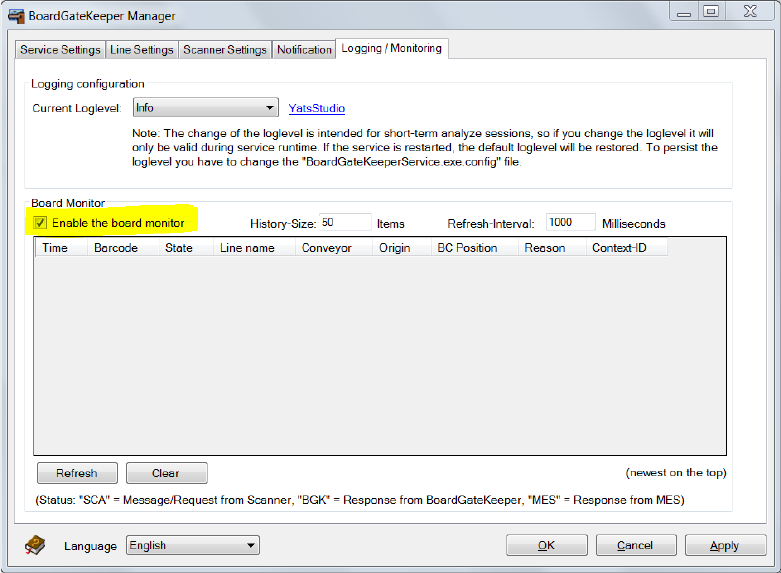
► Select the Enable the board monitor option in the Logging / Monitoring tab.
Figure 5-24: Enabling board monitor
► Click OK or Apply.
Virtual Inkspot Handling for SSW 7xx / Operating Manual 10/2017 Edition
30
5.2.2 ASM Studio – Factory Explorer Settings
The SIPLACE VIH XML Wrapper has to be assigned in ASM Studio.
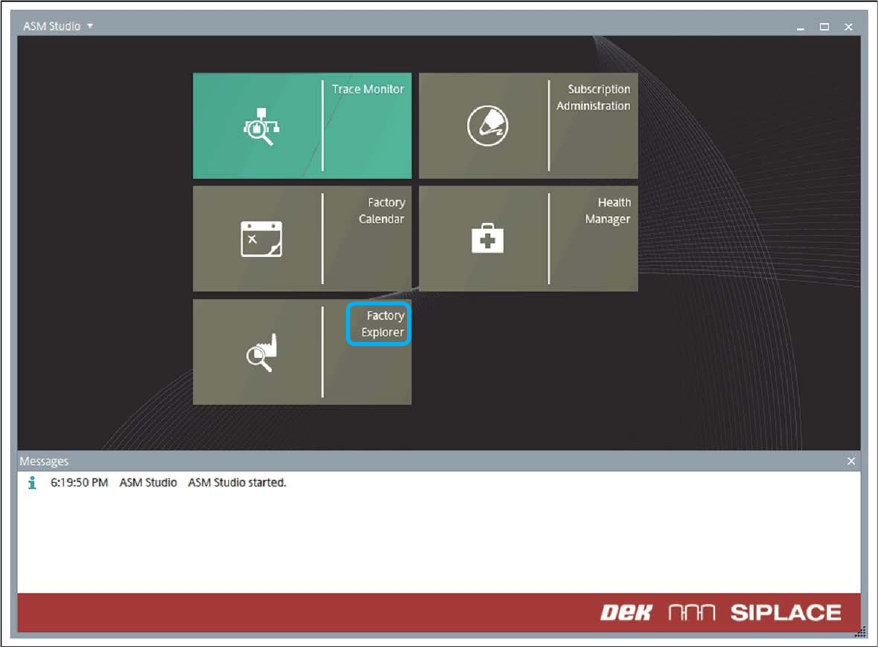
► Open the Factory Explorer in ASM Studio.
Figure 5-25: ASM Studio – Factory Explorer
► Open the Service Configuration.
► Select Unconfigured Services.