00198152-02_OM_VirtualInkspotHandling_for_SSW7xx_EN.pdf - 第32页
Virtual Inkspot Handling for SSW 7xx / Operating Manual 10/2017 Edition 32 Figure 5-28: Assigning servi ce to line
Virtual Inkspot Handling for SSW 7xx / Operating Manual 10/2017 Edition
31
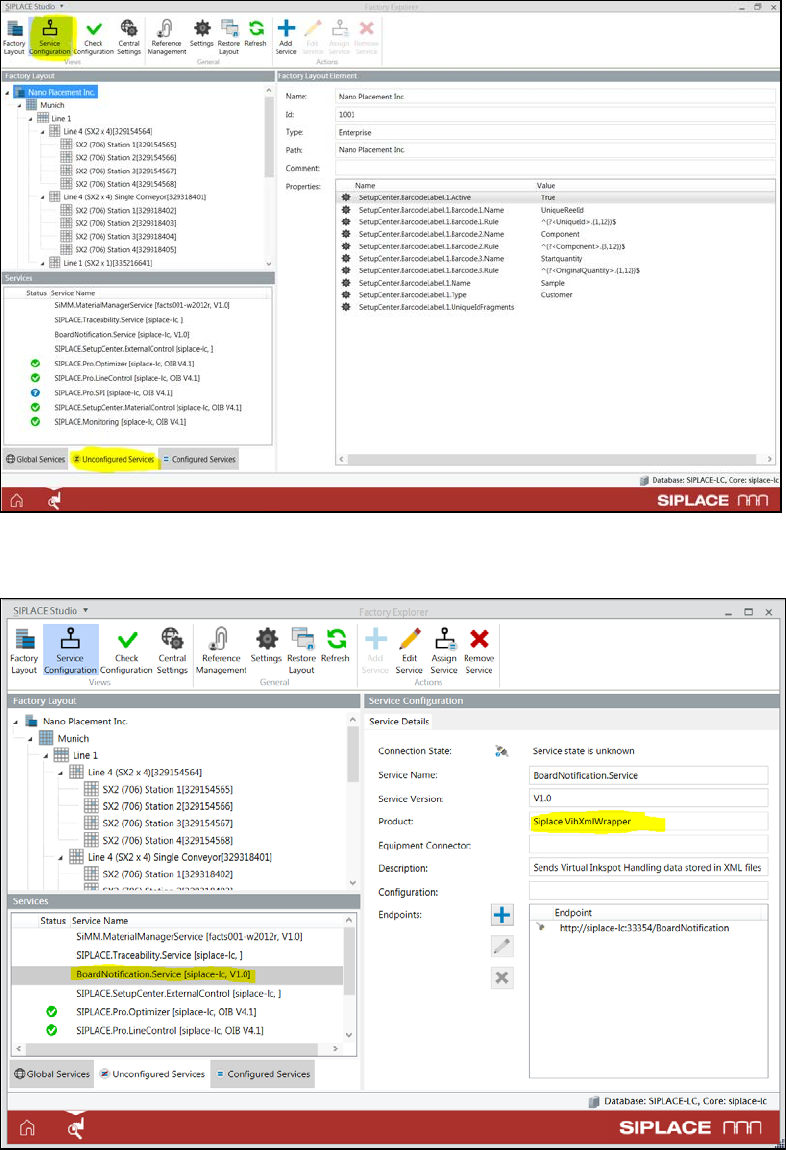
Figure 5-26: Service Configuration
► Select the BoardNotification.Service entry with the product name Siplace VihXmlWrapper.
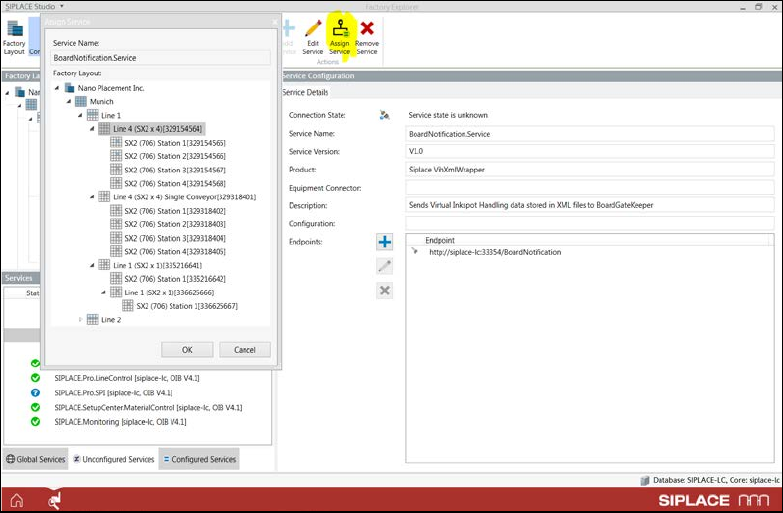
Figure 5-27: Selecting service
► If the BGK MES interface is only used at one line, you may leave the BoardNotification.Service
entry under Unconfigured Services for simplicity.
► If the VIH or other BGK MES systems are used on more than one line, you must assign the
service to the correct line. In this case you may need to perform a download and assign the SPI
adapter to the correct line first.
Virtual Inkspot Handling for SSW 7xx / Operating Manual 10/2017 Edition
32
Figure 5-28: Assigning service to line
Virtual Inkspot Handling for SSW 7xx / Operating Manual 10/2017 Edition
33
5.2.3 SIPLACE Pro Settings
► Open the setup in the Setup Editor of SIPLACE Pro.
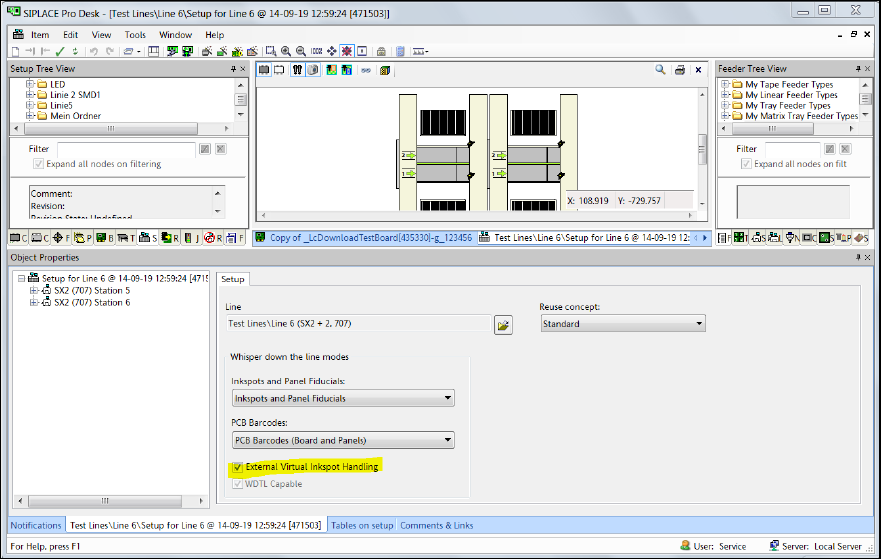
Figure 5-29: Opening setup in SIPLACE Pro
► Enable the External Virtual Inkspot Handling option.
► From the PCB Barcodes drop-down list either select PCB Barcodes (Board and Panels) when
using the internal barcode reader or External Board Barcodes when using the external barcode
reader.
► If a line consists of multiple machines, select Inkspots and Panel Fiducials or Inkspots Only
from the Inkspots and Panel Fiducials drop-down list. Do not select any of the External
Inkspots options!
The available settings for the Whisper down the line option are listed in following table.