00198152-02_OM_VirtualInkspotHandling_for_SSW7xx_EN.pdf - 第20页
Virtual Inkspot Handling for SSW 7xx / Operating Manual 10/2017 Edition 20 ► Configure the OI B core in the OIB tab. All other adapters n ormally stay at localhost . Figure 5-7: Configuring the OIB core ► Configure the l…
Virtual Inkspot Handling for SSW 7xx / Operating Manual 10/2017 Edition
19
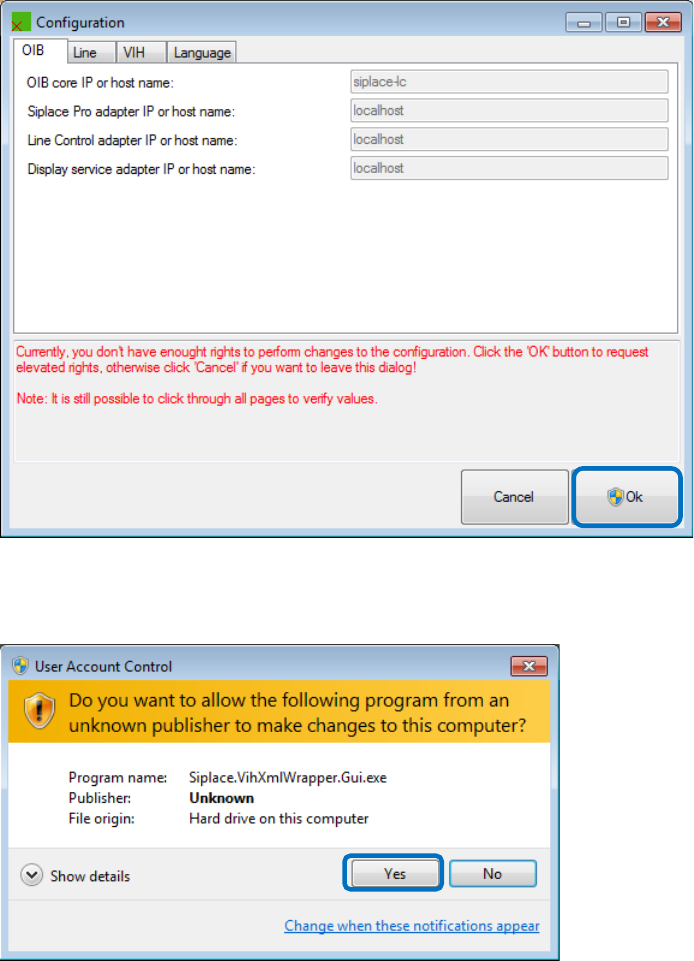
You will need administrative rights to perform the configuration.
Figure 5-5: Changing user id
► Click Ok and enter elevated login information with elevated rights depending on your current
rights and / or click Yes to acknowledge the UAC dialog box.
Figure 5-6: User Account Control
Virtual Inkspot Handling for SSW 7xx / Operating Manual 10/2017 Edition
20
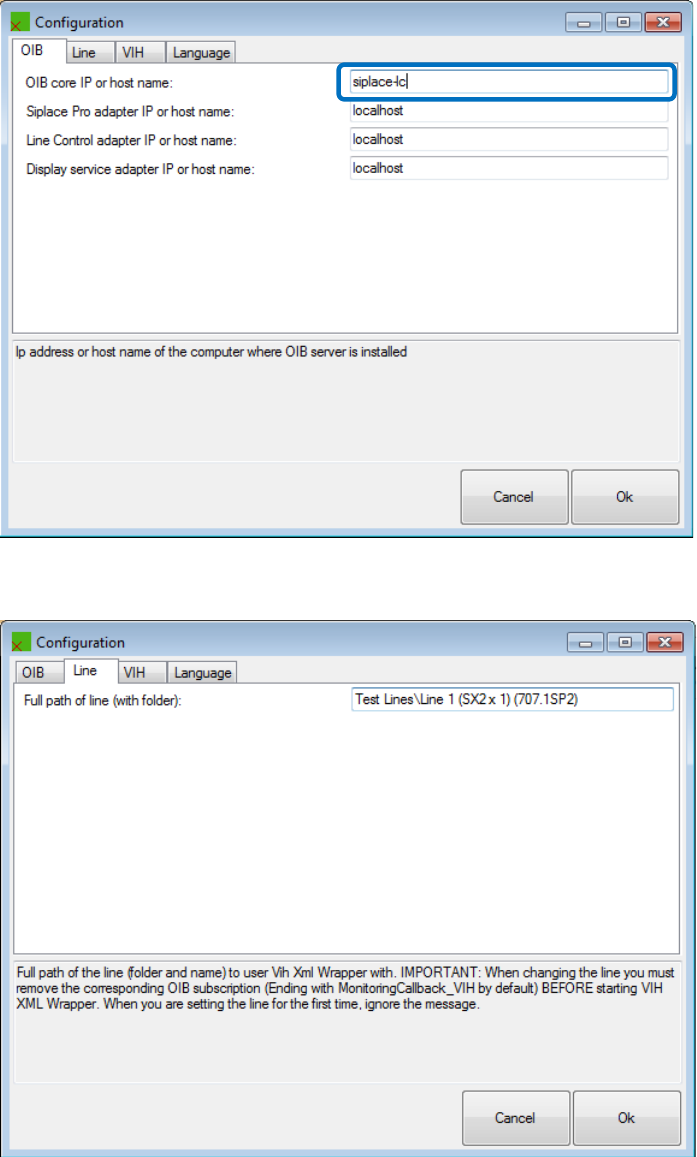
► Configure the OIB core in the OIB tab.
All other adapters normally stay at localhost.
Figure 5-7: Configuring the OIB core
► Configure the line in the Line tab.
Figure 5-8: Configuring the line
Virtual Inkspot Handling for SSW 7xx / Operating Manual 10/2017 Edition
21
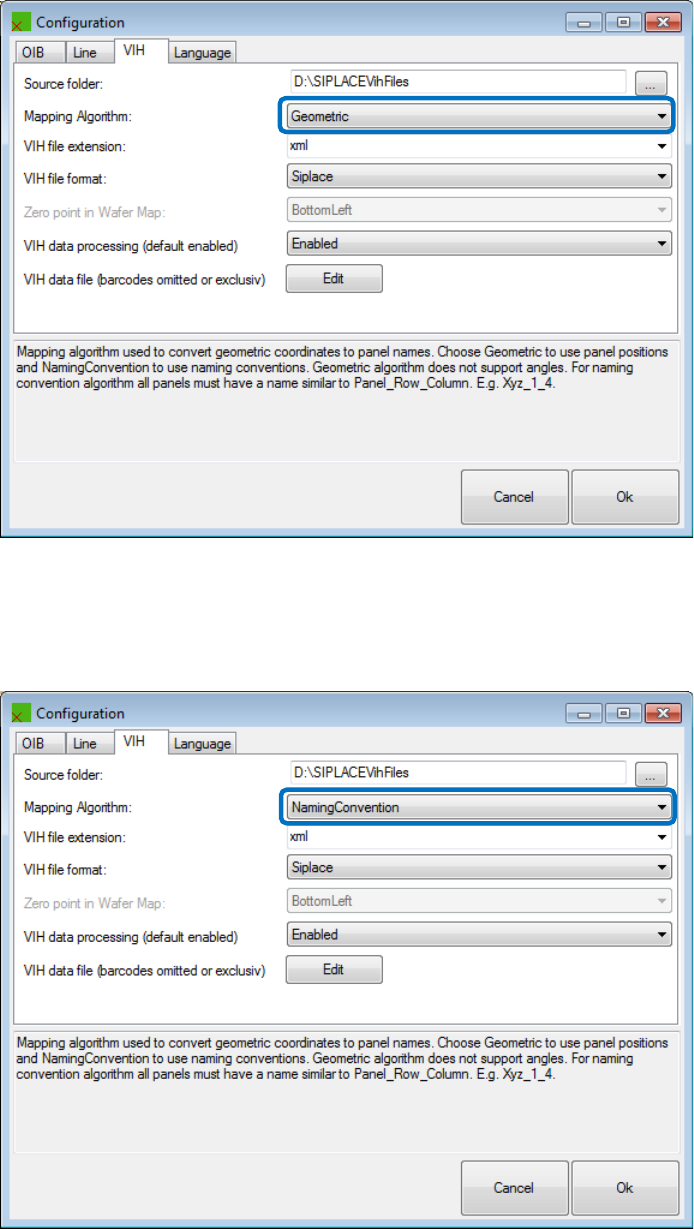
► Configure the VIH file folder and format used to omit panels in the VIH tab.
Example: old 605 format with geometric determination of rows and columns
This behavior is exactly how the machine would interpret the panel zero points:
Figure 5-9: Mapping – Geometric
Example: 605 format but with row / column determination via the suffix of panel names
(Naming convention)
This format gives the data preparation engineer more flexibility because whatever panel has the
ending e.g. _1_2 will be treated as row 1 column 2:
Figure 5-10: Mapping – Naming convention