00198152-02_OM_VirtualInkspotHandling_for_SSW7xx_EN.pdf - 第19页
Virtual Inkspot Handling for SSW 7xx / Operating Manual 10/2017 Edition 19 You will need admini strative rights to perf orm the configuration. Figure 5-5: Changing user id ► Click Ok and enter elevated login i nformation…
Virtual Inkspot Handling for SSW 7xx / Operating Manual 10/2017 Edition
18
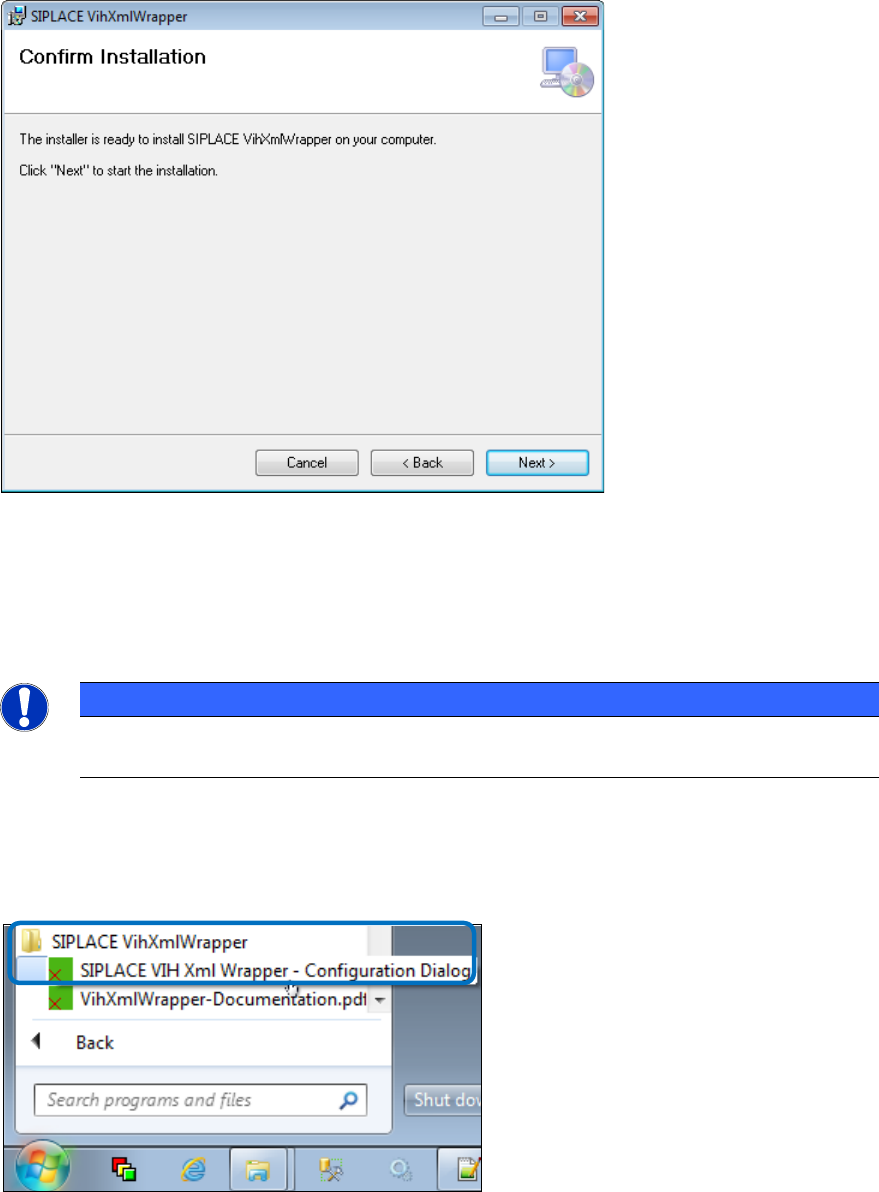
The following dialog box is displayed.
Figure 5-3: Confirming installation
► Click Next> to confirm and start the installation.
5.1.2 Configuring the SIPLACE VIH XML Wrapper
NOTICE
Regarding the configuration, you can always click into a question field and receive help
information in the bottom part of the dialog.
Perform the following steps to configure the SIPLACE VIH XML Wrapper:
► Open the configuration dialog by clicking on Start – All Programs – SIPLACE VihXmlWrapper –
SIPLACE VIH XmlWrapper – Configuration Dialog.
Figure 5-4: Opening the configuration dialog
Virtual Inkspot Handling for SSW 7xx / Operating Manual 10/2017 Edition
19
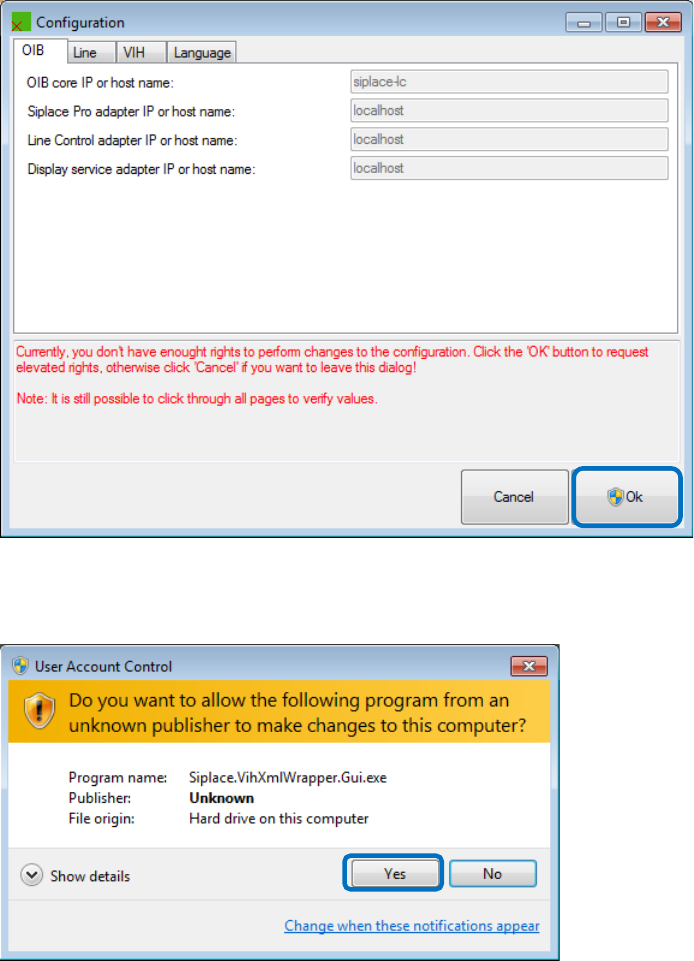
You will need administrative rights to perform the configuration.
Figure 5-5: Changing user id
► Click Ok and enter elevated login information with elevated rights depending on your current
rights and / or click Yes to acknowledge the UAC dialog box.
Figure 5-6: User Account Control
Virtual Inkspot Handling for SSW 7xx / Operating Manual 10/2017 Edition
20
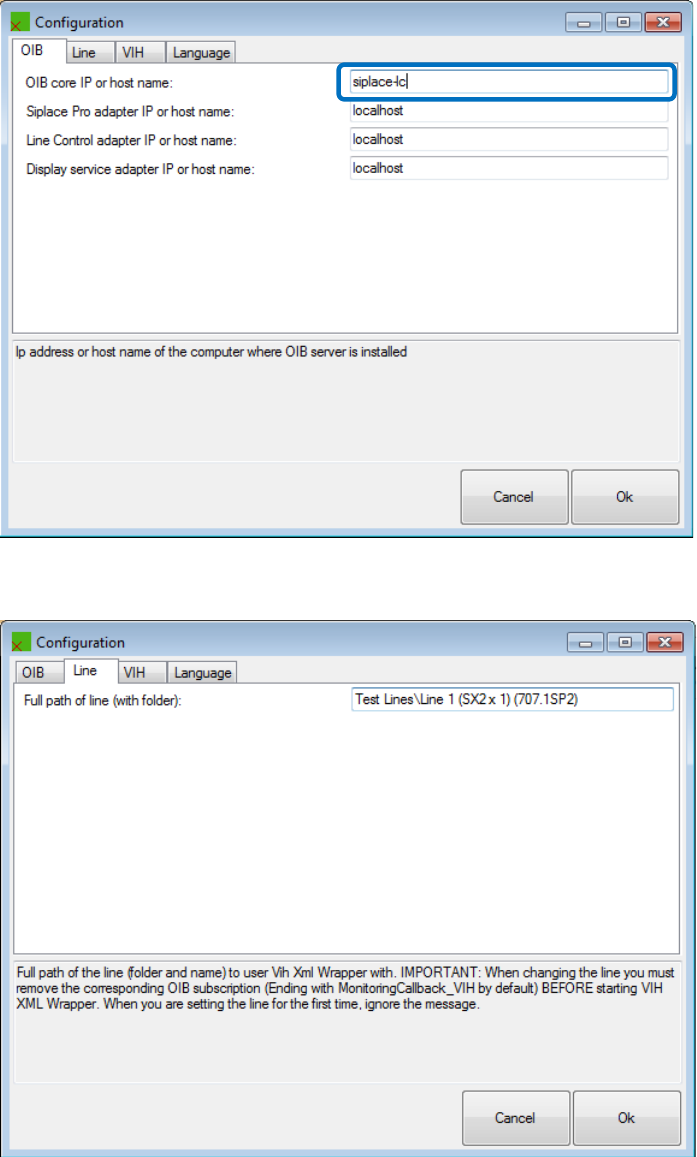
► Configure the OIB core in the OIB tab.
All other adapters normally stay at localhost.
Figure 5-7: Configuring the OIB core
► Configure the line in the Line tab.
Figure 5-8: Configuring the line