00198152-02_OM_VirtualInkspotHandling_for_SSW7xx_EN.pdf - 第37页
Virtual Inkspot Handling for SSW 7xx / Operating Manual 10/2017 Edition 37 6.1 Row and Column Definition VIH checks the boa rd structure by analyzing the origins of each panel. Panels with the same x offset belong to the…
Virtual Inkspot Handling for SSW 7xx / Operating Manual 10/2017 Edition
36
6 File Description and Mapping
The inkspot file contains a simple multi board layout of rows and columns. It defines for each panel,
if this panel is to be placed or skipped.
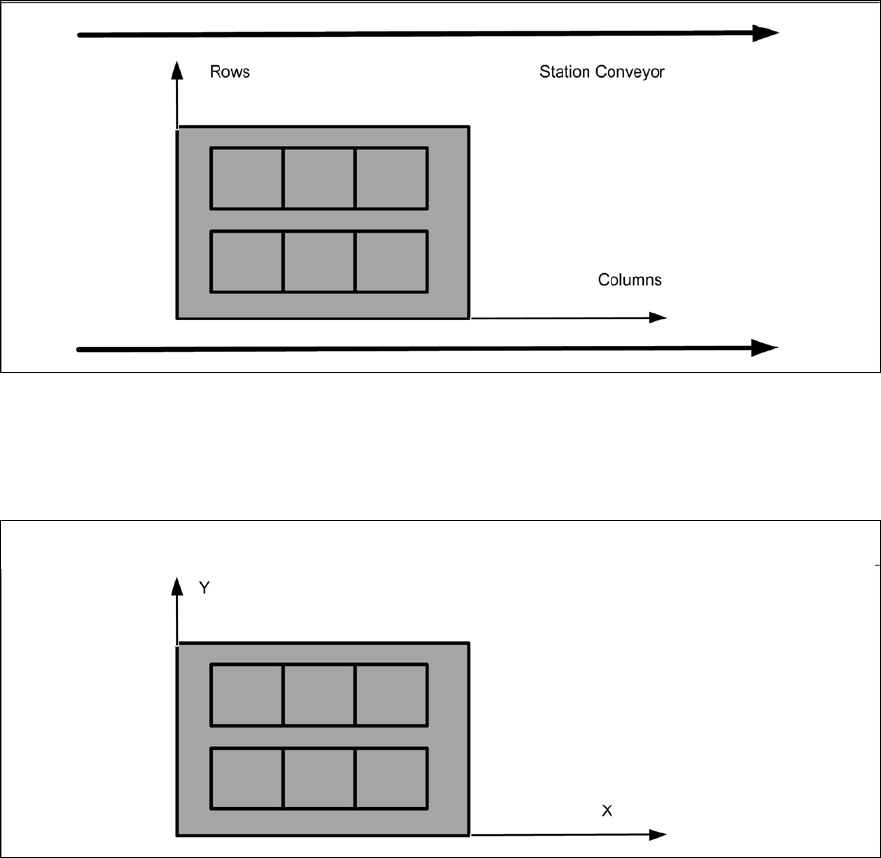
The layout of the board in the station conveyor is defined as follows:
Figure 6-1: Inkspot file – rows and columns
This example shows a board with 2 rows and 3 columns inside the station conveyor.
SIPLACE Pro displays the board with the same x=columns and y=rows coordinate system. In case
the board is rotated, the position in the station conveyor is relevant only:
Figure 6-2: Rows and columns in SIPLACE Pro
Virtual Inkspot Handling for SSW 7xx / Operating Manual 10/2017 Edition
37
6.1 Row and Column Definition
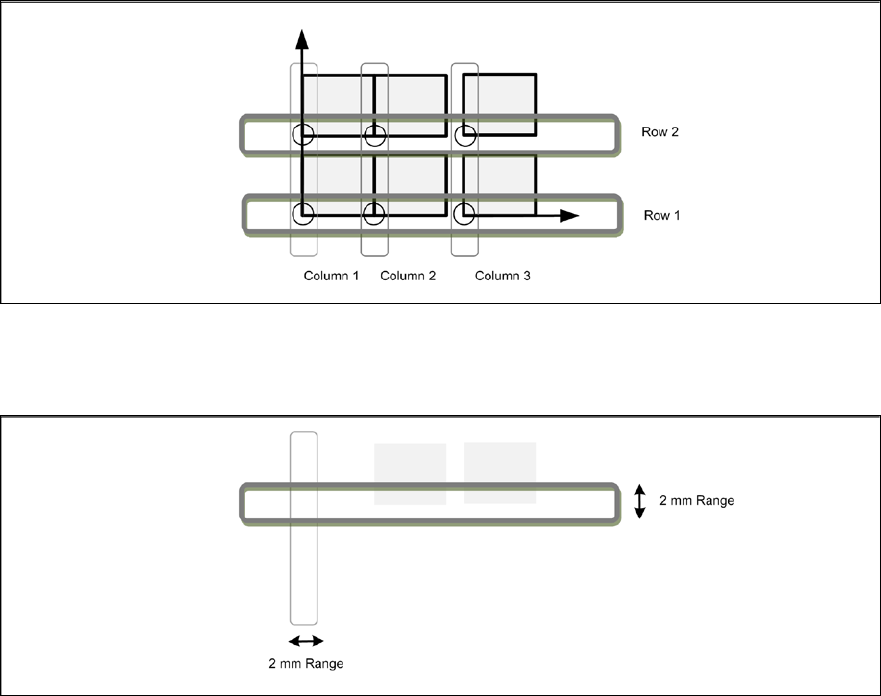
VIH checks the board structure by analyzing the origins of each panel. Panels with the same x
offset belong to the same column; panels of the same y offset belong to the same row:
Figure 6-3: Row and column definition
VIH considers panels to be in the same row/column if their ink spots have the same x or y
coordinate. Same means that the value is inside a range of 2 mm:
Figure 6-4: Panels in same row / column
Virtual Inkspot Handling for SSW 7xx / Operating Manual 10/2017 Edition
38
6.1.1 Restrictions
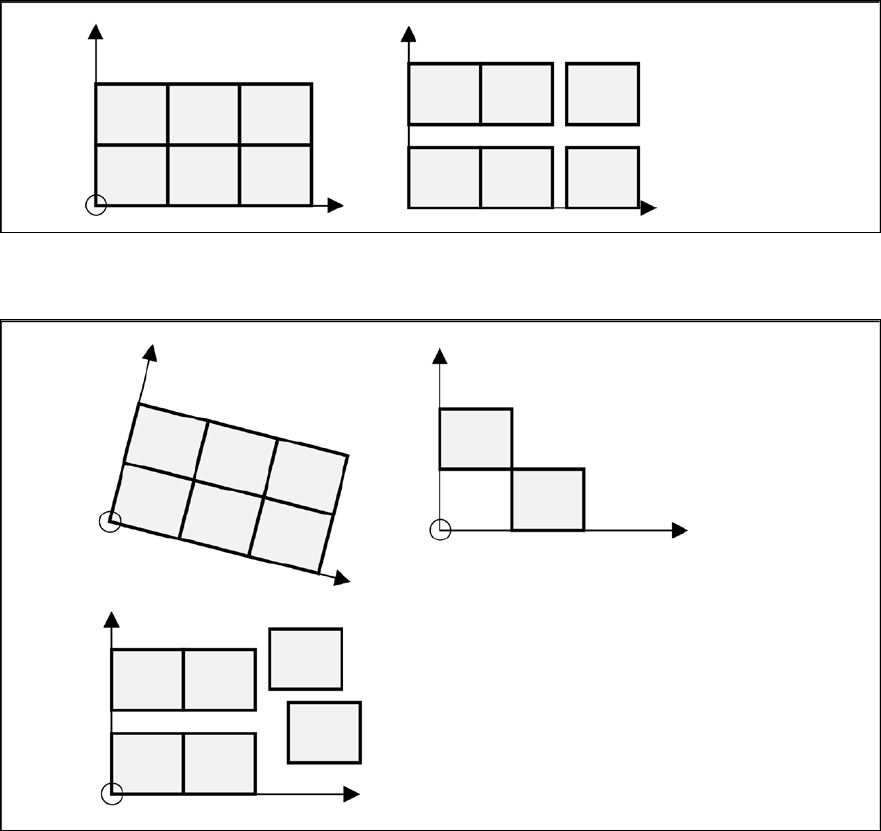
The following restrictions apply for the descriptions in the inkspot file:
– Only a panel matrix with rotations of 0° is supported.
– Gaps between the panels are allowed but have to be regular.
Examples
The following descriptions are allowed:
Figure 6-5: Allowed descriptions
The following descriptions are not allowed.
Figure 6-6: Not allowed descriptions