00194591-01.pdf - 第22页
3 In stal latio n Installation Guide SIPLACE Setup Center 3.2 Installation of SIPLACE Setup Center and Possible Setu p Types Edition 03/2005 EN 22 3.2.2.2 Setup T ype - S IPLACE Setup Center Dat abase This setup type con…
Installation Guide SIPLACE Setup Center 3 Installation
Edition 03/2005 EN 3.2 Installation of SIPLACE Setup Center and Possible Setup Types
21
Step 4
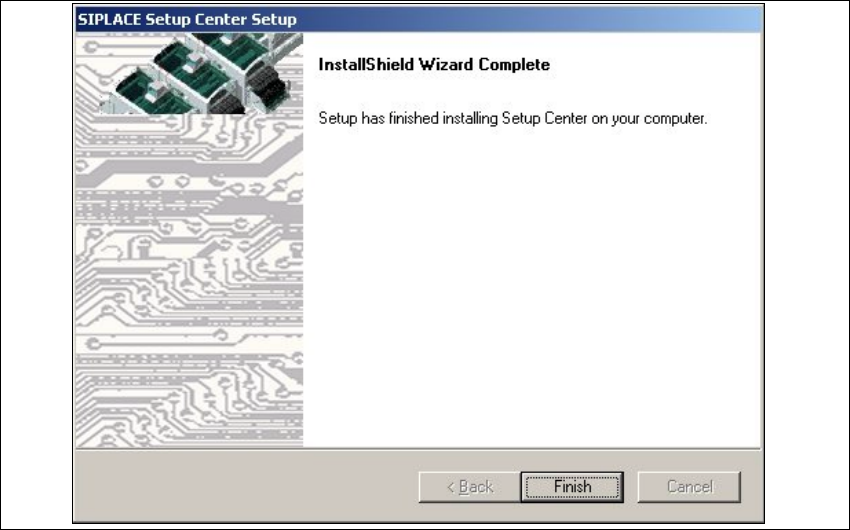
→The installation routine is now started.
The
Installation Complete dialog box confirms that the installation has been completed suc-
cessfully.
3
3
Fig. 3.2 - 10 "InstallShield Wizard Complete" dialog box
→Click Finish.
3 Installation Installation Guide SIPLACE Setup Center
3.2 Installation of SIPLACE Setup Center and Possible Setup Types Edition 03/2005 EN
22
3.2.2.2 Setup Type - SIPLACE Setup Center Database
This setup type contains the database components of the SIPLACE Setup Center. Setup detects
if SQL Server or MSDE (Microsoft Data Desktop Engine) has already been installed. Select this
type to install the SIPLACE Setup Center database to a SQLServer.
3
Step 1
→Run through the steps in “Starting Installation - First Steps” on page 12.
3
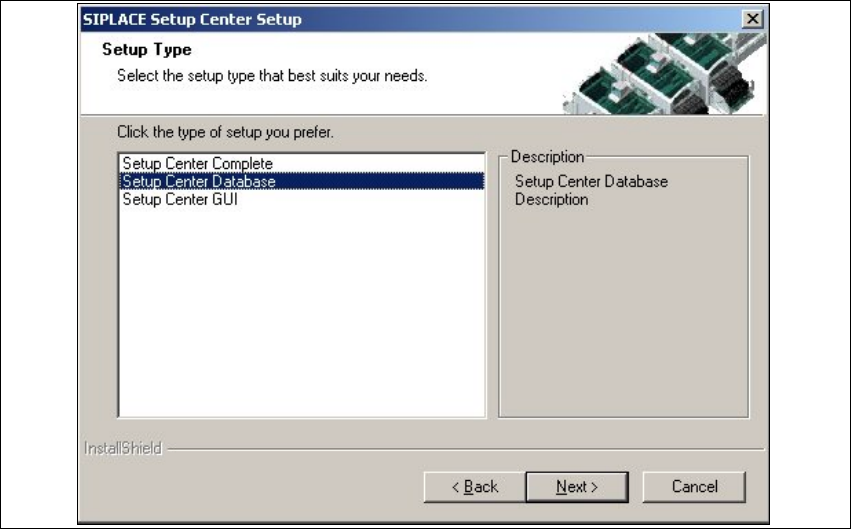
Fig. 3.2 - 11 "Setup Type" dialog box
→Select the Setup Center Database setup type and click Next.
3
Installation Guide SIPLACE Setup Center 3 Installation
Edition 03/2005 EN 3.2 Installation of SIPLACE Setup Center and Possible Setup Types
23
Step 2
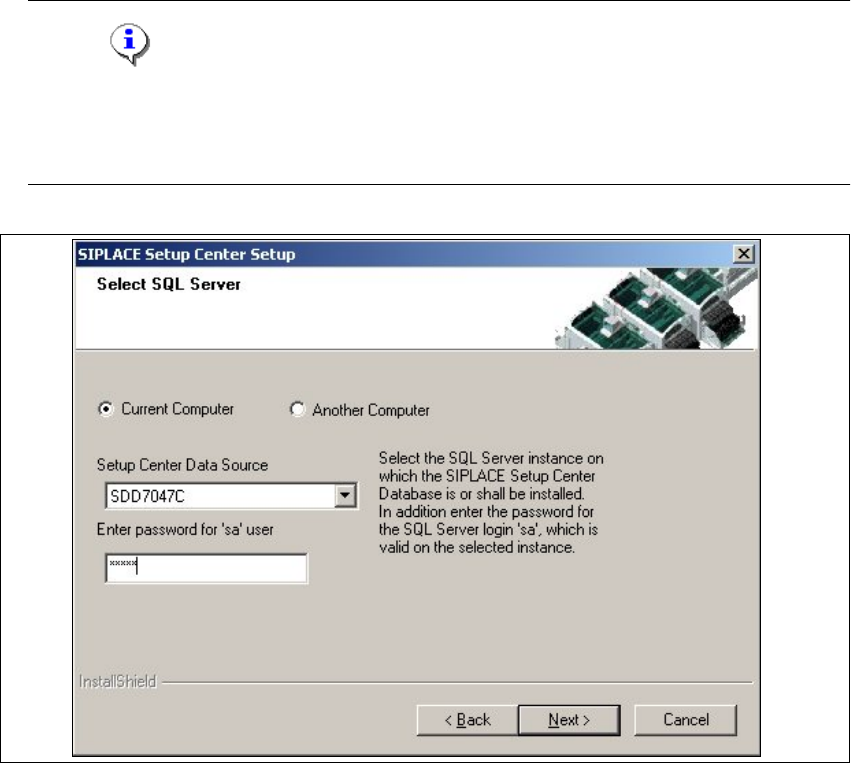
→In the Select SQL-Server dialog box you enter the information required to be connected with
the SQL Server and database.
Note
Thispassword is empty if MSDE has been freshly installed. In thiscase, erasethe displayed
default password.Subsequently, awindowwillopen, promptingyouto changethispassword.
You may accept the Siemens Service default password or choose one of your own. 3
3
Fig. 3.2 - 12 "Select SQL-Server" dialog box
→Enter the Password for the SQL Server user ’sa’,i.e.theSQL server system administrator.
→Choose your Another Computer from the pull-down menu to show other computer.
→Choose your SQL Server Instance from the pull-down menu.
→Click Next.