00194591-01.pdf - 第37页
Installation Guide SIPLACE Setup Center 3 In stal latio n Edition 03/2005 EN 3.2 Installation of SIPLACE Se tup Center and Possible Setup Types 37 3 3 3 3 3 9 Tw o - W a y s Display-off Time out 9 0
3 Installation Installation Guide SIPLACE Setup Center
3.2 Installation of SIPLACE Setup Center and Possible Setup Types Edition 03/2005 EN
36
3.2.3.6 Setting up the Scanner
Setting up the scanner system requires three steps: 3
(1) Scanner configuration
(2) Binding the scanner to the RF station
(3)RF station configuration
3.2.3.7 Scanner Configuration
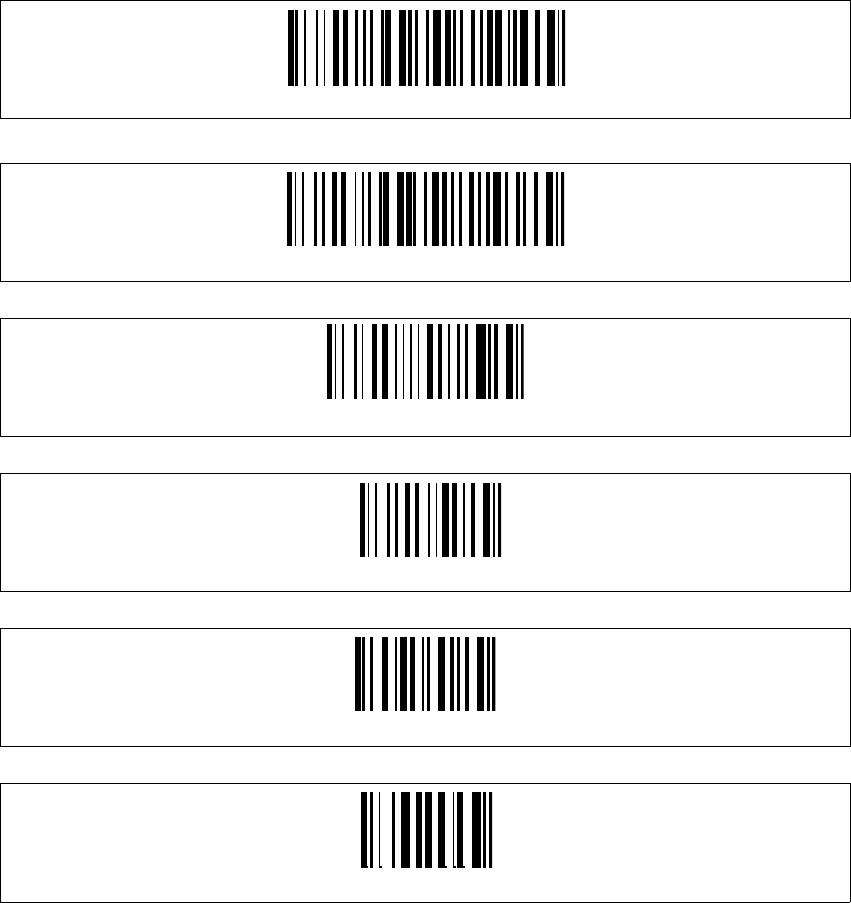
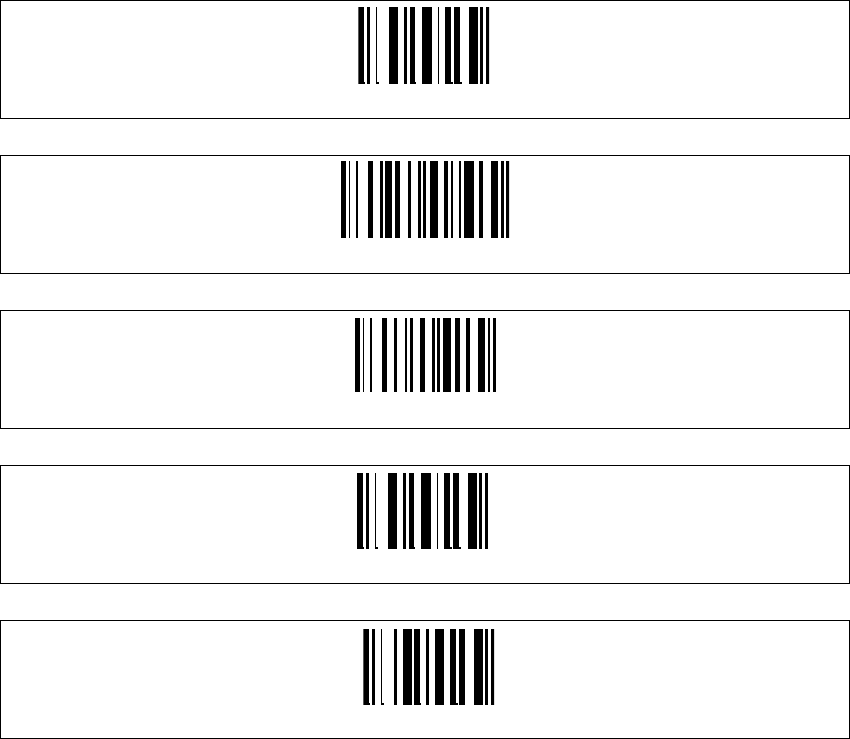
The new Scanner is setup up by scanning of a series of barcodes. Pull the trigger to switch the
scanner on and scan the following barcodes in the order they are printed:
3
3
3
3
3
3
3
3
Set DLL6000-R compatibility
Restore DRAGON ™ M standard configuration
Restore DRAGON ™ M default
Enter Configuration
Radio protocol timeout
1
Installation Guide SIPLACE Setup Center 3 Installation
Edition 03/2005 EN 3.2 Installation of SIPLACE Setup Center and Possible Setup Types
37
3
3
3
3
3
9
Two-Ways
Display-off Timeout
9
0
3 Installation Installation Guide SIPLACE Setup Center
3.2 Installation of SIPLACE Setup Center and Possible Setup Types Edition 03/2005 EN
38
3.2.3.8 Setting of the Scanner Address
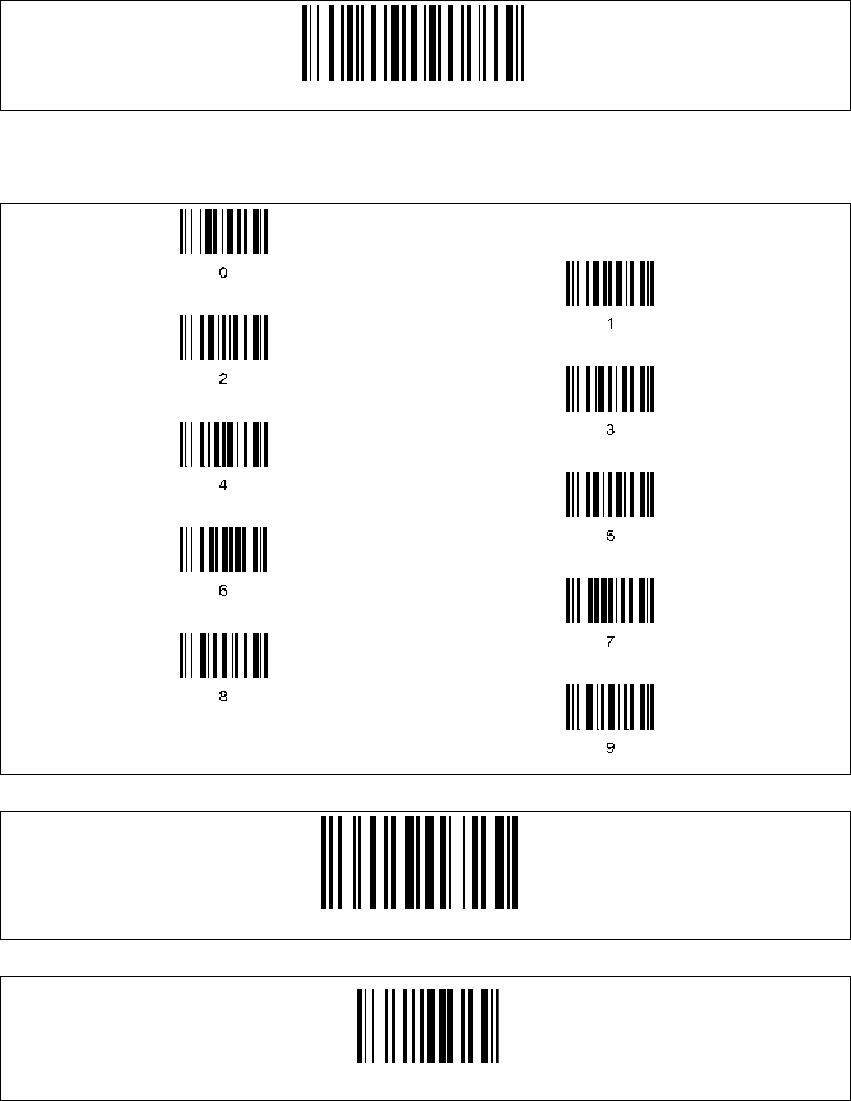
Each scanner requires a unique address.
→Enter the following barcode and scan the four digits for the scanner address, e.g. '0''0''0''1'.
3
Four digits for the DRAGON ™ M Address (from 0000 to 1999)
3
3
3
Set Radio Address
BarcodeTypeCode93
Exit and Save configuration