00194591-01.pdf - 第24页
3 In stal latio n Installation Guide SIPLACE Setup Center 3.2 Installation of SIPLACE Setup Center and Possible Setu p Types Edition 03/2005 EN 24 In case n o database wit h the na me Siplac eSetupC enter exis ts, the f …
Installation Guide SIPLACE Setup Center 3 Installation
Edition 03/2005 EN 3.2 Installation of SIPLACE Setup Center and Possible Setup Types
23
Step 2
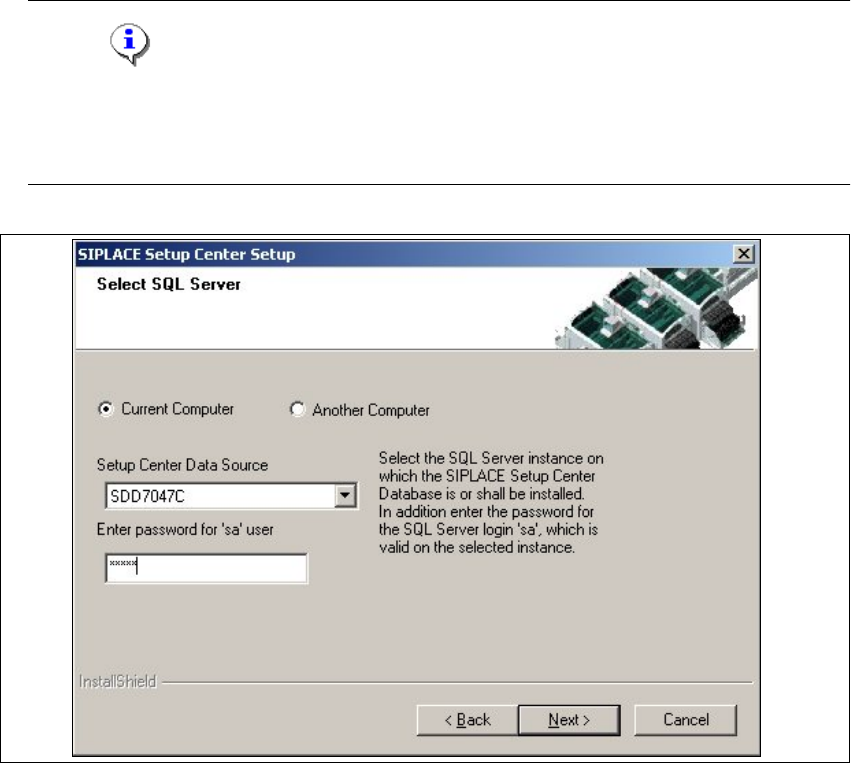
→In the Select SQL-Server dialog box you enter the information required to be connected with
the SQL Server and database.
Note
Thispassword is empty if MSDE has been freshly installed. In thiscase, erasethe displayed
default password.Subsequently, awindowwillopen, promptingyouto changethispassword.
You may accept the Siemens Service default password or choose one of your own. 3
3
Fig. 3.2 - 12 "Select SQL-Server" dialog box
→Enter the Password for the SQL Server user ’sa’,i.e.theSQL server system administrator.
→Choose your Another Computer from the pull-down menu to show other computer.
→Choose your SQL Server Instance from the pull-down menu.
→Click Next.
3 Installation Installation Guide SIPLACE Setup Center
3.2 Installation of SIPLACE Setup Center and Possible Setup Types Edition 03/2005 EN
24
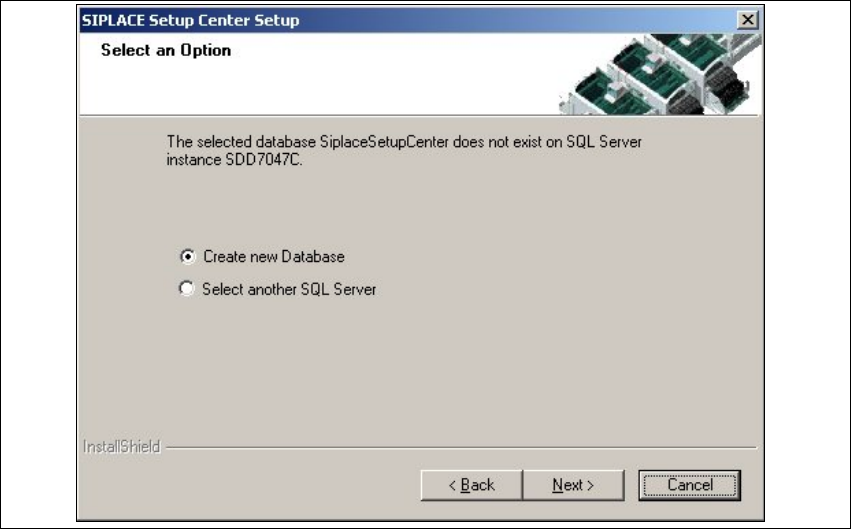
In case no database with the name
SiplaceSetupCenter exists, the following dialog will ap-
pear:
3
3
Fig. 3.2 - 13 "Select an Option" dialog box
→If you choose Select another SQL Server instance you will be returned to the previous dialog.
→Click Next to create a new database.
Installation Guide SIPLACE Setup Center 3 Installation
Edition 03/2005 EN 3.2 Installation of SIPLACE Setup Center and Possible Setup Types
25
Step 3
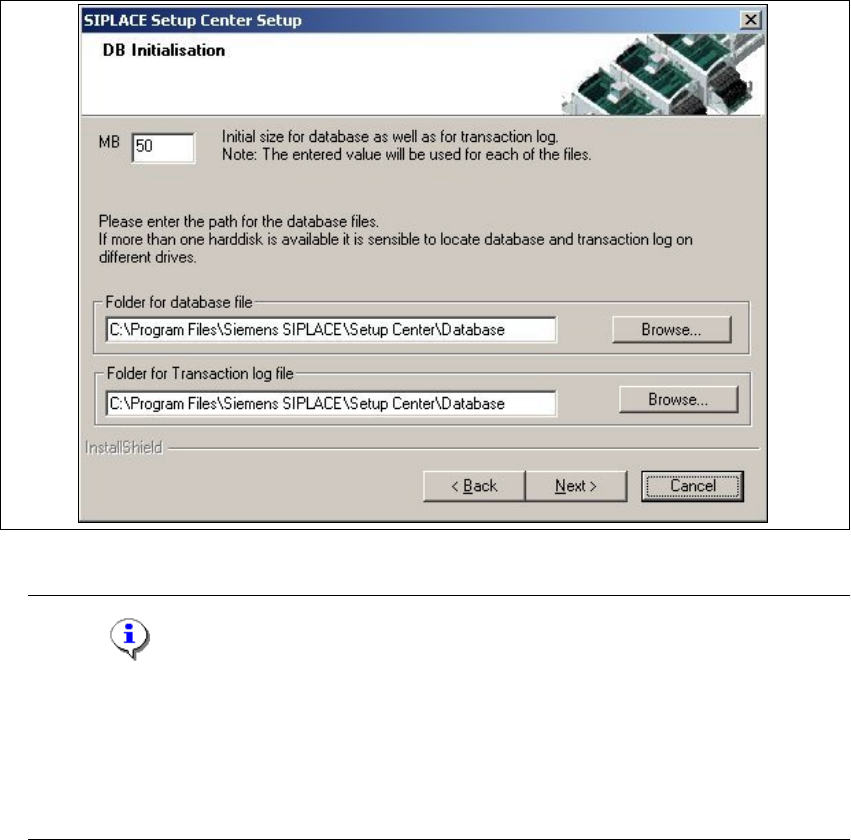
→ThefigureyouenterintheMB text box defines the initial size of the SIPLACE Setup Center
database files (default:
50) which are to be created during the installation.
→Confirm the default value or enter the size you want in the MB text box.
3
Fig. 3.2 - 14 "DB Initialisation" dialog box
Note
The specified size is only an initial value. The database will grow automatically as required.
However, only intervention by the database administrator is capable of freeing up unused
disk space. In the "database files" edit field, enter the directory in which the
SIPLACESetup-
Center.mdf
file is to be created. In the transaction log files edit field, enter the name of the
directory in which the SIPLACESetupCenter.mlf database file is to be created. 3