00194591-01.pdf - 第26页
3 In stal latio n Installation Guide SIPLACE Setup Center 3.2 Installation of SIPLACE Setup Center and Possible Setu p Types Edition 03/2005 EN 26 Ste p 4 → The St art Copying Files dial og box giv es you a last ch ance …
Installation Guide SIPLACE Setup Center 3 Installation
Edition 03/2005 EN 3.2 Installation of SIPLACE Setup Center and Possible Setup Types
25
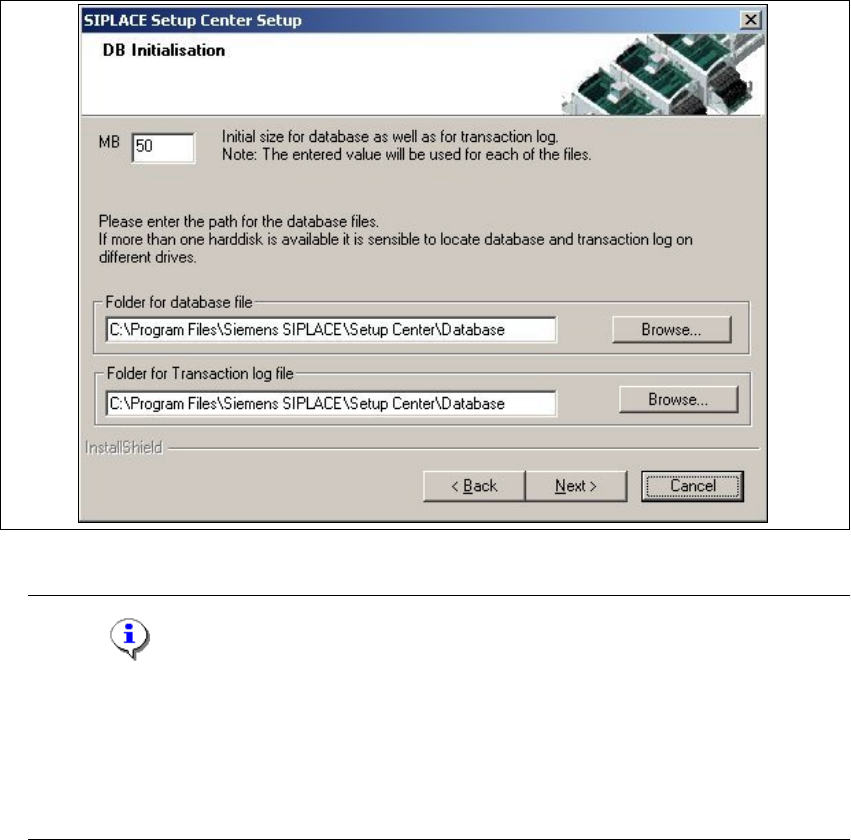
Step 3
→ThefigureyouenterintheMB text box defines the initial size of the SIPLACE Setup Center
database files (default:
50) which are to be created during the installation.
→Confirm the default value or enter the size you want in the MB text box.
3
Fig. 3.2 - 14 "DB Initialisation" dialog box
Note
The specified size is only an initial value. The database will grow automatically as required.
However, only intervention by the database administrator is capable of freeing up unused
disk space. In the "database files" edit field, enter the directory in which the
SIPLACESetup-
Center.mdf
file is to be created. In the transaction log files edit field, enter the name of the
directory in which the SIPLACESetupCenter.mlf database file is to be created. 3
3 Installation Installation Guide SIPLACE Setup Center
3.2 Installation of SIPLACE Setup Center and Possible Setup Types Edition 03/2005 EN
26
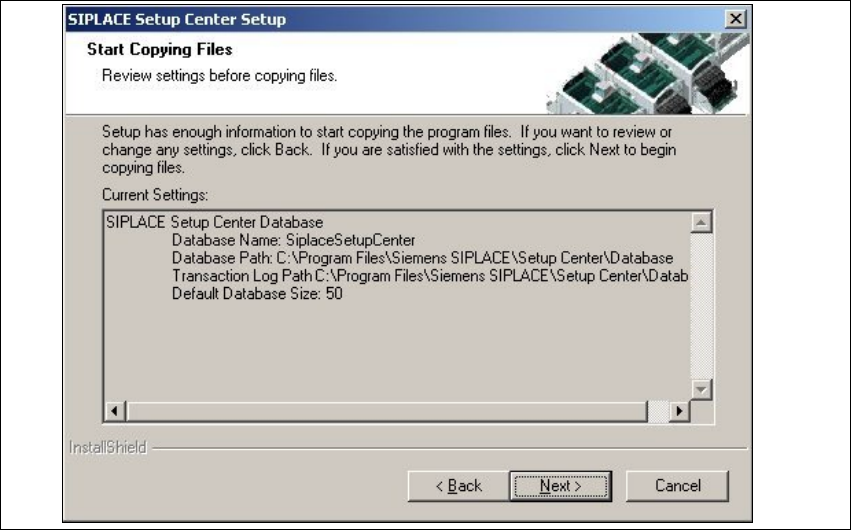
Step 4
→The Start Copying Filesdialog box gives you a last chance to check the information youhave
entered during the previous steps.
3
Fig. 3.2 - 15 "Start Copying Files" dialog box
Installation Guide SIPLACE Setup Center 3 Installation
Edition 03/2005 EN 3.2 Installation of SIPLACE Setup Center and Possible Setup Types
27
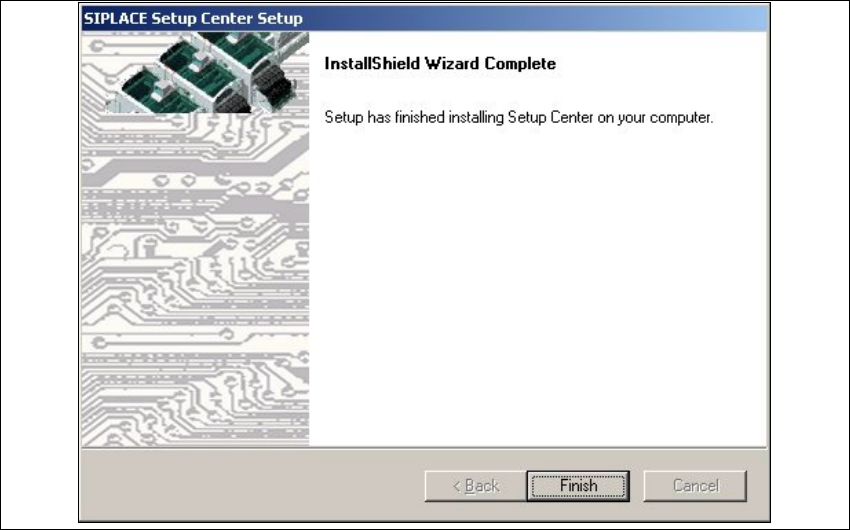
Step 5
→The installation routine is now started.
The
Setup Complete dialog box confirms that the installation has been completed success-
fully.
3
3
Fig. 3.2 - 16 "InstallShield Wizard Complete" dialog box